
By Balvinder Kumar, Founder, Trending AI Tools · Updated November 2026 · Free plans and prices checked against each tool’s official site
Short answer: If you like Semantic Scholar but want something different, start with Google Scholar (the biggest free index) and Asta (Ai2’s free AI research assistant, from the same team as Semantic Scholar). For AI answers backed by papers, try Consensus or Elicit, both with free plans. To check whether a paper’s findings have been supported or disputed, use Scite. To map related research visually, use Research Rabbit or Connected Papers.
Semantic Scholar itself is free, so most people aren’t looking to save money. They want a bigger index, AI-written answers, citation context or a visual map. Below are eight alternatives, with free plans and paid prices checked in November 2026.
What Semantic Scholar does well
Semantic Scholar is a free, AI-powered research search engine from Ai2 (the Allen Institute for AI). It indexes over 200 million academic papers and adds AI features such as one-line TLDR summaries, an AI-assisted reader and a free API. Its main gaps: it doesn’t write synthesized answers to your question, it shows that a paper was cited but not whether the citing paper agreed, and its results are a list rather than a map.
Quick comparison
| Tool | Free option | Paid from | Best for |
|---|---|---|---|
| Google Scholar | Completely free | No paid plan | The widest coverage, including theses and books |
| Asta (Ai2) | Free | No paid plan | AI paper finding and cited literature summaries |
| Consensus | Free: 10 Pro Searches and 3 Deep Searches a month | Pro (see site; 40% student discount) | Quick evidence-based answers to yes/no questions |
| Elicit | Free Basic plan | Plus and Pro (see site) | Systematic reviews and extracting data from papers |
| Scite | Free public citation tallies; no free assistant plan | Basic $20/mo ($144/yr) | Seeing if a paper was supported or contradicted |
| Research Rabbit | Free plan | RR+ (see site) | Discovering related papers and authors |
| Connected Papers | 5 graphs a month | Academic and Business plans | A visual graph around one key paper |
| Perplexity | Free plan | Pro $17/mo billed annually | Fast, sourced orientation on a new topic |
The best Semantic Scholar alternatives
1. Google Scholar
Google Scholar is the default academic search engine for most researchers. It covers journal articles, preprints, theses, books, conference papers and court opinions, and its “Cited by” counts are the ones most people quote.
Price: Free, with no paid tier.
Pros:
- The broadest coverage of any free tool
- Easy author profiles and citation counts
- “All versions” often finds a free PDF
Cons:
- No AI summaries or answers
- Few filters compared with Semantic Scholar
- Less transparent about what it indexes
Visit: scholar.google.com
2. Asta (Ai2)
Asta is Ai2’s agentic research assistant, built by the same organisation as Semantic Scholar. Ai2 launched it in August 2025, bringing together tools that were first released separately, such as Ai2 Paper Finder (“Find papers”) and Ai2 Scholar QA (“Summarize literature”). It plans multi-step searches, follows citations and writes literature summaries with sources.
Price: Free to use.
Pros:
- Free, from a nonprofit research institute
- Good at finding hard-to-find papers that keyword search misses
- Answers come with citations you can check
Cons:
- Some features (such as data analysis) are still in beta
- Agentic searches are slower than a normal search
- Like any AI tool, check its summaries against the papers
Visit: asta.allen.ai
3. Consensus

Consensus is an AI search engine that answers questions using peer-reviewed research. Ask something like “Does creatine improve memory?” and it summarizes what the studies say, with links to each paper.
Free plan: Consensus lists 10 Pro Searches and 3 Deep Searches a month for free.
Paid plans: Pro gives unlimited Pro Searches and 15 Deep Searches a month; Deep raises that to 200 Deep Searches. Students get 40% off Pro for 12 months with a verified student email. Consensus shows live prices on its pricing page, so check there for the current amount.
Pros:
- Clear, cited answers to research questions
- Good for health, nutrition, psychology and other evidence-heavy topics
- A meaningful student discount
Cons:
- The free plan’s AI searches run out quickly
- Less useful for exploring a field with no clear question
Visit: consensus.app | Our Consensus review
4. Elicit

Elicit is an AI research assistant built for literature reviews. It finds relevant papers, summarizes them and pulls specific details (sample size, methods, results) into a table, which saves a lot of time on systematic reviews.
Free plan: Elicit Basic is free. Elicit’s help center describes it as being for students doing casual exploration, with limits on data extraction and table columns.
Paid plans: Plus and Pro add more extraction, more columns and automated reports, and annual billing is discounted. Third-party sites report conflicting prices, so check elicit.com/pricing for the current amounts.
Pros:
- Data extraction tables are excellent for systematic reviews
- Works with your own uploaded PDFs
- Built specifically for research, not general chat
Cons:
- The free plan only allows a couple of extraction columns
- Heavier review features need a paid plan
Visit: elicit.com | Our Elicit review
5. Scite
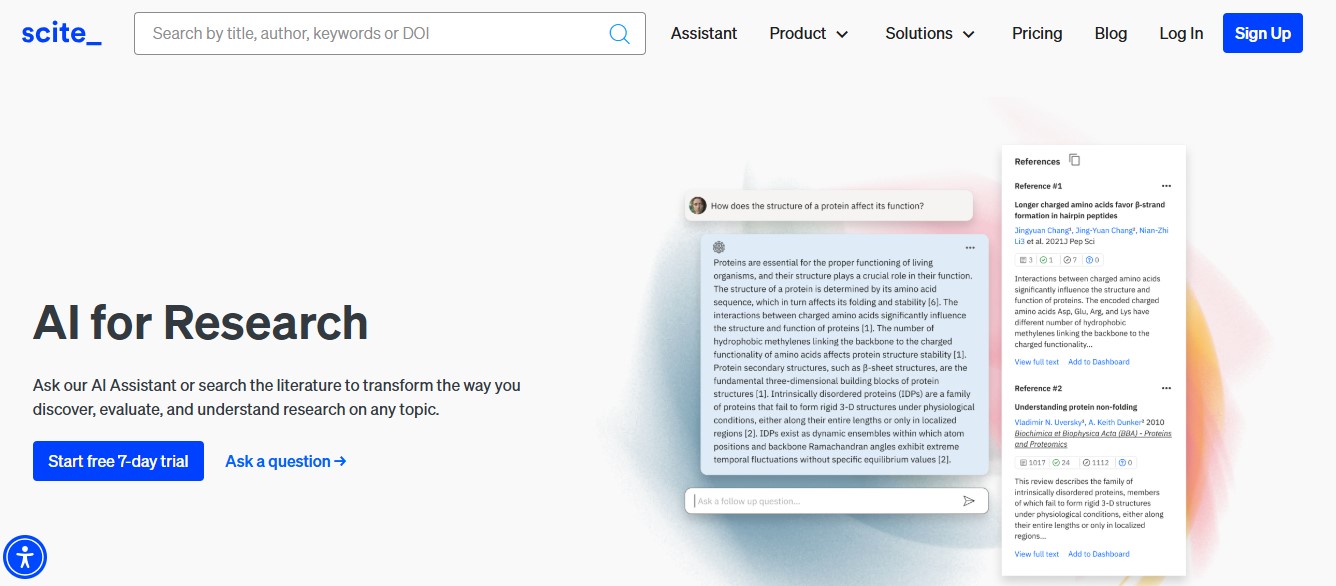
Scite’s “Smart Citations” show how a paper has been cited: whether later papers supported it, contradicted it or just mentioned it. That fills Semantic Scholar’s biggest gap. Scite also has an AI assistant that answers questions using citation statements.
Price: Scite’s documentation lists Basic at $20 a month or $144 a year, and Pro at $50 a month or $480 a year. Team is $50 per user per month, and Organization or Enterprise plans are quoted by sales. Its public citation-tally endpoints are free.
Pros:
- Unique supporting/contrasting citation context
- Citation alerts and reports for papers you care about
- Useful for checking whether a well-known result still holds
Cons:
- No free plan for the assistant
- The most expensive tool on this list for individuals
Visit: scite.ai | Our Scite review
6. Research Rabbit
Research Rabbit is a discovery tool sometimes called “Spotify for papers”. Add a few papers to a collection and it recommends earlier work, later work and similar papers, plus the authors behind them, as interactive maps.
Price: Free plan available. A paid RR+ plan adds more features. See the official site for current pricing.
Pros:
- Great for building a reading list from a few seed papers
- Visual maps of papers and co-authors
- Works with Zotero
Cons:
- No AI summaries or answers
- Large collections can get slow
Visit: researchrabbit.ai
7. Connected Papers

Connected Papers builds a visual graph around one paper, grouping similar papers by how much they share citations and references. It’s a quick way to see the landscape around a key study, including important prior and later work.
Free plan: 5 graphs a month with all features.
Paid plans: Academic (for academics, nonprofits and personal use) and Business plans remove the monthly graph cap. See the official site for current pricing.
Pros:
- Very easy to use: paste a title or DOI and get a graph
- Finds related work that keyword searches miss
- Inexpensive paid plans
Cons:
- 5 free graphs a month goes quickly during a literature review
- It maps papers but doesn’t read or summarize them
Visit: connectedpapers.com | Our Connected Papers review
8. Perplexity

Perplexity is a general AI answer engine that cites its sources. With an academic focus, it pulls answers from papers as well as the web, which is useful for getting oriented in an unfamiliar field before you start a formal search.
Price: Free plan with near-unlimited basic searches. Pro is $17 a month billed annually.
Pros:
- Fast, readable overviews with links
- Handles follow-up questions well
Cons:
- Mixes academic and web sources, so check what it cites
- Not suitable on its own for a formal literature review
Visit: perplexity.ai | Our Perplexity review
How to choose
- You want everything, free: use Google Scholar alongside Semantic Scholar.
- You want an AI assistant that’s free and trustworthy: Asta, from the Semantic Scholar team.
- You have a specific yes/no research question: Consensus.
- You’re doing a systematic review: Elicit, for its extraction tables.
- You need to know if a finding still holds up: Scite.
- You want to explore a field visually: Research Rabbit or Connected Papers.
- You’re new to a topic: start with Perplexity, then move to a proper research tool.
A practical stack many researchers use: Semantic Scholar or Google Scholar to search, Research Rabbit or Connected Papers to expand, Consensus or Elicit to summarize, and Scite to check key claims. Always read the papers you cite. AI tools can misread or overstate findings.
Semantic Scholar alternatives: frequently asked questions
Is there anything better than Semantic Scholar?
It depends on the job. Google Scholar covers more documents, Consensus and Elicit write AI answers from papers, Scite shows whether citations support or dispute a finding, and Research Rabbit and Connected Papers map related work visually. Many researchers use Semantic Scholar alongside one or two of these.
What is the best free alternative to Semantic Scholar?
Google Scholar is the best free alternative for coverage. For a free AI research assistant, Asta from Ai2 (the team behind Semantic Scholar) is a strong choice. Consensus and Elicit also have free plans with monthly limits.
Is Semantic Scholar the same as Google Scholar?
No. Semantic Scholar is run by the nonprofit Ai2 and adds AI features such as TLDR summaries and a free API. Google Scholar is run by Google and indexes a wider range of documents, but has fewer AI features.
Which AI tool is best for a literature review?
Elicit is built for systematic reviews, with tables that extract details from each paper. Consensus is better for quick answers to specific questions. Pair either with a discovery tool such as Research Rabbit, and check key findings in Scite.
Do these tools replace reading the papers?
No. AI summaries can miss caveats or misread results. Use them to find and triage papers faster, then read the ones you plan to cite.


