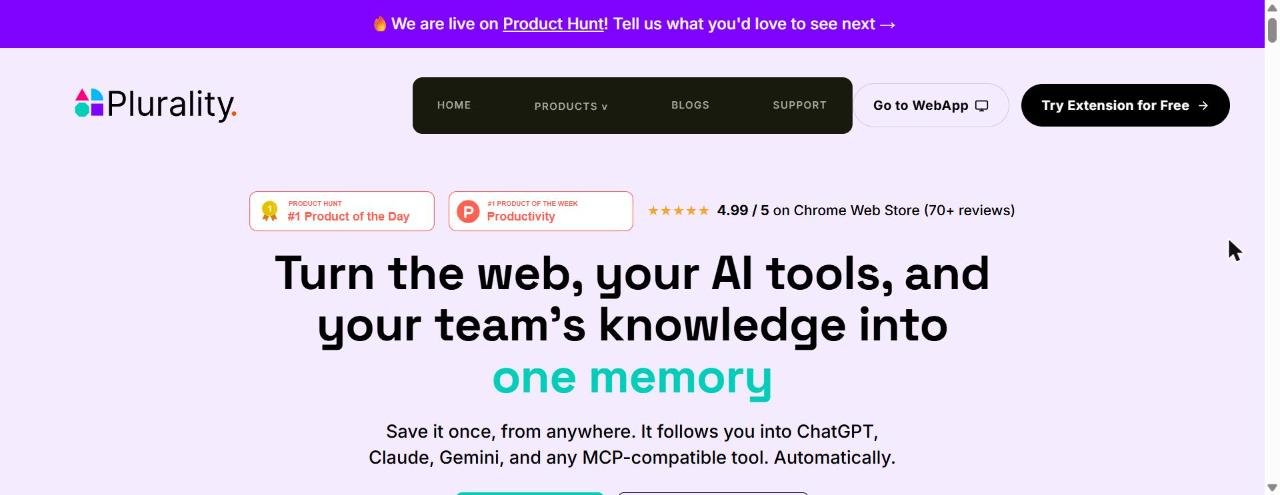
AI Context Flow turns the web, your AI tools and your team’s knowledge into one memory that follows you into ChatGPT, Claude, Gemini and any MCP-compatible tool.
Facts checked: November 2026 · Sources: plurality.network/ai-context-flow and its Product Hunt launch of AI Context Flow MCP (21 Nov 2026)
AI Context Flow, from Plurality, keeps your context in Memory Studio, sorted into spaces per project or client. A browser extension pulls that memory into ChatGPT, Claude, Gemini, Perplexity or Grok with Ctrl+I, and an MCP server gives terminals, IDEs and desktop agents the same memory to read and write. Spaces can be shared with teammates.
People and teams who use several AI tools and are tired of repeating the same context
Free plan; Plus $99 a year, Pro $199 a year
Free plan with 200 credits a day and 50 MB of memory
Browser extension, web app (Memory Studio) and MCP server
AI Context Flow MCP on Product Hunt, 21 November 2026
Is AI Context Flow right for you?
- switch between ChatGPT, Claude, Gemini and other AI tools every day
- want the same project or client brief available to every AI agent
- work with a team that needs a shared, versioned AI memory
- only ever use one AI assistant and are happy with its built-in memory
- do not want a browser extension installed
- need a self-hosted memory system
AI Context Flow pricing
| Plan | Price | What you get |
|---|---|---|
| Free | $0 | 200 credits a day, 50 MB memory, MCP server and personal access tokens |
| Plus | $99/year | 1,500 credits a day, 500 MB memory |
| Pro | $199/year | 5,000 credits a day, 5 GB memory |
Prices shown are the annual plans on the official site, which says annual billing gives two months free. A monthly option is also available. Payments go through Stripe.
Key features
Memory Studio
One place for your context, organized into spaces per project or client, searchable, editable and versioned.
Context in any chat
Press Ctrl+I in ChatGPT, Claude, Gemini, Perplexity or Grok to pull in the memory you need.
Prompt optimizer
Sharpen a prompt in one click before you send it.
MCP server
Give terminals, IDEs, desktop agents and workflows live read and write access to the same memory.
Shared spaces
Give a teammate viewer or editor access to a memory space with one link.
Pros and cons
- Works across many AI tools instead of locking memory to one
- Free plan includes the MCP server
- Sidebar lets you chat with any page across 30+ models
- Highly rated on the Chrome Web Store, per the official site
- Free plan memory is limited to 50 MB
- Browser features need the extension
- Another tool to keep in sync with your AI apps
How to get started
- Click Try Extension for Free on the AI Context Flow page
- Save context into a space in Memory Studio
- Press Ctrl+I in your AI chat or connect the MCP server to your agents
AI Context Flow alternatives
⇄ Compare AI Context Flow side by side
AI Context Flow: frequently asked questions
Is AI Context Flow free?
Yes, there is a free plan with 200 credits a day, 50 MB of memory and the MCP server. Plus costs $99 a year and Pro $199 a year.
What does AI Context Flow do?
It lets you save context once and reuse it in ChatGPT, Claude, Gemini and any MCP-compatible tool, so you stop re-explaining yourself to every AI.
Which AI tools does AI Context Flow work with?
The extension works in ChatGPT, Claude, Gemini, Perplexity and Grok, and the MCP server connects MCP-compatible agents, IDEs and terminals.
Can I share AI Context Flow memory with my team?
Yes. You can give a teammate viewer or editor access to any memory space with a link.
What are the best alternatives to AI Context Flow?
ChatGPT and Claude AI both have built-in memory and projects, but only inside their own apps.
⇄ Compare AI Context Flow with similar tools
Want more tools like this?
Get the best new AI tools in your inbox every two weeks. Free, no spam, unsubscribe anytime.