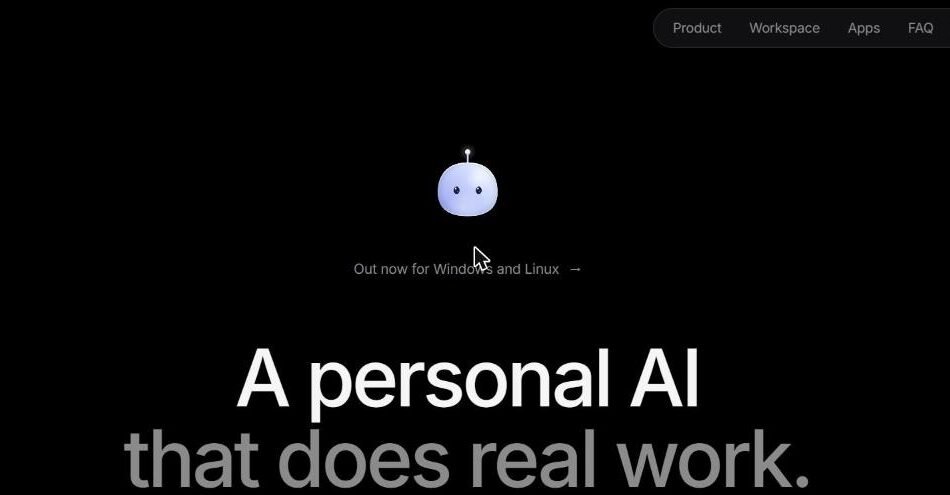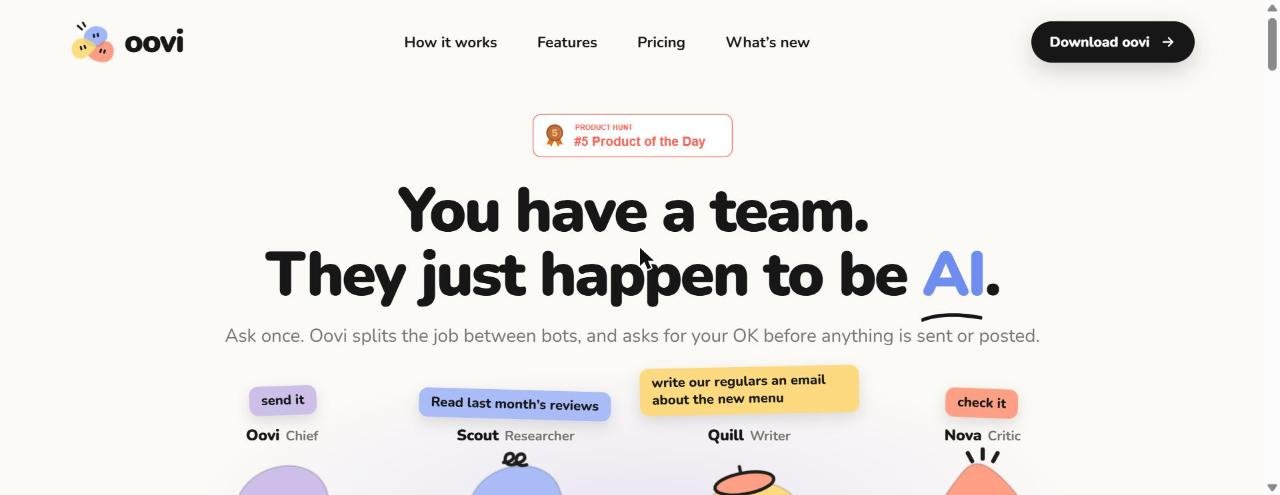
oovi gives you a team of AI bots on your desktop: a leader plans the job, a researcher digs, a writer drafts and a critic checks, and nothing is sent or posted without your OK.
Facts checked: November 2026 · Sources: oovi.conuron.com, its pricing page and its Product Hunt launch (22 Nov 2026)
oovi starts every account with four bots: Oovi (chief), Scout (researcher), Quill (writer) and Nova (critic). You ask once in plain words, each bot takes its part, and you see every step and what it cost. It connects to apps like Gmail, Slack and Notion, can use a real browser, and keeps chats, files and keys on your computer.
Solo founders and small teams who want AI to research, write and check work for them
Free with your own API key; credit plans from $10 a month
1,000 welcome credits once, or always free with your own key
Windows, Mac, Linux and Android
Product Hunt, 22 November 2026
Is oovi right for you?
- want several AI bots to plan, research, write and review a task together
- want to approve every email, post or browser action before it happens
- already have a Claude, GPT, Gemini, Grok or OpenRouter API key
- need a web app you can use without installing anything
- want a single simple chatbot rather than a team of agents
- need team seats and admin controls for a large company
oovi pricing
| Plan | Price | What you get |
|---|---|---|
| Free | $0 | 1,000 welcome credits once, daily limit 1,000 credits, all features |
| Starter | $10/month | 5,000 credits every month, email support |
| Pro | $40/month | 16,000 credits every month, priority support |
| Advanced | $120/month | 50,000 credits every month, priority support |
| Your own API key | Always free | Use your own model key; you pay your provider directly |
Credits are only needed for theOovi 1.1, the built-in model. Unused credits stay in your balance. Plans are bought inside the app. A yearly option is also shown on the pricing page.
Key features
A team of bots
Chief, researcher, writer and critic bots, plus any custom bots you create with their own job and AI model.
Approve before it acts
Before a bot sends an email, posts or clicks on a website, it shows the exact action and waits for you.
Your apps and a real browser
Connect Gmail, Slack, Notion and other apps; bots can use a browser you can watch live.
Routines
Set recurring jobs such as a morning news summary that run on time.
Memory and skills
Bots keep short notes about you and can save the steps of a task to reuse later.
Pros and cons
- Free forever with your own API key
- You approve every outgoing action
- Chats, files and keys stay on your computer
- Credits never expire
- Desktop app to install; no web version mentioned
- Very new, built by a solo developer
- Built-in model needs paid credits after the welcome credits
How to get started
- Download oovi for Windows, Mac or Linux
- Use the 1,000 free credits or add your own AI key in Settings > AI models
- Give the team a job in plain words and approve each action
oovi alternatives
oovi: frequently asked questions
Is oovi free?
Yes. oovi itself is free. You can use it free with your own API key, or with 1,000 one-time welcome credits for the built-in model. Paid credit plans start at $10 a month.
What does oovi do?
You give it a job and a team of AI bots splits the work: a leader plans, a researcher searches, a writer drafts and a critic checks the result.
Can oovi send emails or post on its own?
No. According to the website, nothing goes out without your yes: it shows the exact action and you can allow once, allow for the chat, or deny.
Which platforms does oovi support?
Windows, Mac and Linux, plus an Android app.
What are the best alternatives to oovi?
Lindy AI and Lumo are two options for AI assistants and agents that do work for you.
⇄ Compare oovi with similar tools
Want more tools like this?
Get the best new AI tools in your inbox every two weeks. Free, no spam, unsubscribe anytime.