
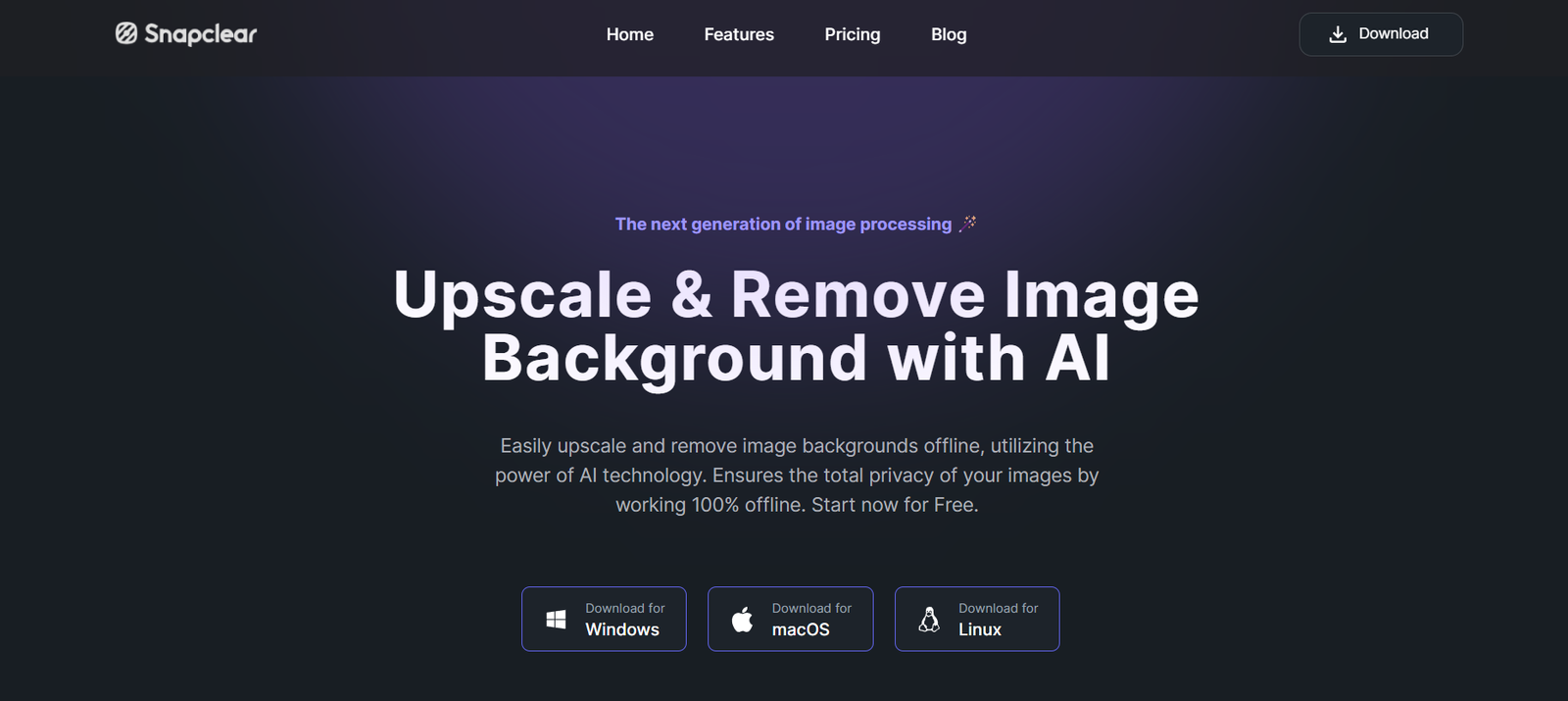
SnapClear is a web-based AI-powered tool that allows users to remove backgrounds from images with a single click. Designed for eCommerce sellers, marketers, photographers, and casual users, SnapClear makes it easy to isolate subjects from their backgrounds—whether for product listings, graphic design, or social media.
With no software installation required and support for high-resolution images, SnapClear provides a fast, accurate, and affordable solution for anyone who needs clean, transparent-background images in seconds.
Official website: https://www.snapclear.app
Features
1. One-Click Background Removal
Automatically remove backgrounds from any image using advanced AI segmentation. No manual editing or masking required.
2. High-Resolution Downloads
Download processed images in full HD resolution, suitable for print, web, or digital use.
3. Simple Drag-and-Drop Interface
Upload an image by dragging and dropping it into the browser. The interface is clean and intuitive for all user levels.
4. Transparent or Solid Backgrounds
Choose to download the subject with a transparent background (PNG) or replace the background with a solid color.
5. Fast Processing Speed
AI engine removes backgrounds in just a few seconds, even on high-resolution files.
6. Secure and Private
All uploaded images are processed securely, and files are automatically deleted after a short time to protect user privacy.
7. No Account Required (Free Tier)
Users can test the service without creating an account—ideal for occasional or first-time use.
How It Works
SnapClear is designed to be as user-friendly as possible. Here’s how it works:
Visit the SnapClear Website
Go to https://www.snapclear.app using any modern browser.Upload Your Image
Drag and drop your image or click “Upload” to select a file from your computer. SnapClear accepts most common formats, including JPG and PNG.AI Removes the Background
Within seconds, the AI automatically isolates the subject and removes the background with pixel-level accuracy.Download the Result
Preview the result and click “Download” to save the image with a transparent background or custom background color.
SnapClear requires no login for basic use and works entirely in the browser.
Use Cases
1. eCommerce Product Listings
Create clean, white-background product images for platforms like Amazon, Shopify, Etsy, and eBay.
2. Social Media Graphics
Design eye-catching posts, reels, or stories by removing distractions and highlighting the main subject.
3. Profile Pictures and Thumbnails
Generate polished profile images for LinkedIn, Instagram, or YouTube thumbnails with no background clutter.
4. Graphic Design and Marketing
Easily cut out objects or people to use in ads, brochures, posters, and email campaigns.
5. Print and Packaging
Prepare transparent-background assets for catalog printing, product labels, or promotional material.
6. Photography and Portraits
Isolate models or subjects for compositing, retouching, or creating artistic edits.
Pricing
As of June 2025, SnapClear offers flexible and affordable pricing based on usage credits:
Free Tier
1 free background removal credit
Standard resolution output
No account required
Watermarked download
Pay-As-You-Go Credits
$5 for 10 credits
$20 for 50 credits
$35 for 100 credits
No subscription needed
High-resolution downloads
No watermark
Monthly Subscription Plans
Starter – $9/month
40 credits/month
HD quality
Priority processing
Pro – $19/month
150 credits/month
Commercial use license
Faster rendering
Enterprise – Custom Pricing
Unlimited or bulk usage
API access
Team support and billing
For the latest pricing and offers, visit: https://www.snapclear.app/pricing
Strengths
Extremely Easy to Use: No learning curve. Instant results with one click.
High-Quality Output: Maintains edge clarity and detail, even around complex areas like hair or fur.
No Installation Required: Works directly in the browser on all operating systems.
Affordable Pricing: Flexible pay-per-use or monthly plans to suit occasional users and professionals.
Fast Processing: Backgrounds are removed in seconds with minimal delay.
Supports Transparency: Output files support alpha channels (transparent PNGs), making them versatile for design use.
Drawbacks
Limited Editing Options: Users cannot manually refine the cutout or edit the background beyond color replacement.
Free Version is Very Limited: Only one free image, with a watermark and standard resolution.
No Built-In Design Tools: Unlike Canva or Adobe Express, SnapClear doesn’t offer graphic design functionality—only background removal.
No Mobile App: Currently, SnapClear operates only via browser. A native mobile app is not available as of now.
Comparison with Other Tools
SnapClear competes with popular background removal tools like Remove.bg, Slazzer, and Adobe Express Quick Actions. Here’s how it compares:
Compared to Remove.bg: SnapClear offers similar speed and quality but at a slightly lower cost-per-credit.
Compared to Slazzer: SnapClear has a simpler UI and no required account for one-time use. Slazzer offers deeper integration and bulk processing options.
Compared to Canva: Canva includes background removal as part of its premium subscription, but SnapClear focuses solely on quick, clean cutouts with no distractions.
SnapClear is ideal for users who need a fast, accurate, and affordable way to remove image backgrounds without additional design features.
Customer Reviews and Testimonials
Early users have praised SnapClear for its ease of use, speed, and quality:
“The cleanest background remover I’ve used so far—and I’ve tried most of them.” – Shopify Seller
“Love that I don’t need to log in or install anything. It just works.” – Freelancer
“I use SnapClear daily for product photos. It’s fast, affordable, and reliable.” – Digital Marketer
User reviews commonly highlight its no-friction interface and professional results.
Conclusion
SnapClear is a dedicated, AI-powered background removal tool that delivers high-quality results in seconds. Whether you’re a small business owner, designer, marketer, or casual user, SnapClear provides a no-hassle way to isolate subjects from any image with just one click.
Its speed, simplicity, and affordable credit system make it a go-to choice for users who need reliable background removal without complex tools or subscriptions.









