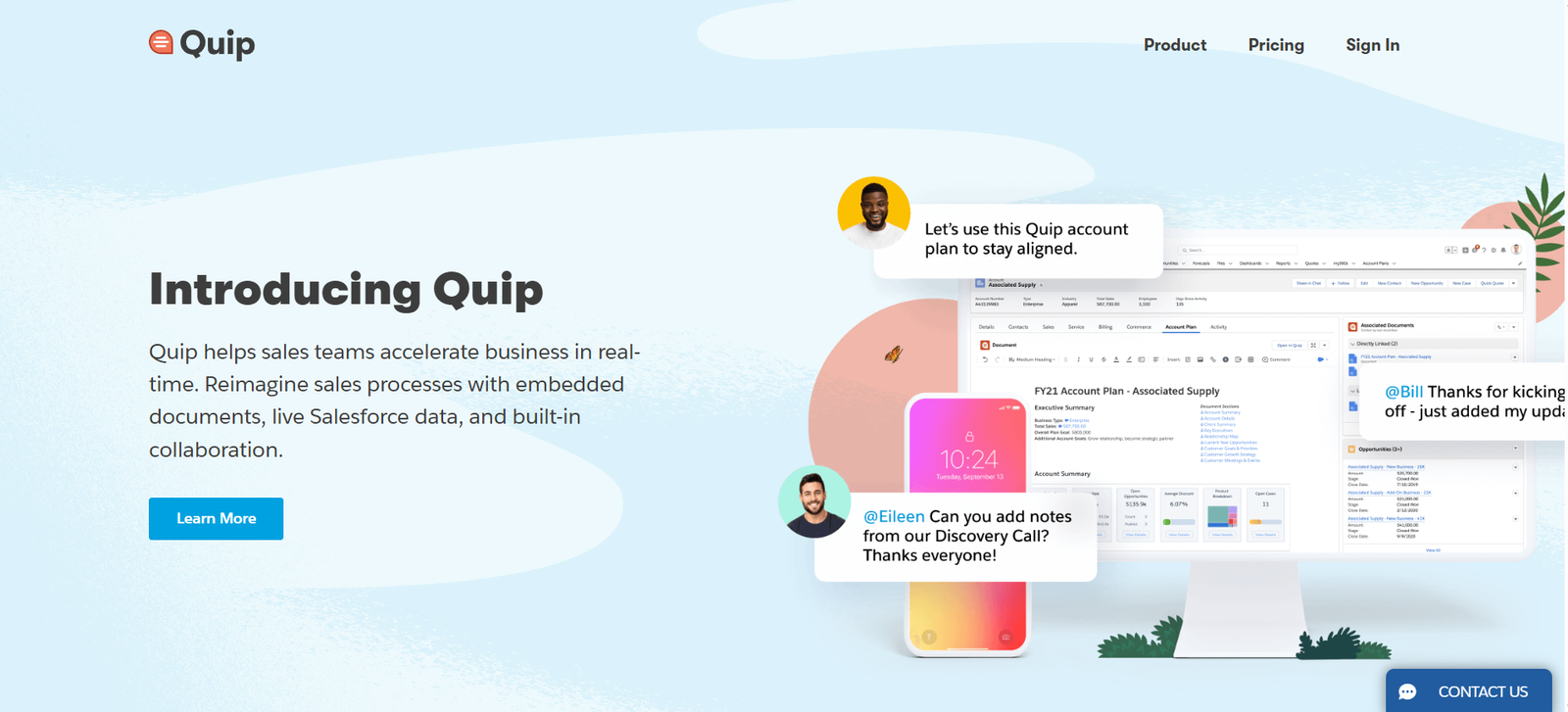
Quip is a cloud-based productivity and collaboration platform designed to help teams work together efficiently through shared documents, spreadsheets, checklists, and embedded chat. Built for modern teams, Quip eliminates scattered tools and email chains by combining communication and documentation in one centralized workspace.
Now part of Salesforce, Quip is especially popular among sales, operations, and customer-facing teams who need real-time collaboration tools with tight CRM integration. Whether you’re planning a project, tracking a sales pipeline, or managing marketing content, Quip simplifies teamwork by keeping everything in one place.
Features
Collaborative Documents
Create, share, and co-edit rich text documents with team members in real-time.Spreadsheets with Live Collaboration
Integrated spreadsheets offer full functionality with charts, formulas, and collaborative editing.Built-In Chat & Comments
Each document has contextual chat and inline comments, reducing the need for separate messaging tools.Checklists & Project Tracking
Create checklists inside documents for action items and task tracking.Live Salesforce Data Integration
Pull real-time Salesforce records into documents and spreadsheets for live updates and reporting.Templates for Business Use Cases
Start with pre-built templates for account plans, project briefs, meeting notes, and more.Permissions & Access Control
Granular control over who can view, edit, or comment on documents.Mobile Apps
Full-featured mobile apps for iOS and Android keep you connected on the go.Version History
Track changes, view previous versions, and restore content easily.Offline Mode
Work offline and sync changes automatically when you’re back online.
How It Works
Quip simplifies collaboration by integrating word processing, spreadsheets, and chat into a single tool. Here’s how teams typically use it:
Step 1: Create a New Document or Spreadsheet
Start a blank document or use a template.
Step 2: Share with Your Team
Invite collaborators by email or link, with permission control.
Step 3: Collaborate in Real-Time
Edit, comment, and chat within the document as the team works together.
Step 4: Pull in Data
For Salesforce users, insert live data into documents for reporting or planning.
Step 5: Organize with Folders
Group related documents into folders for departments, clients, or projects.
Use Cases
Sales Account Planning
Build collaborative sales playbooks, account briefs, and opportunity reviews with live CRM data.Project Management
Manage project briefs, timelines, and task checklists in a single shared doc.Meeting Notes & Agendas
Document agendas, notes, and next steps in real time with your team.Content Collaboration
Collaborate on marketing plans, social calendars, or creative briefs with version control.HR & Onboarding
Create team handbooks, onboarding checklists, and shared company policies.
Pricing
As of June 2025, Quip offers the following pricing plans:
Quip Starter – $10/user/month (billed annually)
Documents, spreadsheets, and chat
Real-time collaboration
Team sharing and permissions
Mobile apps
Quip Plus – $25/user/month
Salesforce integration
Advanced permissions
Live CRM data in docs
Enterprise support
Quip Advanced (Salesforce Customers Only) – Custom Pricing
Deep Salesforce integration
Enhanced admin controls
Enterprise-grade security
Priority support
Visit https://quip.com/pricing for full plan details.
Strengths
Combines documents, spreadsheets, and chat in one tool
Excellent for real-time team collaboration
Deep Salesforce integration for CRM-centric teams
User-friendly interface and mobile support
Suitable for cross-functional business use
Drawbacks
Less advanced formatting than Google Docs or Microsoft Word
Spreadsheet features may not match Excel power users’ expectations
Limited appeal outside of Salesforce ecosystem for advanced use
No native video or whiteboarding tools
Comparison with Other Tools
Quip vs. Google Workspace
Google Docs is powerful but separate from chat. Quip integrates chat, docs, and spreadsheets in one workspace.
Quip vs. Notion
Notion is more customizable but may have a steeper learning curve. Quip is simpler and more structured for business users.
Quip vs. Microsoft 365
Microsoft offers more advanced document tools, but Quip emphasizes lightweight, collaborative workflows with better built-in communication.
Quip vs. Confluence
Confluence is geared toward documentation. Quip is more interactive and better for real-time collaboration with spreadsheets and chat.
Customer Reviews and Testimonials
Quip is trusted by companies like Facebook, Stripe, and Amazon for internal documentation and sales enablement.
“Quip has revolutionized how we collaborate. Everything is in one place—docs, data, and conversations.”
— Operations Manager, Mid-Market SaaS
“We love the live Salesforce integration. It’s like having CRM inside our documents.”
— VP of Sales, Enterprise Customer
“It’s so easy to onboard new hires—our team wiki and project plans are always up to date in Quip.”
— HR Lead, Tech Startup
Conclusion
Quip offers a modern, integrated approach to team collaboration by merging documents, spreadsheets, and chat into a single tool. It’s ideal for teams looking to streamline their workflows, reduce reliance on fragmented tools, and collaborate in real time—especially for those already using Salesforce.
Whether you’re managing sales accounts, launching projects, or simply improving cross-team communication, Quip helps your team move faster, stay aligned, and get more done—together.