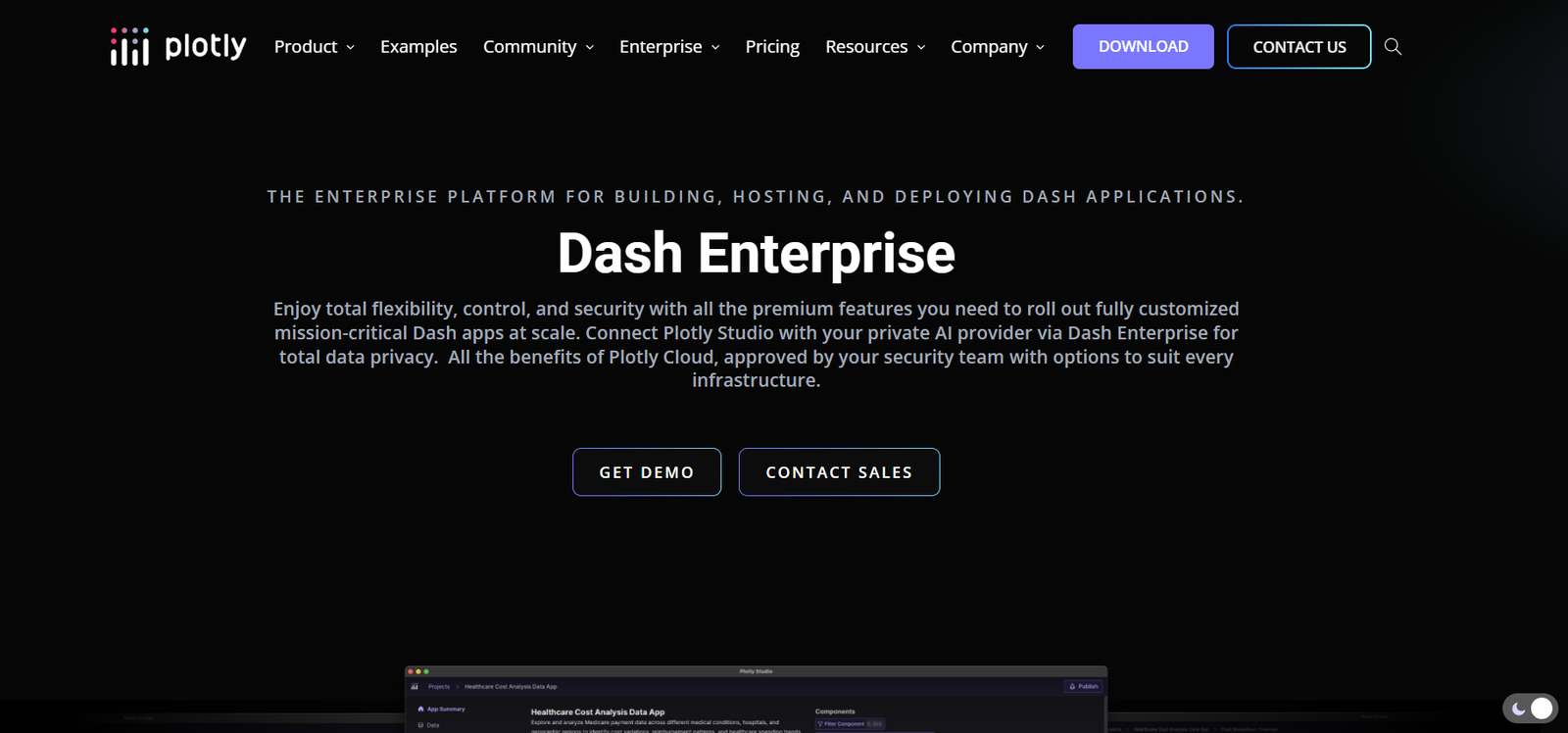
Plotly is a leading open-source and enterprise platform for building interactive data visualizations and analytical web applications using Python. Known for its elegant and highly customizable visual outputs, Plotly allows users to create dynamic charts, graphs, and dashboards that are responsive, browser-based, and ready for deployment.
Originally launched as an open-source JavaScript library, Plotly has evolved into a powerful suite of tools including the popular Plotly.py library and Dash, a low-code framework for building machine learning and data science web applications in Python.
Data scientists, analysts, and developers across industries use Plotly to transform raw data into actionable insights through visual storytelling and custom dashboards. The platform supports both individual creators through open-source tools and enterprise clients with robust governance, deployment, and collaboration features.
Features
Plotly offers a wide range of features through both its visualization libraries and Dash app framework.
Plotly.py Library
A high-level, open-source Python library that allows the creation of interactive charts such as line graphs, scatter plots, bar charts, maps, heatmaps, and more—all rendered in web browsers using D3.js.
Dash Framework
Dash is Plotly’s flagship open-source framework for building data apps with no JavaScript required. It combines Python, Flask, React, and Plotly.js to enable full-stack web applications built entirely in Python.
Dash Enterprise
A secure, scalable platform for deploying, managing, and scaling Dash applications in corporate environments. Dash Enterprise includes authentication, role-based access control, CI/CD pipelines, and deployment automation.
Interactive Charts
All plots are interactive by default, allowing users to zoom, pan, hover, and export charts. This enhances user engagement and data exploration.
Cross-Platform Support
Applications and plots run in any modern web browser and are mobile-responsive, supporting seamless interaction on desktops, tablets, and smartphones.
Low-Code App Building
Dash provides a declarative interface for creating custom visual components, controls, and callbacks using Python without requiring frontend development skills.
Deployment Options
Dash apps can be deployed via Dash Enterprise on Kubernetes, on-premise servers, or cloud environments such as AWS, Azure, and GCP.
Built-In Components
Dash includes over 100 components like sliders, dropdowns, tables, graphs, upload widgets, and forms that can be used to create rich web interfaces.
Extensibility with React
Advanced developers can create custom components using React.js and integrate them directly into Dash apps.
Data Integration
Supports direct integration with pandas, NumPy, SQL databases, and cloud storage systems to streamline data loading and manipulation.
Security and Authentication
Dash Enterprise supports LDAP, SAML, OAuth, and other enterprise-grade authentication protocols for secure application access.
Model Deployment
Dash apps can embed machine learning models for real-time inference, visualization, and interaction, enabling data science deployment at scale.
Version Control and CI/CD
Git-based version control and CI/CD workflows allow collaborative development and seamless updates to deployed apps.
Monitoring and Analytics
Dash Enterprise provides built-in observability tools to monitor app performance, usage statistics, and user interactions.
How It Works
Plotly and Dash work together to simplify the creation of interactive visualizations and data applications.
With Plotly.py, users write Python code to define chart types, data structures, layout properties, and interactivity options. These plots are rendered as HTML objects that can be embedded in Jupyter notebooks, standalone HTML files, or web apps.
To build interactive dashboards, users can switch to Dash, where they define the app layout using Python and connect visual components with callbacks—functions that react to user input. Dash apps can be run locally or deployed via Dash Enterprise for production use.
Dash apps consist of a layout (HTML-like structure), components (like sliders, graphs, or dropdowns), and callbacks (Python functions that update components). Everything is executed in Python, eliminating the need to write HTML, CSS, or JavaScript.
For enterprise teams, Dash Enterprise enables one-click deployment, Git integrations, user access control, and observability. Teams can deploy apps securely, manage updates, and collaborate across functions.
Use Cases
Plotly and Dash are used across industries for a variety of data visualization and analytics applications.
Business Intelligence
Enterprises build customized BI dashboards for finance, operations, and marketing teams, providing real-time metrics and KPIs.
Machine Learning and AI
Data scientists deploy ML models in interactive Dash apps, allowing stakeholders to test scenarios, view predictions, and explore model behavior.
Healthcare Analytics
Hospitals and healthcare providers use Dash apps to visualize patient data, monitor hospital operations, and support medical research.
Oil and Gas
Energy companies use Plotly to map geospatial data, monitor drilling metrics, and visualize production dashboards.
Financial Services
Banks and investment firms build trading dashboards, risk assessment tools, and real-time financial data apps with Plotly and Dash.
Manufacturing
Factories use Dash for IoT monitoring, quality control dashboards, and predictive maintenance visualizations.
Education and Research
Professors and researchers use Plotly in Jupyter notebooks and Dash apps to visualize data, explain concepts, and share findings interactively.
Government and Public Sector
Government agencies visualize public health, transportation, and economic data using open-source Dash applications.
Pricing
Plotly offers both open-source tools and enterprise solutions with custom pricing.
Open-Source
Plotly.py and Dash are completely free to use under MIT and Apache 2.0 licenses.
Suitable for individuals, students, researchers, and small teams building internal tools or prototypes.
Dash Enterprise
Custom pricing is available for organizations seeking full-scale deployment, collaboration, and enterprise-grade support. Dash Enterprise includes:
Secure app hosting
Authentication and access control
Role-based permissions
Git and CI/CD integrations
Custom domain and SSL
Auto-scaling and monitoring
Support and onboarding
Dedicated infrastructure (on-premise or cloud)
Strengths
Plotly offers many advantages to individuals and enterprises seeking to build visual data apps.
Python-First Approach
Enables full-stack web application development using only Python—ideal for data scientists and analysts.
Highly Interactive Visuals
Out-of-the-box interactivity improves user experience and enhances exploration of complex datasets.
Open-Source Foundation
Strong community support and transparency with robust documentation and GitHub repositories.
Enterprise-Ready
Dash Enterprise brings the reliability and governance needed for mission-critical applications.
Low-Code and Flexible
Provides a balance between simplicity for non-developers and extensibility for advanced users.
Extensive Component Library
Includes a wide range of UI components to rapidly prototype and build production-ready apps.
Browser-Based Output
Visualizations and dashboards run in the browser, ensuring accessibility across devices and platforms.
Drawbacks
Despite its strengths, there are some limitations to consider.
Learning Curve for Dash
While no JavaScript is needed, understanding the callback logic in Dash can be challenging for beginners.
Performance with Large Datasets
Handling very large datasets in the browser may lead to performance issues unless optimized or pre-aggregated.
Styling Customization
Customizing Dash apps beyond the default styles may require additional CSS or external libraries.
No Built-In Database
Users must integrate external databases or data pipelines manually, which adds to setup complexity.
Enterprise Features Locked
Some advanced deployment and security features are only available through the paid Dash Enterprise plan.
Comparison with Other Tools
Plotly competes with tools like Power BI, Tableau, Shiny (R), and Streamlit.
Power BI and Tableau offer excellent drag-and-drop dashboards but are less customizable and not open source.
Shiny is R-focused, while Plotly is Python-based and more popular among Python data scientists.
Streamlit is also Python-based and simpler to use for basic apps, but Dash offers more control, better scalability, and enterprise features.
Plotly stands out for its blend of flexibility, open-source accessibility, and production readiness—especially for Python users needing custom apps with interactivity and deployment control.
Customer Reviews and Testimonials
Plotly is trusted by global companies including Ford, NASA, McKinsey, Novartis, and the U.S. Air Force. Organizations report:
Faster deployment of custom dashboards
Improved collaboration between data teams and business units
Better visualization of ML models and real-time metrics
Reduced dependency on frontend developers
Strong documentation and support
Case studies show successful implementation of Dash apps in industries ranging from healthcare to automotive.
Conclusion
Plotly is a powerful and flexible platform for data visualization and building custom data applications in Python. Whether you’re creating a simple line chart in Jupyter or deploying enterprise-grade Dash apps with full authentication and CI/CD, Plotly provides the tools and ecosystem to support the entire lifecycle.
Its combination of open-source freedom and enterprise support makes it an excellent choice for data teams looking to scale insights and integrate analytics directly into business workflows. For Python users seeking interactive, customizable, and scalable visualizations, Plotly is a top-tier solution.