
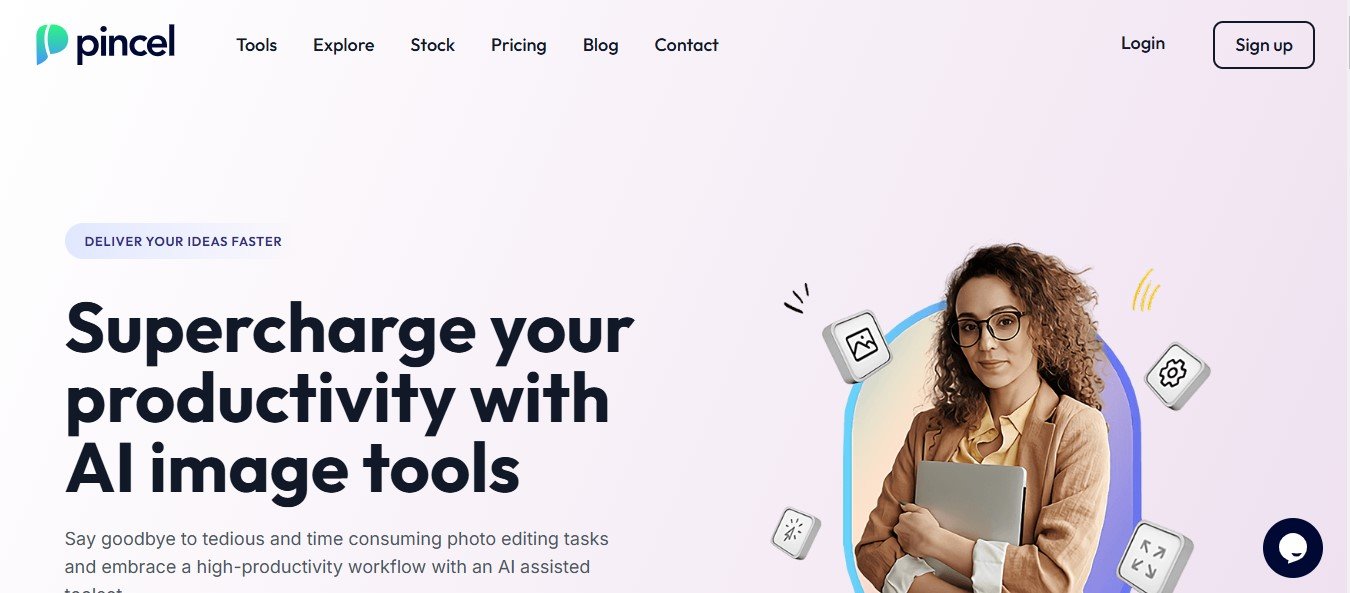
Pincel.app is a generative AI art and design platform that allows users to create custom images, illustrations, and graphics with simple text prompts. Whether you’re looking to generate unique artwork, create social media visuals, or enhance your design projects, Pincel.app leverages state-of-the-art AI to turn your ideas into polished visuals in minutes.
From hobbyists exploring creative projects to businesses producing marketing content, Pincel.app offers a versatile, user-friendly platform for anyone seeking to simplify their design workflows.
Key Features of Pincel.app
Pincel.app offers a variety of features to help users create beautiful, professional-quality visuals with minimal effort:
1. Text-to-Image Generation
Describe your idea in a text prompt, and Pincel.app will generate a unique image that matches your description. For example, enter “a futuristic city with flying cars” or “a watercolor painting of a peaceful forest,” and the AI creates your desired art.
2. Wide Range of Art Styles
Choose from multiple styles such as realism, digital painting, 3D rendering, anime, abstract, and more to customize your output.
3. Illustration and Concept Art
Create high-quality illustrations and concept art for projects like book covers, game design, storyboards, or comics.
4. Customizable Outputs
Fine-tune the details of your AI-generated images by adjusting parameters like colors, lighting, composition, and artistic effects.
5. Image-to-Image Transformations
Upload an image, and Pincel.app will apply AI-driven transformations, such as changing its style or enhancing its quality.
6. High-Resolution Outputs
Generate visuals in high resolution, perfect for professional use, printing, or publishing.
7. Collaborative Workspaces
Invite team members to collaborate on creative projects in real-time. Ideal for design teams and agencies.
8. Batch Generation
Generate multiple images or variations in one go, saving time for users who need to produce content in bulk.
9. Cloud-Based Platform
Access Pincel.app from any device with an internet connection—no downloads or installations are required.
10. Export Options
Download your artwork in various formats, such as PNG, JPG, or SVG, for use across multiple platforms.
How Does Pincel.app Work?
Pincel.app is designed to be user-friendly, even for those with no prior design experience. Here’s how it works:
- Sign Up or Log In: Visit Pincel.app’s official website and create an account.
- Input Your Prompt: Describe the artwork or visual you want to create using a text prompt.
- Select a Style: Choose from various art styles to match your vision.
- Generate Your Artwork: Let the AI create a stunning image based on your input.
- Customize and Edit: Adjust settings like colors, effects, or details to fine-tune your design.
- Download or Share: Export the final result in your preferred resolution and format, ready for use or sharing.
Use Cases for Pincel.app
Pincel.app caters to a variety of creative needs across different industries:
1. Graphic Design
Create unique visuals for branding, packaging, posters, or web design without needing advanced design skills.
2. Social Media Content
Generate eye-catching social media graphics, stories, and posts tailored for platforms like Instagram, TikTok, and Pinterest.
3. Marketing and Advertising
Produce professional-quality visuals for ad campaigns, email newsletters, and promotional banners in a fraction of the time.
4. Illustration and Concept Art
Artists can use Pincel.app to generate inspiration or create polished illustrations for books, comics, or games.
5. E-Commerce
Enhance product listings with AI-generated backgrounds, stylized visuals, or promotional graphics to attract buyers.
6. Education and Training
Educators and trainers can create custom illustrations and visuals for lessons, presentations, or e-learning materials.
7. Creative Projects and Gifts
Hobbyists can use Pincel.app to create personalized artwork, posters, or unique gifts for friends and family.
Pricing
Pincel.app offers flexible pricing plans to suit various user needs. While specific pricing details may vary, here’s a general outline of typical plans:
- Free Plan:
- Limited access to features.
- Includes a capped number of AI-generated images.
- Ideal for testing the platform.
- Pro Plan:
- Unlocks advanced tools, high-resolution outputs, and additional styles.
- Suitable for freelancers and individual creators.
- Team Plan:
- Includes multi-user access, collaboration tools, and higher usage limits.
- Designed for businesses, agencies, and design teams.
- Enterprise Plan:
- Tailored for large-scale projects, offering unlimited usage, API integration, and dedicated support.
For accurate pricing information, visit Pincel.app’s official website.
Strengths of Pincel.app
- Ease of Use: The intuitive interface allows users of all skill levels to create professional-quality visuals effortlessly.
- AI-Powered Creativity: Automates the art creation process, saving time and producing unique results.
- Versatile Applications: Offers tools for various creative and professional use cases, from social media content to illustration.
- Customizability: Provides advanced options for users to fine-tune and personalize their artwork.
- Cloud-Based Access: Accessible from any device without requiring installations or additional software.
Drawbacks of Pincel.app
While Pincel.app is a powerful tool, it does have some limitations:
- Subscription Costs: Advanced features and unlimited usage are only available on paid plans, which might be costly for occasional users.
- AI Limitations: The quality of AI-generated images can depend on the clarity of prompts, and some results may require fine-tuning.
- Internet Dependency: As a cloud-based platform, it requires a stable internet connection to work effectively.
Comparison with Other Tools
When compared to similar platforms like DALL·E, Canva, and Artbreeder, Pincel.app offers a unique blend of generative AI and customization:
- DALL·E: Focuses solely on text-to-image generation, whereas Pincel.app provides additional editing and customization tools.
- Canva: Primarily a graphic design tool with templates, while Pincel.app specializes in AI-generated art and illustrations.
- Artbreeder: Ideal for evolving and remixing images, but Pincel.app provides a broader range of use cases and styles.
Customer Reviews and Testimonials
Pincel.app has received positive feedback from users for its accessibility and creative potential:
- “As a freelance illustrator, Pincel.app has helped me generate quick concepts for my clients. It’s intuitive and the results are impressive!” – Illustrator
- “I use Pincel.app for creating Instagram visuals, and the AI-generated images are always eye-catching. It’s saved me so much time!” – Social Media Manager
- “I love how easy it is to create unique artwork without needing advanced design skills. Pincel.app is perfect for my small business needs.” – Small Business Owner
Some users have suggested that additional tutorials on crafting effective prompts would be helpful for first-time users.
Conclusion
Pincel.app is an innovative platform that democratizes art and design by leveraging the power of AI. Whether you’re creating illustrations, marketing visuals, or personal projects, Pincel.app simplifies the creative process and delivers stunning results in minutes.
With its wide range of features, intuitive interface, and flexible pricing, Pincel.app is a valuable tool for professionals, businesses, and hobbyists alike.
Ready to bring your ideas to life with AI? Visit Pincel.app’s official website today to explore its features, pricing, and start creating your next masterpiece!








