
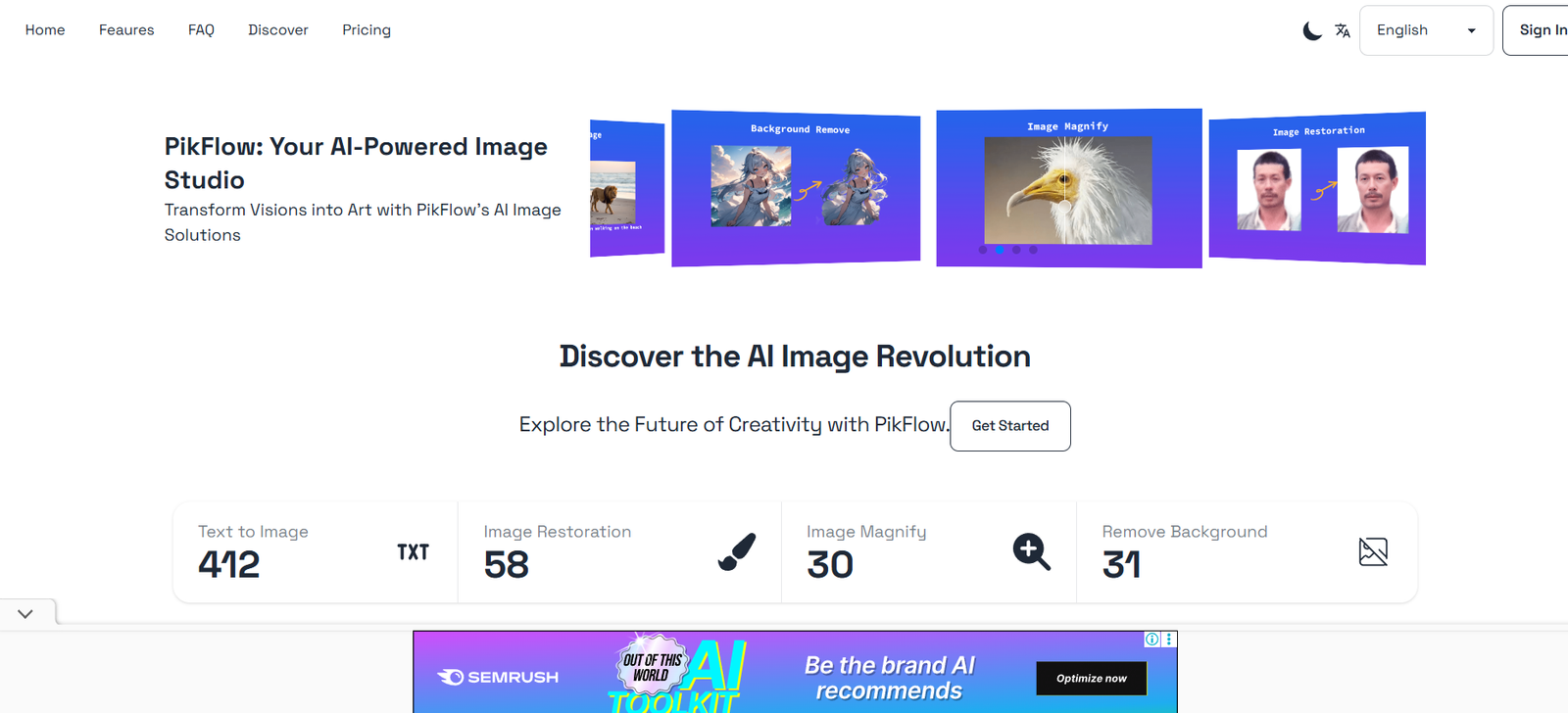
PikFlow is an AI-powered visual workflow builder specifically designed for content creators and digital teams. It provides a drag-and-drop interface to manage content ideas, assign tasks, set deadlines, and track content progress from brainstorming through to publishing. Unlike traditional content calendars, PikFlow emphasizes visual structure and team collaboration.
The tool is built to solve the disorganization that often plagues creative projects. Whether it’s managing brand campaigns, coordinating team members, or simply organizing your weekly social posts, PikFlow transforms scattered processes into a streamlined visual board.
Its AI integration goes beyond just scheduling—it suggests content ideas, deadlines, and workflows based on your habits and inputs. PikFlow effectively becomes your assistant in managing creative output across platforms.
Features
Visual Workflow Builder
Design custom workflows using a drag-and-drop board. Create stages like “Idea,” “Draft,” “Edit,” “Review,” and “Publish” tailored to your content process.
AI Content Suggestions
PikFlow analyzes your activity and social trends to recommend content ideas and posting schedules.
Multi-Platform Content Calendar
Plan and manage posts for Instagram, LinkedIn, YouTube, X (Twitter), and TikTok in a unified calendar view.
Team Collaboration
Assign tasks, comment, tag teammates, and manage permissions across users in shared projects.
Content Assets Library
Store and organize images, video clips, captions, and branded assets within the platform.
Task Management Tools
Create to-do lists, deadlines, reminders, and approval checklists within each workflow stage.
Template Library
Use prebuilt workflow templates for different content types such as Reels, Blogs, Carousels, and Ad Campaigns.
Drag-and-Drop Editor
Easily move tasks and content through different stages of completion.
Performance Tracking (Coming Soon)
Analyze post engagement and track which workflows produce the best-performing content.
Integrations
Connect tools like Google Drive, Dropbox, Canva, and social media platforms for smoother content publishing and storage.
How It Works
Using PikFlow is designed to be intuitive, even for solo creators with minimal project management experience. Here’s a step-by-step overview:
Create a Workspace
Sign up and create a workspace for your brand or client. Define the platforms you’re managing.Build a Workflow
Use the drag-and-drop board to create stages that reflect your content pipeline (e.g., “To Write,” “To Design,” “Ready to Publish”).Add Tasks and Content
Input content ideas, captions, assets, and deadlines for each piece. Attach documents or creative files as needed.Use AI Suggestions
Let the AI recommend topic ideas, hashtag trends, or deadlines based on current engagement trends.Collaborate
Invite your team, assign roles, tag colleagues for feedback, and manage the progress visually.Export or Publish (Beta)
Once your content is ready, you can manually export it or use PikFlow’s integrations to publish directly (in development).
Use Cases
Social Media Managers
Plan and track content strategies across multiple platforms in one visual dashboard.
Marketing Teams
Coordinate launch campaigns with writers, designers, and stakeholders using structured workflows.
Freelancers and Agencies
Manage client content workflows, track approvals, and store assets in shared boards.
Creators and Influencers
Organize ideas, prepare captions, and stay consistent with a personal brand calendar.
Educational Content Creators
Track video lectures, blog posts, or course materials through a repeatable pipeline.
E-commerce Brands
Plan product promotion campaigns, manage seasonal content, and collaborate with teams.
Pricing
As of the latest information from https://www.pik-flow.com, PikFlow offers the following pricing structure:
Free Plan
1 workspace
3 workflows
Up to 100 content items
Basic AI content suggestions
Limited collaboration features
Pro Plan – $15/month
Unlimited workflows and content items
Full AI assistance
Advanced workflow templates
Team access (up to 5 users)
Business Plan – $39/month
Unlimited users
Custom branding
Integration with cloud storage
Client-specific workspaces
Enterprise Plan – Custom Pricing
Priority support
API access
Security and compliance features
Dedicated onboarding
Always check their website for the most current pricing and feature tiers.
Strengths
Highly Visual and Intuitive
The drag-and-drop interface makes project management accessible to all users.
Tailored to Creators
Unlike generic tools like Trello or Asana, PikFlow is designed specifically for content creation workflows.
AI Assistance
Provides proactive suggestions based on behavior, making content planning easier.
Collaborative
Supports team-based workspaces, approval systems, and internal communication.
Flexible Use Cases
Can be adapted to suit any type of content production—from TikToks to blog series.
Time-Saving Templates
Prebuilt workflows help users get started quickly, reducing planning time.
Drawbacks
No Full Publishing Feature (Yet)
Currently, content cannot be auto-published to social platforms. This is under development.
Limited Performance Analytics
As of now, the tool lacks built-in performance tracking. Users must rely on external platforms.
Mobile Experience is Basic
Mobile responsiveness is functional but less powerful compared to the desktop version.
Early-Stage Integrations
Some integrations, like Canva and publishing APIs, are still limited or in beta.
Best for Visual Teams
Users who prefer spreadsheet-style planning may not adapt easily to the kanban-like interface.
Comparison with Other Tools
PikFlow vs Trello
Trello is a general task manager. PikFlow adds AI content planning, publishing workflows, and creative asset handling.
PikFlow vs Notion
Notion is more flexible but requires manual setup. PikFlow provides structured workflows tailored to content production.
PikFlow vs Hootsuite/Later
Hootsuite and Later focus on scheduling. PikFlow focuses on creation, strategy, and collaboration before scheduling.
PikFlow vs ClickUp
ClickUp is a comprehensive productivity tool but lacks the niche creative-focused features of PikFlow.
Customer Reviews and Testimonials
Although PikFlow is a relatively new product, early users have praised its clarity and time-saving benefits:
“I finally have one place to manage all my ideas, drafts, and feedback—it’s changed how I work.”
— Freelance Content Strategist
“Our agency used to juggle spreadsheets and email chains. PikFlow brought order and transparency to our content creation.”
— Creative Director
“The AI suggestions are a real bonus. It helped us fill content gaps we didn’t even realize we had.”
— Social Media Manager
“It’s like a digital content whiteboard, but smarter.”
— Startup Founder
Conclusion
PikFlow is a modern solution for content creators and teams looking to streamline their content production. Its AI-driven, visual workflow system helps bring structure to creative chaos—allowing you to manage ideas, assets, and team collaboration all in one place. From freelancers to enterprise teams, PikFlow adapts to your unique process and improves overall content quality and consistency.
If you’re tired of scattered notes, disjointed tools, or inefficient planning, PikFlow offers a dedicated and intelligent platform for managing your content end-to-end.
To explore PikFlow, start your free trial at https://www.pik-flow.com









