
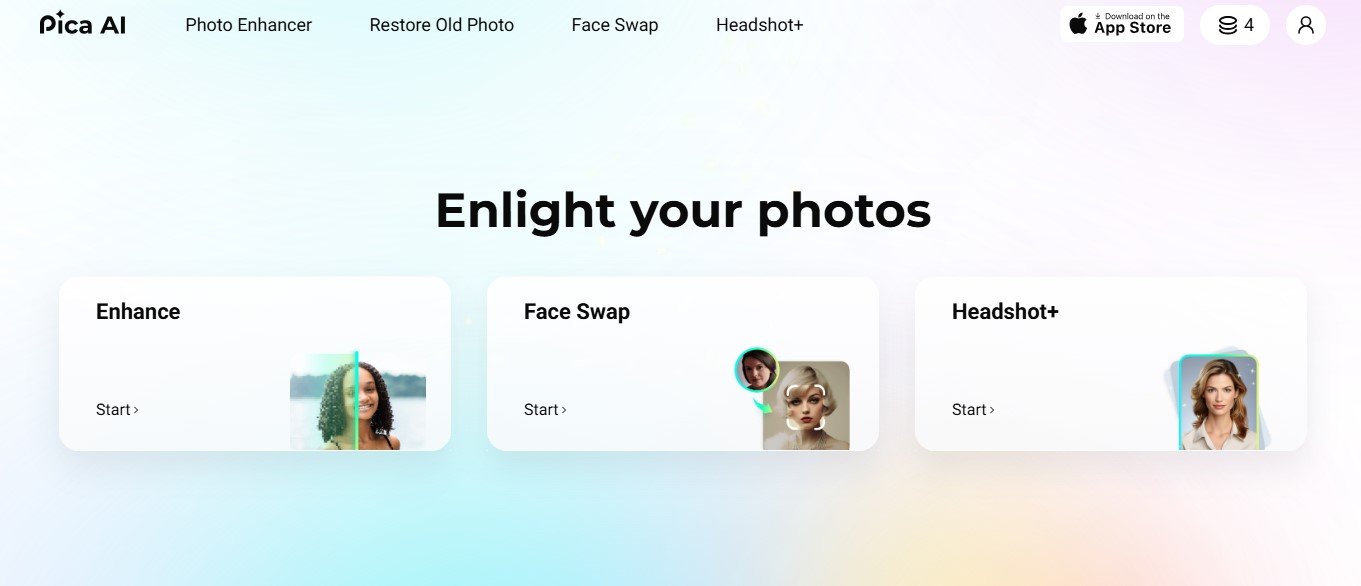
Pica AI is an innovative AI-powered image generation and editing platform designed to help users create stunning visuals with minimal effort. By leveraging cutting-edge generative AI, the platform transforms text prompts into unique, high-quality images while offering tools for editing and enhancing existing visuals.
Whether you’re a marketer looking for custom ad visuals, a designer experimenting with creative ideas, or a content creator enhancing your social media presence, Pica AI provides the tools you need to stand out.
Key Features of Pica AI
Pica AI offers an impressive array of features to cater to a variety of creative and professional needs:
1. Text-to-Image Generation
Create custom visuals simply by entering a text prompt. Describe what you need, such as “a futuristic city at sunrise” or “a whimsical illustration of a cat playing a guitar,” and let Pica AI generate a unique, professional-quality image.
2. Multiple Art Styles
Choose from a wide range of styles, including photorealism, abstract art, anime, minimalism, and more, to match your desired aesthetic.
3. Image Editing Tools
Edit and enhance existing images with features like cropping, resizing, retouching, and color adjustments to achieve polished results.
4. AI-Powered Enhancements
Improve the quality of low-resolution images with AI upscaling, noise reduction, and sharpening tools. Perfect for creating high-resolution visuals for print or digital platforms.
5. Background Removal and Replacement
Remove or replace backgrounds in seconds to create professional product images, banners, or social media visuals.
6. Customizable Parameters
Fine-tune image settings like brightness, contrast, saturation, and sharpness to personalize your output.
7. Batch Processing
Edit or generate multiple images simultaneously, saving time for users handling large volumes of content.
8. Collaborative Workspace
Collaborate with team members on designs in real-time, making it ideal for creative teams or marketing agencies.
9. Export in Multiple Formats
Export your images in various file formats, including PNG, JPG, and SVG, ensuring compatibility with any platform or use case.
10. Cloud-Based Platform
No installations are required—access your projects anytime, anywhere via Pica AI’s cloud-based platform.
How Does Pica AI Work?
Pica AI is designed with simplicity and accessibility in mind. Here’s how it works:
- Sign Up or Log In: Visit Pica AI’s official website and create an account.
- Choose a Task: Select whether you want to generate an image from a text prompt or edit an existing image.
- Input Your Prompt or Upload an Image: Enter a text description for the AI to generate an image, or upload an image you want to enhance or edit.
- Customize Your Output: Use Pica AI’s tools to adjust parameters, choose art styles, or apply edits.
- Preview and Finalize: Review the AI-generated or edited image and make further adjustments if needed.
- Download or Share: Export the final image in your desired resolution and format, ready for use.
Use Cases for Pica AI
Pica AI is a versatile platform suited to various industries and creative needs. Here are some of its most popular use cases:
1. Marketing and Advertising
Marketers can create stunning visuals for ad campaigns, social media posts, email newsletters, and promotional banners in minutes.
2. Social Media Content
Content creators and influencers can generate eye-catching images for platforms like Instagram, TikTok, and Pinterest to increase engagement.
3. Graphic Design
Designers can experiment with creative concepts, generate unique artwork, or enhance existing designs without spending hours on manual edits.
4. E-Commerce
E-commerce businesses can create professional product photos, remove backgrounds, and design promotional visuals to improve sales and branding.
5. Photography
Photographers can upscale low-resolution images, retouch photos, and enhance details for portfolios or client work.
6. Education and Presentations
Educators and professionals can create custom visuals, infographics, and slides for presentations, workshops, or training materials.
7. Art and Creative Projects
Artists and hobbyists can use Pica AI to generate inspiration, create digital artwork, or explore unique styles and ideas.
Pricing
Pica AI offers flexible pricing plans to accommodate a wide range of users, from casual creators to professional teams. While specific pricing details may vary, here’s a general breakdown of typical plans:
- Free Plan: Provides limited access to features, such as a capped number of image generations or edits. Ideal for testing the platform.
- Pro Plan: Unlocks premium features like high-resolution outputs, advanced editing tools, and batch processing. Suitable for individual creators and freelancers.
- Team Plan: Includes collaboration tools, multi-user access, and higher usage limits, making it ideal for teams or small businesses.
- Enterprise Plan: Tailored for large organizations, offering unlimited access, API integration, and dedicated support.
For the most accurate and up-to-date pricing, visit Pica AI’s official website.
Strengths of Pica AI
- Ease of Use: The intuitive interface allows anyone, regardless of skill level, to create professional-quality visuals.
- AI-Powered Efficiency: Automates complex design and editing tasks, saving time and effort for users.
- Versatile Applications: Suitable for a wide range of industries and creative projects.
- Customization: Offers advanced tools and settings to personalize outputs to your specific needs.
- Cloud-Based Accessibility: No software downloads are required, and you can work from any device with internet access.
Drawbacks of Pica AI
While Pica AI is a powerful platform, it does have some limitations:
- Limited Features in Free Plan: Advanced tools and unlimited usage are locked behind paid subscriptions.
- Internet Dependency: Requires a stable internet connection to process and edit images.
- AI Limitations: Occasionally, the AI may produce outputs that require further refinement to meet user expectations.
Comparison with Other Tools
When compared to similar platforms like DALL·E, Canva, or Fotor, Pica AI stands out in several ways:
- DALL·E: Focuses exclusively on text-to-image generation, whereas Pica AI combines image generation with advanced editing and customization features.
- Canva: Primarily a design tool with templates, while Pica AI uses generative AI for unique, custom visuals.
- Fotor: A photo editing platform that lacks the robust text-to-image generation capabilities of Pica AI.
Customer Reviews and Testimonials
Pica AI has received positive feedback from users across various industries:
- “Pica AI has completely changed how I create social media content. The text-to-image feature is a lifesaver, and the results are amazing!” – Social Media Manager
- “As a designer, I use Pica AI to generate concepts and save time on editing. It’s intuitive and delivers professional-quality visuals.” – Graphic Designer
- “The background removal tool is incredibly accurate, and the image upscaling feature works like magic. I use it daily for my e-commerce business.” – E-Commerce Store Owner
Some users have suggested that additional tutorials or guides on crafting effective prompts would be helpful for new users.
Conclusion
Pica AI is a powerful and versatile tool for anyone looking to create, edit, or enhance images effortlessly. With its AI-driven features, including text-to-image generation, advanced editing tools, and customizable settings, the platform is perfect for marketers, designers, content creators, and businesses alike.
Whether you need unique visuals for social media, high-quality product photos for e-commerce, or creative designs for a personal project, Pica AI has you covered.
Ready to elevate your visuals with AI? Visit Pica AI’s official website today to explore its features, pricing, and start creating stunning images in minutes.










