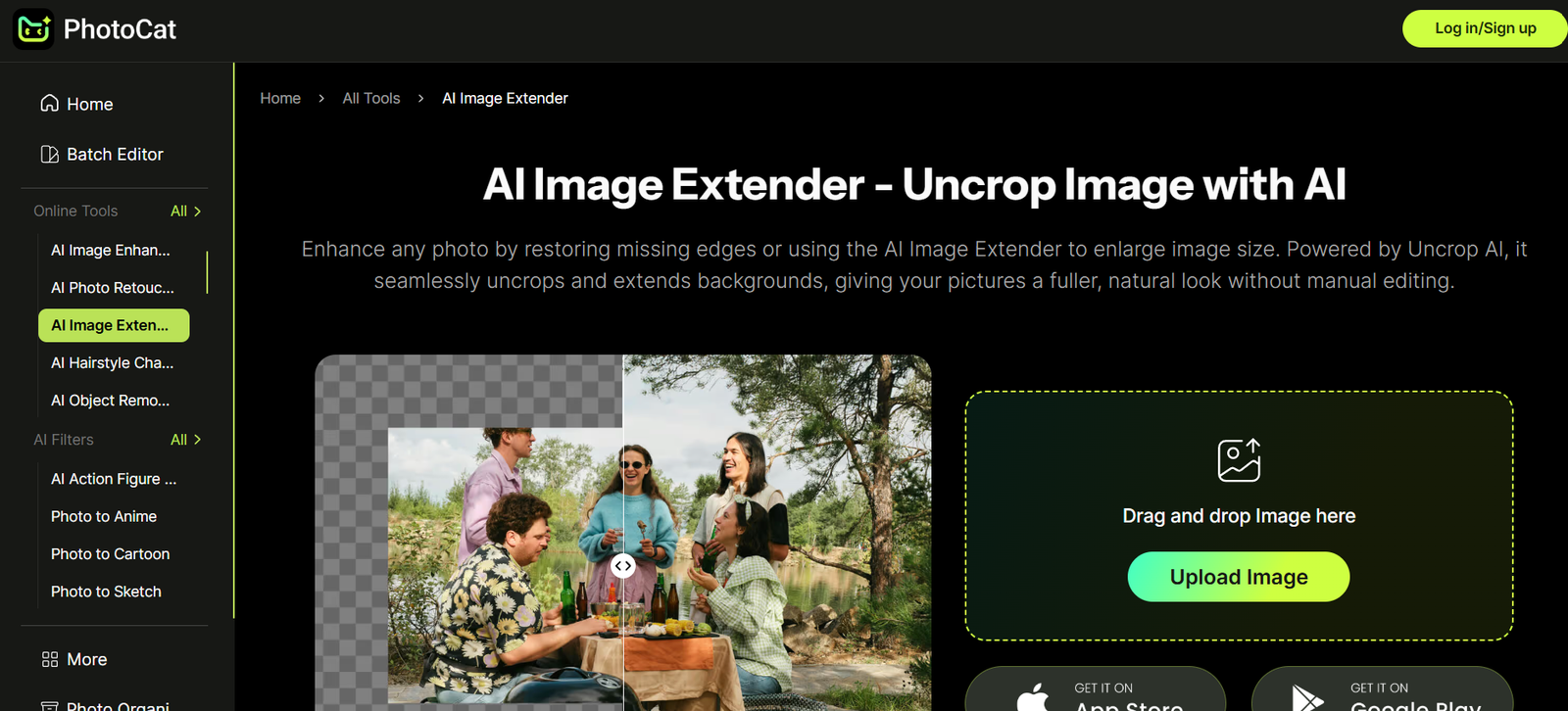
PhotoCat is a free, web-based photo editing platform designed for everyday users who want to enhance, retouch, or stylize their images quickly and easily. With its simple interface and fast performance, PhotoCat is accessible to anyone without needing advanced photo editing skills. It offers a variety of features including beautification tools, image filters, collage templates, and text overlays. Whether you’re editing selfies, creating social media graphics, or enhancing personal photos, PhotoCat delivers practical editing tools in a user-friendly environment. The platform is ideal for casual users, bloggers, students, and small businesses looking for a free and intuitive image editing solution.
Features
PhotoCat offers a solid range of features that cover basic to intermediate photo editing needs.
The Edit tool allows users to crop, resize, rotate, and apply brightness, contrast, and saturation adjustments. There are built-in filters that instantly change the tone or mood of a photo with one click.
The Beautify feature is popular among users looking to retouch portraits or selfies. It includes tools for smoothing skin, removing blemishes, whitening teeth, and applying digital makeup such as blush or eye shadow.
Collage Maker is another core feature that enables users to combine multiple photos into custom layouts. Templates are available in various styles, allowing users to drag and drop images, add borders, and create themed collages for events, holidays, or storytelling.
The Text and Sticker Tools let users overlay text in different fonts, styles, and colors. Stickers and clipart elements can be added to personalize images or create fun visuals for blogs or social media.
PhotoCat also includes One-Touch Enhance, an AI-assisted feature that automatically adjusts lighting, contrast, and color balance to improve overall photo quality.
The platform supports drag-and-drop uploads and works entirely in the browser, eliminating the need for software installation.
How It Works
Using PhotoCat is straightforward. Users start by visiting the official website and choosing an editing mode: Edit, Beautify, or Collage. After selecting a mode, users upload their image using a drag-and-drop interface or select a file from their device.
Once the photo is uploaded, the platform loads it into the editing workspace, where tools are displayed in an easy-to-navigate toolbar. Users can apply edits in real time, view live previews, and undo any changes without losing the original image.
For instance, when using the Beautify feature, users can click on areas of the face to smooth skin or whiten teeth. In Edit mode, cropping, adjusting exposure, or applying filters can be done with simple sliders.
When creating a collage, users select a layout template, drag photos into each section, and customize borders, spacing, or background colors. Text and stickers can be added with just a few clicks.
Once editing is complete, users can download the image in standard formats like JPG or PNG. There is no watermark on exported images, making it ideal for personal or professional use.
The platform runs entirely online and does not require an account to start editing.
Use Cases
PhotoCat is widely used by individuals who want to enhance photos without installing software or learning complex tools. A common use case is portrait editing, where users apply subtle retouching for social media profile pictures, dating apps, or ID photos.
Another popular use case is social media content creation. Bloggers, influencers, and small businesses use PhotoCat to create branded visuals, product images, or promotional graphics with overlays and stylish fonts.
Students and teachers use PhotoCat to create visuals for school projects or presentations, including photo collages, report covers, and visual storytelling slides.
PhotoCat is also helpful for event photos, allowing users to clean up or enhance images from weddings, birthdays, holidays, or family gatherings before sharing them online or printing them.
For users creating digital scrapbooks or mood boards, the collage feature offers a quick and easy way to arrange multiple images with thematic templates.
Pricing
PhotoCat is currently free to use. All of its core features—including editing, beautifying, and collage-making—are accessible without payment or subscriptions.
There are no visible pricing tiers or premium plans offered on the platform at this time. Users do not need to register or provide personal information to access features or download their edited images.
Because it operates as a free tool, PhotoCat may monetize through advertising or explore premium options in the future, but as of now, it remains a cost-free editing solution for all users.
Strengths
One of PhotoCat’s biggest strengths is its ease of use. The interface is clean, intuitive, and beginner-friendly, making it accessible to users of all skill levels.
Its AI-assisted enhancement features allow users to improve their images instantly without needing technical knowledge, while manual controls are available for users who prefer a hands-on approach.
The platform’s zero-cost model and no-login requirement make it highly convenient for users who want quick edits without commitment or complexity.
The collage maker and beautification tools offer versatility beyond basic editing, helping users produce creative or polished visuals for various personal or digital applications.
Because it’s web-based, there’s no need to download software, and it works across operating systems including Windows, macOS, and ChromeOS.
Drawbacks
While PhotoCat provides a strong set of features for casual editing, it may not meet the needs of professional photographers or advanced designers looking for layer support, RAW editing, or advanced masking tools.
There are no cloud-saving options or project history, so users must save their work manually to avoid losing changes.
The platform does not currently support team collaboration, meaning it’s more suited for individual users than for teams working on shared designs.
Since it is a web-based platform, performance may vary depending on browser speed and internet connection quality, particularly with large image files.
There is limited information about data privacy and image retention, which may be a concern for users editing sensitive or private images.
Comparison with Other Tools
Compared to tools like Canva or Fotor, PhotoCat is more lightweight and focused purely on photo editing rather than full design projects. Canva offers templates, branding kits, and presentation tools, while PhotoCat keeps the experience focused on images.
Pixlr is another comparable free editor with advanced layer support, but it may be more complex for beginners. PhotoCat’s strength lies in its simplicity and speed for single-image editing and retouching.
While Adobe Photoshop Express offers more control and editing depth, it requires registration and may involve in-app purchases, making PhotoCat a better choice for quick and free editing tasks.
Customer Reviews and Testimonials
PhotoCat has been positively received by users seeking simple, no-fuss editing tools. While it does not feature detailed user testimonials on its website, online feedback and community mentions highlight the platform’s ease of use and effectiveness for everyday image needs.
Users praise the one-click beautify feature, especially for improving selfies and profile photos. Others note how useful the collage maker is for sharing vacation or event memories.
The fact that PhotoCat does not watermark images or restrict downloads is also appreciated by users looking for a free tool with professional-looking output.
Given the limited need for onboarding or technical support, it’s considered a go-to resource for casual users and non-designers.
Conclusion
PhotoCat is a practical and user-friendly online photo editor that offers AI-powered enhancement and a full suite of basic editing tools for free. Whether you’re looking to retouch a portrait, create a collage, or make quick image adjustments, PhotoCat provides everything you need without complexity or cost.
Its intuitive design, combined with beautify and collage features, makes it ideal for students, bloggers, small business owners, and everyday users. While it lacks advanced features for professionals, it excels as a fast, accessible editing solution that requires no downloads or subscriptions.
For users seeking a lightweight, no-login, browser-based photo editor with useful features and polished output, PhotoCat is a smart and dependable choice.