
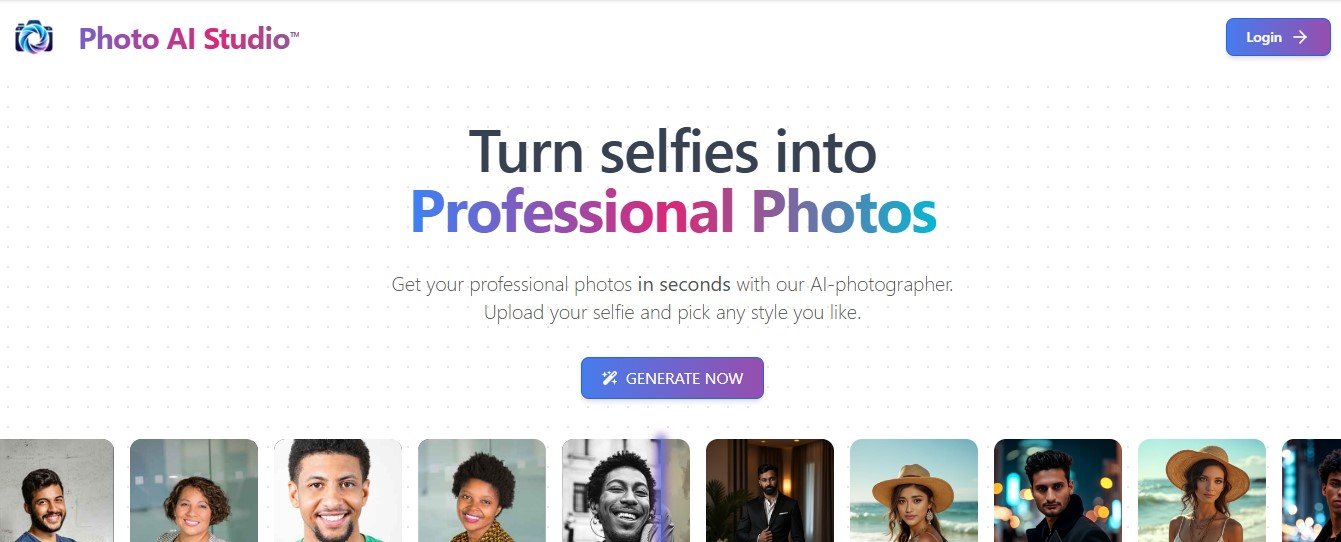
PhotoAI Studio is an advanced AI-powered photo editing platform designed to transform your images with precision and creativity. Whether you’re a professional photographer, content creator, marketer, or casual user, PhotoAI Studio simplifies complex editing tasks like background removal, color correction, image retouching, and upscaling, all while ensuring high-quality results.
Using state-of-the-art artificial intelligence, the platform automates tedious editing processes and enables users to achieve professional-grade results in just a few clicks. From enhancing personal photos to editing images for commercial use, PhotoAI Studio provides an intuitive solution for users of all skill levels.
With its robust feature set, ease of use, and quick processing times, PhotoAI Studio is the go-to platform for anyone looking to take their photo editing to the next level.
Features
- AI Background Removal
- Remove or replace backgrounds in seconds with AI precision, creating clean and polished images for e-commerce, social media, or personal use.
- Image Upscaling
- Enhance image resolution up to 4x without losing quality, making it ideal for printing or high-resolution displays.
- Skin Retouching
- Smooth skin, remove blemishes, and enhance facial features for natural-looking results in portrait photography.
- Color Correction and Grading
- Automatically adjust brightness, contrast, saturation, and tones to make your photos vibrant and visually appealing.
- Object Removal
- Seamlessly erase unwanted objects, distractions, or imperfections from your images.
- Batch Processing
- Edit multiple photos simultaneously, saving time for photographers and businesses handling large image volumes.
- Filters and Effects
- Choose from a variety of creative filters and effects to add style and personality to your photos.
- AI Photo Restoration
- Restore old or damaged photos by removing scratches, stains, and discoloration for a refreshed look.
- Customizable Editing Tools
- Fine-tune edits manually for greater control over your images, combining AI efficiency with user creativity.
- Secure Cloud Storage
- Save your projects securely on the cloud and access them from any device, anytime.
How It Works
- Upload Your Photo:
- Drag and drop your photo onto the platform to get started.
- Select Your Tools:
- Choose from a range of AI-powered tools like background removal, upscaling, or skin retouching.
- Customize Your Edits:
- Use manual editing options to refine and personalize your images further.
- Preview and Save:
- Review your edited photo and download it in high resolution or share it directly to social media.
Use Cases
- E-Commerce Product Photography
- Remove backgrounds, enhance product images, and create clean visuals for online stores or marketplaces.
- Portrait and Event Photography
- Retouch portraits, remove distractions, and improve lighting to deliver flawless images for clients.
- Social Media Content
- Create eye-catching visuals for Instagram, Facebook, or TikTok with filters, effects, and retouched photos.
- Marketing and Advertising
- Design polished visuals for marketing campaigns, websites, and promotional materials with AI-powered editing.
- Photo Restoration
- Revive old family photos by removing damages and restoring their original beauty.
- Real Estate Listings
- Enhance property photos with color grading, object removal, and background replacements for better sales appeal.
Pricing
PhotoAI Studio offers flexible pricing options to accommodate individual users, businesses, and professionals:
Free Plan
- Best for Beginners:
- Limited access to basic features like background removal and image upscaling, with up to 5 edits per month.
Pro Plan
- For Individual Users:
- $19/month or $199/year.
- Includes unlimited access to advanced features like skin retouching, batch processing, and high-resolution exports.
Business Plan
- For Professionals and Teams:
- $49/month or $499/year.
- Offers unlimited edits, team collaboration tools, and priority customer support.
Enterprise Plan
- Custom Pricing for Large Organizations:
- Includes API access, dedicated account management, and tailored solutions for high-volume editing.
For the most up-to-date pricing, visit the PhotoAI Studio Pricing Page.
Strengths
- AI-Powered Efficiency: Automates time-consuming editing tasks, delivering quick and accurate results.
- Professional-Grade Tools: Offers advanced features like skin retouching, image upscaling, and photo restoration for polished results.
- User-Friendly Interface: Intuitive design makes the platform accessible to users of all experience levels.
- Batch Processing: Saves time for photographers and businesses managing large volumes of images.
- Secure Cloud Storage: Ensures projects are stored safely and accessible from anywhere.
Drawbacks
- Limited Free Plan: The free plan offers only basic tools and a limited number of edits, requiring users to upgrade for advanced features.
- Internet Dependency: Requires a stable internet connection as it is a cloud-based platform.
- Customization Limitations: While AI automation is efficient, some users may find manual editing tools limited for complex projects.
Comparison with Other Tools
PhotoAI Studio vs Adobe Photoshop
- Adobe Photoshopoffers extensive manual editing capabilities but has a steep learning curve, whereas PhotoAI Studio provides AI-driven automation for quick and user-friendly editing.
PhotoAI Studio vs Canva
- Canvais more focused on graphic design and templates, while PhotoAI Studio specializes in photo enhancement and editing.
PhotoAI Studio vs Fotor
- Both platforms offer AI editing, but PhotoAI Studiostands out with advanced features like photo restoration, skin retouching, and high-resolution upscaling.
Customer Reviews and Testimonials
Positive Feedback
- “PhotoAI Studio is a game-changer! I used it to enhance my product photos, and my sales have noticeably improved.” – Emily R., E-Commerce Seller
- “The skin retouching tool is fantastic. My portraits look professional and natural, saving me hours of editing.” – James T., Photographer
- “I love the background removal feature—it’s so precise and easy to use!” – Sophia L., Content Creator
Constructive Criticism
- “The free plan is good for testing, but I had to upgrade to fully experience the platform’s capabilities.” – Raj P., Freelancer
- “While the AI tools are great, I wish there were more advanced manual editing options for fine-tuning.” – Anna M., Graphic Designer
Conclusion
PhotoAI Studio is a powerful AI-driven platform that simplifies photo editing and enhancement for users of all skill levels. With features like background removal, skin retouching, and image upscaling, it caters to a wide range of use cases, from personal projects to professional applications.
While the free plan offers a limited introduction, the Pro and Business plans unlock the platform’s full potential, making it a valuable tool for photographers, content creators, and businesses looking to produce high-quality visuals efficiently.
If you’re ready to elevate your photos with AI-powered precision, visit PhotoAI Studio and start creating today.









