
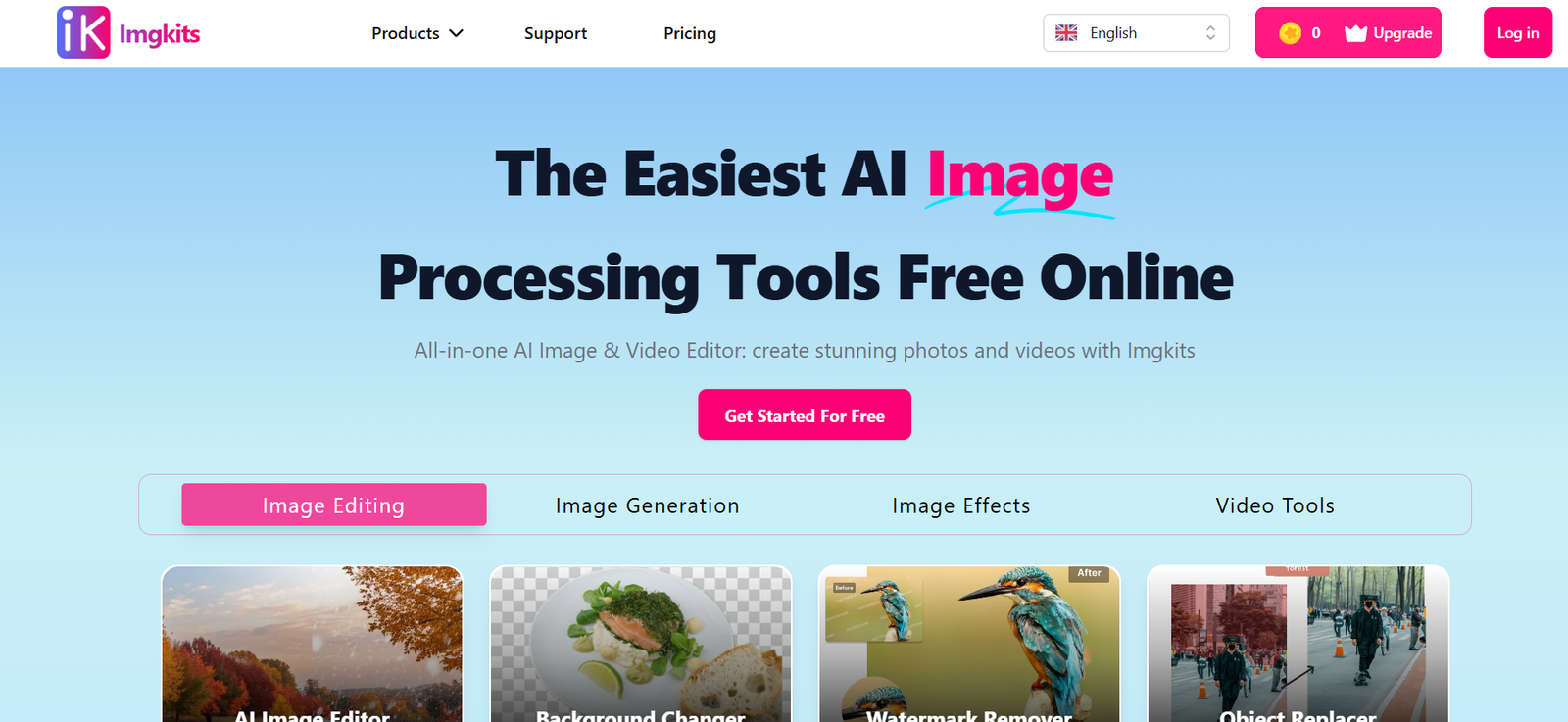
Imgkits.com is a browser-based AI image editing platform that provides a suite of smart tools for background removal, photo restoration, face retouching, and more. Designed for users of all skill levels, it allows anyone—from casual users to digital creators—to quickly enhance, modify, or repair images without installing software or learning complex editing techniques.
With AI at its core, Imgkits automates traditionally manual photo editing tasks, delivering fast, high-quality results. Whether you’re cleaning up product images, fixing old family photos, or erasing unwanted objects from a shot, Imgkits offers an accessible, all-in-one solution with a strong focus on speed, ease of use, and affordability.
Features
Background Remover
Remove image backgrounds automatically in seconds, ideal for e-commerce, design, or personal use.
Old Photo Restoration
Revive damaged or faded photos with AI that enhances contrast, repairs scratches, and restores clarity.
Object Removal
Erase unwanted elements—people, text, or distractions—from your image without visible artifacts.
Photo Colorization
Convert black-and-white images into color with lifelike accuracy.
Photo Enhancement
Improve image quality, sharpen blurry faces, and restore resolution with one click.
Face Retouching
Remove blemishes, smooth skin, and enhance portraits while maintaining natural details.
AI Cartoon Effects
Transform photos into cartoon-like illustrations for social media or creative projects.
Online, No Installation Needed
All tools are web-based—no app download or account required for basic functionality.
How It Works
Go to Imgkits.com
Open the site in your browser—compatible with all modern devices and operating systems.Select a Tool
Choose the function you need: background remover, repair tool, colorizer, object eraser, and more.Upload Your Image
Drag and drop your image into the tool interface or browse from your local device.Process with AI
Imgkits automatically processes your photo using AI models trained for the selected task.Preview and Edit
Review results, adjust parameters if available, and refine your output.Download the Final Image
Save the edited image to your device in standard formats (usually JPEG or PNG).
Use Cases
E-Commerce Product Photography
Remove distracting backgrounds and highlight products on white or transparent canvases.
Social Media Content Creation
Generate stylized, polished images quickly for Instagram, TikTok, or YouTube thumbnails.
Old Family Photo Restoration
Repair and colorize vintage photographs for framing or archiving.
Portrait Retouching for Professionals
Quickly clean up headshots for resumes, portfolios, or profile pictures.
Creative Projects and Design
Use object removal or cartoon effects to enhance graphic design workflows.
Presentation and Business Materials
Enhance visual assets for use in marketing decks, websites, and corporate content.
Pricing
As of May 2025, Imgkits.com offers both free and paid access:
Free Plan
Limited image size and processing features
Watermarks included on edited images
Basic access to all tools
Good for casual or testing use
Premium Plan – $9.90/month
Full-resolution downloads
No watermarks
Unlimited image processing
Priority access to advanced tools
Annual Plan – $59/year
All premium features
Save over 50% annually
Ideal for regular or professional users
Imgkits accepts payments via major credit cards and allows cancellation at any time. More details are available on the pricing section of Imgkits.com.
Strengths
Fast and Accessible
Processes images in seconds with minimal input—great for non-technical users.
Wide Range of Tools
Offers everything from simple edits to AI-powered enhancements in one platform.
Browser-Based
No installation or high-end system requirements—works on any modern device.
Affordable Premium Tier
Low-cost subscription unlocks professional-grade features.
Good for Commercial Use
Excellent for marketers, small businesses, and online sellers needing quick image enhancements.
Beginner-Friendly
Straightforward UI with step-by-step processes and instant previews.
Drawbacks
Free Plan Has Watermarks
Most free edits come with watermarks, making them less usable for professional purposes.
Limited Batch Processing
No robust bulk upload or editing features for large-scale workflows.
Basic UI Design
The interface is clean but lacks the polish and fluidity of more established platforms.
No Mobile App
Entirely web-based with no dedicated mobile app for on-the-go editing.
Limited Customization
Tools are mostly one-click or slider-based, with little manual control for advanced users.
Comparison with Other Tools
Imgkits vs. Remove.bg
Remove.bg specializes in background removal, but Imgkits includes many additional editing tools beyond that.
Imgkits vs. Canva
Canva is better for design and layout creation, while Imgkits is stronger for photo-specific edits like restoration and object removal.
Imgkits vs. Fotor/Photopea
Fotor offers more design templates and filters, but Imgkits provides faster, AI-driven automation for editing tasks.
Imgkits vs. Photoshop
Photoshop is industry-grade but complex and expensive. Imgkits offers quick, entry-level solutions for non-designers.
Customer Reviews and Testimonials
“The background remover is super fast and accurate—I use it for every product listing I upload.” – Online Seller
“I restored my grandparents’ wedding photo in under 5 minutes. The results were beautiful.” – Family Historian
“Very useful for erasing text or distractions from photos. Just click and it’s gone.” – Social Media Editor
“Affordable and intuitive. I don’t know Photoshop, but I get great results with Imgkits.” – Small Business Owner
Conclusion
Imgkits.com is a versatile, AI-powered image editing platform built for ease, speed, and convenience. Whether you’re an online seller, content creator, or just someone who wants to improve their photos without diving into complex software, Imgkits provides a reliable solution with all the essentials under one roof.
Its fast processing, accessible tools, and affordable pricing make it ideal for anyone looking to enhance, fix, or edit images with professional-looking results—no experience required.











