
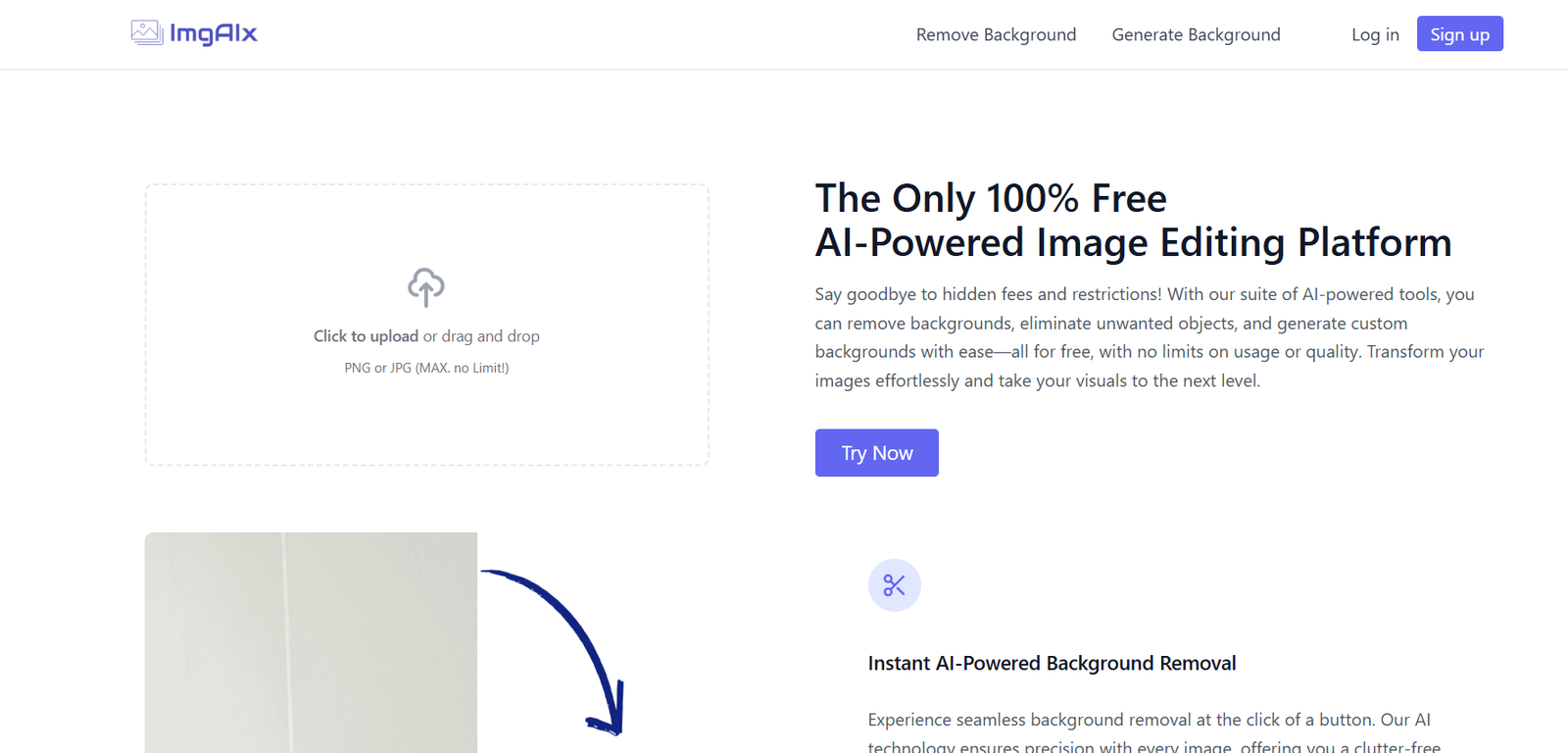
ImgAIX is a web-based image editing platform powered by artificial intelligence. The core offering includes background removal with a single click, enabling users to isolate subjects from their backgrounds without manual effort or advanced editing skills. In addition, ImgAIX provides tools to modify, enhance, and prepare these images for use across various channels.
Whether you’re preparing product photos for Amazon or creating profile images for LinkedIn, ImgAIX offers a lightweight, fast, and user-friendly solution.
It works entirely in the browser, so there’s no need to install software or sign up for complex services. Upload an image, let the AI process it, and download the final result within seconds.
Features
AI Background Remover
Automatically detects and removes the background of any uploaded image. The result is a clean, transparent PNG file.
One-Click Operation
Simple upload and process workflow that requires no design or technical knowledge.
High-Quality Output
Delivers crisp image edges and detailed cutouts, suitable for both web and print.
Secure Image Handling
Uploaded images are processed securely, and files are not stored long-term—ensuring user privacy.
Transparent Background Support
Removes backgrounds and returns files with transparency for design or commercial use.
Multiple Image Format Support
Accepts JPG, JPEG, and PNG formats for maximum compatibility.
Fast Processing Time
Images are typically processed within seconds using optimized AI algorithms.
Mobile and Desktop Compatible
Works across all devices and browsers—Windows, macOS, Android, and iOS.
How It Works
Using ImgAIX is a quick and intuitive process. Here’s how to get started:
Visit the Website
Go to https://imgaix.com using a desktop or mobile browser.Upload an Image
Click on the upload area or drag and drop your file into the interface. ImgAIX accepts JPG, JPEG, and PNG files.AI Background Removal
Once the image is uploaded, the AI automatically detects the subject and removes the background.Download the Edited Image
After processing, the new image with a transparent background is displayed. You can download the result immediately.
There are no complex settings or advanced tools—just efficient and accurate background removal.
Use Cases
E-Commerce Product Photography
Online sellers can use ImgAIX to create clean product photos for platforms like Amazon, Shopify, and Etsy. Removing distracting backgrounds helps improve click-through rates and sales.
Social Media and Content Creation
Influencers, marketers, and content creators can isolate their subject from backgrounds for thumbnails, posts, and stories on Instagram, TikTok, or YouTube.
Professional Headshots
Replace messy backgrounds with a solid color or corporate background for polished LinkedIn or resume photos.
Marketing Campaigns
Use background-free images in email banners, ads, or landing pages to maintain visual consistency and professionalism.
Design Projects
Graphic designers can use cutout images in posters, presentations, infographics, or digital ads.
Education and Teaching Materials
Teachers can clean up visuals for class presentations, digital content, and educational games.
Real Estate Listings
Remove backgrounds from staged or edited property photos for more polished listings.
Pricing
As of the latest update on https://imgaix.com, ImgAIX offers a free-to-use model, with limitations on advanced functionality.
Free Plan
One-click background removal
No registration required
Output in standard resolution
Watermark-free downloads
Limited usage per day
Paid Plan (Details TBD)
ImgAIX does not currently advertise a paid subscription on its homepage. However, based on similar tools, it’s likely that paid features—if introduced—would include:
Higher resolution outputs
Batch image processing
Priority processing
API access for automation
Advanced editing features
At this time, all features on ImgAIX appear to be completely free, making it an excellent entry-level tool for users with occasional background removal needs.
Strengths
Completely Free
Unlike many competitors, ImgAIX currently offers its core features at no cost.
No Watermarks
Users receive clean images that can be used professionally without branding or overlays.
Extremely Easy to Use
The platform is intuitive and requires no learning curve.
Quick Turnaround Time
Image processing is near-instant, making it great for tight deadlines.
No Sign-Up Required
Use the tool anonymously without creating an account.
Privacy-Focused
No user data is stored or shared, and images are deleted after processing.
Drawbacks
No Manual Editing
Users cannot adjust the cutout manually if the AI misses fine details like hair strands or accessories.
Limited Features
The platform currently focuses only on background removal, without options for retouching, background replacement, or color correction.
No Batch Uploading
Users must upload and process images one at a time—unsuitable for high-volume users.
No Cloud Storage
There is no option to save or access previous uploads.
Limited Customization
No way to select output file types or modify resolution directly.
Comparison with Other Tools
ImgAIX vs Remove.bg
Remove.bg offers background replacement, integrations, and high-resolution output—but limits free usage and watermarks unpaid images. ImgAIX provides free, watermark-free downloads but lacks editing flexibility.
ImgAIX vs Slazzer
Slazzer supports API access and batch processing, which ImgAIX currently does not. However, ImgAIX is easier and fully free.
ImgAIX vs Canva Pro
Canva’s background removal is part of its Pro package, which costs monthly. ImgAIX provides standalone removal without a subscription.
ImgAIX vs PhotoRoom
PhotoRoom includes templates and editing tools. ImgAIX is more minimalistic but also easier to use and free.
ImgAIX vs Photoshop
Photoshop offers pixel-level editing, but requires a steep learning curve and subscription. ImgAIX is ideal for quick, automated edits with no expertise.
Customer Reviews and Testimonials
While ImgAIX does not publish customer reviews directly on the site, early users and feedback from image editing forums highlight several consistent points:
“I was looking for a free tool to clean up my product shots, and ImgAIX worked perfectly. No signup, no watermarks—just simple and fast.”
— Etsy Seller
“Love how fast this is. I use it to prep my thumbnails for social media. It saves so much time.”
— Social Media Manager
“As a student working on a project, this helped me get clean visuals for my slides without having to learn Photoshop.”
— University Student
“This tool does what it says and does it well. If you just want background removal, this is one of the best free options.”
— Freelance Designer
Conclusion
ImgAIX is a highly efficient, AI-powered background remover that offers professional results with minimal effort. With its simple, fast, and completely free functionality, it serves as an excellent tool for individuals and businesses who need to clean up images without investing in complex software or paid subscriptions.
While it lacks advanced features like batch processing or background replacement, its strength lies in its focus: simple, accurate, and accessible background removal for everyone.









