
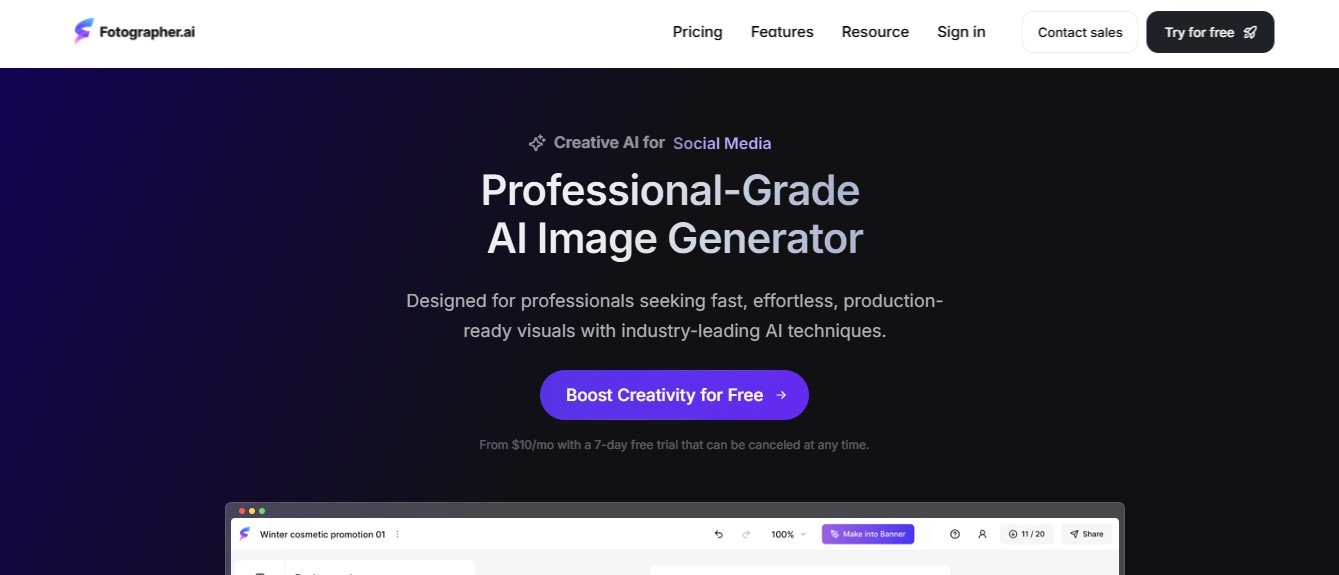
Fotographer AI is an advanced AI-driven platform that helps users create, enhance, and edit photos without the need for professional photography skills. Using AI-powered automation, it can generate photorealistic images, apply enhancements, remove backgrounds, and optimize visuals for different use cases.
The platform is ideal for marketers, eCommerce businesses, photographers, influencers, and anyone looking for high-quality AI-generated or enhanced images.
Features of Fotographer AI
AI-Powered Image Generation
- Creates realistic AI-generated portraits, landscapes, and product photos.
- Allows users to customize styles, backgrounds, and details.
Photo Enhancement & Restoration
- Increases image resolution using AI upscaling.
- Enhances low-quality images by improving sharpness, color, and lighting.
AI Background Removal & Replacement
- Automatically removes backgrounds for product photography and social media.
- Replaces backgrounds with custom settings or AI-generated scenes.
Portrait Retouching & Face Enhancements
- AI-powered skin smoothing, blemish removal, and face enhancement.
- Adjusts lighting, facial features, and expressions for realistic improvements.
AI-Powered Photo Editing & Filters
- Applies smart AI filters for aesthetic enhancement.
- Adjusts brightness, contrast, and saturation with AI-powered suggestions.
Realistic AI Headshots & Profile Photos
- Generates professional headshots for business profiles and social media.
- Customizes styles, lighting, and backgrounds to create high-quality profile images.
Automated Photo Retouching for eCommerce
- Enhances product photos for online stores.
- Removes imperfections, adjusts shadows, and optimizes images for sales.
Seamless API Integration for Businesses
- Allows businesses to integrate AI image enhancement into their platforms.
- Supports bulk image processing for large-scale applications.
How Fotographer AI Works
Step 1: Upload or Generate an Image
- Users can upload an existing image for enhancement or generate an AI-powered photo from scratch.
Step 2: Customize & Apply AI Enhancements
- AI automatically improves quality, removes backgrounds, or applies enhancements.
Step 3: Adjust Settings & Filters
- Users can fine-tune details such as lighting, color balance, and retouching.
Step 4: Download & Use the Final Image
- The final image is ready for download in high resolution for use in marketing, social media, or eCommerce.
Use Cases of Fotographer AI
E-Commerce & Product Photography
- Enhances product images for online stores and marketplaces.
- Removes backgrounds and applies professional edits for a polished look.
Business Professionals & Social Media Influencers
- Generates AI-powered professional headshots and profile images.
- Enhances social media photos for a more polished online presence.
Marketing & Branding
- Creates visually appealing images for advertising and promotional campaigns.
- Uses AI filters and enhancements to align images with brand identity.
Photographers & Content Creators
- Enhances raw images with AI-powered editing.
- Automates tedious post-processing tasks to save time.
Personal & Family Photos
- Restores old or low-quality photos with AI upscaling.
- Improves facial details for personal memories and photo albums.
Pricing of Fotographer AI
Pricing details should be verified on the official Fotographer AI website.
Free Plan
- Basic AI image enhancement and limited photo generations.
Pro Plan
- Full access to AI-powered photo retouching, background removal, and upscaling.
Enterprise Plan
- Custom pricing for businesses requiring bulk image processing and API integration.
Strengths of Fotographer AI
- AI-Powered Photo Generation & Enhancement – Creates realistic, high-quality images.
- Automated Editing Tools – Removes backgrounds, enhances resolution, and retouches images effortlessly.
- Professional-Quality Portraits & Headshots – Generates realistic business and profile images.
- Easy-to-Use Interface – No photography or editing experience required.
- API Support for Businesses – Integrates with platforms for bulk image processing.
Drawbacks of Fotographer AI
- Limited Free Features – Advanced editing tools require a paid subscription.
- AI-Generated Images May Need Fine-Tuning – Some results may require manual adjustments.
- Not a Full Photo Editing Suite – Focuses on automation rather than deep manual editing like Photoshop.
Comparison with Other AI Photography Tools
Fotographer AI vs. Remini
- Remini focuses on AI-powered image restoration, while Fotographer AI provides full image generation and editing capabilities.
Fotographer AI vs. Canva Pro
- Canva Pro offers design and layout tools, while Fotographer AI specializes in AI-powered photo enhancements.
Fotographer AI vs. Fotor
- Fotor is a general photo editing tool, whereas Fotographer AI is optimized for AI-driven photography automation.
Fotographer AI Advantage
- Best suited for users who need high-quality, AI-generated images and automated photo editing with minimal effort.
Customer Reviews and Testimonials
Positive Feedback
- “Fotographer AI has made it incredibly easy to enhance product photos for my online store.” – E-Commerce Seller
- “The AI-generated headshots are realistic and professional-looking – perfect for LinkedIn and social media.” – Business Professional
- “A game-changer for content creators who need high-quality images without complex editing.” – Marketing Specialist
Constructive Criticism
- “Would love more customization options for AI-generated photos.” – Photographer
- “Some AI-enhanced images require manual fine-tuning for best results.” – Graphic Designer
Conclusion
Fotographer AI is an AI-powered photography and image enhancement platform that makes it easy to create, edit, and optimize high-quality photos. With AI-driven photo generation, background removal, upscaling, and portrait retouching, it provides a powerful yet user-friendly solution for businesses, content creators, and marketers. While premium features require a subscription, Fotographer AI is an excellent tool for anyone looking to automate and enhance their photography workflow.
Want to enhance your photos effortlessly? Visit Fotographer AI to explore its features and pricing.










