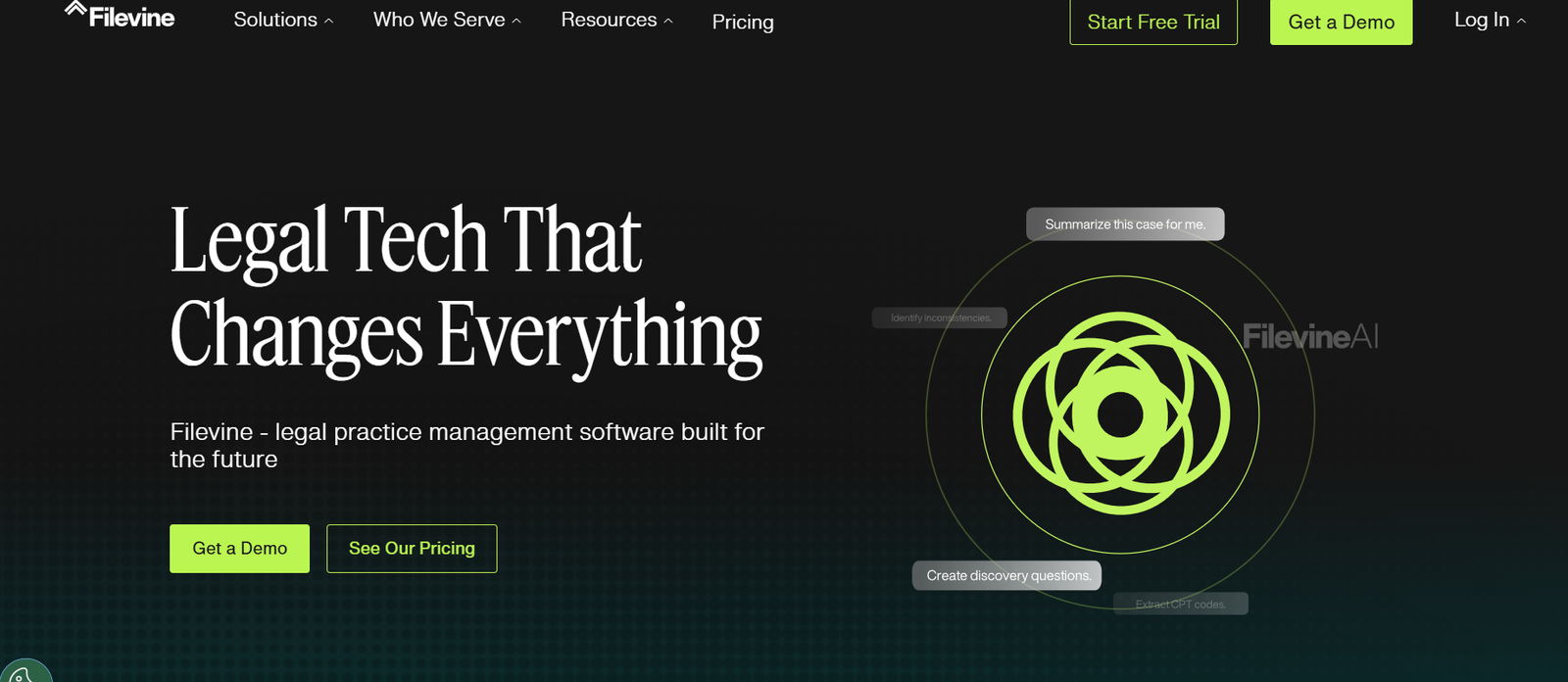
Filevine is a cloud-based legal case and document management platform designed to streamline operations for law firms, corporate legal departments, and legal service providers. More than just a practice management tool, Filevine brings together case tracking, document automation, client communication, task management, and advanced reporting—all in one centralized system.
Tailored specifically for legal teams, Filevine replaces outdated, siloed systems with a dynamic, collaborative workspace. It’s designed to support high-efficiency legal operations, whether you’re handling personal injury, litigation, immigration, or corporate law. With secure cloud hosting and flexible workflows, Filevine empowers legal professionals to manage more cases with greater accuracy and less manual work.
Features
Filevine delivers a robust set of features that enhance productivity, compliance, and collaboration:
Case Management – Track every aspect of a case with custom fields, deadlines, notes, and client records in a centralized interface.
Document Management – Create, edit, store, and organize documents with secure cloud access and version control.
Document Generation & Automation – Generate contracts, forms, and filings using automated templates and data fields.
Custom Workflows – Automate repetitive legal processes with rules-based task flows tailored to your firm’s practice area.
Integrated Texting & Email – Communicate with clients directly from within the platform via SMS and email, with full message history.
Time & Billing Tracking – Log billable time, generate invoices, and manage retainers directly from each case file.
Advanced Reporting & Analytics – Build custom reports and dashboards to track performance, case status, team productivity, and revenue metrics.
eSignatures – Integrated electronic signature functionality for secure document execution.
Team Collaboration Tools – Assign tasks, add comments, and manage internal communications in real time.
Cloud Hosting & Data Security – HIPAA-compliant and SOC 2 Type II certified infrastructure with robust user access controls.
API & Integrations – Integrates with tools like QuickBooks, Outlook, Dropbox, Google Drive, and more.
How It Works
Filevine simplifies legal operations by consolidating all core activities in a single platform:
Create a Case File – Set up a new matter or case with key information, contacts, deadlines, and associated team members.
Add Documents & Data – Upload evidence, filings, contracts, or use document automation to create new materials.
Automate Workflows – Build out case-specific task sequences to ensure consistency across the firm.
Collaborate in Real Time – Team members can comment, assign tasks, and monitor case progress live.
Track Time & Bill Clients – Easily record time entries and generate accurate invoices tied to each case.
Monitor Performance – Use built-in reports and dashboards to analyze team output and identify bottlenecks.
Accessible from any device, Filevine enables legal teams to manage their entire operation from intake to resolution—securely and efficiently.
Use Cases
Filevine supports a wide range of legal practice areas and business environments:
Personal Injury Firms – Manage case intake, medical records, and settlements with automated processes.
Litigation Practices – Track court filings, discovery materials, and motion deadlines in one place.
Corporate Legal Departments – Maintain contract lifecycles, legal holds, and internal case tracking with custom reporting.
Immigration Firms – Automate client onboarding, track visa status, and generate immigration forms efficiently.
Government & In-House Counsel – Gain full oversight of legal workflows while meeting compliance standards.
Mass Tort and Class Action Teams – Handle high volumes of cases and claims through scalable task automation and bulk document tools.
Pricing
Filevine offers custom pricing based on firm size, features required, and practice area needs. While exact figures are not publicly listed, pricing generally includes:
Core Platform Access – Includes case management, document tools, and workflow automation.
Add-On Modules – Such as Docs+ (document generation), Lead Docket (intake), Vinesign (eSignatures), and Periscope (advanced analytics).
Implementation & Onboarding – Dedicated onboarding and training for firms to ensure successful setup.
Support & Upgrades – Ongoing customer support and product updates included in the subscription.
You can request a customized demo and pricing quote on the official Filevine pricing page.
Strengths
Filevine offers several major advantages for legal professionals and operations teams:
All-in-One Solution – Combines case, document, billing, and communication tools in a single platform.
Highly Customizable – Firms can tailor fields, workflows, and automations to their specific legal needs.
Cloud-Native and Secure – Enables secure remote work without the need for local servers or VPNs.
Automation at Scale – Reduces manual workload by automating repetitive tasks like document creation and status tracking.
Team-Friendly Interface – Real-time collaboration tools streamline internal communication and case handoffs.
Regular Updates – Continuous platform improvements and feature releases based on user feedback.
Drawbacks
While Filevine is a powerful platform, there are a few considerations:
Learning Curve – Its wide feature set may require training for full adoption, especially in larger teams.
Custom Pricing Model – Lack of transparent pricing may make budget planning difficult for small firms.
Limited Offline Access – As a cloud-based tool, functionality depends on internet access.
Potential Overkill for Solo Practitioners – Smaller firms may not need the full breadth of features, making simpler platforms more cost-effective.
Comparison with Other Tools
Filevine can be compared with other legal practice management systems like Clio, Smokeball, and PracticePanther:
Clio – Offers strong practice management with more out-of-the-box functionality but less workflow customization than Filevine.
Smokeball – Designed for small firms with integrated time tracking and desktop focus, but lacks the enterprise-level flexibility of Filevine.
PracticePanther – Easy to use and affordable for small to midsize firms, but fewer automation capabilities and less customizable workflows.
Filevine stands out for its deep automation, highly customizable case workflows, and scalability for midsize to enterprise-level law firms.
Customer Reviews and Testimonials
Filevine is highly rated across legal technology platforms, with customers noting significant gains in efficiency and team collaboration:
“We cut case processing time by 30% after switching to Filevine.”
“It’s the most customizable legal software we’ve ever used.”
“Our entire firm runs on Filevine—from intake to billing.”
“Training took time, but now it’s central to how we operate.”
Reviews on platforms like G2 and Capterra consistently highlight the platform’s depth, flexibility, and ROI for legal operations.
Conclusion
Filevine is a comprehensive legal operations platform that empowers law firms and legal teams to manage every aspect of their work in one place. From case management and document automation to billing and reporting, it offers the tools needed to modernize legal workflows and scale with confidence.
Its cloud-native design, deep customization options, and robust automation make it a standout solution for firms looking to reduce overhead, improve collaboration, and deliver consistent client outcomes. While it may be more than what solo firms need, for growing practices and enterprise legal teams, Filevine is a leading choice in legal technology.