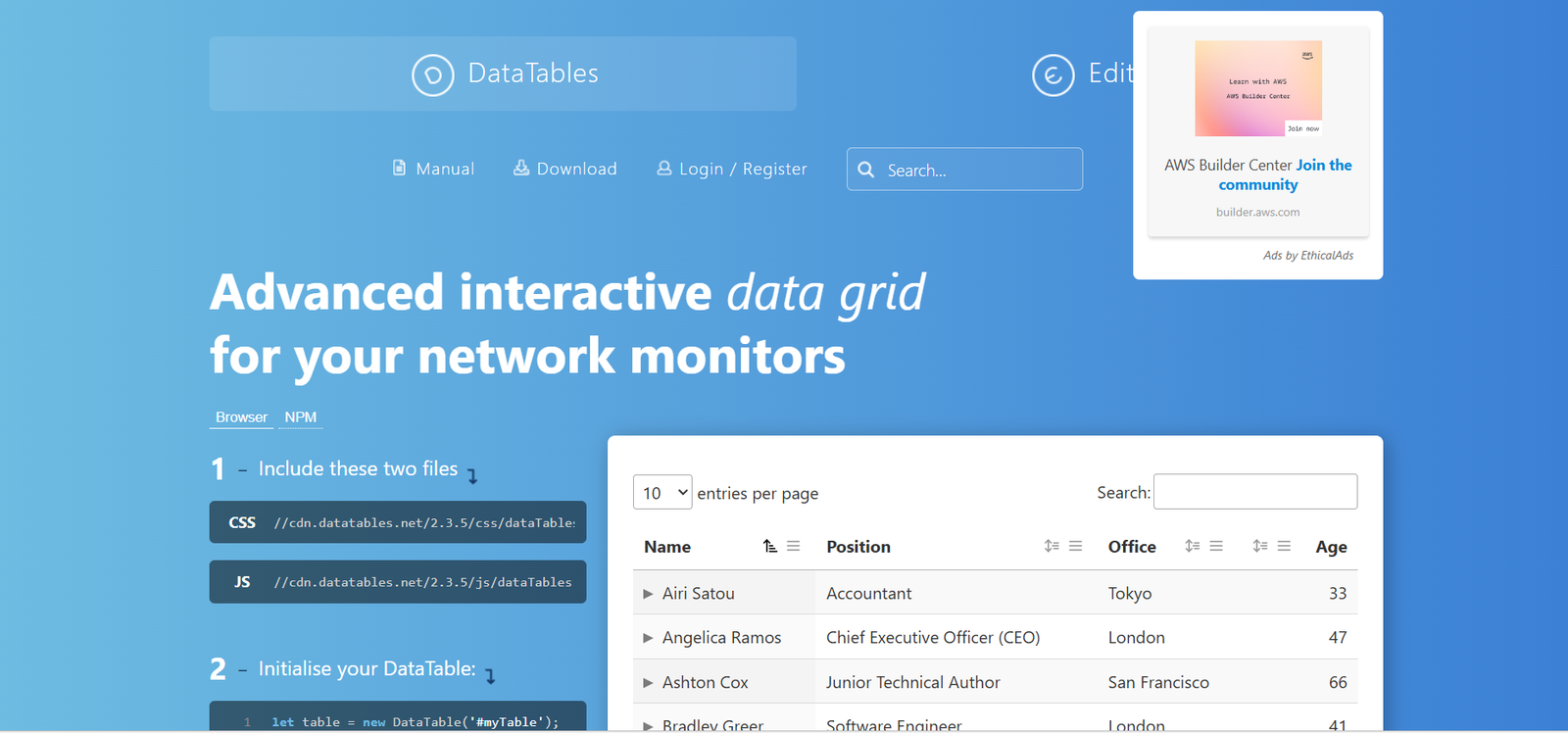
DataTables is a powerful and flexible jQuery plugin that enhances HTML tables with advanced interaction controls. It transforms plain HTML tables into fully functional, interactive data grids with built-in features like sorting, filtering, pagination, and responsive layout. Designed for developers and data-centric web applications, DataTables allows you to manage large datasets in a user-friendly and accessible format.
Whether you’re working on dashboards, admin panels, or data reporting tools, DataTables makes it easy to present structured data with minimal setup and extensive customization options.
Features
DataTables includes a comprehensive suite of features for handling data presentation and interactivity:
Sorting and Filtering: Add multi-column sorting and global or column-specific search functionality to any table.
Pagination: Automatically divides large datasets into manageable pages with customizable controls.
Responsive Design: Adapts table layout to fit various screen sizes and devices.
Ajax Integration: Load data asynchronously from JSON sources or APIs without refreshing the page.
Column Reordering and Visibility: Users can reorder columns or toggle their visibility dynamically.
Export Options: Generate CSV, Excel, PDF exports, or print-friendly formats via Buttons extension.
Theme Support: Easily integrates with Bootstrap, Foundation, Bulma, or custom CSS frameworks.
Row Selection: Enable row, cell, or column selection with click or multi-select functionality.
Editor Integration (Paid): Offers a premium inline editing tool for real-time updates to table data.
Extensive Plugin Ecosystem: Includes over 40 official extensions for additional features.
These features make DataTables a reliable and extensible solution for displaying and managing structured data on the web.
How It Works
DataTables operates by targeting existing HTML tables and applying JavaScript enhancements using jQuery. Developers initialize DataTables by calling the DataTable() function on a <table> element. The plugin then scans the table for headers and content and wraps it with pagination, sorting, and filtering tools.
Here’s a basic usage example:
For dynamic data, developers can configure Ajax sources to fetch table content asynchronously. With extensive options and APIs, DataTables allows fine-grained control over every aspect of table behavior and appearance.
Use Cases
DataTables can be applied in a wide variety of web development scenarios:
Admin Dashboards: Present large data sets like users, products, or transactions with live search and filters.
CMS Tables: Display content lists or editorial workflows with sorting and pagination.
E-Commerce Reports: Provide filterable sales data, inventory tables, and order management views.
Data Analytics Portals: Show customer behavior, metrics, or analytics in a sortable and exportable format.
Educational Platforms: Manage student records, grades, attendance logs, and class schedules.
Government and Public Sector: Enable data transparency with searchable datasets for public access.
Its flexible structure makes it ideal for both static sites and dynamic web applications using modern front-end frameworks.
Pricing
DataTables itself is open-source and free to use under the MIT License, including core features and many extensions. However, the DataTables Editor—an optional premium extension—is commercially licensed and offers advanced editing capabilities such as:
Inline, bubble, and form editing
Field validation
Ajax integration for CRUD operations
DataTables Editor Pricing (as listed on the official site):
Editor Single Developer License:
Approx. $120 USD (one-time)Editor Multiple Developer License:
Approx. $500 USD (one-time)Enterprise Licensing:
Custom pricing available for large organizations
Details: https://datatables.net/purchase
Strengths
Lightweight and Fast: Optimized for performance, even with large datasets.
Highly Customizable: Offers a vast configuration API and plugin ecosystem.
Cross-Browser Compatibility: Works reliably across all major browsers.
Free and Open Source: Core features are free for both personal and commercial projects.
Extensive Documentation: Clear guides, examples, and an active community support base.
Modular Architecture: Easily extendable through official and third-party plugins.
These strengths have made DataTables one of the most widely adopted table plugins in web development.
Drawbacks
While powerful, DataTables does have some limitations:
jQuery Dependency: Requires jQuery, which may not align with modern JavaScript frameworks like React or Vue.
Complex Setup for Advanced Features: Deep customization and Ajax integrations may require careful configuration.
UI Limitations: Out-of-the-box styles are basic and often require CSS customization to meet modern design standards.
Commercial Editing Tool: Inline editing requires the paid Editor extension.
Despite these drawbacks, DataTables remains a robust choice for projects where jQuery is in use and data presentation is a priority.
Comparison with Other Tools
DataTables stands strong among its peers due to its balance of power, simplicity, and extensibility:
vs. ag-Grid: ag-Grid offers deeper integration with modern frameworks and more advanced features but is more complex and often requires licensing.
vs. Tabulator: Tabulator is more modern and framework-agnostic but has a smaller community and ecosystem.
vs. Handsontable: Handsontable is spreadsheet-like and better for data entry but less suited for large read-only tables.
vs. React Table / Vue Tables: Framework-native solutions offer better integration but require more coding and have steeper learning curves.
For jQuery-based projects or websites requiring rapid table enhancements, DataTables remains the top contender.
Customer Reviews and Testimonials
DataTables has been widely adopted by developers, enterprises, academic institutions, and government websites. Community reviews highlight:
Ease of Use: “Set it up in minutes with minimal code.”
Great Documentation: “The examples and guides made integration painless.”
Reliable for Production: “Used it across multiple enterprise projects without issues.”
Scalable: “Handles tens of thousands of rows with efficient paging and filtering.”
Thousands of public sector websites and internal systems rely on DataTables for its reliability and speed.
Conclusion
DataTables is a robust, mature, and feature-rich plugin that brings powerful interactivity to HTML tables with minimal effort. With built-in support for sorting, filtering, paging, and responsive design, it offers everything developers need to manage and display tabular data effectively. Whether you’re building a simple admin table or a complex reporting interface, DataTables provides the flexibility, performance, and community support to meet the challenge—without requiring expensive licenses or heavy frameworks.