
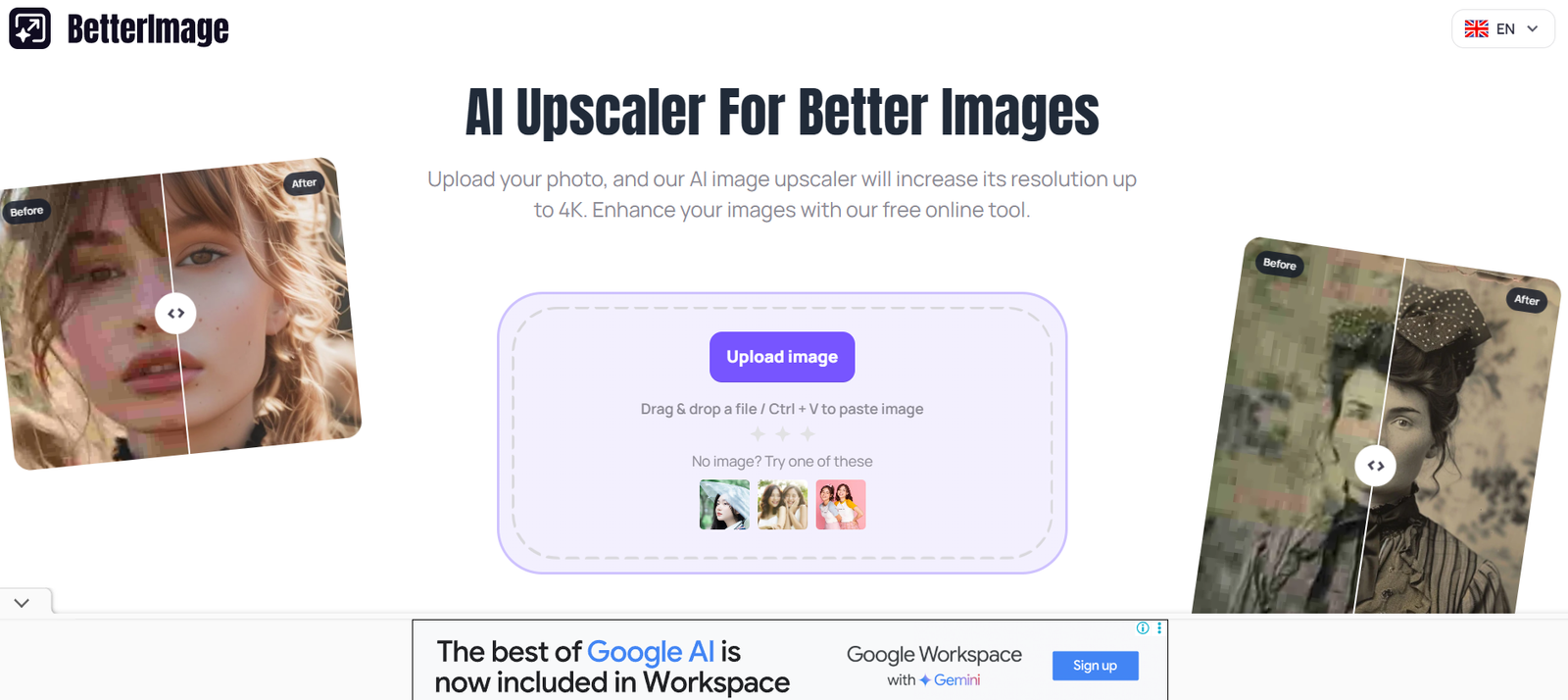
BetterImage AI is a browser-based image editing tool that uses artificial intelligence to automate common editing tasks like background removal, image upscaling, enhancement, and object removal. Its primary focus is speed and simplicity—allowing users to drag and drop an image, choose the type of enhancement they want, and instantly get high-quality results.
Designed for creators, marketers, e-commerce sellers, and content professionals, BetterImage AI minimizes the need for complex software. The tool handles technical processes like masking, pixel correction, and color balancing through trained machine learning models, delivering professional-level edits with minimal user input.
Features
AI-Powered Background Removal
Automatically remove the background from portraits, product photos, or any image in seconds, with clean cutouts suitable for e-commerce or graphic design.
Image Upscaling (Super Resolution)
Enhance low-resolution images and scale them up without losing quality using AI-based pixel prediction.
One-Click Enhancements
Fix lighting, color balance, and contrast with a single click using intelligent adjustment tools.
Object and Blemish Removal
Remove unwanted elements such as blemishes, text, watermarks, or objects from an image using AI inpainting.
Web-Based Interface
No software downloads or installations are required. Works directly in your browser across all devices.
Drag-and-Drop Upload
Simple upload process supports major formats like JPG, PNG, and WebP.
Privacy-Focused Processing
Images are processed on secure servers and deleted after a short period to ensure user privacy.
Download in High Resolution
Export enhanced images in high quality for use in print, social media, websites, or digital marketing.
How It Works
BetterImage AI follows a simple workflow designed for non-technical users:
Visit the Platform
Go to https://betterimage.ai using any modern browser.Upload Your Image
Drag and drop or browse your files to upload a photo you want to enhance or edit.Select the Desired Tool
Choose the type of editing: background removal, upscaling, enhancement, or object removal.Let the AI Process the Image
BetterImage AI processes the image using advanced neural networks trained on millions of image samples.Preview and Download
View the result in real-time and download the edited image in your desired format and resolution.
The platform provides immediate visual feedback, making it suitable for quick edits without trial-and-error workflows.
Use Cases
E-commerce Product Images
Remove backgrounds, enhance clarity, and upscale product photos for online marketplaces like Amazon, Etsy, or Shopify.
Marketing and Social Media
Create polished visual content for ads, posts, and banners by enhancing or retouching photos with ease.
Profile and Headshots
Improve selfies or professional headshots by removing distractions, enhancing facial features, or correcting lighting.
Freelancers and Creators
Produce client-ready visuals or build personal portfolios with refined imagery without expensive editing tools.
Photographers
Quickly retouch images for clients when fast delivery is a priority and professional edits are required.
Students and Educators
Use the platform for academic presentations or creative projects requiring high-quality visuals.
Pricing
BetterImage AI offers a freemium model, allowing users to test the core features before subscribing to a premium plan.
Free Plan
Limited daily uses
Basic background removal
Watermarked downloads
Lower priority in processing queue
Premium Plan – $9/month
Unlimited access to all tools
High-resolution downloads
No watermark
Priority processing
Access to all editing features (including object removal and upscaling)
BetterImage AI occasionally offers discounted annual subscriptions. Always check the official pricing page for the most up-to-date details.
Strengths
Fast and Accurate AI Tools
Tasks like background removal or upscaling are done in seconds with professional-quality results.
Beginner-Friendly
No technical knowledge or editing experience is required—ideal for users who need quick results.
All-in-One Editing
Consolidates multiple essential editing functions into a single web platform.
Affordable Pricing
Compared to hiring a designer or using Adobe Photoshop, BetterImage AI offers excellent value for small teams and individuals.
Mobile Compatible
Runs smoothly on mobile browsers, enabling on-the-go editing.
No Installations
All processing is handled in the cloud, making it fast, lightweight, and accessible from any device.
Drawbacks
Limited Manual Control
Since the editing is AI-driven, users may not have as much granular control as with Photoshop or GIMP.
Free Tier Restrictions
Watermarked images and limited access in the free plan may not meet the needs of professional users.
No Batch Editing
As of now, BetterImage AI supports one image at a time; no bulk processing feature is available.
No Offline Access
Requires an internet connection as all tools are browser-based and cloud-powered.
Few Customization Settings
Preset-based operations mean users can’t fine-tune filters or mask areas manually.
Comparison with Other Tools
BetterImage AI vs remove.bg
remove.bg specializes solely in background removal. BetterImage AI offers that plus upscaling, enhancement, and blemish removal.
BetterImage AI vs Canva
Canva is a design tool with editing features. BetterImage AI focuses on automated, high-quality AI edits rather than design layouts.
BetterImage AI vs Adobe Photoshop
Photoshop offers precision and manual control but comes with a steep learning curve. BetterImage AI delivers fast, automated results for users who need simplicity.
BetterImage AI vs VanceAI
VanceAI offers a suite of enhancement tools. BetterImage AI provides a simpler interface with core image enhancement functionality.
Customer Reviews and Testimonials
“BetterImage AI is now part of my daily workflow. It’s so easy to use, and the background removal is spot-on.”
— E-commerce Store Owner
“As a solo freelancer, I don’t have time to open Photoshop every time I need to edit an image. This tool gets it done fast.”
— Social Media Manager
“The object removal feature blew my mind. It erased a text overlay in one click.”
— Blogger
“I use it to clean up my headshots before uploading them to LinkedIn. Makes a big difference in presentation.”
— Job Seeker
Conclusion
BetterImage AI is a fast, reliable, and accessible image editing tool for anyone looking to enhance visuals without the steep learning curve or cost of professional software. With its AI-driven background removal, upscaling, and blemish correction, the platform offers all the core features you need for clean, high-quality images—perfect for e-commerce, social media, marketing, and more.
Whether you’re a content creator, business owner, freelancer, or student, BetterImage AI provides an affordable and user-friendly solution for enhancing your digital visuals with just a few clicks.








