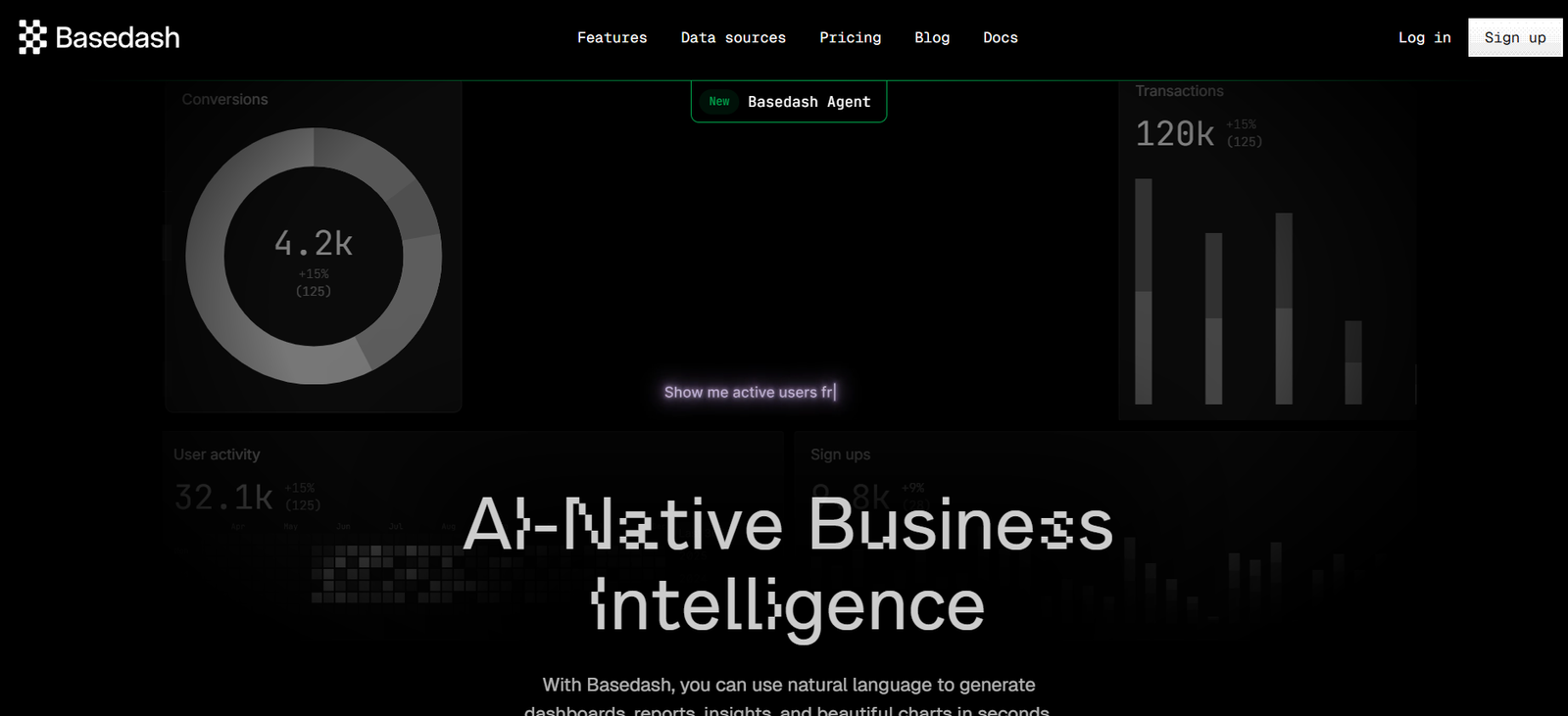
Basedash is a developer-first internal tool that provides a modern interface to manage production databases securely. It combines the power of SQL with the simplicity of a spreadsheet UI, allowing teams to view, edit, query, and visualize data without building custom admin panels.
Built for fast-moving teams and modern engineering workflows, Basedash replaces the need to maintain custom dashboards or internal tools. It supports secure, auditable access to your live data and gives engineers and stakeholders a powerful way to work with databases collaboratively and safely.
Features
Basedash is packed with features that help teams manage and explore their data more efficiently.
The Visual Editor allows users to browse and edit data in a spreadsheet-style interface. Columns are sortable and filterable, making it easy to locate and update records.
The SQL Editor supports raw queries with syntax highlighting, saved queries, and exportable results. It also enables write queries, letting advanced users run controlled insert, update, or delete commands.
Views are a powerful feature that allow users to save filtered or queried datasets for easy access and team-wide sharing. These are especially useful for recurring reporting or monitoring.
Audit Logs track every action taken within Basedash, including edits and queries, to ensure full visibility into data changes and user behavior.
Access Controls let teams manage user permissions at a granular level, ensuring only authorized team members can make edits or run sensitive queries.
Integrated Version Control for saved queries and views allows teams to track changes over time, restore earlier versions, and collaborate more effectively.
Basedash supports all major SQL databases including PostgreSQL, MySQL, Supabase, and others, with instant cloud or self-hosted connections.
How It Works
Basedash connects directly to your existing SQL database through a secure integration. Once connected, users can view and interact with tables through a spreadsheet-style UI.
For non-technical users, the visual interface provides a no-code environment to explore and edit data safely. Advanced users can write custom SQL queries to interact with the database more deeply.
All actions taken inside Basedash, including edits and queries, are logged and can be reviewed in the audit trail. Views can be created from filtered datasets or SQL queries, and shared across the team for collaborative access.
Permissions can be configured for individuals or roles, ensuring read-only or limited-access users can safely interact with data without risking accidental modifications.
For engineering teams, Basedash eliminates the need to build internal admin tools, providing a polished, production-ready interface for database management out of the box.
Use Cases
Basedash is suitable for startups, product teams, and growth-stage companies that need to access and manage production data without building custom tools.
Product teams use Basedash to view user data, track feature adoption, and debug issues without writing complex queries or relying on developers.
Customer support teams rely on it to look up user accounts, process refunds, or troubleshoot customer issues with real-time access to backend data.
Growth and marketing teams use it to analyze campaign performance, track activation metrics, or identify customer segments based on live data.
Engineering teams benefit by reducing time spent building and maintaining internal dashboards or CRUD apps, and can instead grant safe, controlled access to team members.
Operations and finance teams use Basedash to validate transactions, process manual workflows, and ensure data integrity across systems.
Pricing
Basedash offers a straightforward pricing structure, based on usage and team size. As of the latest information available on the Basedash website, the following tiers are offered:
Free Plan
Ideal for individuals and small teams
Connect one database
Up to 1000 query rows per month
One workspace
Limited features and views
Pro Plan – $20/month per user
Unlimited databases
Unlimited query rows
Advanced views and saved queries
Team collaboration and access control
Audit logs and version history
Enterprise Plan – Custom pricing
Designed for larger organizations
SSO and advanced security features
Custom data retention
Dedicated support and onboarding
Custom deployment options available
Each plan offers a free trial and instant setup without the need for engineering resources. Pricing may vary based on usage and feature customization.
Strengths
Basedash excels at replacing internal tools with a modern, secure, and user-friendly interface for database management.
Its spreadsheet-style interface makes it easy for non-technical users to interact with complex datasets without risk.
The platform supports full SQL querying while offering advanced access control, ensuring teams can explore data without compromising safety.
Saved views and version control improve team collaboration and eliminate redundant reporting workflows.
The platform integrates directly with live databases, offering real-time visibility into production data with zero delay.
Audit trails and user activity logs provide transparency and traceability for data compliance and oversight.
Drawbacks
While powerful, Basedash may not offer all the analytics and dashboard features of full business intelligence platforms like Metabase or Tableau.
Users without SQL knowledge may still require assistance for more complex queries, despite the visual interface.
The free plan has limitations in terms of rows and features, making it suitable only for light usage or evaluation purposes.
As a cloud-based platform, it may not be suitable for organizations requiring strict on-premise data governance unless using the enterprise option.
Currently, it focuses on operational data workflows rather than full reporting or visualization pipelines.
Comparison with Other Tools
Compared to building internal tools with Retool or Appsmith, Basedash offers a ready-made solution specifically for database access and editing, requiring no coding or UI setup.
Unlike BI tools such as Metabase or Looker, Basedash focuses on data manipulation and operational workflows rather than visualization and analytics.
Compared to SQL clients like TablePlus or DBeaver, Basedash provides team collaboration features, audit logs, access control, and a no-code interface in a browser-based environment.
While tools like Supabase offer built-in dashboards for their databases, Basedash is more flexible and can connect to multiple external SQL data sources.
Basedash is best suited for teams who want a secure, efficient way to give internal users access to live data without the overhead of building and maintaining admin dashboards.
Customer Reviews and Testimonials
Basedash has received positive feedback from early-stage startups and fast-moving teams. On platforms like Product Hunt, users praise its simplicity, security, and developer experience.
Developers appreciate how it eliminates the need for CRUD tools and makes onboarding internal users easy and safe.
Customer support and product teams report reduced dependency on engineers for routine data tasks, enabling faster customer issue resolution.
Startup founders highlight the tool’s real-time access, simplicity, and ability to keep all data operations in one interface.
The platform has earned recognition for its clean design, fast performance, and thoughtful approach to internal tool problems.
Conclusion
Basedash is a modern solution for managing production databases with speed, safety, and simplicity. Designed for teams that want to reduce internal tool complexity, it offers a user-friendly, SQL-compatible interface that supports collaborative data workflows across the organization.
Whether you’re a startup trying to eliminate custom dashboards or a growing team looking to manage data securely and efficiently, Basedash delivers a polished and reliable platform for everyday database operations.