
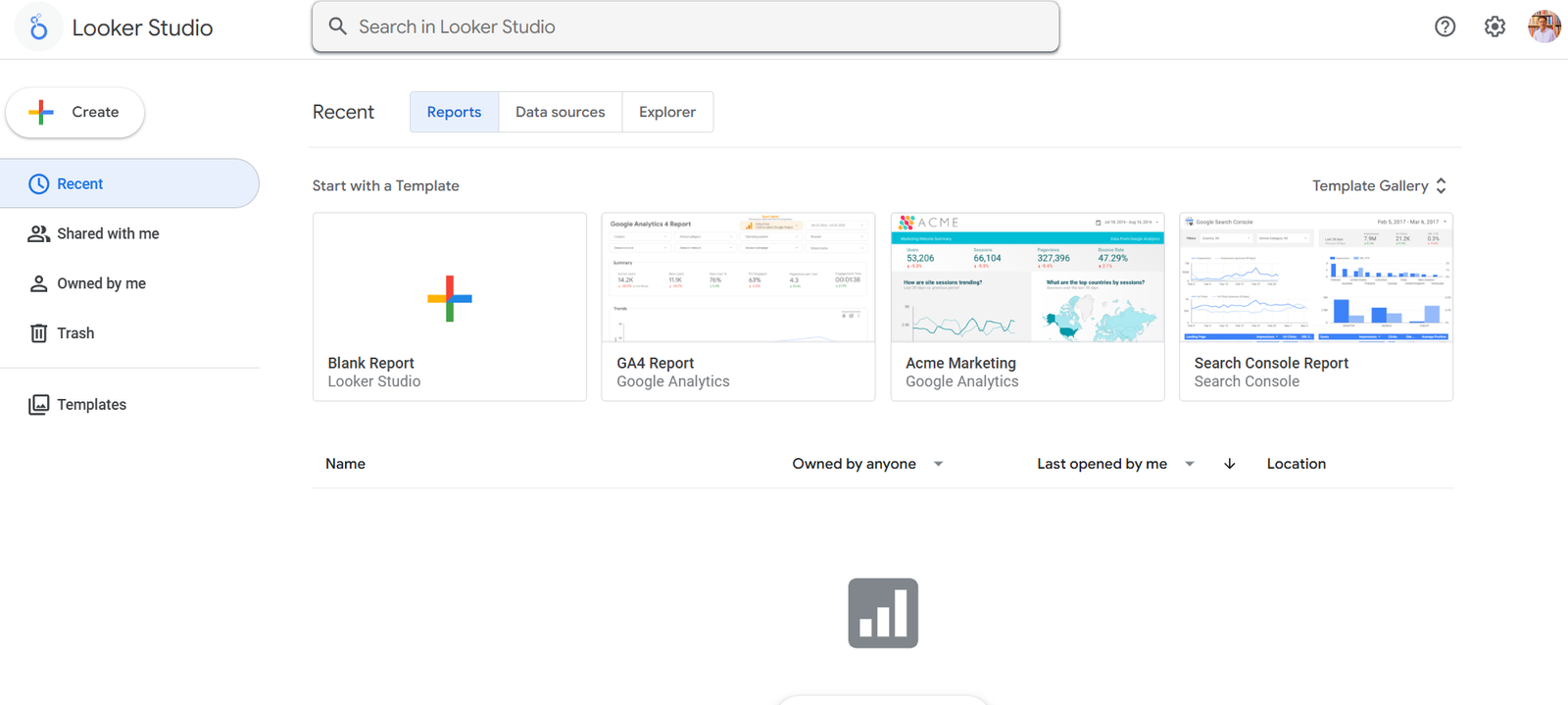
Looker Studio, formerly known as Google Data Studio, is a free, cloud-based business intelligence (BI) and data visualization tool developed by Google. It allows users to turn raw data into interactive and shareable dashboards. Designed with accessibility and ease of use in mind, Looker Studio enables marketers, analysts, and business users to visualize key performance indicators (KPIs) and other business metrics without writing any code.
By integrating with popular Google products (such as Google Analytics, Google Ads, and BigQuery), as well as hundreds of third-party connectors, Looker Studio provides a centralized platform for tracking, analyzing, and reporting business performance.
Features
Looker Studio comes packed with features that support flexible, collaborative, and powerful data visualization:
Custom Dashboards: Design fully interactive dashboards using drag-and-drop tools and prebuilt widgets.
Multiple Data Connectors: Access over 800 data sources via native and partner connectors including Google Sheets, MySQL, Facebook Ads, and more.
Real-Time Data: Pull live data directly from your sources, ensuring reports are always up to date.
Collaboration Tools: Share dashboards with view or edit access and work with teams in real time.
Calculated Fields: Create new dimensions or metrics using formulas and functions.
Blending Data: Combine data from different sources to create unified views and cross-platform insights.
Reusable Templates: Start with prebuilt templates or build custom report layouts to save time.
Google Ecosystem Integration: Seamlessly integrates with Google Workspace and Google Cloud Platform.
Export & Embedding: Export reports as PDFs or embed them into websites or internal dashboards.
Looker Studio is designed to make professional-grade data visualization accessible to everyone, from entry-level users to experienced analysts.
How It Works
Getting started with Looker Studio is straightforward:
Connect Data Sources: Choose from Google’s native connectors or a wide range of third-party partners to bring in data.
Design Dashboards: Use the visual editor to add charts, tables, graphs, and filters to your report. Customize styles, branding, and layout to match your business needs.
Create Calculations: Define new metrics or dimensions using Looker Studio’s built-in formula editor.
Share & Collaborate: Invite team members to view or edit your dashboards, or share links with specific access permissions.
Embed or Present: Use your dashboard in presentations or embed it into websites, intranets, or web apps.
Looker Studio requires no software installation and works entirely through a web browser, making it accessible from anywhere.
Use Cases
Looker Studio supports a wide range of real-world applications across business functions:
Marketing Analytics: Track ad campaigns, SEO performance, and social media metrics in a unified dashboard.
Sales Performance: Visualize pipeline growth, conversion rates, and monthly revenue by region or product.
Finance Reporting: Monitor expenses, budgets, and financial KPIs across departments.
E-Commerce Insights: Connect with Google Analytics, Shopify, or WooCommerce to monitor online sales metrics.
Client Reporting: Agencies can build shareable, real-time reports for clients with custom branding.
Executive Dashboards: Build high-level performance summaries with interactive filters and real-time metrics.
Looker Studio serves teams and organizations of all sizes—from freelancers and startups to global enterprises.
Pricing
Looker Studio is completely free to use. As part of the Google product ecosystem, there are no licensing fees for:
Connecting data sources
Building dashboards
Sharing and collaborating
Looker Studio Pro, a premium version designed for enterprise needs, offers:
Enhanced SLAs and support
Admin features like team workspaces
Integration with Looker’s semantic layer
Pricing for Looker Studio Pro is custom and available through Google Cloud sales teams.
More info: https://lookerstudio.google.com/
Strengths
Looker Studio is widely adopted for its flexibility, cost-efficiency, and ease of use:
Free & Cloud-Based: No cost for individuals or businesses to build and share powerful dashboards.
Rich Visualizations: Create professional, interactive data reports with customizable styling.
Flexible Data Integration: Supports hundreds of connectors through Google and third parties.
Collaboration Friendly: Shareable and editable dashboards enable team alignment and decision-making.
Google Integration: Works seamlessly with Google Analytics, BigQuery, Ads, Sheets, and more.
Custom Calculations & Filters: Offers advanced data transformation options within a user-friendly interface.
These benefits make it ideal for marketers, analysts, small businesses, and enterprises.
Drawbacks
Despite its strengths, Looker Studio has a few limitations:
Performance Limits: Large datasets may cause dashboards to lag or load slowly, especially with complex reports.
Limited Row-Level Security: Granular access control is limited in the free version.
Steep Learning Curve for Advanced Users: More complex data blending and calculated fields require time to learn.
Third-Party Connector Costs: While the tool itself is free, some third-party data connectors charge fees.
However, for most users, the benefits far outweigh these limitations — especially at no cost.
Comparison with Other Tools
Looker Studio is often compared to tools like:
Tableau: More powerful for enterprise BI and advanced analytics, but comes with a higher cost and complexity.
Power BI: Offers strong Microsoft ecosystem integration but requires licensing fees and desktop installation.
Databox / Klipfolio: Focused on real-time KPI dashboards but less flexible in data customization and layout.
Google Sheets: Great for manual reporting but lacks visualization depth and automation.
Looker Studio hits the sweet spot for customizable, low-cost reporting with real-time insights.
Customer Reviews and Testimonials
Looker Studio is widely used by marketers, consultants, agencies, and analysts around the world. Common feedback highlights include:
Ease of Use: “Drag-and-drop interface makes dashboard building simple.”
Great for Agencies: “We use it to deliver live performance reports to clients.”
Time Saver: “Automates monthly reporting and reduces manual effort.”
Highly Customizable: “Able to brand dashboards with client logos and themes.”
Its popularity is evident in strong adoption across sectors and continuous updates by Google.
Conclusion
Looker Studio is a robust, free, and user-friendly data visualization tool that empowers users to transform raw data into impactful dashboards. Whether you’re tracking marketing performance, financial KPIs, or operational metrics, Looker Studio offers the flexibility and integration to meet your reporting needs—without the high cost of enterprise BI tools. For teams seeking a scalable and collaborative platform with real-time insights, Looker Studio is an excellent choice in the modern data stack.


