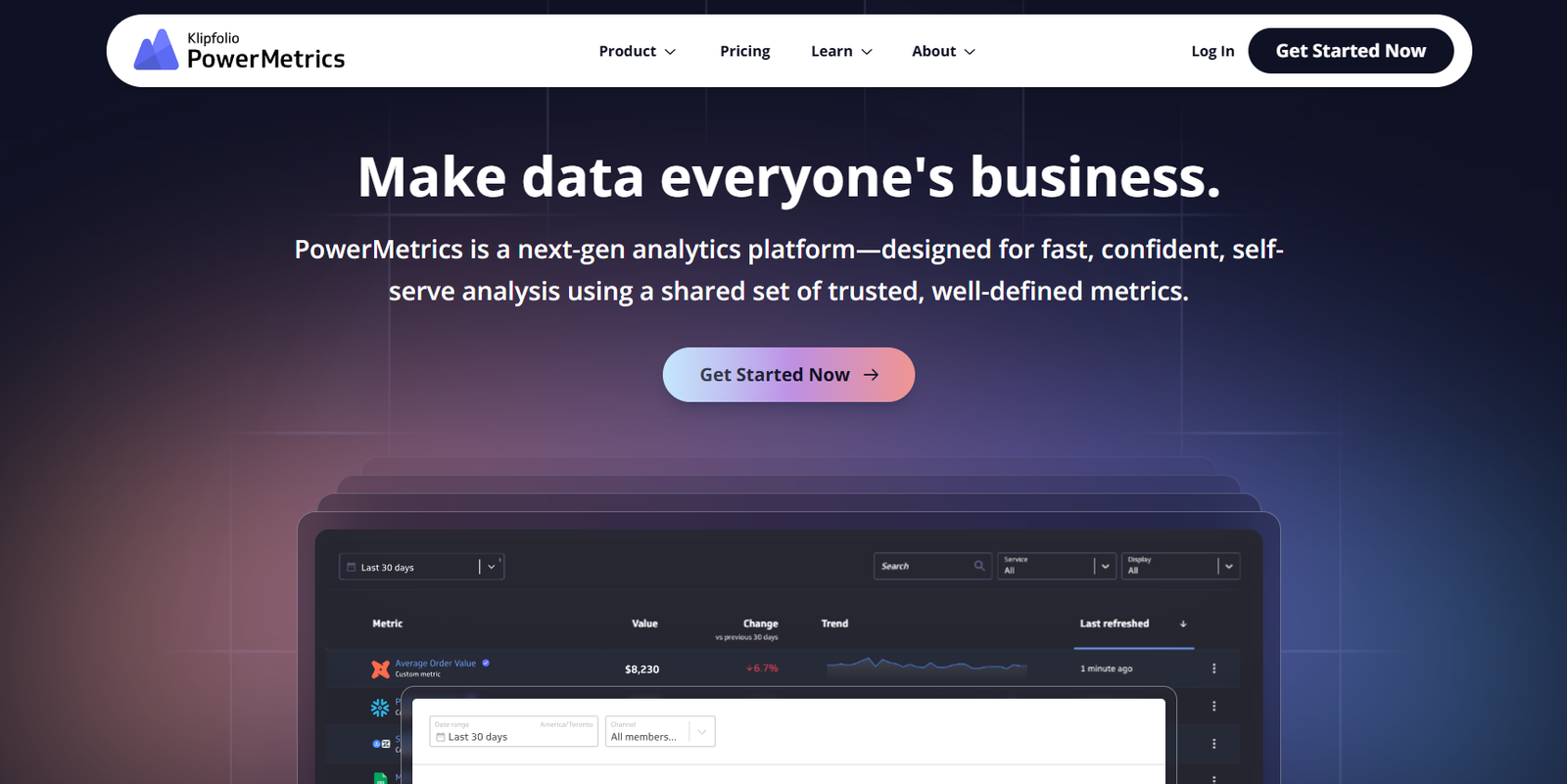
PowerMetrics is a cloud-based business intelligence and data visualization tool developed by Klipfolio. Designed for modern teams, it enables users to track key performance indicators (KPIs), create real-time dashboards, and make data-driven decisions—all without writing code. PowerMetrics simplifies access to metrics by connecting to various data sources, transforming raw data into meaningful insights through interactive visualizations. Its intuitive interface and automated updates make it ideal for business users, analysts, and decision-makers who need fast, reliable access to business metrics.
Features
PowerMetrics offers a robust suite of features designed to streamline business analytics:
Pre-Built Metrics: Choose from a library of pre-configured metrics for tools like Google Analytics, HubSpot, Shopify, and more.
Custom Metric Builder: Create custom KPIs using intuitive data modeling, filtering, and aggregation tools.
Live Dashboards: Build interactive dashboards that update automatically with the latest data.
Data Source Integration: Connect to spreadsheets, cloud services, and databases like Google Sheets, Excel, Snowflake, BigQuery, and more.
Data History & Trends: Store historical data to analyze trends, compare performance, and forecast outcomes.
Metric-centric Design: Focuses on reusable, standalone metrics that can be visualized in multiple dashboards.
Multi-Source Metrics: Combine data from different platforms to track unified performance indicators.
Access Control: Share dashboards with teammates or clients with fine-grained permission settings.
Mobile-Friendly Interface: Monitor metrics on the go via responsive dashboards.
PowerMetrics combines ease of use with analytical depth, empowering teams to measure what matters most.
How It Works
Getting started with PowerMetrics involves three simple steps:
Connect Data Sources: Choose from a wide range of supported integrations. PowerMetrics pulls data from platforms like Google Analytics, Stripe, Salesforce, HubSpot, and more.
Build or Choose Metrics: Select from pre-built metrics or create your own using the metric builder, which allows filtering, grouping, and calculations.
Visualize & Share Dashboards: Add your metrics to customizable dashboards. Charts update automatically, and dashboards can be shared via URL or embedded in other platforms.
The platform’s metric-centric design allows users to focus on individual KPIs and reuse them across multiple dashboards or views.
Use Cases
PowerMetrics is ideal for teams and organizations across multiple industries:
Marketing Teams: Track campaign performance, website traffic, conversion rates, and social engagement.
Sales Teams: Monitor lead generation, revenue growth, and pipeline health with Salesforce or HubSpot data.
Finance Departments: Build dashboards for MRR, ARR, cost tracking, or budget vs. actuals.
E-Commerce Stores: Analyze sales, product performance, and customer acquisition via integrations like Shopify and Stripe.
Startups & SMBs: Consolidate data from spreadsheets, apps, and SaaS tools into a single view.
Client Reporting: Agencies can deliver branded, shareable dashboards to clients with up-to-date performance metrics.
PowerMetrics empowers each department with the insights needed to improve decision-making and business performance.
Pricing
As of the latest information from the PowerMetrics website, the platform offers the following plans:
Free Plan:
Track up to 5 metrics
Connect 1 data source
Access historical data
Ideal for individuals or very small teams
Plus Plan (Starting at $49/month):
25 metrics
5 data services
Shareable dashboards
Metric monitoring and alerts
Pro Plan (Custom Pricing):
Unlimited metrics and data services
Advanced data modeling
Team management features
Priority support and SLAs
For the most accurate and updated pricing details, visit the PowerMetrics Pricing Page.
Strengths
PowerMetrics stands out for its:
User-Friendliness: The interface is designed for non-technical users who want to track KPIs without SQL or code.
Pre-Built Metrics: Saves time by offering plug-and-play metrics for popular tools.
Historical Tracking: Unlike many dashboard tools, PowerMetrics stores data history for trend analysis and forecasting.
Real-Time Dashboards: Keeps metrics fresh and accurate with automated updates.
Team Collaboration: Multiple users can share, view, and collaborate on dashboards securely.
Self-Service Analytics: Empowers business users to explore metrics independently, reducing reliance on analysts or IT.
Its focus on reusability and real-time data access makes it ideal for fast-paced decision-making environments.
Drawbacks
While PowerMetrics is a strong dashboard and KPI platform, there are a few considerations:
Metric Limits on Free Plan: The free tier is limited to 5 metrics, which may not be enough for most teams.
No Advanced BI Modeling: Lacks some of the deeper BI features found in tools like Tableau or Power BI.
SaaS-Only: Requires internet access and cloud hosting—on-premise deployment is not supported.
Customization Boundaries: While visually appealing, dashboard customization is more limited than some enterprise BI platforms.
Still, for teams focused on metric tracking over complex data modeling, these are often acceptable trade-offs.
Comparison with Other Tools
PowerMetrics is commonly compared to tools like:
Google Data Studio (Looker Studio): Free and customizable, but less focused on pre-built KPI libraries or metric reuse.
Tableau: Offers advanced data visualization but requires more technical skill and setup time.
Databox: Similar focus on KPIs and metrics, but PowerMetrics offers more flexibility in data modeling.
Klipfolio (parent platform): PowerMetrics is Klipfolio’s simplified and metric-focused tool, offering a quicker and more accessible experience.
Overall, PowerMetrics fits teams that prioritize KPI monitoring and dashboard sharing over heavy-duty BI analysis.
Customer Reviews and Testimonials
PowerMetrics receives positive feedback for its simplicity, speed, and powerful data integrations. Users appreciate how fast they can go from data connection to visualizing insights. Teams transitioning from spreadsheets or fragmented dashboards often find PowerMetrics a welcome upgrade. Customers also highlight the value of historical metric tracking and the ability to set alerts for changes in key metrics.
Agencies have praised it for improving client reporting workflows, while startups use it to unify performance tracking across their tech stack.
Conclusion
PowerMetrics is a modern, user-friendly platform for tracking business KPIs and visualizing performance in real time. With its pre-built metrics, historical data tracking, and easy-to-use dashboard builder, it offers a powerful yet approachable analytics solution for teams of all sizes. Whether you’re a marketer, analyst, or executive, PowerMetrics gives you a clear view of what’s happening across your business—enabling faster, data-informed decisions. For organizations seeking a simple, effective way to monitor metrics without complex setup, PowerMetrics is a smart choice.