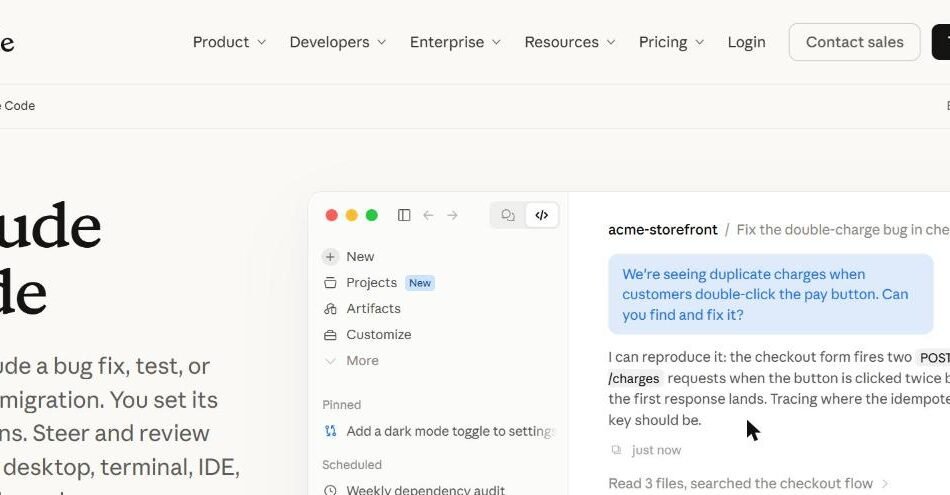
Viktor Code gives Viktor, the AI employee that works in Slack and Microsoft Teams, access to your code: you hand him a business outcome and he does the coding and the non-technical work around it, then opens pull requests for review. It was the #4 Product of the Day on Product Hunt on 24 November 2026.
Facts checked: November 2026 · Sources: viktor.com/code, viktor.com/pricing and its Product Hunt launch (24 Nov 2026)
Viktor is an AI employee that lives in Slack, Microsoft Teams and email and connects to thousands of business tools. Viktor Code adds your GitHub, GitLab or Bitbucket repositories, so he can take a goal such as a migration, break it into technical and non-technical streams (the pull request, the pricing page, the note to customers) and carry both through. He works in the cloud on your repos, keeps memory across tasks, and team projects are shared so anyone can open them.
Startups and product teams that want one agent for code and business work
Free with up to $100 in credits; Team $100/month; Enterprise custom
Free start with up to $100 in credits, no credit card
Cloud agent in Slack, Teams, Discord and email; desktop app for Mac, Windows and Linux
#4 Product of the Day on Product Hunt, 24 November 2026
Is Viktor Code right for you?
- want non-engineers to ship product changes
- already use Slack or Teams for planning work
- want an agent that knows your customers, metrics and tools, not only the repo
- want a local, in-editor coding assistant for quick edits
- need flat per-seat pricing instead of credits
- cannot connect your repo and business tools to a cloud agent
Viktor Code pricing
| Plan | Price | What you get |
|---|---|---|
| Free | $0/month | Up to $100 in credits, no credit card or sales call |
| Team | $100/month | 40,000 credits a month, everything in Free |
| Enterprise | Custom | Tailored controls, billing and support |
Viktor bills by credits that reflect the work done, including model usage across Anthropic, OpenAI and others. It says there are no per-seat licenses and no minimums.
Key features
Goals, not tickets
Give Viktor a business outcome and he splits it into the code and the non-code work it needs.
Pull requests in the cloud
Works on GitHub, GitLab or Bitbucket repos in the cloud and brings PRs back for review.
Lives in team chat
Mention him in Slack, Teams or Discord threads, or work in the Viktor app.
Thousands of integrations
Acts through thousands of tools, and uses his own browser where a tool has no API.
Memory and shared projects
Remembers what worked across tasks; projects belong to the whole team.
Pros and cons
- Free start with up to $100 in credits, no card needed
- No per-seat charge
- Handles both code and the business work beside it
- Desktop apps for Mac, Windows and Linux
- Credit-based billing makes costs depend on usage
- Needs broad access to your repos and company tools
- Built for longer outcomes, not quick edits
How to get started
- Sign up free at viktor.com/code
- Connect your GitHub, GitLab or Bitbucket repository
- Connect Slack, Teams or Discord plus support, analytics and billing tools, then give Viktor a goal
Viktor Code alternatives
⇄ Compare Viktor Code side by side
Viktor Code: frequently asked questions
Is Viktor Code free?
You can start free with up to $100 in credits and no credit card. After that the Team plan is $100 a month for 40,000 credits, and Enterprise is custom.
What does Viktor Code do?
It lets Viktor, an AI employee in Slack and Teams, work on your repositories: he takes a business goal, writes the code, opens pull requests and also does the non-technical work around it.
Does Viktor Code run in the cloud or on my computer?
The Viktor Code page says it runs in the cloud on your repos. There are also desktop apps for Mac, Windows and Linux.
Do I have to be an engineer to use it?
No. Viktor says anyone on the team can make the first version of a change, and engineers then review and refine it.
What are the best alternatives to Viktor Code?
Devin AI, Claude Code and GitHub Copilot are common alternatives for AI coding agents.
⇄ Compare Viktor Code with similar tools
Want more tools like this?
Get the best new AI tools in your inbox every two weeks. Free, no spam, unsubscribe anytime.