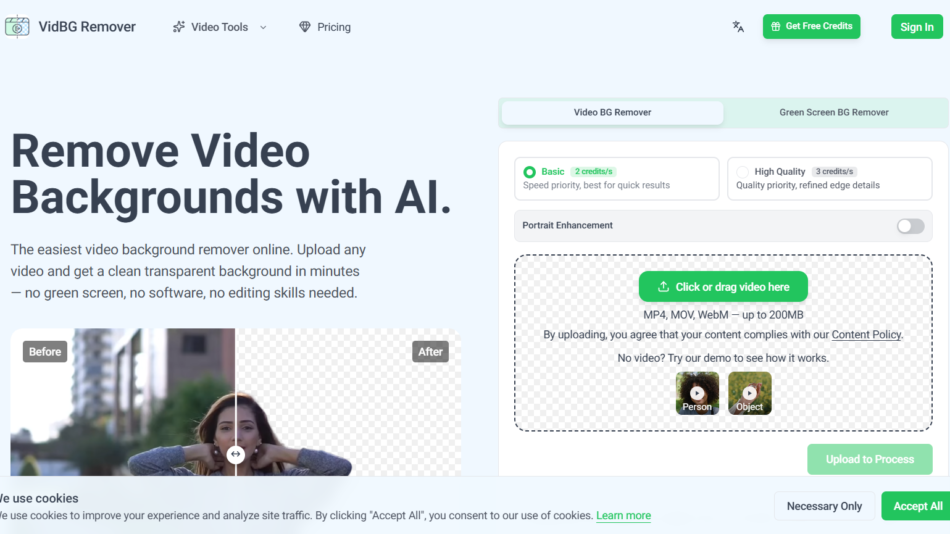
Unscreen is an AI-powered tool designed to remove backgrounds from videos and GIFs automatically.
Unscreen is an AI-powered tool designed to remove backgrounds from videos and GIFs automatically. It simplifies the process of creating background-free content, allowing users to focus on their creative projects.
Content Creation, Professional Presentations, Education
Automatic Background Removal, No Green Screen Needed, Multiple Formats
Check the website
Is Unscreen right for you?
- use it for content creation
- use it for professional presentations
- use it for education
Key features
Automatic Background Removal
Effortlessly eliminate backgrounds from videos and GIFs.
No Green Screen Needed
Works without the need for a green screen or special setup.
Multiple Formats
Supports various video and GIF formats.
Custom Backgrounds
Replace the removed background with images, videos, or solid colors.
Pros and cons
- Ease of Use: User-friendly interface with no technical expertise required.
- Efficiency: Saves time by automating the background removal process.
- Versatility: Suitable for various applications, from professional use to personal projects.
- Processing Time: Large files may take longer to process.
- Cost: Advanced features and higher usage levels may require a subscription.
How to get started
- Users upload their video or GIF to Unscreen, which uses AI to automatically detect and remove the background.
Unscreen: frequently asked questions
What is Unscreen?
Unscreen is an AI-powered tool designed to remove backgrounds from videos and GIFs automatically.
What are the main features of Unscreen?
Automatic Background Removal, No Green Screen Needed, Multiple Formats, Custom Backgrounds.
How much does Unscreen cost?
Unscreen offers different pricing tiers based on usage needs. Check the official site for current prices.
More about Unscreen
Unscreen is an AI-powered tool designed to remove backgrounds from videos and GIFs automatically. It simplifies the process of creating background-free content, allowing users to focus on their creative projects.
Features
- Automatic Background Removal: Effortlessly eliminate backgrounds from videos and GIFs.
- No Green Screen Needed: Works without the need for a green screen or special setup.
- Multiple Formats: Supports various video and GIF formats.
- Custom Backgrounds: Replace the removed background with images, videos, or solid colors.
How It Works
Users upload their video or GIF to Unscreen, which uses AI to automatically detect and remove the background. The tool then allows users to download the background-free content or replace it with a new background of their choice.
Use Cases
- Content Creation: Enhance videos for social media, marketing, and entertainment.
- Professional Presentations: Create polished and engaging presentations.
- Education: Develop interactive and visually appealing educational content.
Pricing
Unscreen offers different pricing tiers based on usage needs. For detailed pricing information, visit their pricing page.
Strengths
- Ease of Use: User-friendly interface with no technical expertise required.
- Efficiency: Saves time by automating the background removal process.
- Versatility: Suitable for various applications, from professional use to personal projects.
Drawbacks
- Processing Time: Large files may take longer to process.
- Cost: Advanced features and higher usage levels may require a subscription.
Comparison with Other Tools
Unscreen stands out for its automatic background removal without requiring a green screen, making it more accessible compared to traditional video editing software.
Customer Reviews and Testimonials
- Emma K., Social Media Influencer: “Unscreen has made my video editing process so much easier and faster!”
- James L., Marketing Professional: “The ability to remove and replace backgrounds quickly has been a game-changer for our content creation.”
Conclusion
Unscreen offers a powerful and efficient solution for removing video backgrounds, making it an essential tool for content creators, marketers, and educators. Its ease of use and automatic processing set it apart from other video editing tools.
⇄ Compare Unscreen with similar tools
Want more tools like this?
Get the best new AI tools in your inbox every two weeks. Free, no spam, unsubscribe anytime.