
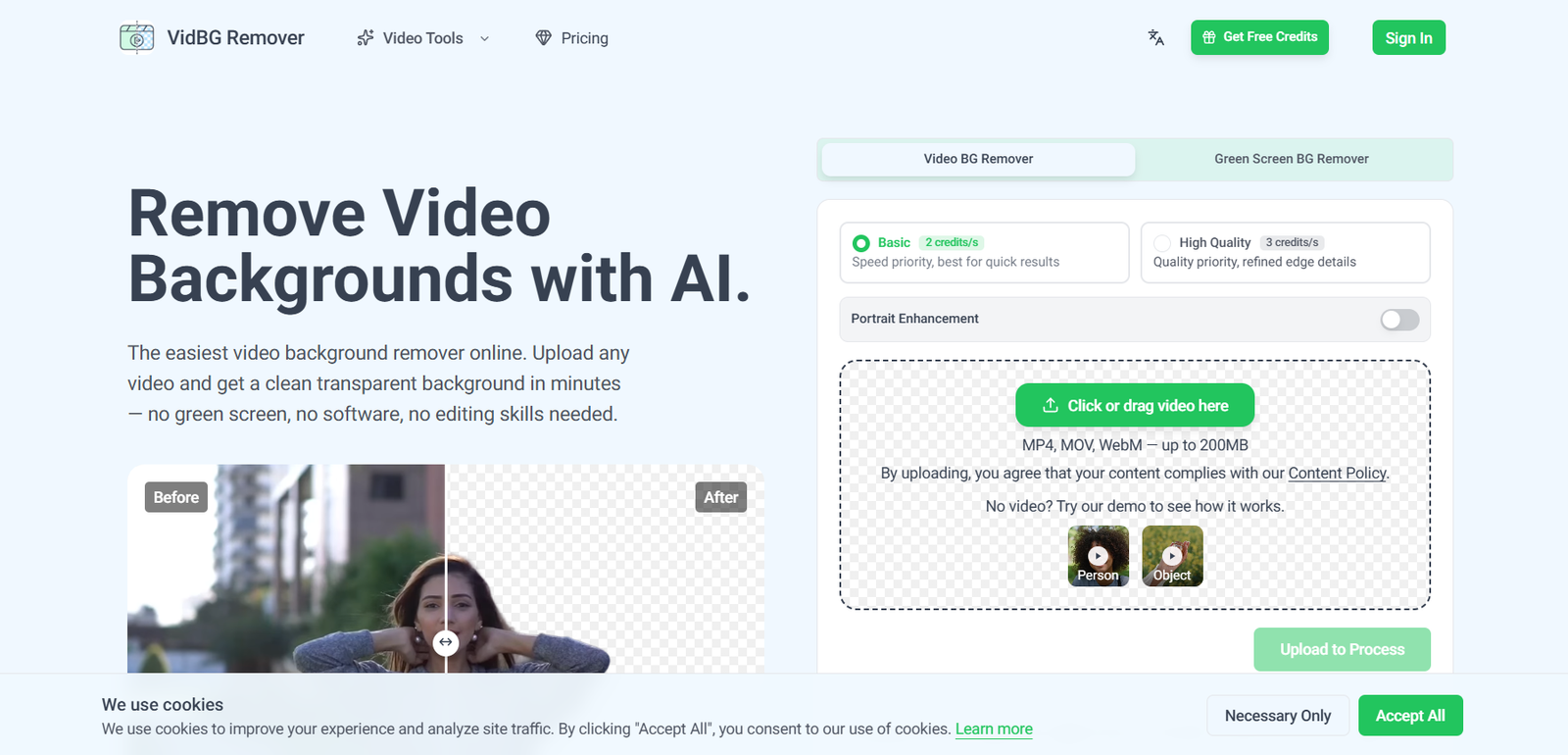
VidBG Remover is an AI-powered online tool that removes backgrounds from videos without requiring a green screen or professional editing software. Users simply upload a video, and the AI automatically separates the subject from the background while preserving fine details such as hair, hands, and fast-moving objects. The processed video can then be exported with a transparent background or used with a custom background for further editing.
The platform is designed for content creators, marketers, educators, agencies, e-commerce businesses, and video editors who need professional-quality background removal without complex manual masking. It supports popular video formats and exports files that work seamlessly with leading editing software such as Adobe Premiere Pro, DaVinci Resolve, After Effects, and CapCut.
Features
AI Video Background Removal
Automatically removes video backgrounds while preserving clean subject edges and natural motion.
Transparent Video Export
Export videos with a true alpha channel in formats such as WebM (VP9) and MOV (ProRes 4444), making them ready for professional editing.
Stable Edge Detection
The AI minimizes flickering and maintains smooth edges around hair, fingers, and moving subjects throughout the video.
No Green Screen Required
Create transparent videos without recording against a green screen, making production easier and more flexible.
Multiple Video Formats
Upload MP4, MOV, and WebM files and export them in formats suitable for social media, presentations, and video editing.
Fast Cloud Processing
Most videos are processed within minutes, depending on file size and duration.
Browser-Based Workflow
Everything runs online, eliminating the need to install desktop software.
How It Works
- Visit the VidBG Remover website.
- Upload a supported video file.
- Choose the preferred processing quality if applicable.
- Let the AI remove the background automatically.
- Preview the processed video.
- Download the transparent video or continue editing it in your preferred video editor.
Use Cases
Content creators can produce professional YouTube videos and social media content.
Marketers can create advertising videos with customized backgrounds.
Educators can overlay presenters on presentation slides.
E-commerce businesses can create clean promotional videos for products.
Video editors can speed up compositing workflows without manual masking.
Agencies can efficiently produce branded videos for clients.
Pricing
VidBG Remover uses a pay-as-you-go credit system with no subscription requirement. Available credit packs include:
- Starter: $9.90
- Creator: $29.90
- Pro: $79.90
- Max: $199.90
Credits never expire, and new users can upload videos and preview results before purchasing credits.
Strengths
- No green screen required.
- High-quality edge detection.
- Transparent video exports with alpha channels.
- Fast browser-based processing.
- Supports popular video formats.
- Pay-as-you-go pricing with non-expiring credits.
- Compatible with leading video editing software.
Drawbacks
- Full video exports require paid credits.
- Processing time depends on video length and complexity.
- Internet connection is required since processing is cloud-based.
- Very long or highly complex videos may take longer to process.
Comparison with Other Platforms
VidBG Remover specializes in AI-powered video background removal rather than general video editing. Compared with many traditional editors that require manual masking or chroma key effects, it automates subject extraction while maintaining stable edges and supports transparent video exports with alpha channels. Its credit-based pricing also makes it suitable for users who process videos occasionally instead of paying for recurring subscriptions.
Customer Reviews and Testimonials
The official website includes testimonials from creators and video professionals who praise the platform for its processing speed, clean edge quality, and ease of use. However, a large collection of detailed customer reviews is not available on the official website.
Conclusion
VidBG Remover is a practical AI video editing tool for creators, marketers, educators, and businesses that need professional-quality background removal without using a green screen. Its accurate AI segmentation, transparent exports, browser-based workflow, and flexible pay-as-you-go pricing make it an efficient solution for producing polished videos with minimal effort.


