
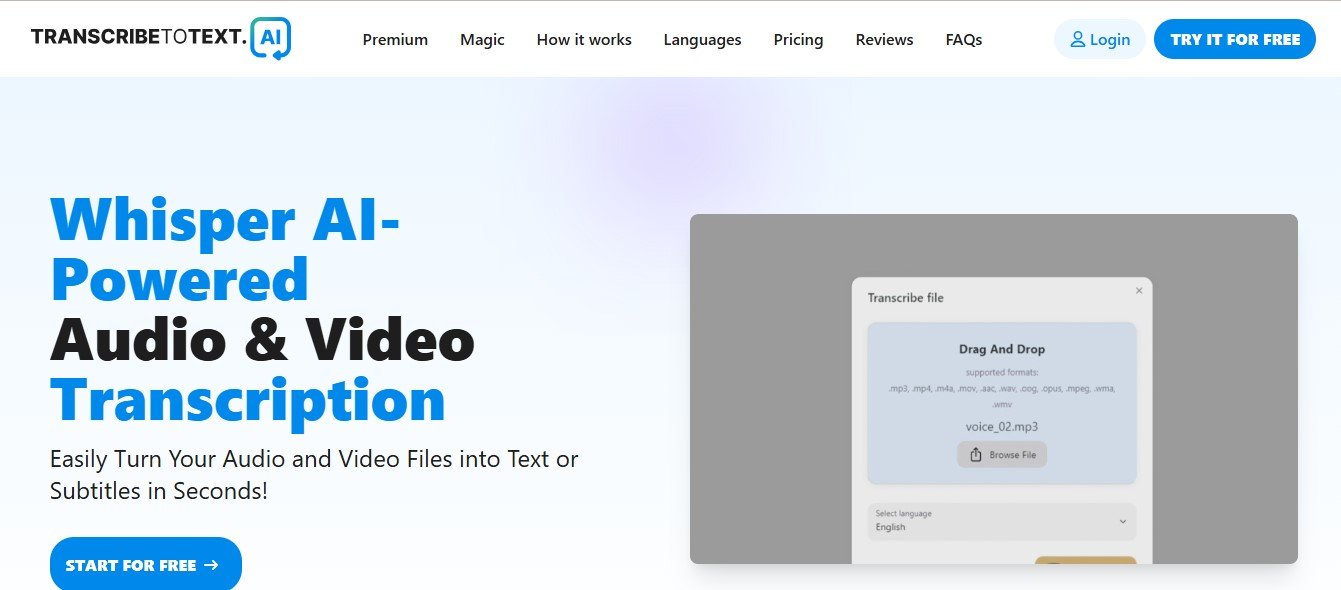
TranscribeToText.ai is an AI-powered transcription tool designed to convert audio and video content into high-quality, editable text. It leverages cutting-edge speech recognition technology to ensure accuracy and efficiency, even for files with multiple speakers or background noise.
The platform is versatile, supporting a wide variety of audio and video formats, making it ideal for professionals across industries. Whether you need to transcribe a team meeting, lecture, interview, or podcast episode, TranscribeToText.ai ensures you get a precise transcription in a fraction of the time it would take to do it manually.
Key Features of TranscribeToText.ai
TranscribeToText.ai stands out with its comprehensive set of features that make transcription fast, accurate, and hassle-free. Here are some of its most notable features:
1. AI-Powered Transcriptions
The tool uses advanced AI algorithms to deliver high-quality transcriptions, even for complex audio with multiple speakers or moderate background noise.
2. Speaker Identification
TranscribeToText.ai can differentiate between speakers in a conversation, labeling their dialogue for easier review and comprehension.
3. Multi-Language Support
The platform supports transcription in multiple languages, making it suitable for global users and multilingual content.
4. Editable Text
Users can review and refine transcriptions using the platform’s built-in text editor, ensuring complete accuracy.
5. Timestamps
Each line of text is tagged with timestamps, allowing users to locate specific moments in the audio or video file quickly.
6. File Format Compatibility
The platform supports a wide range of audio and video file formats, including MP3, MP4, WAV, and more.
7. Export Options
Export transcriptions in various formats such as PDF, Word, or plain text for easy sharing or archiving.
8. Secure Cloud Storage
TranscribeToText.ai ensures secure cloud storage, enabling users to access their files from anywhere while maintaining data privacy.
9. Real-Time Transcription
For live events or meetings, the platform offers real-time transcription, delivering instant results as the conversation unfolds.
How Does TranscribeToText.ai Work?
Using TranscribeToText.ai is simple and intuitive. Here’s how the platform works:
Step 1: Upload or Record Audio/Video
Start by uploading your pre-recorded audio or video files, or use the platform to record live sessions directly.
Step 2: AI Processing
The AI-powered engine begins analyzing the audio, identifying words, phrases, and speakers to produce a transcription.
Step 3: Review and Edit
Once the transcription is complete, use the built-in editor to review and make any necessary adjustments to the text.
Step 4: Export or Share
Export the final transcript in your preferred format (e.g., PDF, Word, or plain text) or share it with your team via email or cloud platforms.
Step 5: Save and Access
Your files and transcriptions are securely stored in the cloud, allowing you to access and manage them anytime.
Use Cases for TranscribeToText.ai
TranscribeToText.ai is a versatile tool with applications across a wide range of industries. Here are some common use cases:
1. Business Meetings
Automatically transcribe Zoom, Google Meet, or Microsoft Teams calls to keep detailed records of discussions, decisions, and action items.
2. Education
Students and educators can use the platform to transcribe lectures, webinars, or online classes for easier review and studying.
3. Journalism
Journalists can transcribe interviews and press conferences quickly, enabling them to focus on crafting compelling stories.
4. Podcasting
Podcast creators can transcribe episodes for captions, SEO-optimized show notes, or blog repurposing.
5. Market Research
Researchers can transcribe focus group discussions, interviews, or surveys for analysis and reporting.
6. Legal and Medical Fields
Professionals in law and healthcare can use TranscribeToText.ai for accurate documentation of case notes, consultations, and meetings.
Pricing
TranscribeToText.ai offers flexible pricing plans to cater to different user needs. While exact details are available on the official TranscribeToText.ai Pricing Page, here’s a general breakdown:
- Free Plan: Includes limited transcription minutes and basic features, perfect for users looking to try out the platform.
- Pay-As-You-Go: Ideal for occasional users, this plan charges per minute of transcription.
- Subscription Plans: Monthly or annual plans that offer unlimited transcription minutes, advanced editing tools, and premium support.
Visit the official website for the latest pricing details and any special offers.
Strengths of TranscribeToText.ai
- High Accuracy: The platform delivers precise transcriptions, even for recordings with multiple speakers or background noise.
- Ease of Use: An intuitive interface ensures that users of all experience levels can navigate and use the platform effectively.
- Time-Saving: AI-powered transcription significantly reduces the time spent on manual transcribing.
- Language Flexibility: Multi-language support ensures it caters to global audiences.
- Versatile Export Options: Users can export their transcripts in various formats to suit different needs.
Drawbacks of TranscribeToText.ai
While TranscribeToText.ai is a powerful tool, there are some limitations to consider:
- Audio Quality Dependency: As with most transcription tools, poor audio quality can reduce transcription accuracy.
- Limited Free Plan: The free version offers restricted transcription minutes, which might not be sufficient for heavy users.
- Premium Features Behind Paywalls: Features like unlimited minutes or advanced editing tools are only available in paid plans.
How Does TranscribeToText.ai Compare to Other Tools?
TranscribeToText.ai faces competition from popular transcription tools like Otter.ai, Rev, and Temi. Here’s how it compares:
- Accuracy: TranscribeToText.ai delivers accuracy on par with Otter.ai and Temi, but it may not match the human transcription services of Rev.
- Pricing: Its pricing is competitive, making it a more affordable option than Rev for users who don’t need human transcription.
- Multi-Language Support: TranscribeToText.ai offers broader language options than some competitors, making it suitable for international users.
- Ease of Use: Its intuitive interface rivals Otter.ai, making it beginner-friendly for new users.
Customer Reviews and Testimonials
Here’s what users have to say about TranscribeToText.ai:
- “This platform has saved me so much time! I can transcribe interviews in minutes and focus on writing my articles.” – Sarah K., Journalist
- “The speaker identification feature is a game-changer for our team meetings. We can keep track of discussions easily.” – James L., Project Manager
- “As a student, I rely on TranscribeToText.ai to transcribe lectures for study sessions. It’s affordable and super accurate!” – Sophia M., College Student
While most reviews highlight the platform’s accuracy and ease of use, some users suggest improvements in handling recordings with heavy accents or noisy backgrounds.
Conclusion
TranscribeToText.ai is a reliable and efficient transcription tool designed for professionals, students, and creators who need fast, accurate audio-to-text conversion. With features like speaker identification, multi-language support, and secure cloud storage, the platform offers everything you need to simplify your transcription process.
Whether you’re transcribing business meetings, academic lectures, or podcast episodes, TranscribeToText.ai saves you time and effort, letting you focus on more important tasks.
Ready to transform how you manage your transcriptions? Visit TranscribeToText.ai today to get started.












