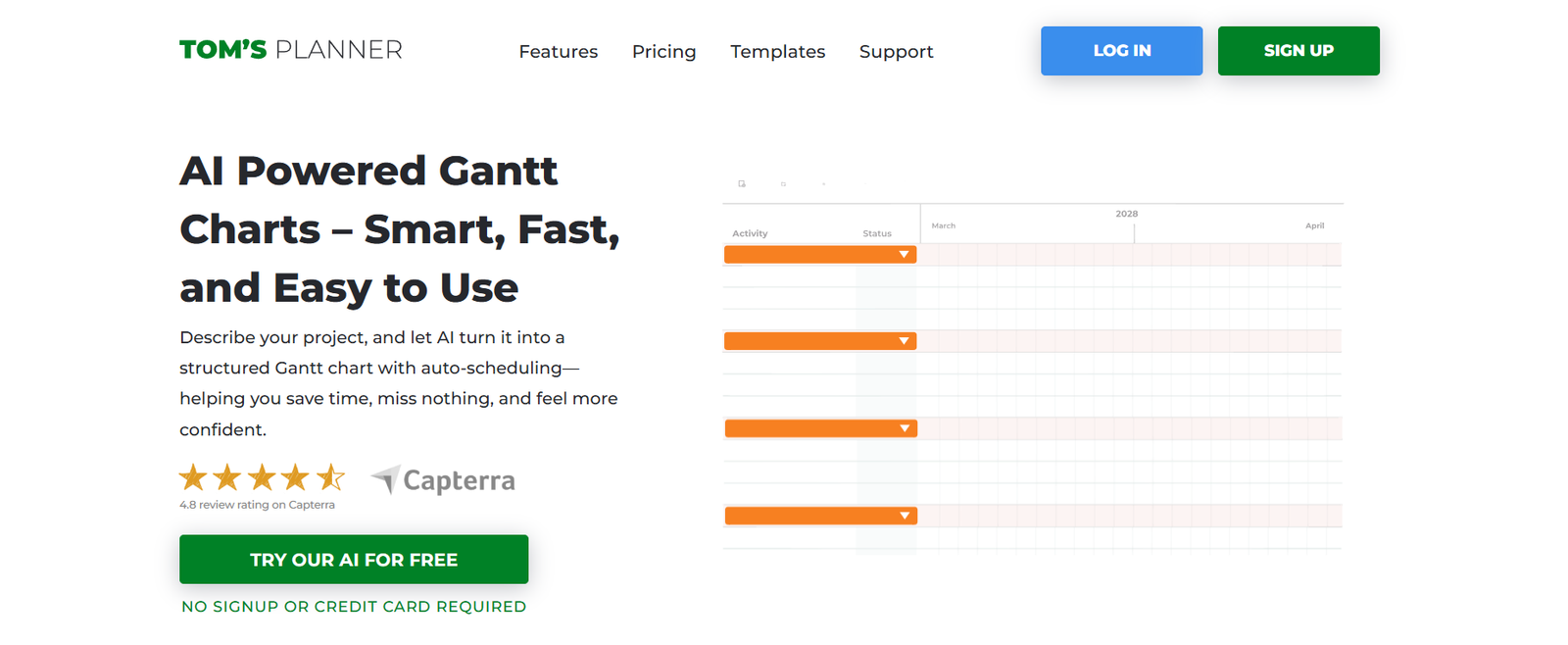
Tom’s Planner is a web-based Gantt chart software designed to make project scheduling and timeline creation accessible to everyone—no technical background required. Whether you’re a project manager, freelancer, business owner, or educator, Tom’s Planner offers a visual and intuitive platform to plan, monitor, and share projects in real time.
The tool simplifies the process of building and managing Gantt charts, allowing users to drag and drop tasks, adjust timelines, and collaborate effortlessly. Tom’s Planner stands out for its user-friendly interface, real-time sharing features, and suitability for both simple and complex project workflows.
From marketing campaigns to software development timelines, Tom’s Planner is an ideal choice for individuals and teams seeking a no-friction project planning solution.
Features
Tom’s Planner includes a robust set of features that make project scheduling both simple and powerful:
Drag-and-Drop Interface – Quickly add, move, and resize tasks on the timeline with a user-friendly visual editor.
Prebuilt Templates – Start fast with ready-to-use Gantt chart templates for various industries and project types.
Real-Time Collaboration – Share live project plans with team members or clients, and collaborate directly in the timeline.
Import & Export Options – Import data from Excel, Trello, or MS Project and export to PDF, PNG, or image formats.
Task Dependencies – Link tasks with start-to-finish dependencies to keep your project logically structured.
Color Coding & Icons – Organize your chart visually using labels, icons, and custom colors.
Privacy Controls – Control who can view or edit your Gantt charts with customizable permissions.
Browser-Based Access – 100% web-based; no downloads or installations required.
Automatic Saving – Project updates are saved automatically to prevent data loss.
How It Works
Tom’s Planner is designed to be intuitive for users at any skill level. Here’s how it works:
Create a New Plan – Start from scratch or use a template tailored to your industry.
Add Tasks and Timelines – Click to add tasks, then drag to adjust start and end dates directly on the Gantt chart.
Customize and Organize – Use colors, tags, and dependencies to organize your schedule.
Collaborate and Share – Invite collaborators with view or edit access to manage your project in real time.
Monitor Progress – Track deadlines and project stages visually and update tasks as the project evolves.
No installation is required, and everything is saved securely in the cloud.
Use Cases
Tom’s Planner is flexible and suited to a wide range of industries and users:
Project Managers – Plan projects, assign responsibilities, and manage deadlines visually.
Freelancers & Agencies – Present timelines to clients for marketing, design, or development projects.
Event Planners – Schedule events, track vendors, and coordinate team logistics.
Teachers & Students – Plan academic projects, group assignments, and semester timelines.
Startups & Small Businesses – Map product development, business plans, or operations schedules.
Construction & Engineering – Create detailed, deadline-driven project timelines with task dependencies.
Pricing
Tom’s Planner offers simple and flexible pricing plans, including a free option. As of the latest update:
Free Plan
1 project
Basic Gantt chart features
Limited customization
No team collaboration
Personal Plan – $9.95/month
Unlimited projects
Full access to all features
Email support
For freelancers and individuals
Professional Plan – $19.95/month
Collaboration features
Project sharing and permissions
Priority support
Designed for teams and businesses
Team & Enterprise
Custom pricing for teams and organizations
Admin tools, user management, advanced privacy controls
Contact sales for a custom quote
Annual billing options are available with discounted rates.
Strengths
Tom’s Planner has several key strengths that make it a top choice for Gantt chart planning:
User-Friendly Design – No technical skills or training required; get started in minutes.
Real-Time Collaboration – Teams can view and update project timelines together, in real time.
Flexible Templates – Prebuilt industry templates make planning fast and easy.
Accessible Anywhere – Web-based access means you can use it on any device, anywhere.
Affordable Pricing – Low-cost plans with no complex tiers or per-seat billing.
Live Preview Sharing – Share your chart with stakeholders via a read-only link for transparency.
Drawbacks
While Tom’s Planner excels at simplicity, it does have a few limitations:
Limited Advanced Features – Lacks in-depth project management tools like resource tracking, budgeting, or time logs.
No Mobile App – While accessible via mobile browser, there is no dedicated mobile application.
Free Plan is Basic – Only includes one project and minimal sharing options.
Not Ideal for Large Enterprises – May not scale well for organizations managing hundreds of concurrent projects.
Limited Integration Options – No native integrations with productivity tools like Slack or Asana.
Comparison with Other Tools
Compared to tools like Smartsheet, Trello, and Microsoft Project, Tom’s Planner focuses on simplicity and ease of use:
Smartsheet offers robust project tracking and enterprise features, but has a steeper learning curve and higher cost.
Trello is ideal for kanban-style boards but lacks timeline and Gantt chart views unless you pay for Power-Ups.
Microsoft Project is powerful but complex, expensive, and best suited for experienced project managers.
Tom’s Planner, in contrast, is ideal for users who need visual project planning without the technical overhead—especially freelancers, small teams, and educators.
Customer Reviews and Testimonials
Tom’s Planner is well-received by users across industries. Testimonials from the official website and review platforms highlight:
“A fantastic tool for visualizing our project timelines with zero hassle.”
“Super easy to use and share with clients—I use it every week.”
“Perfect for presenting marketing timelines to non-technical stakeholders.”
Customers praise its ease of use, affordability, and effectiveness for simple to mid-sized projects.
Conclusion
Tom’s Planner is a streamlined, browser-based Gantt chart tool that helps individuals and teams plan and visualize projects without complexity. With features like drag-and-drop task management, prebuilt templates, and real-time collaboration, it’s ideal for anyone who needs a clear and shareable project timeline.
While it may lack the advanced features of enterprise project management software, Tom’s Planner makes up for it with accessibility, affordability, and ease of use. Whether you’re managing a freelance project or organizing a corporate timeline, it delivers a professional planning experience without unnecessary complications.
For professionals and teams who need a fast, intuitive, and effective way to create and manage Gantt charts, Tom’s Planner is a reliable and practical solution.