TechSmith is a US-based software company that develops screen capture and video editing software designed to improve how people communicate visually. The company is best known for its two main products:
Snagit: A lightweight tool for screen capture, annotation, and quick visual sharing.
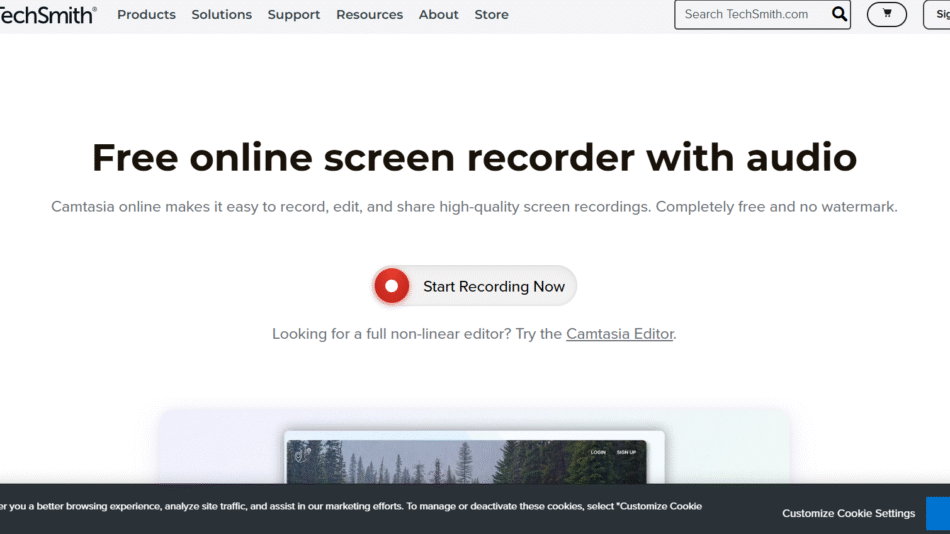
Camtasia: A robust video editing suite focused on screen recording, instructional videos, and professional presentations.
These tools help users record, edit, and share visual content, particularly for training, support, education, and marketing. With a focus on usability and professional output, TechSmith’s solutions are widely adopted in corporate environments, classrooms, and content creation communities.
TechSmith integrates AI and automation in features like video captioning, voice narration enhancement, and smart screen detection, improving efficiency and quality in the visual content creation process.
Features
TechSmith’s flagship tools—Snagit and Camtasia—offer distinct features suited for different stages of content creation.
Snagit provides advanced screen capture capabilities, allowing users to:
Capture entire screens, scrolling windows, or selected regions
Annotate images with arrows, text, callouts, and shapes
Record simple screen videos with audio
Extract text from screenshots using OCR (Optical Character Recognition)
Share visuals directly to email, apps, or cloud platforms
Snagit also includes a library for image organization, along with tools to create step-by-step guides from screenshots automatically.
Camtasia is a full-featured video editing software that includes:
High-quality screen recording with webcam and system audio
Multi-track timeline editing with drag-and-drop functionality
Built-in templates, animations, and transitions
Interactive elements like quizzes and clickable links for eLearning
Cursor path editing, zoom effects, and callout enhancements
Voice narration and music library
Integration with Microsoft PowerPoint for recording presentations
AI-based caption generation and voice improvement
Camtasia supports export in multiple formats and offers direct publishing to platforms like YouTube, Vimeo, and Screencast.
Both tools are available for Windows and macOS, with support for enterprise deployment and team collaboration.
How It Works
Using TechSmith tools follows a streamlined process designed to reduce friction and speed up content creation.
With Snagit, users start by choosing a capture mode—image or video. After selecting an area or full screen, Snagit takes the snapshot or begins recording. Once captured, the content appears in the Snagit Editor, where users can annotate, crop, blur, or enhance visuals. Edited files can then be shared via email, saved locally, or uploaded to services like Slack, Microsoft Teams, and Google Drive.
With Camtasia, users begin by launching a screen recording session. They can choose to include microphone input, webcam, and system audio. Once the recording is complete, it opens in Camtasia’s editor, where creators can trim footage, add effects, insert captions, and build professional presentations using a multi-layer timeline interface.
Camtasia’s drag-and-drop interface allows even non-editors to create polished videos quickly. When finished, users can export the video in formats like MP4 or share it directly to video platforms or LMS systems.
The software also integrates with TechSmith Assets for Camtasia, a content library of stock audio, graphics, intros, and templates to enhance video quality.
Use Cases
Educators and instructional designers use Camtasia to create video lectures, tutorials, and online course materials, improving student engagement and accessibility.
Corporate trainers and HR teams use TechSmith tools to build employee onboarding videos, SOP guides, and compliance training content that’s easy to distribute and update.
Customer support and product teams use Snagit to document workflows, create how-to guides, and resolve tickets with visual explanations.
Marketers and content creators use Camtasia to develop demo videos, explainers, and product walkthroughs that drive user engagement and conversions.
Remote teams and managers use Snagit to capture feedback, annotate screenshots, and improve team communication across distributed work environments.
Developers and IT professionals leverage Snagit for documenting bugs, capturing UI feedback, and creating quick visual tutorials for internal or external users.
Sales teams and consultants use Camtasia to record video pitches, client presentations, and walkthroughs, reducing the need for repeated live demos.
Pricing
TechSmith offers clear, one-time pricing for its primary tools along with optional upgrades and team licensing options. As of October 2025:
Snagit
Individual License: $62.99 (one-time fee per user)
Includes lifetime license and 1 year of maintenance (updates and support)
Discounted pricing available for education, government, and non-profit sectors
Camtasia
Individual License: $299.99 (one-time fee per user)
Includes lifetime license and 1 year of maintenance
Discounts available for bulk or team licenses
Bundles
TechSmith also offers a Snagit + Camtasia Bundle at a discounted rate for users who need both screen capture and video editing capabilities.
Additional add-ons such as TechSmith Assets for Camtasia (stock media) and maintenance renewals are available at extra cost.
All pricing and purchase options are available directly through https://www.techsmith.com.
Strengths
TechSmith tools are known for their ease of use, enabling professionals across industries to create high-quality visual content without a steep learning curve.
The company offers robust customer support, including tutorials, webinars, and a comprehensive help center.
Both Snagit and Camtasia are trusted by Fortune 500 companies, universities, and government agencies, proving their reliability and performance at scale.
Camtasia’s interactive video features set it apart for training and educational use, allowing users to embed quizzes, clickable elements, and captions.
TechSmith regularly updates its products based on user feedback and provides detailed documentation for both beginners and advanced users.
Snagit includes text recognition and step tool features that reduce the time spent creating manuals or help content.
Both tools offer cross-platform support, so users on Windows and macOS can collaborate or switch environments seamlessly.
Drawbacks
Camtasia’s price may be higher than some entry-level video editors, which could be a barrier for casual users or hobbyists.
Advanced video editors might find Camtasia’s features less robust than professional-grade tools like Adobe Premiere Pro or Final Cut Pro, especially for complex visual effects.
Snagit does not offer advanced video editing, making it less suitable for users who need more than basic screen recording.
Some users may prefer a subscription-based model for ongoing support and upgrades instead of annual maintenance renewals.
Although TechSmith supports integrations, it may lack deep connectivity with cloud storage or workflow automation tools compared to newer SaaS platforms.
Comparison with Other Tools
Compared to free screen capture tools like Windows Snip & Sketch or macOS Screenshot, Snagit offers richer features, annotation tools, and image organization.
Camtasia is often compared with tools like OBS Studio, ScreenFlow, and Loom. Unlike OBS, which is live-stream focused, Camtasia is built for editing and post-production.
Compared to video editors like Adobe Premiere Pro, Camtasia is simpler and more user-friendly, ideal for non-professionals creating educational or business content.
Snagit competes with tools like Greenshot or Lightshot but stands out with OCR, guide creation, and high-quality screen recording.
Both products integrate well together, offering a unified visual communication workflow from capture to edit to publish.
Customer Reviews and Testimonials
TechSmith products have been widely reviewed and are consistently praised for ease of use, feature richness, and customer support. Testimonials featured on the website emphasize:
Time saved through efficient editing workflows
Improved communication through visuals
Increased training effectiveness and learner engagement
Ease of onboarding new users due to the intuitive interface
TechSmith tools are used by companies like Microsoft, NASA, Tesla, and Yale University, demonstrating credibility and widespread adoption across industries.
Conclusion
TechSmith provides a powerful, accessible suite of tools for individuals and teams that need to create professional-quality visual content without complexity. Whether you’re capturing a screen, editing a tutorial, or delivering training material, Snagit and Camtasia streamline the process and deliver reliable results.
With strong customer support, intelligent features, and proven enterprise performance, TechSmith stands as a leader in AI-enhanced screen recording and video editing. Its tools are ideal for businesses, educators, marketers, and creators seeking an all-in-one solution for visual communication.