
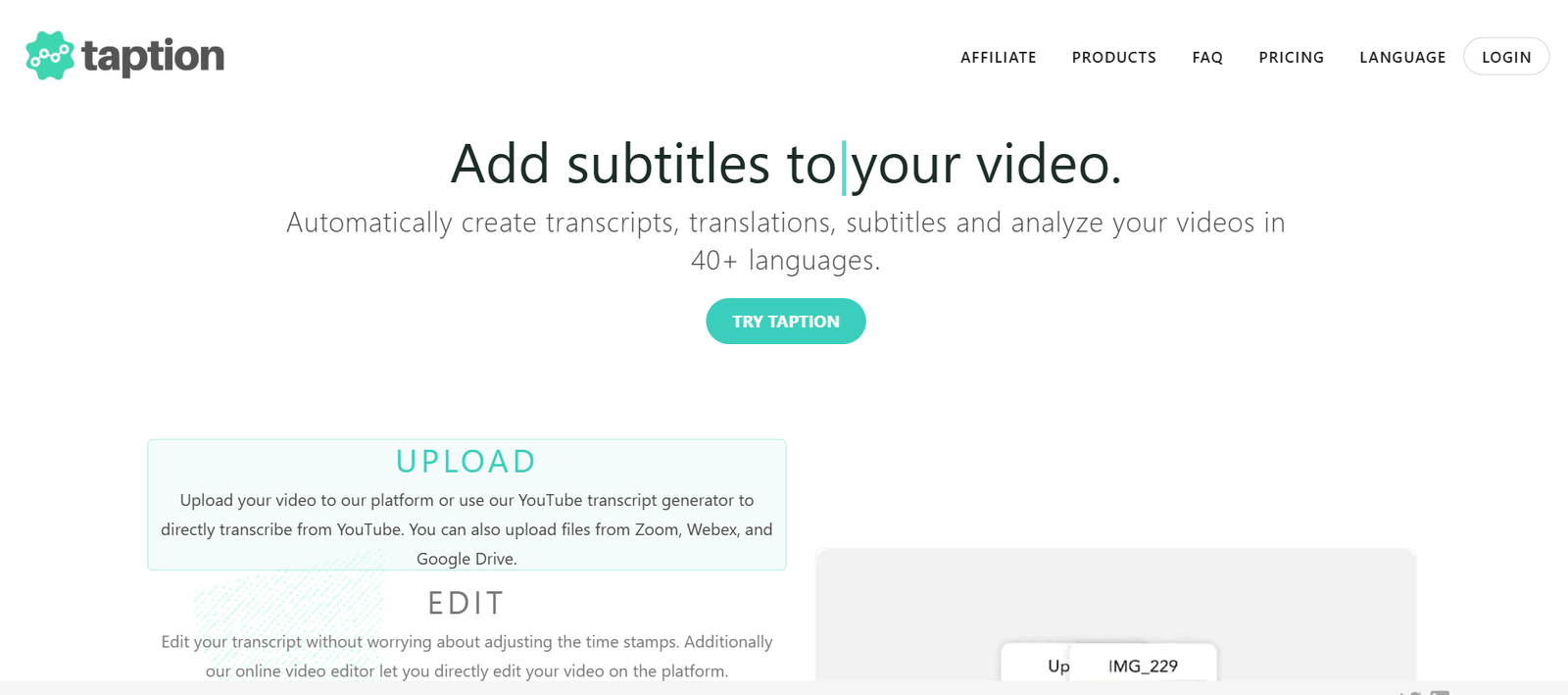
Taption is an AI-powered platform that transforms audio and video podcast content into written formats such as blog posts, quotes, summaries, and social media highlights. Designed for podcasters, content marketers, and agencies, Taption automates the process of repurposing long-form audio into concise, engaging written content that’s ready for distribution.
By leveraging AI for transcription, summarization, and content generation, Taption helps creators expand their reach, improve SEO, and grow their audience without spending hours manually editing or writing.
Features
Taption offers a comprehensive suite of tools designed to make podcast repurposing simple, fast, and impactful:
AI-Powered Transcription:
Automatically transcribes podcast episodes into text with high accuracy.Show Notes Generation:
Instantly create structured show notes for your episodes, including guest bios, topics, and timestamps.Blog Post Creation:
Turn episodes into well-structured, SEO-friendly blog posts using AI writing models.Quote & Highlight Extraction:
Extract powerful quotes or soundbites that can be shared on social media or used in newsletters.Topic Summaries:
Generate short summaries or key takeaways from each episode for quick sharing.Multi-Format Exporting:
Export content as markdown, Word, text files, or directly integrate with CMS platforms.Speaker Identification:
Automatically distinguishes and labels multiple speakers in interviews or co-hosted shows.Language Support:
Supports multiple languages for transcription and content generation.
How It Works
Taption simplifies podcast repurposing into a few easy steps:
Upload or Import Podcast Episode:
Upload your audio or video file directly, or link your podcast RSS feed to auto-import new episodes.AI Transcription:
The platform transcribes the episode using advanced speech recognition, identifying different speakers.Choose Output Type:
Select whether you want a blog post, summary, quotes, or all of the above.Customize Content:
Review and edit the AI-generated content using Taption’s editor if needed.Export or Publish:
Export to your CMS, social media, or content platform—or download the text files for manual use.
Taption handles the heavy lifting, allowing you to focus on strategy and distribution.
Use Cases
Taption serves a broad audience of creators, marketers, and teams who need efficient content workflows:
Podcasters:
Save time by automatically turning episodes into blog posts, show notes, and highlights.Content Marketers:
Repurpose interviews or expert discussions into multiple written content formats for SEO and engagement.Agencies:
Manage multiple client podcasts with fast turnaround and consistent formatting.Educators:
Convert lectures and discussions into summaries, notes, or study guides.Journalists & Researchers:
Transcribe and summarize long-form audio for use in articles, reports, or archives.Social Media Managers:
Use quote extraction and highlights to keep your social channels active with fresh, insightful content.
Pricing
As of July 2025, Taption offers the following pricing tiers (source: https://www.taption.com):
Free Plan:
Limited to 1 podcast per account
Transcription for up to 60 minutes/month
Access to summaries and show notes
Watermarked exports
Pro Plan – $15/month:
10 hours of transcription/month
Unlimited podcast uploads
Blog post and quote generation
Speaker identification
Export without watermark
Priority processing
Team Plan – $49/month:
30+ hours of transcription/month
Multi-user access
Client/project folders
Advanced export formats (Markdown, CMS plugins)
Dedicated support
Enterprise – Custom Pricing:
API access
Bulk processing
SLA support and team onboarding
Contact sales for tailored solutions
Each plan includes AI-powered content generation and support for podcast auto-import via RSS.
Strengths
Time-Saving Automation:
Significantly reduces the time spent on transcription and content repurposing.Multi-Output Flexibility:
Generate blogs, quotes, summaries, and show notes from a single file.Affordable for Small Creators:
Competitive pricing compared to hiring writers or transcriptionists.Supports Multi-Language Content:
Useful for global creators and teams working in different languages.Simple Interface:
Easy-to-use dashboard, even for non-technical users.Ideal for SEO:
Helps increase discoverability by turning audio into text-based web content.
Drawbacks
AI Accuracy May Vary:
Like any AI transcription tool, performance may vary with heavy accents, noise, or multiple speakers talking over each other.Limited Design Customization:
Outputs are focused on text—users may need to format further in external tools or CMS platforms.No Integrated Publishing:
While exports are flexible, direct CMS publishing or social scheduling is not yet built-in.Limited Free Plan:
The free version is very restricted, mainly suitable for testing the platform.Content Review Required:
AI-generated content should be reviewed for tone, context, and accuracy before publishing.
Comparison with Other Tools
Taption vs Descript:
Descript focuses on editing audio and video directly. Taption emphasizes repurposing content into written formats, not media editing.
Taption vs Otter.ai:
Otter provides real-time transcription and collaboration. Taption focuses more on content generation (blogs, highlights, quotes) from podcasts.
Taption vs Castmagic:
Both tools serve similar use cases. Taption offers cleaner UI and multi-format export options, while Castmagic may offer more integrations.
Taption vs Riverside or Zencastr:
These tools are for podcast recording. Taption is a post-production repurposing tool—they serve different parts of the content pipeline.
Taption vs ChatGPT for Transcription:
While GPT can help summarize transcripts manually, Taption automates the entire workflow, from transcription to publishing-ready formats.
Customer Reviews and Testimonials
Taption has gained attention from podcasters and content marketers looking to streamline repurposing:
“We save at least 5 hours per episode thanks to Taption. Our blog is always up-to-date now.” – Independent Podcaster
“Turning my interviews into SEO-optimized articles has helped grow my website traffic.” – Content Strategist
“Taption is a game-changer. It’s like having a virtual assistant for podcast repurposing.” – Marketing Agency Owner
Reviews consistently praise the tool’s ability to cut down production time while increasing content output.
Conclusion
Taption is a practical, affordable, and intelligent solution for podcasters and marketers who want to maximize their audio content’s value. By turning long-form episodes into blog posts, highlights, and social-ready quotes, Taption eliminates hours of manual work while boosting your content’s reach and discoverability.
Whether you’re an indie podcaster or managing content for multiple clients, Taption helps transform spoken content into written assets that drive traffic, engagement, and growth.











