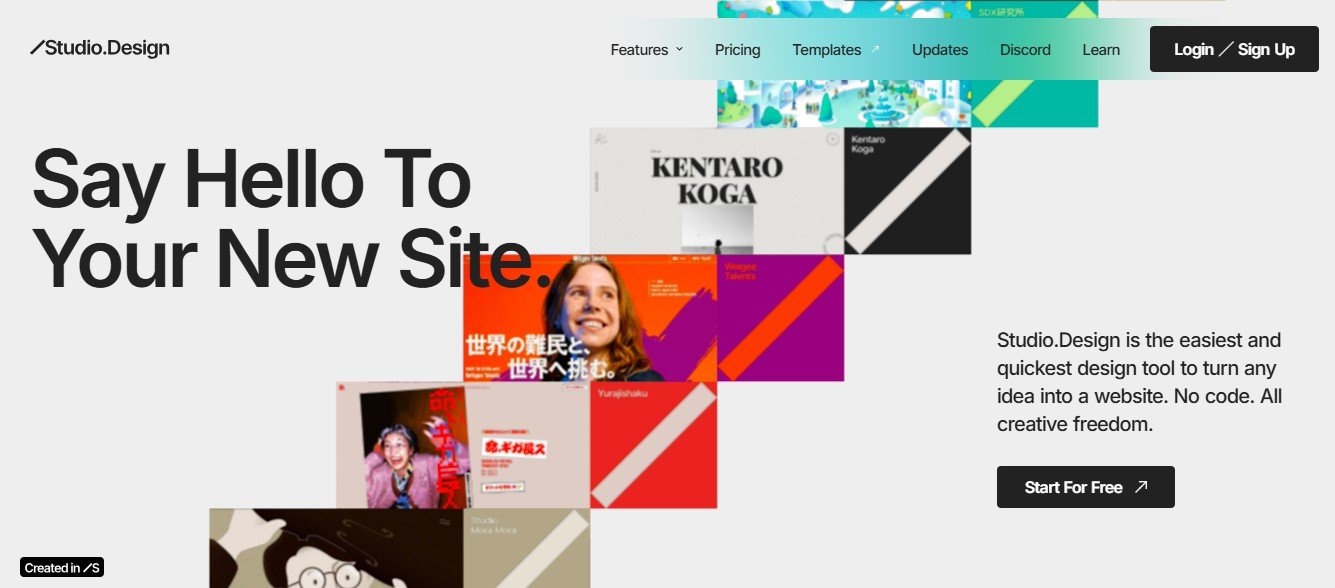
Studio Design is an AI-powered web and UI design platform that allows users to create high-quality web pages, user interfaces, and digital prototypes quickly. Using artificial intelligence and automation, it generates layouts, responsive elements, and smart design recommendations, eliminating the need for extensive coding knowledge.
It is designed for web designers, developers, startups, and businesses looking for an easy-to-use, AI-enhanced platform to build and deploy stunning digital experiences.
Key Features of Studio Design
- AI-Powered Website & UI Generation – Instantly create responsive web layouts and UI designs.
- Drag-and-Drop Editor – Customize colors, fonts, layouts, and elements without coding.
- Pre-Made Templates & Components – Choose from professionally designed templates for websites and apps.
- AI-Optimized Design Suggestions – Get AI-driven recommendations for layout, spacing, and accessibility.
- Code Export & Developer Handoff – Convert AI-generated designs into clean, exportable code (HTML, CSS, JavaScript).
- Responsive Web Design – Ensure websites and UIs look perfect across desktop, tablet, and mobile devices.
- Collaboration & Cloud Storage – Work in real-time with team members and store designs in the cloud.
- SEO & Performance Optimization – AI ensures fast-loading, search engine-friendly website designs.
- Third-Party Integrations – Connects with Figma, Webflow, WordPress, and other design tools.
- No-Code Website Publishing – Launch AI-generated websites without requiring coding knowledge.
These features make Studio Design a must-have tool for designers, developers, and marketers aiming to build professional digital experiences effortlessly.
How Studio Design Works
Studio Design simplifies website and UI creation with AI-powered automation. Here’s how it works:
- Start with a Prompt or Template – Enter keywords, business type, or project goals, or choose a pre-built template.
- AI Generates a Design – The AI creates a responsive website or UI layout based on your input.
- Customize with Drag-and-Drop Tools – Modify text, images, colors, and design elements effortlessly.
- Optimize for SEO & Performance – AI automatically enhances the site for speed and search rankings.
- Export Code or Publish Instantly – Download HTML, CSS, and JavaScript for developers or launch your website with no coding.
This AI-powered process allows users to build professional designs in minutes rather than hours.
Use Cases of Studio Design
1. Web Designers & UI/UX Professionals
- Generate fully responsive web and UI designs instantly.
- Get AI-powered layout and accessibility recommendations.
2. Developers & Startups
- Speed up front-end development with AI-generated HTML & CSS.
- Export clean code to integrate into projects.
3. Marketers & E-Commerce Businesses
- Build high-converting landing pages, product pages, and digital ads.
- Optimize website speed and SEO rankings with AI-powered tools.
4. Entrepreneurs & Small Businesses
- Design stunning, mobile-friendly websites without coding.
- Use pre-built templates to create a professional online presence.
5. Agencies & Digital Creators
- Scale website and UI design projects with AI-generated layouts.
- Collaborate seamlessly with teams using cloud-based design tools.
With AI-powered automation, Studio Design is a powerful solution for businesses, designers, and developers.
Pricing of Studio Design
The official website of Studio Design does not disclose exact pricing details. However, AI-powered design tools typically offer:
- Free Plan or Trial – Limited access to basic AI-generated designs and customization tools.
- Subscription Plans – Monthly or yearly pricing for full access to AI-powered website and UI generation, premium templates, and export features.
- Enterprise Pricing – Custom pricing for businesses needing API access, team collaboration, and advanced integrations.
For the most up-to-date pricing, visit the official Studio Design website.
Strengths of Studio Design
- AI-Powered Website & UI Creation – Generates beautiful, responsive layouts instantly.
- No Coding Required – Perfect for non-technical users and marketers.
- Multiple Templates & Customization Options – Offers pre-built website structures and editable design elements.
- SEO & Performance Optimization – Ensures websites load fast and rank well in search engines.
- User-Friendly Interface – Drag-and-drop tools for effortless editing.
These strengths make Studio Design an excellent choice for businesses, marketers, and designers who want professional-looking websites with minimal effort.
Drawbacks of Studio Design
- Limited Free Features – Full customization and export options may require a paid subscription.
- AI-Generated Designs May Need Refinements – Some manual adjustments might be necessary for branding consistency.
- Not a Full Web Development Platform – While great for front-end design, it does not offer backend development tools.
Despite these limitations, Studio Design remains a powerful tool for quick and AI-assisted website and UI design.
Comparison with Other AI Website & UI Design Tools
Studio Design vs. Other Website Builders
- Wix ADI & Framer AI – Provide AI-generated website layouts, but Studio Design offers more design flexibility and exportable code.
- Webflow & WordPress – Focus on manual website building, while Studio Design uses AI-driven automation.
- Figma & Sketch – Primarily UI design tools, whereas Studio Design bridges UI/UX design and website development.
- Squarespace & Duda – Built for drag-and-drop website building, while Studio Design prioritizes AI-driven automation and exportable designs.
Compared to traditional web and UI design tools, Studio Design excels in AI-powered automation and rapid layout generation.
Customer Reviews & Testimonials
Since Studio Design is a relatively new platform, detailed customer reviews are still emerging. However, early users have highlighted:
- Fast and effective AI-generated website layouts.
- Great for non-designers looking for professional UI/UX solutions.
- Useful for developers needing quick front-end design assistance.
As more businesses and creators adopt Studio Design, additional feedback will provide deeper insights into its usability and effectiveness.
Conclusion: Is Studio Design Worth It?
Studio Design is an advanced AI-powered website and UI design platform that enables users to create high-quality digital experiences effortlessly. Whether you’re building a business website, an e-commerce store, or a UI prototype, its AI-driven automation, customization options, and responsive design features make it a must-try for modern web creators.
While some manual refinements may be needed, its AI-powered automation, no-code capabilities, and design flexibility make it a valuable tool for website building and UI design.
For more details, visit the official Studio Design website.