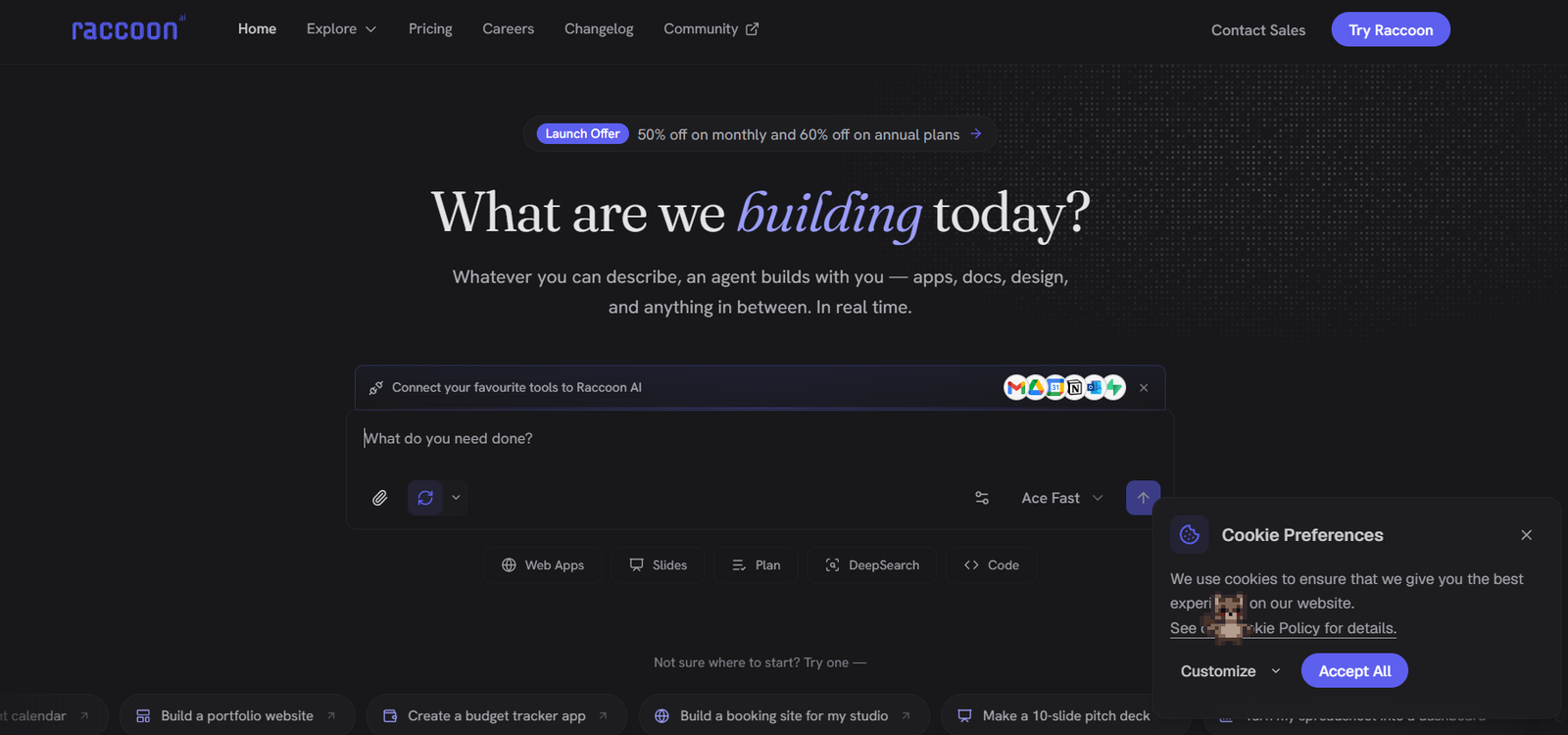
Raccoon AI is a collaborative AI platform that helps users transform ideas into finished work using a single prompt. Instead of functioning as a traditional chatbot, it acts as an AI agent that can research, plan, write, design, code, and automate tasks within one unified workspace. It is designed for individuals and teams who want to build applications, generate documents, analyze data, create presentations, and automate workflows without switching between multiple tools.
The platform supports natural language input, allowing users to describe projects using text, voice, sketches, screenshots, or uploaded files. It also connects with popular productivity tools, enabling the AI to work directly with users’ existing data and workflows.
Features
Collaborative AI Workspace
Raccoon AI provides a unified environment where users can create applications, documents, presentations, research reports, designs, and automation workflows from a single conversation.
Natural Language Project Creation
Users simply describe what they want to build. The AI understands prompts written in everyday language and converts them into actionable projects.
Multi-Modal Input
Projects can begin with text, voice commands, sketches, screenshots, PDFs, or other uploaded files, making the platform flexible for different workflows.
AI Planning with Visible Progress
Before executing tasks, Raccoon AI creates a live project plan that users can monitor, modify, and guide throughout the development process.
Research with Citations
The platform performs web research, gathers reliable information, and organizes findings while providing citations during the research process.
Web App Development
Users can build responsive web applications directly within the platform using AI-assisted development tools and live previews.
Document and Presentation Generation
Raccoon AI can generate reports, newsletters, proposals, presentations, and business documents from simple instructions.
Design and Media Creation
The platform supports image generation, branding, layouts, and creative assets alongside application development.
Tool Integrations
Raccoon AI integrates with services such as Gmail, Google Drive, Google Calendar, GitHub, Slack, Notion, Figma, Airtable, Supabase, Google Sheets, Outlook, and many other third-party applications.
Session History and Collaboration
Users can revisit previous sessions, rewind to earlier project stages, fork projects into different versions, and continue work over time.
How It Works
- Create a Raccoon AI account.
- Describe your idea using text, voice, uploaded files, or images.
- Connect external tools and accounts if needed.
- Review the AI-generated project plan.
- Allow the AI to perform research, generate content, write code, or build applications.
- Interact with the AI throughout the process by making edits or changing project direction.
- Preview the completed work.
- Publish, deploy, or export the finished project.
Use Cases
Entrepreneurs can build MVPs, landing pages, and business tools quickly.
Startups can generate presentations, business plans, and prototype applications.
Marketing teams can create campaigns, newsletters, content calendars, and promotional materials.
Developers can accelerate coding tasks and web application development.
Business professionals can automate repetitive workflows and create reports.
Researchers can gather information, compare sources, and prepare research briefs.
Designers can generate branding assets, layouts, and creative concepts.
Students can create presentations, research summaries, study materials, and project reports.
Operations teams can automate internal processes using connected business applications.
Pricing
According to the official website, Raccoon AI offers a free plan to get started. Detailed pricing tiers and feature comparisons are not clearly listed on the official website. Pricing details are not clearly mentioned on the official website.
Strengths
- Simple natural language interface.
- Combines research, planning, coding, writing, and design in one platform.
- Supports more than 50 third-party integrations.
- Allows users to monitor AI planning and execution in real time.
- Provides a collaborative workspace instead of isolated AI conversations.
- Supports app development, automation, content creation, and document generation.
- Enables users to continue projects across multiple sessions.
Drawbacks
- Full pricing information is not publicly available.
- Some advanced capabilities may require connecting external services.
- Learning the complete workflow may take time for new users.
- Heavy reliance on connected accounts for certain automation features.
Comparison with Other Platforms
Unlike many AI assistants that primarily generate text or answer questions, Raccoon AI focuses on completing end-to-end projects within a collaborative workspace. It combines planning, research, coding, content creation, design, automation, and deployment into a single platform. Users who need one AI system capable of managing multiple project types may find it more comprehensive than standalone writing assistants or code-focused AI tools.
Customer Reviews and Testimonials
The official website highlights adoption by thousands of professionals and organizations but does not provide detailed customer testimonials or verified user reviews. Customer reviews and testimonials are not clearly available on the official website.
Conclusion
Raccoon AI is an all-in-one collaborative AI platform built for users who want more than a conversational assistant. It combines research, planning, content creation, software development, automation, and publishing within a single workspace, helping individuals and teams complete projects faster while remaining actively involved throughout the process. It is particularly suitable for entrepreneurs, developers, marketers, researchers, and businesses looking for a unified AI productivity platform.