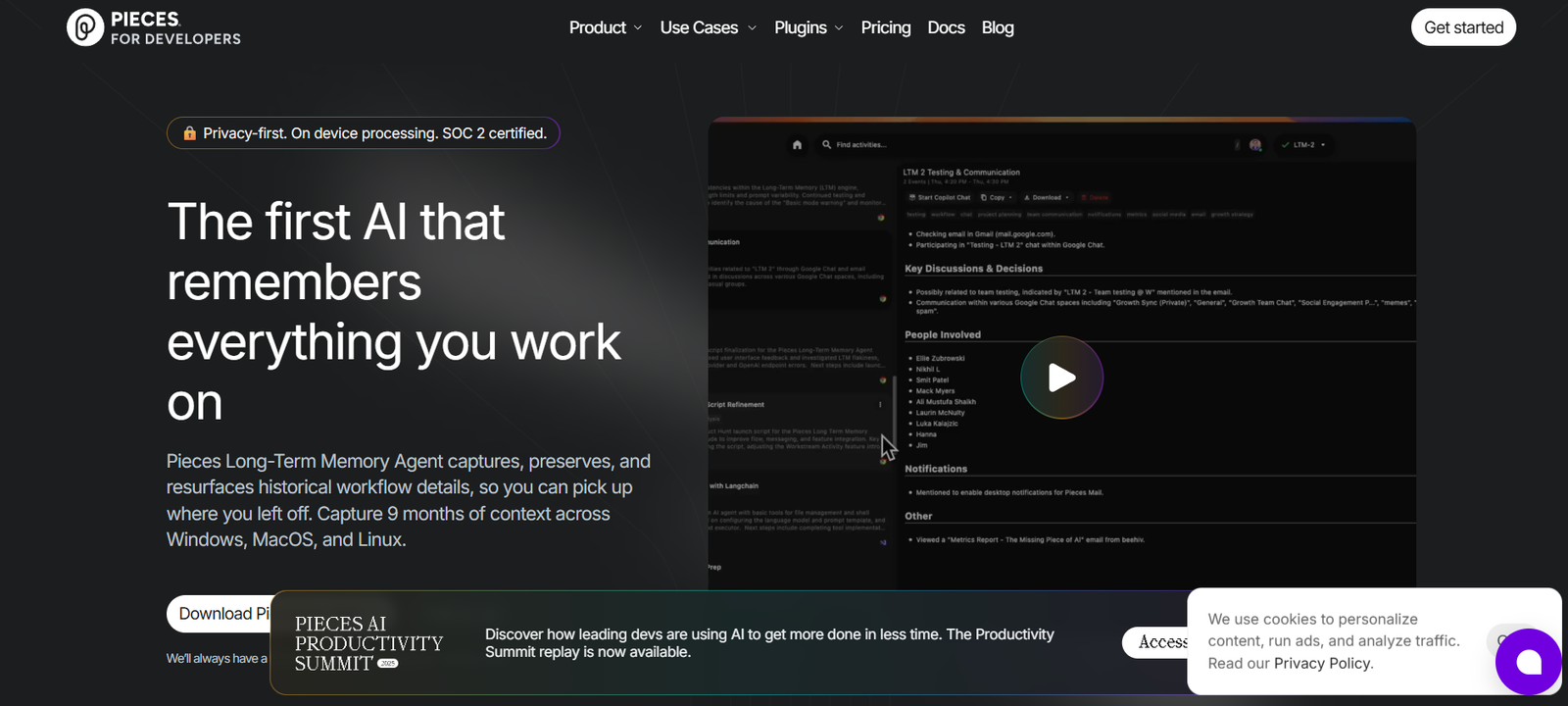
Pieces is an AI-powered productivity platform built specifically for developers to save, organize, enrich, and reuse code snippets and resources. It provides smart context-aware tools that live across your local environment (desktop, IDE, and browser) to enhance your development workflow without requiring you to switch between tools or lose track of useful snippets.
Unlike cloud-only note apps or snippet managers, Pieces is designed for local-first, AI-enhanced productivity, meaning your data lives on your machine and is enhanced with fast, private AI that works offline.
Pieces is ideal for individual developers, teams, and learners who need a better way to capture, understand, and reuse code in real-time.
Key Features of Pieces
1. AI-Powered Snippet Enrichment
When you save a code snippet, Pieces automatically generates context such as titles, tags, descriptions, and related links using AI. This makes snippets easier to find and reuse later.
2. Offline AI Assistant
Pieces includes a local AI engine that runs directly on your device. You can ask questions about a snippet, generate documentation, or even debug issues without an internet connection.
3. Smart Search and Retrieval
Find any saved snippet instantly using semantic search. Pieces understands your code context and retrieves relevant content quickly.
4. Deep IDE Integrations
Pieces integrates with popular development environments like VS Code, JetBrains, and Obsidian, allowing you to capture and enrich snippets directly from your codebase.
5. Browser and Desktop Apps
Use browser extensions (Chrome, Edge, Brave) and the cross-platform desktop app to capture snippets, Stack Overflow answers, or entire tutorials with just a click.
6. Real-Time Collaboration
With Pieces for Teams (beta), you can share enriched snippets with teammates and collaborate asynchronously without copy-pasting or long documentation threads.
7. Contextual Copilot-Like Capabilities
Pieces AI understands the context of a saved snippet and can generate explanations, error resolutions, and improvements — similar to GitHub Copilot but focused on code reuse and enhancement.
8. Zero-Setup Local Storage
All your snippets and metadata are stored securely on your device, giving you full control over your content without relying on cloud sync or exposing sensitive code.
How Pieces Works
Step 1: Install Pieces
Download the free desktop app or install the browser extension or IDE plug-in from pieces.app. No sign-up is required to start using the local version.
Step 2: Capture a Snippet
Save code from your IDE, browser, or terminal. Pieces automatically detects code blocks and captures the snippet with context such as source, tags, and file type.
Step 3: Enrich and Organize
Pieces AI analyzes the snippet and adds metadata, summaries, and related documentation links. You can edit or fine-tune this context as needed.
Step 4: Retrieve When Needed
Use the search bar to find snippets using keywords, natural language, or tags. Pieces will return the most relevant code with full context.
Step 5: Collaborate and Share (Optional)
Invite teammates or export snippets for sharing with formatted descriptions and visuals. All collaboration is optional and secure.
Use Cases for Pieces
Solo Developers
Efficiently capture, categorize, and retrieve frequently used code snippets, regex patterns, scripts, and setup files.
Software Teams
Use Pieces for Teams to share reusable code patterns, onboarding resources, or coding standards with context and version tracking.
Educators and Students
Capture code examples, learning resources, or explanations to study later, organized by topic and enriched with AI summaries.
Debugging and Issue Resolution
Paste problematic code into Pieces and use the local AI assistant to get help diagnosing or refactoring it.
Documentation and Learning
Turn snippets into shareable, documented resources automatically, reducing the overhead of manual note-taking.
Pricing for Pieces
As of May 2025, Pieces is free to use, with no subscription required for individual developers.
Individual Use
100% free
Unlimited snippets
Local AI assistant
Desktop app and browser extensions
No sign-up required
Pieces for Teams (Currently in Beta)
Team collaboration features
Centralized snippet sharing
Role-based access and tagging
Pricing to be announced upon full launch
There are no hidden fees, and all features related to individual use are currently offered at no cost. The platform has committed to keeping core features free for individual developers.
For updates on team pricing or feature rollouts, users can sign up for the waitlist at pieces.app.
Strengths of Pieces
1. Local-First Design
No need for internet access or cloud storage to use core features. Your code remains secure and private.
2. Developer-Centric AI
Unlike generic AI assistants, Pieces is trained specifically to understand and enhance development workflows.
3. Seamless Cross-Tool Integration
Works across IDEs, browsers, and the desktop, so you can capture snippets wherever you work.
4. Time-Saving Automation
Automatically tags, titles, and enriches your saved snippets to reduce manual work.
5. Zero Friction to Start
No account or setup is needed to begin using the app — just install and go.
Drawbacks of Pieces
1. Desktop-Focused Experience
Mobile apps are currently unavailable, which limits access on the go.
2. Team Features Still in Beta
While promising, team collaboration features are not yet fully available to all users.
3. No Cloud Sync (By Default)
While great for privacy, the lack of cloud sync may be inconvenient for users who work across multiple machines.
4. Limited Non-Code Usage
Although you can save text or links, Pieces is optimized specifically for code and may not suit general note-taking needs.
Comparison with Other Tools
Pieces vs. Notion or Obsidian
While Notion and Obsidian offer general-purpose note-taking, Pieces is designed specifically for developers and offers deeper AI-powered code enrichment.
Pieces vs. GitHub Copilot
Copilot suggests code while you write; Pieces helps you store, reuse, and explain code snippets across sessions and tools.
Pieces vs. Raycast or Alfred
Those tools focus on productivity shortcuts and launching apps. Pieces is more about code intelligence and contextual memory.
Pieces vs. Snippet Managers
Traditional snippet managers save static code blocks. Pieces adds AI-powered enrichment, search, documentation, and collaboration.
Customer Reviews and Testimonials
Pieces has received overwhelmingly positive feedback from developers across platforms like Product Hunt, Reddit, and Twitter.
“Pieces has become my go-to snippet tool. The AI enrichment is super useful when I revisit code weeks later.” – Backend Developer
“I love that it just works offline. No sign-up, no fluff — just productivity.” – Freelance Engineer
“I use Pieces to save every useful code snippet I find online. Now I can find them instantly without bookmarks or notes.” – Front-End Developer
Early adopters have praised its speed, simplicity, and how well it integrates into daily coding workflows.
Conclusion: Is Pieces Worth It?
If you’re a developer looking to supercharge your workflow, reduce context switching, and make better use of your code snippets, Pieces is a must-try tool. Its combination of AI-powered enrichment, offline-first design, and seamless integration across your existing tools makes it one of the most innovative productivity platforms available today.
With a generous free plan and a focus on privacy and performance, Pieces stands out as a valuable addition to any developer’s toolkit.