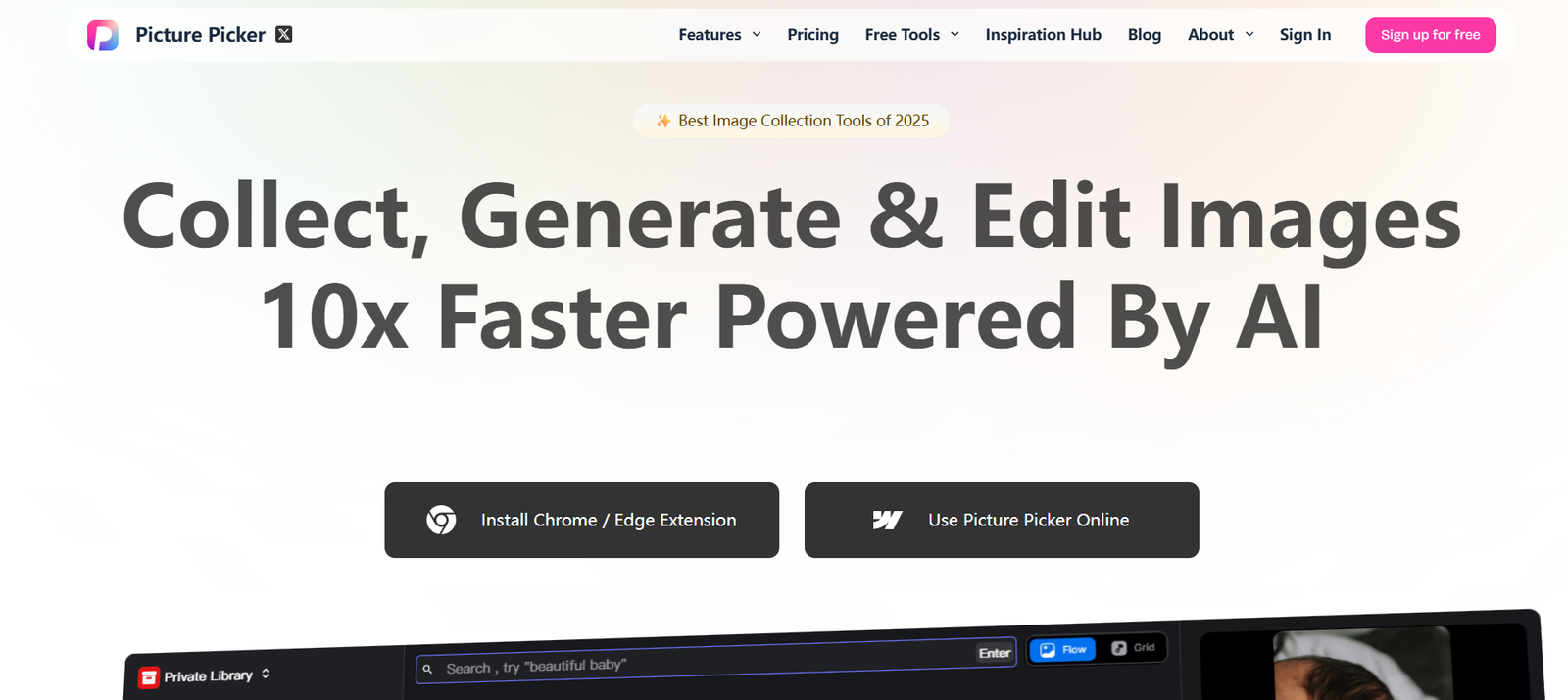
PicturePicker is a cutting-edge AI tool designed to help e-commerce businesses and product marketers create professional lifestyle images for their products — without expensive photo shoots or editing software. By simply uploading product photos, users can generate realistic and aesthetic scenes where their products are placed in context, such as a kitchen counter, office desk, living room, or outdoors.
This tool is especially useful for online retailers, DTC brands, and digital marketers who need a high volume of compelling product imagery for platforms like Amazon, Shopify, Instagram, or Facebook Ads. PicturePicker uses generative AI and 3D scene rendering to produce images that mimic the results of real-world photography studios, dramatically reducing costs and time-to-market.
Features
AI-Generated Lifestyle Scenes: Upload a product image and choose from a wide variety of lifestyle backgrounds to automatically generate contextual images.
Drag-and-Drop Product Placement: Customize positioning, rotation, and scale of your product within the generated scene.
Template Library: Access a growing collection of AI-designed templates across industries such as fashion, electronics, home goods, and food.
High-Resolution Output: Export images suitable for social media, ads, websites, or marketplaces.
Batch Generation: Create multiple lifestyle images for different use cases or seasonal campaigns in one session.
Multi-Platform Optimization: Generate images in sizes and formats optimized for Amazon, Etsy, Shopify, Instagram, and more.
Shadow and Lighting Adjustment: Make your product match the background lighting for a seamless look.
Brand Control: Add your own brand colors, logos, or styling elements for brand consistency.
Cloud-Based Editor: No software installation needed — everything is done in the browser.
Real-Time Previews: See your edits and AI generations in real-time before exporting.
How It Works
Upload Product Image: Start by uploading a transparent PNG or JPEG of your product, preferably front-facing or isolated.
Choose a Lifestyle Scene: Select from a range of AI-generated backgrounds like kitchens, living rooms, offices, or outdoor settings.
Customize Scene Details: Adjust product size, angle, and lighting; add branding or overlays if desired.
Generate Final Image: Let the AI render a high-resolution lifestyle image with realistic blending.
Download or Export: Save the image in your preferred format for e-commerce listings, ads, or email campaigns.
Use Cases
Amazon Sellers: Create A+ lifestyle images that drive conversion without hiring photographers.
Shopify and WooCommerce Stores: Replace stock images with branded, contextual visuals.
Instagram and Facebook Ads: Generate thumb-stopping ad creatives that match your target audience’s environment.
Product Launches: Quickly create visuals for new products without studio delays.
Email Marketing: Embed customized product scenes in newsletters and promotions.
Print Catalogs and Banners: Export high-res imagery for offline use in flyers, catalogs, and signage.
Marketing Agencies: Provide fast creative support for clients in fashion, home decor, electronics, and more.
Dropshipping Stores: Make basic supplier photos look premium with attractive AI backgrounds.
Pricing
As of June 2025, PicturePicker offers flexible pricing based on image generation volume and features:
Free Plan
5 image generations per month
Access to standard scene templates
Low-resolution downloads
Limited editing tools
No commercial usage rights
Creator Plan – $12/month
100 image generations/month
High-resolution exports (up to 4K)
Full access to lifestyle scene library
Commercial usage rights
Basic support
Pro Plan – $29/month
Unlimited image generations
Access to advanced customization (lighting, perspective)
Brand kit integration (logos, colors, watermarks)
API access for bulk image generation
Priority email support
Enterprise Plan – Custom Pricing
Dedicated account manager
White-label capabilities
Multi-user access for creative teams
Premium SLA and API usage
Advanced analytics and usage tracking
For the most accurate pricing and feature updates, visit: https://picturepicker.com/pricing
Strengths
No Photography Needed: Greatly reduces cost and time for creating product visuals.
Easy to Use: Simple interface suitable for non-designers and marketers.
Massive Time Savings: Skip the setup, editing, and logistics of physical photo shoots.
Professional Results: Generates visuals comparable to studio-quality lifestyle shots.
Ideal for Scaling: Perfect for brands with large product catalogs needing frequent content.
Custom Branding: Helps businesses maintain consistent visual identity.
Browser-Based: No download required — works across devices.
Great for Testing: Quickly create and A/B test ad creatives and product page visuals.
Drawbacks
Scene Selection May Be Limited: While growing, the scene library may not cover every niche or aesthetic.
Dependence on Clean Product Images: Poor-quality uploads may lead to inaccurate blends or AI artifacts.
No Video Support (Yet): Currently limited to static images — lacks motion or animated outputs.
Advanced Editing Requires Pro Plan: Some key tools like brand kits and lighting control are only available to paid users.
AI Artifacts Can Occur: Occasionally, the generated images may have visual errors or mismatched shadows.
Comparison with Other Tools
vs. Canva: Canva offers design templates, but PicturePicker focuses specifically on realistic lifestyle image generation using AI.
vs. Fotor or PhotoRoom: These tools support background removal, but PicturePicker goes further with scene rendering and environment blending.
vs. Adobe Photoshop: Photoshop is more powerful but complex. PicturePicker delivers faster, automated results for non-designers.
vs. Pebblely: Pebblely also offers AI image generation, but PicturePicker is more product-focused and offers greater control over branding.
vs. Smartmockups: Smartmockups is great for device-based mockups. PicturePicker specializes in organic, lifestyle scenes.
Customer Reviews and Testimonials
PicturePicker is gaining traction among solo sellers and growing brands alike. Here’s what users have said:
“I replaced my Amazon listing images with ones made in PicturePicker and saw a 22% lift in conversions.”
“It saves us thousands every month in studio fees. Our team can now generate ad creatives in-house, fast.”
“PicturePicker helps our Shopify store look more professional — even with no design team.”
Positive reviews often emphasize the cost efficiency, speed, and realistic quality of the generated visuals.
Conclusion
PicturePicker is a game-changer for e-commerce and marketing teams who need high-quality lifestyle images without the traditional expense and complexity of product photography. By automating visual content creation using generative AI, it empowers brands to move faster, test more, and sell smarter.
Whether you’re launching a new product or optimizing existing listings, PicturePicker gives you the tools to create visual content that converts — with just a few clicks. It’s an ideal solution for modern digital-first brands operating in fast-paced markets.