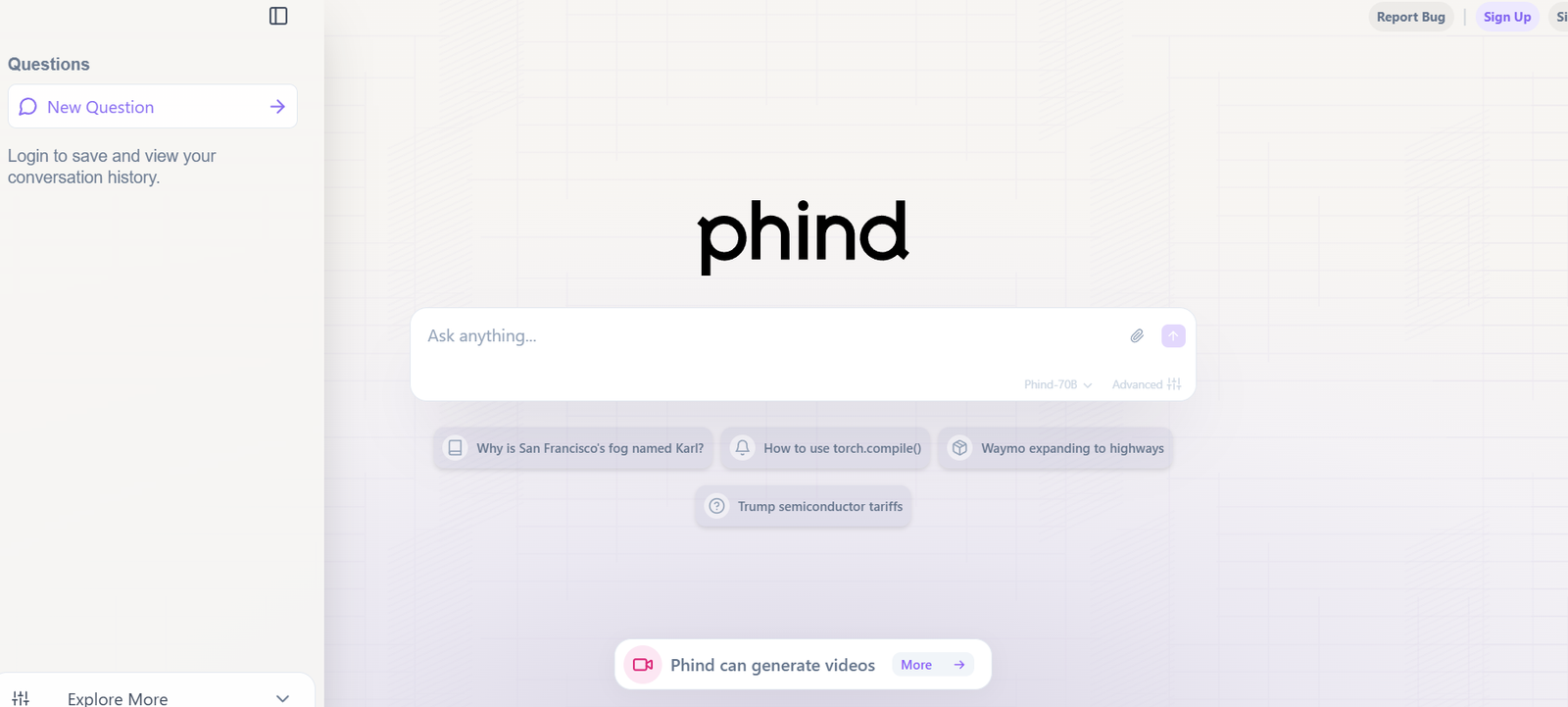
Phind is an AI-powered search engine tailored for developers, software engineers, and technical teams. It replaces the need to bounce between Google, GitHub, Stack Overflow, and documentation pages by giving users an intelligent, all-in-one search tool with immediate, code-ready answers.
Phind is powered by large language models, including GPT-4 and Claude 3, and optimized for developer-specific queries. You can ask about APIs, code errors, architecture patterns, performance optimization, and even math or science questions—and get instant, citation-backed answers with code snippets and explanations.
Phind doesn’t just give you links; it understands your query and reasons through a detailed response, often in seconds.
Key Features of Phind
1. Developer-Focused Search Engine
Phind is designed specifically for technical queries. Unlike general-purpose AI or web search engines, it understands programming languages, software tools, and frameworks deeply.
2. AI-Powered Answers with Code
Responses include explanations, context, and executable code snippets. Whether you’re debugging a Python script or learning a new framework, Phind delivers answers in a useful format.
3. Search with Web Results + LLM Reasoning
Phind can optionally search the web alongside generating AI answers. This allows it to cross-reference the latest documentation, community posts, and GitHub issues.
4. Multimodal LLM Support
Users can choose between GPT-4, Claude 3, or Phind’s own optimized model, depending on the complexity and length of the response needed.
5. Conversational Memory
Phind supports back-and-forth conversation. You can follow up on a previous question, refine a prompt, or request clarification.
6. Real-Time Speed
Answers are generated in a matter of seconds, making it significantly faster than traditional research methods or searching multiple sites manually.
7. Minimal, Dev-Friendly Interface
The user interface is built for speed and simplicity. There are no ads, distractions, or unrelated search results—just clean, focused outputs.
How Phind Works
Step 1: Type a Developer-Focused Query
Ask anything related to code, software engineering, systems design, debugging, frameworks, math, or data science. Phind supports questions across dozens of programming languages and domains.
Step 2: AI Generates an Answer
Phind uses large language models (like GPT-4 or Claude 3) to generate a contextualized, detailed answer, including code examples and links to sources when appropriate.
Step 3: Choose Web + AI Mode (Optional)
If you want additional verification or updated content, you can enable the Web + AI mode, where Phind combines real-time web search with model reasoning.
Step 4: Iterate in a Thread
You can ask follow-up questions or refine the original query within the same conversation, just like chatting with an expert developer.
Step 5: Use and Export Code
Copy-paste the code examples into your editor, test them, or adapt them to your use case. You can also save or bookmark answers.
Use Cases for Phind
Debugging Code Errors
Paste an error message or bug description and receive explanations, possible causes, and fixes.
Learning New Frameworks or Tools
Ask Phind for introductions or tutorials about new libraries, frameworks, or technologies.
Designing Software Architectures
Get advice on designing systems, choosing tech stacks, or implementing scalable solutions.
Code Conversion and Translation
Convert code between languages or frameworks, such as from Python to JavaScript or from Flask to FastAPI.
Interview Preparation
Use Phind to study algorithms, solve coding problems, or learn technical concepts in preparation for interviews.
Documentation Summarization
Ask questions about API documentation and get concise, AI-generated summaries instead of reading entire docs.
Phind Pricing
As of May 2025, Phind offers both free and premium access models.
Free Tier
Access to Phind’s base model
Limited usage of GPT-4 and Claude 3
AI answers with or without web search
Ideal for casual developers and students
Pro Tier – $20/month
Unlimited access to GPT-4 and Claude 3 models
Priority response times
Enhanced memory and longer conversations
Premium model tuning for more complex coding tasks
Enterprise or team plans have not been publicly listed, but high-volume use cases may require contacting the Phind team directly for custom solutions.
Strengths of Phind
1. Purpose-Built for Developers
Unlike general-purpose AI tools, Phind is tailored for the depth, precision, and context developers need.
2. Real-Time Web + AI Integration
Combines the strengths of search engines with AI reasoning, delivering both real-world data and intelligent synthesis.
3. Fast and Accurate Answers
Delivers near-instant results with concise code and useful commentary.
4. Choice of LLMs
Advanced users can choose between GPT-4, Claude 3, or Phind’s own model depending on their task.
5. Developer-Centric UX
Minimal interface, no ads, and everything geared toward saving time and effort for programmers.
Drawbacks of Phind
1. Not Always Accurate for Niche Topics
Like all LLMs, Phind can occasionally hallucinate or make mistakes, especially for edge cases or newly released libraries.
2. Limited Integration Options
Currently, Phind is a standalone web app. There’s no IDE extension or API access for direct integration with development tools.
3. No Mobile App
As of now, Phind is optimized for desktop usage. A mobile-optimized experience or dedicated app is not available.
4. Paywall for Advanced Models
To use GPT-4 or Claude 3 extensively, you’ll need to subscribe to the Pro plan.
Comparison with Other Tools
Phind vs. Google Search
Google requires scanning multiple links and piecing together answers. Phind gives you an immediate, synthesized answer—much faster for code-related questions.
Phind vs. ChatGPT
While ChatGPT is flexible, Phind is tuned specifically for developers and offers web search integration out-of-the-box, giving it a practical edge for technical queries.
Phind vs. GitHub Copilot
Copilot works inside the code editor to assist with code completion. Phind is more of a search and research companion, ideal for debugging, learning, and exploration.
Phind vs. Stack Overflow
Stack Overflow is still valuable, but Phind synthesizes multiple sources and provides updated, AI-generated explanations—ideal when SO threads are outdated or overly complex.
Customer Reviews and Testimonials
Phind has gained rapid popularity among developers for its practicality and precision. Reviews across developer forums, Product Hunt, and Reddit are largely positive.
“Phind has replaced 90% of my Google searches while coding. It’s faster and usually more accurate.” – Backend Engineer
“I use Phind daily for debugging and architecture advice. It’s like having a senior dev sitting next to me.” – Indie Hacker
“I love that it integrates web search with GPT. The responses are intelligent and grounded in real data.” – CTO, SaaS Startup
Conclusion: Is Phind Worth It?
For developers seeking a faster, smarter, and more accurate way to find answers, Phind is one of the most valuable AI tools available today. It combines the intelligence of advanced LLMs with the specificity of developer-focused search, creating a seamless research experience for coders at any level.
Whether you’re debugging, learning, designing, or exploring, Phind streamlines your workflow and reduces the time spent searching for answers across multiple platforms.
You can try Phind for free or upgrade to the Pro plan to unlock full access to advanced models and features. Explore it now at www.phind.com