
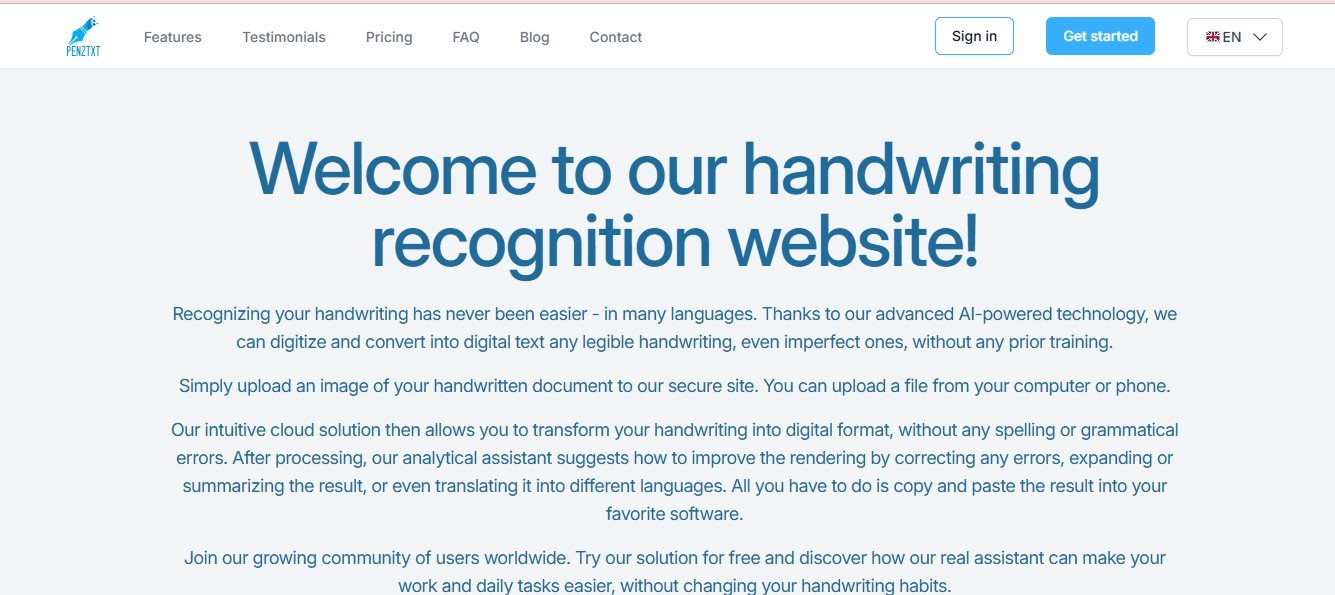
Pen2Txt is a handwriting recognition tool powered by advanced artificial intelligence. It allows users to convert handwritten documents into digital text that can be edited, searched, and shared. Whether your notes are on paper or scanned as images, Pen2Txt’s handwriting recognition technology processes them with impressive accuracy.
Pen2Txt caters to a variety of audiences, including students, researchers, legal professionals, and content creators. By eliminating the manual labor of retyping notes, it saves users time and effort while ensuring that their handwritten insights are preserved in digital form.
Key Features of Pen2Txt
Pen2Txt is equipped with a range of features to make handwriting-to-text conversion seamless. Here’s a closer look:
1. Handwriting Recognition
Pen2Txt uses advanced AI and OCR (Optical Character Recognition) technology to convert handwritten text into digital form with high accuracy, even for different handwriting styles.
2. Multi-Language Support
The tool recognizes and processes handwriting in multiple languages, making it ideal for global users.
3. Editable Text Output
Once the handwritten content is converted, it can be exported as editable text in formats like Word, PDF, or plain text.
4. Image and PDF Input
Pen2Txt supports a variety of input formats, including scanned PDFs, images, and photos taken with your smartphone.
5. Cloud Integration
Sync your digitized notes to cloud storage platforms such as Google Drive, Dropbox, or OneDrive for easy access and organization.
6. Searchable Text
Convert your handwritten notes into searchable text, allowing you to find specific phrases or keywords instantly.
7. Real-Time Conversion
For users working with live notes, Pen2Txt can provide real-time transcription for compatible digital devices such as tablets.
8. Secure Data Handling
Pen2Txt prioritizes user privacy by ensuring all data is encrypted and securely stored during processing.
How Does Pen2Txt Work?
Pen2Txt is designed to be simple and user-friendly. Here’s how it works:
Step 1: Upload Handwritten Notes
Take a photo of your handwritten notes, scan them as a PDF, or upload an existing image or document to the Pen2Txt platform.
Step 2: AI Processing
Pen2Txt’s AI analyzes your handwriting and converts it into digital text in seconds. The OCR technology ensures accuracy even for complex or cursive handwriting styles.
Step 3: Review and Edit
Once the conversion is complete, users can review and make edits directly within the platform using the built-in editor.
Step 4: Export and Share
Save your digital notes in the format of your choice (Word, PDF, etc.) or share them via email or cloud services.
Step 5: Organize and Store
Digitized notes can be stored on the platform or synced to cloud services for easy organization and future access.
Use Cases for Pen2Txt
Pen2Txt is a versatile tool with numerous applications across different industries and scenarios. Here are some common use cases:
1. Students and Educators
Students can use Pen2Txt to digitize lecture notes, making it easier to organize and search for specific topics during exam preparation. Educators can use the tool to share handwritten notes with their classes in digital format.
2. Legal Professionals
Lawyers and legal assistants can convert handwritten case notes into editable, shareable digital files for easier collaboration and documentation.
3. Healthcare Professionals
Doctors can digitize patient notes, prescriptions, or medical records, ensuring they are stored securely and are easily accessible when needed.
4. Writers and Creatives
Authors, journalists, and content creators can convert handwritten drafts or brainstorming notes into digital text for editing and publishing.
5. Small Business Owners
Entrepreneurs can digitize handwritten invoices, meeting notes, or project plans to maintain accurate digital records and streamline workflows.
Pricing
Pen2Txt offers flexible pricing plans to accommodate individuals, students, and businesses. While specific pricing details are available on the official Pen2Txt Pricing Page, here’s an overview of the general structure:
- Free Plan: Allows users to test the platform with limited features, such as basic handwriting-to-text conversion for a specific number of pages.
- Pay-Per-Use Plan: Suitable for occasional users who only need to convert notes sporadically. This plan charges per page or file uploaded.
- Subscription Plans: Monthly or annual subscriptions for frequent users, offering unlimited conversions, multi-language support, and cloud integration.
Visit the official website for the latest pricing details and special offers.
Strengths of Pen2Txt
- Accuracy: The AI delivers impressive accuracy, even for challenging handwriting styles.
- Ease of Use: The platform is intuitive, making it easy for users to upload, convert, and edit handwritten content.
- Multi-Language Support: Global users can digitize notes in various languages.
- Integration: Cloud sync and export options make it easy to organize and share digitized notes.
- Time-Saving: Automates a traditionally manual process, saving significant time and effort.
Drawbacks of Pen2Txt
While Pen2Txt offers many benefits, there are a few limitations:
- Dependence on Handwriting Quality: The accuracy of the conversion may decrease for extremely messy or illegible handwriting.
- Limited Offline Features: The platform primarily works online, which may be inconvenient for users without a stable internet connection.
- Premium Features Behind Paywalls: Some advanced features, such as unlimited pages or cloud integration, may only be available with a paid plan.
How Does Pen2Txt Compare to Other Tools?
Pen2Txt faces competition from tools like Microsoft OneNote, Evernote Scannable, and Google Keep. Here’s how it stacks up:
- Accuracy: While tools like Google Keep offer basic handwriting recognition, Pen2Txt excels in recognizing complex handwriting styles with higher accuracy.
- Customization: Unlike Microsoft OneNote, which focuses on general note-taking, Pen2Txt specializes in handwriting conversion and offers robust formatting and export options.
- Ease of Use: Compared to Evernote Scannable, Pen2Txt offers a simpler interface and more direct editing options.
- Specialization: Pen2Txt focuses specifically on handwriting recognition, making it a better choice for users with heavy reliance on handwritten notes.
Customer Reviews and Testimonials
Here are some testimonials from users of Pen2Txt:
- “Pen2Txt saved me hours of typing! As a college student, I can now digitize my handwritten lecture notes in seconds.” – Emily R., Student
- “This tool is a game-changer for my legal practice. It’s made organizing my handwritten case notes so much easier!” – David P., Lawyer
- “I’m amazed at how accurate it is. Even my messy handwriting gets converted without errors!” – Lisa K., Small Business Owner
Some users have suggested improvements for recognizing certain cursive styles, but overall, feedback highlights the tool’s accuracy and time-saving features.
Conclusion
Pen2Txt is a powerful, AI-driven solution for converting handwritten notes into digital text. Whether you’re a student, professional, or creative, this tool eliminates the need for manual transcription, saving you time and effort. Its user-friendly interface, multi-language support, and integration capabilities make it a valuable asset for anyone who works with physical notes.
If you’re ready to streamline your note-taking process and digitize your ideas effortlessly, Pen2Txt is a must-try tool. Visit Pen2Txt today to get started.










