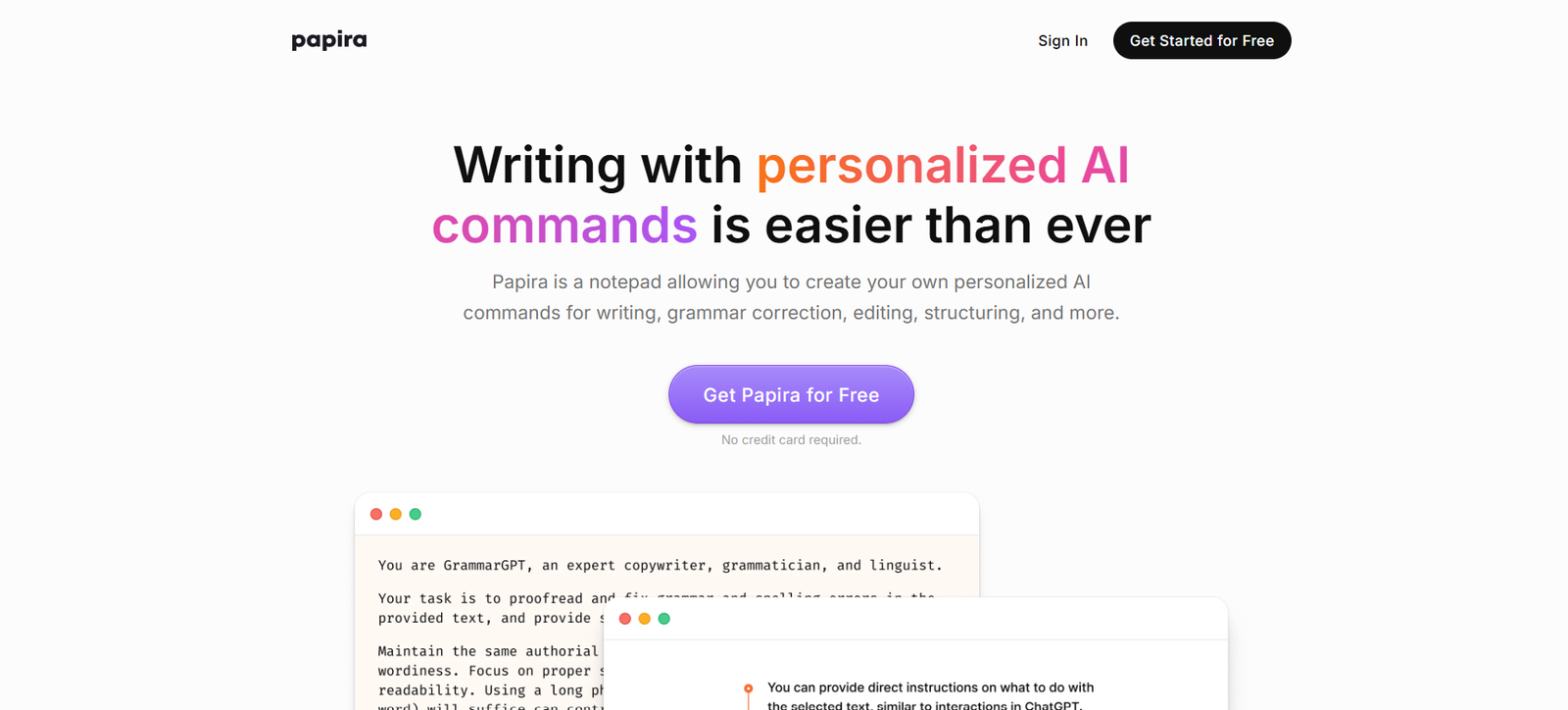
Papira is an AI-powered presentation tool that helps professionals, entrepreneurs, and teams create beautifully designed slide decks in seconds. By combining generative AI with intuitive design templates, Papira transforms a simple idea or outline into a fully-formed presentation—eliminating the need for time-consuming formatting or design work.
Whether you’re preparing for a pitch, internal meeting, workshop, or investor presentation, Papira enables you to focus on your message while it handles the design. It’s fast, collaborative, and built for those who need to deliver impact through compelling visuals and structured storytelling.
Features
Papira offers a robust suite of features tailored to streamline the presentation creation process:
AI-Generated Slide Decks: Turn any topic or outline into a professional presentation in seconds.
Clean, Modern Design Templates: Choose from sleek, minimal layouts optimized for business use.
Smart Structure & Flow: Automatically organizes content into logical sections such as introduction, problem, solution, and conclusion.
Edit Mode: Make real-time edits to content, headlines, and visual elements within the browser.
Export to PDF or PPTX: Download presentations in professional formats ready for delivery or collaboration.
Custom Branding (Coming Soon): Apply your company’s fonts, colors, and logo to personalize decks.
Team Collaboration: Invite team members to co-create and edit slide decks together.
No Design Skills Needed: Built for non-designers who still want polished, boardroom-ready visuals.
Papira blends speed with quality, making it ideal for last-minute decks or polished deliverables.
How It Works
Creating a presentation with Papira is simple and fast:
Step 1 – Describe Your Topic: Enter a subject, idea, or short outline in natural language.
Step 2 – Generate Presentation: Papira’s AI analyzes the input and creates a complete slide deck.
Step 3 – Review and Edit: Make changes to headlines, bullet points, or layout using the in-browser editor.
Step 4 – Download or Share: Export the final presentation as a PDF or PowerPoint file for easy distribution or live delivery.
No templates to manage or formatting to fix—Papira takes care of the visual structure for you.
Use Cases
Papira is designed to support a wide range of professional use cases:
Startup Founders: Create investor pitch decks or product launches without hiring a designer.
Consultants: Build client proposals, strategy frameworks, or workshop materials efficiently.
Educators and Trainers: Prepare engaging slides for lectures, webinars, or training sessions.
Corporate Teams: Design internal reports, project updates, or roadmap presentations.
Freelancers: Impress clients with structured deliverables, marketing proposals, or onboarding docs.
Students: Generate project presentations, research summaries, or thesis defenses in a professional format.
Papira empowers anyone who needs to present ideas visually—without the overhead of manual slide design.
Pricing
As of the latest information available on Papira’s official website, the platform offers a straightforward pricing model:
Free Plan
Limited slide generation
Access to standard templates
Watermarked exports
Great for testing the platform
Pro Plan – $10/month
Unlimited presentations
High-quality PDF and PPTX export
No watermark
Priority rendering speed
Best for professionals and small teams
Team Plan – Coming Soon
Team collaboration
Custom branding
Shared libraries and workspace
Admin controls
Users can sign up and try Papira immediately, with no credit card required for the free tier.
Strengths
Papira brings several unique strengths to the presentation software landscape:
Speed: Generate full presentations in under a minute.
Design Consistency: Clean, modern templates ensure every slide looks professional.
Ease of Use: No learning curve—just input your topic and review the output.
Time-Saving: Cuts hours of design and formatting down to minutes.
Affordable: Professional-quality decks at a fraction of the cost of design tools or freelancers.
Great for Non-Designers: Perfect for business professionals, founders, and educators.
Its biggest advantage is reducing presentation prep time while maintaining quality and structure.
Drawbacks
While Papira is highly effective for most use cases, there are some limitations to consider:
Customization Is Limited: Users cannot yet fully customize layouts or insert rich media (e.g., charts, videos).
Branding Features Still in Development: Custom fonts and logos are not available in the current version.
No Real-Time Collaboration Tools Yet: Team features are in development.
Design Options Are Minimal: Limited number of templates compared to tools like Canva or PowerPoint.
Not Suitable for Complex Data Visualization: Papira works best for text-based slides, not data-heavy analytics decks.
For most general business and presentation needs, these are minor trade-offs compared to its speed and simplicity.
Comparison with Other Tools
Here’s how Papira stacks up against popular alternatives:
Papira vs. Canva
Canva offers full design flexibility but requires manual editing. Papira auto-generates entire presentations, saving time but offering fewer customization options.
Papira vs. PowerPoint
PowerPoint is feature-rich but time-consuming. Papira automates content generation and layout, ideal for fast professional use.
Papira vs. Beautiful.ai
Both tools aim to simplify design. Papira goes a step further by generating content and slides from a single prompt, whereas Beautiful.ai focuses more on layout assistance.
Papira vs. Tome
Tome provides AI-driven storytelling with a more narrative, web-style presentation format. Papira sticks to traditional slide formats optimized for business use (PDF/PPTX).
Customer Reviews and Testimonials
While Papira is a relatively new platform, early adopters are already sharing positive experiences:
“Papira saved me hours when preparing a pitch deck. The structure and design were spot-on.”
— Startup Founder
“I use it to generate internal updates every week. Clean slides with zero effort.”
— Operations Manager
“As someone who’s not great with design tools, Papira is a game changer.”
— Freelancer
User feedback indicates high satisfaction among busy professionals looking for fast, no-fuss presentation solutions.
Conclusion
Papira is a fast, affordable, and professional-grade presentation generator powered by AI. It simplifies the entire slide creation process, from structuring content to delivering a polished visual format—making it a valuable tool for founders, consultants, educators, and anyone who needs to communicate ideas effectively.
While it doesn’t offer the full customization of traditional design tools, Papira’s strength lies in its speed, simplicity, and consistency. For users looking to produce high-quality decks without the hassle of manual formatting, Papira delivers exactly what modern professionals need.
If you’re ready to streamline your presentation workflow, Papira is a smart tool worth adding to your productivity stack.