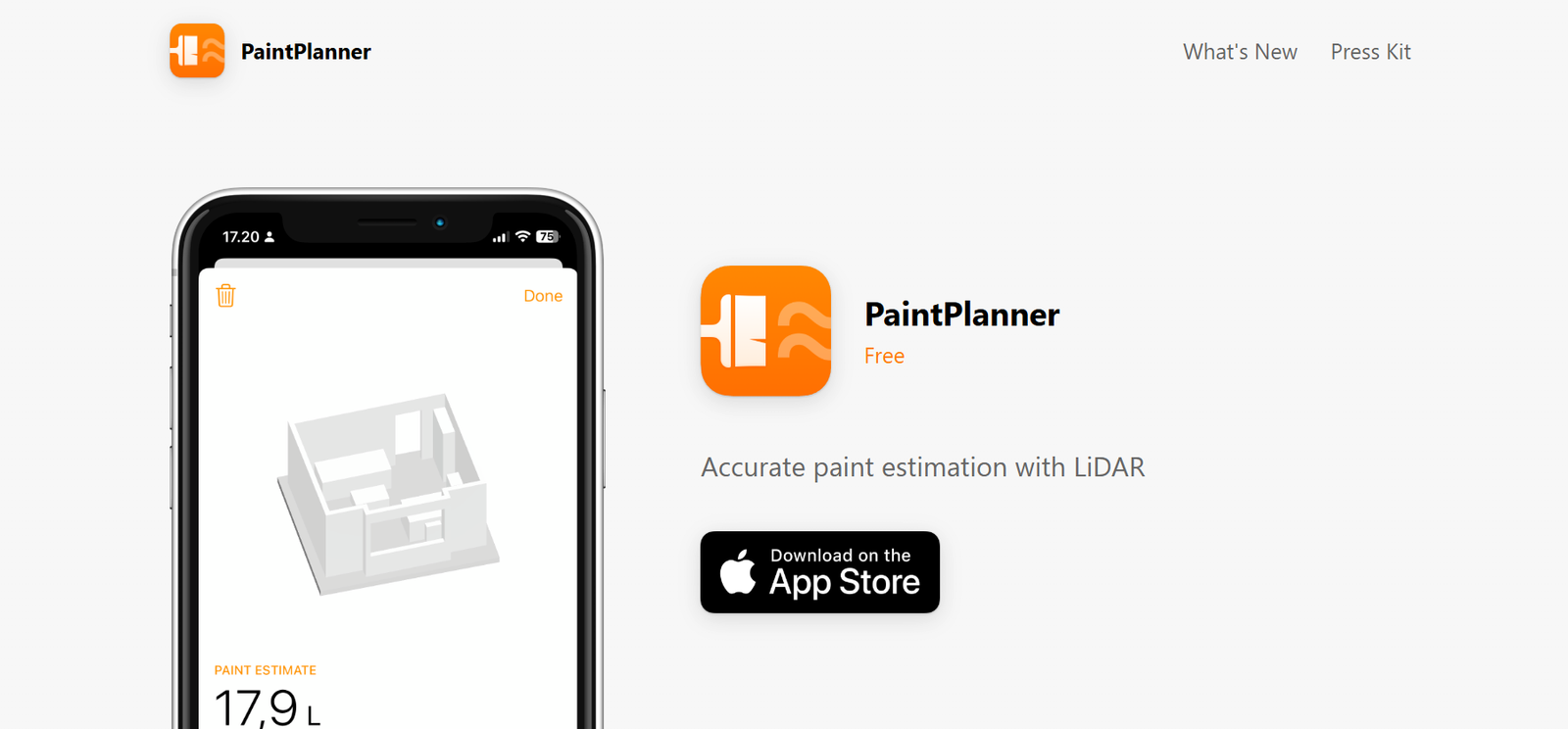
PaintPlanner is a smart utility designed for users with LiDAR-capable devices. It scans rooms to measure surface dimensions and automatically calculates paint requirements, accounting for doors, windows, and other openings. Users can save estimates and adjust settings such as number of coats and coverage to suit different project needs, helping minimize overspending or waste.
Features
Uses LiDAR scanning to measure room surfaces
Automatically subtracts areas like windows and doors from calculations
Allows adjustment for number of coats and paint coverage rate
Supports saving and managing multiple estimates
Designed for ease of use with minimal manual input
How It Works
Users scan their room using a LiDAR-enabled device, such as a compatible iPhone or iPad. The app maps the space, calculates surface area accurately, and deducts non-paintable zones. Based on presets or adjustments—like paint type coverage and coats needed—it computes the total paint volume required. Estimates can be saved for planning or comparison.
Use Cases
Homeowners estimating paint before renovation projects
Contractors or painters needing quick, on-site measurements to plan paint purchases
DIY decorators ensuring accurate purchase without over- or underestimating materials
Interior designers or project planners creating more efficient budgets
Pricing
The app is available for free, with optional in-app upgrades (such as PaintPlanner Pro) available for a one-time or tiered pricing depending on region.
Strengths
Significantly reduces manual measurement effort and error
LiDAR scanning enhances measurement accuracy
Customizable coat and coverage settings improve adaptability
Estimate saving allows for better planning across multiple rooms or projects
Drawbacks
Only works on LiDAR-enabled devices, limiting broader accessibility
Some users report calculation inaccuracies, such as inconsistent conversion to paint quantities
Accuracy depends on correct data input—coats/coverage and device scanning precision can affect results
Relies on user trust in technology, with potential for edge-case miscalculations
Comparison with Other Platforms
PaintPlanner stands apart by leveraging LiDAR to automate paint estimation, unlike traditional room-measurement apps that require manual entry. While manual calculators offer flexibility, they can be time-consuming and prone to input error. PaintPlanner delivers speed and convenience for compatible devices, but isn’t as universal.
Customer Reviews and Testimonials
User feedback is generally positive, praising the LiDAR convenience and estimation features. However, some note inaccuracies in paint amount calculations—one user highlighted issues with coverage math, which the developer later addressed in an update.etsy.com+12apps.apple.com+12paintplanner.app+12etsy.compaintplanner.tenereteam.compaintplanner-paint-calculator-ios.apps112.com+1paintplanner.app
Conclusion
PaintPlanner is an innovative tool for anyone with a LiDAR-capable device looking to simplify paint estimation. It streamlines project planning, reduces manual effort, and offers adjustable settings for precision. While its utility is impressive, users should verify outputs—especially in critical projects—due to occasional miscalculations or device limitations.