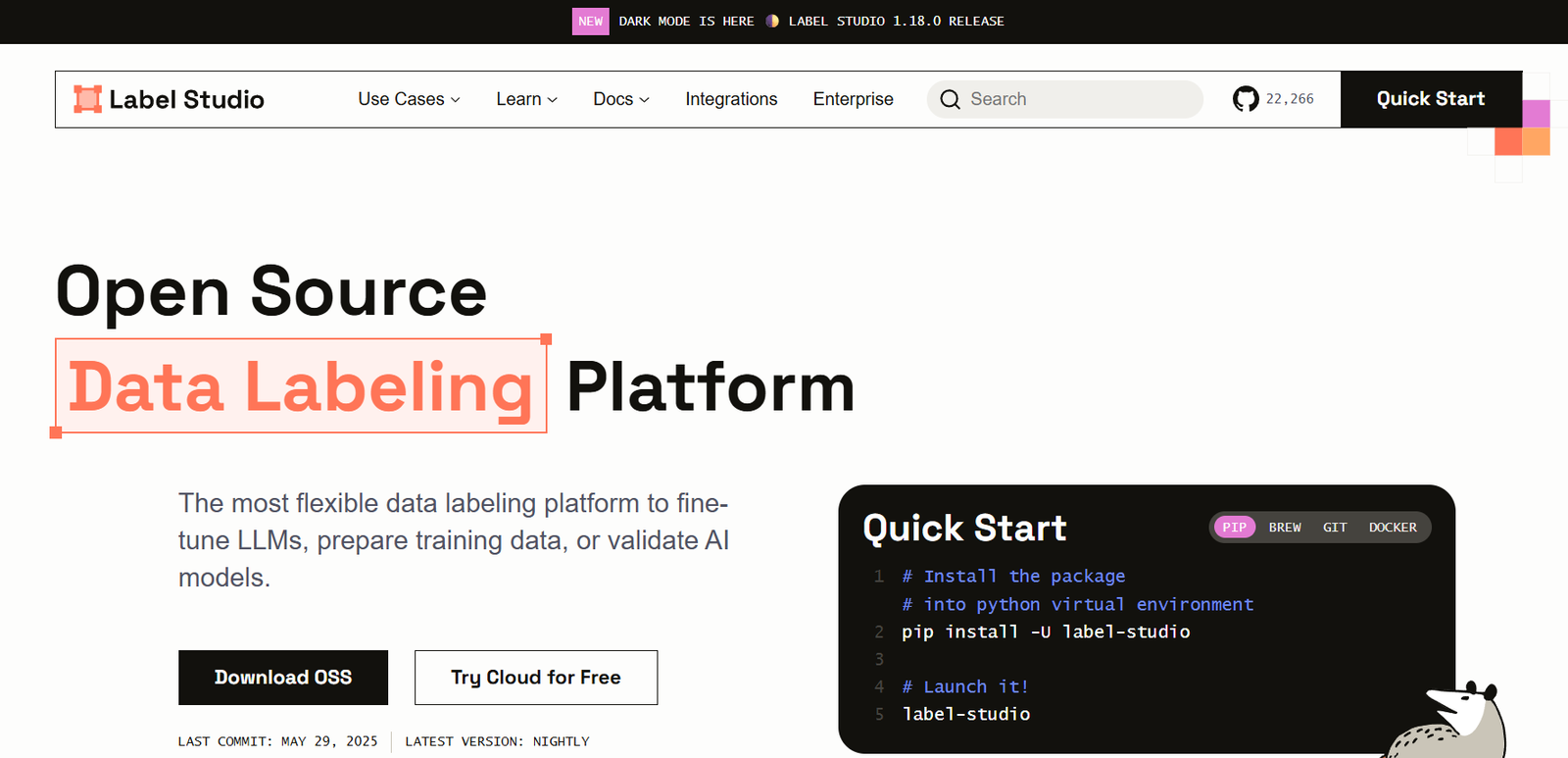
Label Studio is an open-source data annotation platform developed by Heartex. It allows users to label various types of data for machine learning training purposes, including text classification, object detection, named entity recognition, audio transcription, and more.
One of Label Studio’s key differentiators is its high level of customization. Users can define their own labeling interfaces using a declarative configuration system, enabling support for virtually any annotation task. It also supports team collaboration, user roles, version control, and integration with data storage and model pipelines.
Label Studio can be used locally, deployed on a private server, or accessed through Label Studio Enterprise, a commercial version with added features like scalability, security, and enterprise support.
Features
Multi-Data Type Support
Supports image, video, audio, text, HTML, time series, and multi-modal datasets.
Customizable Labeling Interface
Configure unique UIs for different annotation tasks using a simple XML-based configuration.
Collaboration Tools
Invite team members, assign tasks, set user roles, and manage workflow across projects.
Model-Assisted Labeling
Integrate ML models for pre-labeling, active learning, and real-time feedback loops.
Web-Based UI
All annotation tasks are managed through a user-friendly browser interface—no need for external tools.
Storage Integrations
Connect to cloud storage (S3, GCS, Azure), local files, or remote URLs for flexible data sourcing.
API Access and Webhooks
Use RESTful APIs to automate task creation, retrieval, and model training workflows.
Annotation History and Versioning
Track changes to annotations, compare versions, and revert when necessary.
Enterprise Features
Advanced security, audit logs, single sign-on (SSO), and deployment scalability are available in Label Studio Enterprise.
Open Source and Extensible
Free to use with the ability to build plugins or contribute to the open-source community.
How It Works
Label Studio provides a modular and extensible architecture for setting up and managing annotation workflows. Here’s how a typical workflow operates:
Install or Deploy
You can install Label Studio locally using pip, Docker, or Kubernetes, or sign up for the hosted version.Create a Project
Start by creating a new labeling project, specifying the data type and desired annotation configuration.Configure Labeling Interface
Use the visual interface or XML configuration to define how the data should be annotated (e.g., bounding boxes for images, span highlights for text).Import Data
Upload files from your local machine or connect cloud storage like AWS S3 or Google Cloud Storage.Assign and Label Tasks
Distribute tasks among team members. Annotators use the interface to complete their assigned work.Review and Export
Review labeled data for accuracy. Once complete, export annotations in formats like JSON, CSV, or COCO for ML model training.Integrate with ML Pipelines
Use the API or Python SDK to send annotated data to training workflows or back to the model for active learning.
This flexible pipeline supports both small-scale projects and large, enterprise-grade annotation pipelines.
Use Cases
Computer Vision
Label images for tasks like object detection, segmentation, image classification, and pose estimation.
Natural Language Processing (NLP)
Annotate texts for tasks such as named entity recognition, sentiment analysis, text classification, and summarization.
Speech and Audio
Transcribe audio, mark timestamps, or identify speakers for voice recognition and language models.
Video Annotation
Draw bounding boxes and track objects across frames, useful for autonomous vehicle datasets and surveillance.
Healthcare and Medical Imaging
Label X-rays, MRI scans, or clinical text data for diagnostic and research purposes.
Time Series Analysis
Mark anomalies, segments, or trends in temporal data like ECGs or stock prices.
Multi-Modal Applications
Combine image and text, or video and audio annotations for hybrid AI models.
Pricing
Label Studio is available in two versions: Label Studio Community (open-source) and Label Studio Enterprise (commercial).
Label Studio Community (Free)
Fully open-source
Local installation or self-hosted
Unlimited projects and users
All core labeling features
Community support
Label Studio Enterprise (Custom Pricing)
Includes everything in the Community edition
Enterprise-grade authentication and SSO
Advanced role-based access control
Cloud hosting and scalability
Dedicated support and SLAs
Audit logs and compliance tools
Integrations with enterprise data lakes and ML platforms
To get pricing for the enterprise edition, visit https://labelstud.io and request a demo.
Strengths
Open Source and Free
Label Studio is fully open-source, making it accessible to individual developers and startups.
Highly Customizable
Supports almost any data type and annotation configuration with customizable UIs.
Collaborative Workflow
Designed for team-based annotation with roles, reviews, and shared dashboards.
Scalable Architecture
Works for both small research projects and enterprise data annotation pipelines.
Strong Integrations
API, webhooks, and storage connectors make it easy to plug into existing workflows.
Rich Documentation and Community
Well-documented with an active GitHub community and Discord server for support.
Drawbacks
Steep Learning Curve
Advanced customization via XML and APIs may require some technical knowledge.
UI Limitations for Complex Workflows
While highly configurable, the default UI may need customization for very specific or unusual use cases.
No Built-In Model Training
Label Studio focuses on annotation and requires external tools for training ML models.
Enterprise Features Not Open Source
Features like SSO, audit logs, and cloud scalability are limited to the commercial version.
Resource Management
Self-hosted deployments require teams to manage scaling, backups, and security infrastructure.
Comparison with Other Tools
Label Studio vs CVAT
CVAT focuses mainly on image and video annotations. Label Studio supports more diverse data types and flexible UI configurations.
Label Studio vs Prodigy
Prodigy offers fast, scriptable annotation but is a commercial product. Label Studio is open source with broader interface options.
Label Studio vs Supervisely
Supervisely provides end-to-end tools for computer vision. Label Studio is more modular and open-ended with strong NLP and multi-modal support.
Label Studio vs Amazon SageMaker Ground Truth
Ground Truth is tightly integrated into AWS. Label Studio offers more customization and is cloud-agnostic.
Label Studio vs Scale AI
Scale provides managed labeling services. Label Studio is a tool for teams that prefer full control over their labeling pipeline.
Customer Reviews and Testimonials
Label Studio is widely adopted by data scientists, ML engineers, and research teams:
“We switched from multiple in-house tools to Label Studio, and it’s been a game changer in terms of consistency and ease of use.”
— Lead Data Scientist, Healthcare AI Startup
“The open-source nature of Label Studio meant we could integrate it deeply into our data pipeline.”
— ML Engineer, Fintech Company
“It’s the only tool that let us annotate video, text, and audio under one project. The flexibility is unmatched.”
— AI Researcher, University Lab
“The community support is fantastic, and the documentation makes setup really smooth.”
— Developer, Robotics Startup
Conclusion
Label Studio is a powerful and flexible solution for creating high-quality labeled datasets across multiple domains. With support for a broad range of data types, customizable UIs, and collaboration features, it is ideal for both research projects and production-grade AI pipelines.
Whether you’re training computer vision models, building NLP systems, or labeling multi-modal datasets, Label Studio offers an open and extensible platform to meet your needs. Backed by a strong open-source community and a scalable enterprise version, it continues to grow as a leading tool in the data labeling ecosystem.
To get started or explore a live demo, visit https://labelstud.io