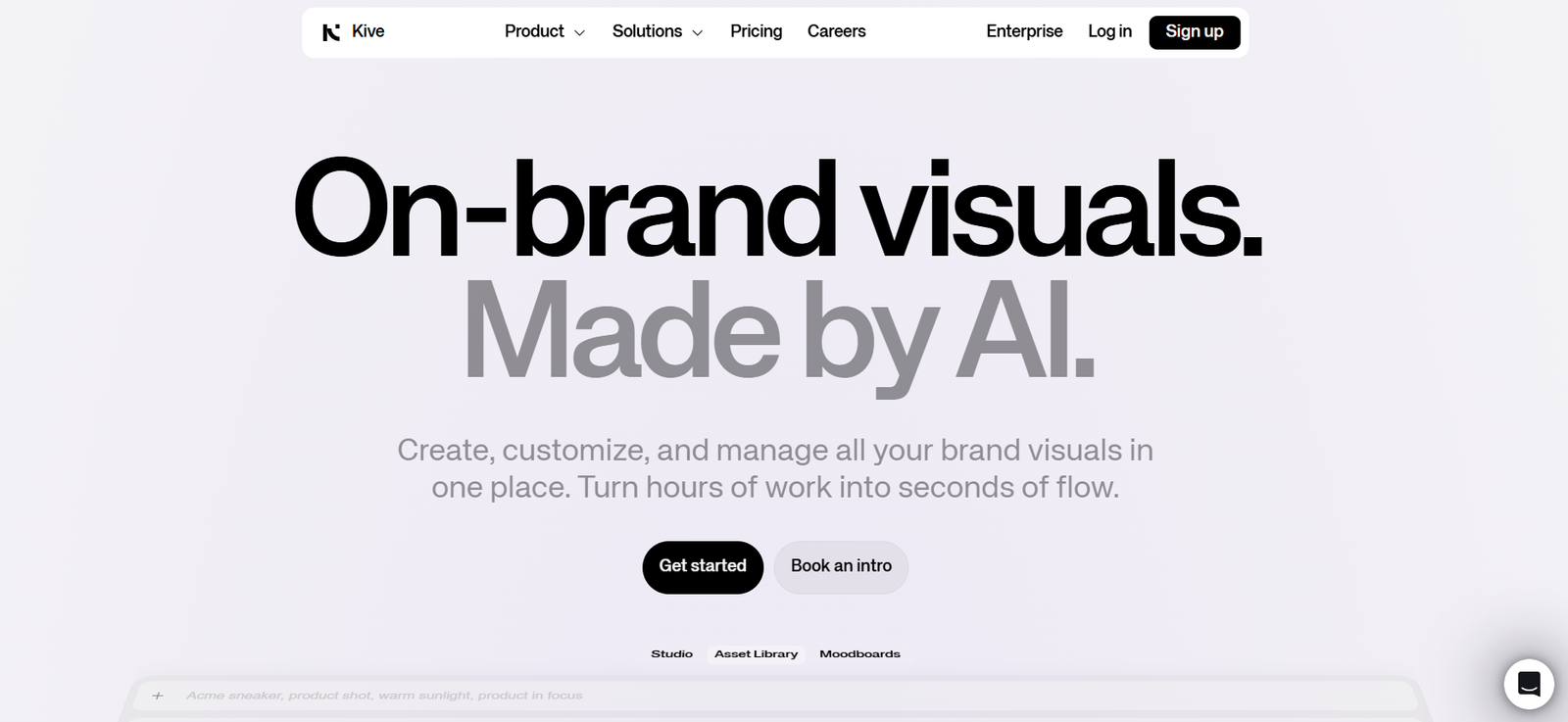
Kive.ai is an AI-powered creative workspace designed to help teams collect, organize, search, and collaborate on visual assets more effectively. Built for creatives working with large volumes of visual content, Kive.ai uses machine learning to automatically tag, categorize, and make sense of image libraries—turning scattered files into a searchable, collaborative visual knowledge base.
With its focus on creative efficiency, Kive.ai enables design teams, agencies, studios, and content creators to manage inspiration boards, reference material, client assets, and internal libraries all in one place. The platform eliminates time-consuming manual file organization and makes it easy to find and share visual content across projects.
Kive.ai blends creative intelligence with workflow optimization, offering a smart solution for teams who want to move faster and stay aligned visually.
Features
Kive.ai offers a robust feature set that makes organizing and collaborating on visual content intuitive and AI-driven.
AI-Powered Tagging: Automatically analyzes and tags uploaded images using AI, identifying objects, themes, styles, and colors for instant categorization.
Smart Search: Enables users to search by keywords, themes, visual elements, or even color palettes—making it easy to find the right reference at the right time.
Boards and Libraries: Organize content into shared boards or custom libraries for different clients, campaigns, or creative directions.
Drag-and-Drop Uploading: Quickly upload folders or assets and let the AI sort and tag them without manual input.
Team Collaboration: Share boards with team members, leave comments, and collaborate in real time on mood boards or creative ideas.
Version History: Keep track of changes to boards and files, making it easy to reference past ideas or revert to earlier versions.
Visual Similarity Search: Find images that look similar to a selected one, based on AI-driven visual recognition.
Secure Cloud Storage: Stores your assets securely with cloud-based access, so teams can collaborate from anywhere.
User Permissions: Control access levels for collaborators or clients, ensuring that the right people see the right assets.
Creative Workflow Integration: Fits seamlessly into existing workflows for agencies, freelancers, studios, and in-house teams.
How It Works
Kive.ai simplifies the process of managing and accessing creative assets using AI:
Step 1 – Upload Content: Users upload images, assets, or folders directly to Kive’s workspace. Files can be anything from screenshots and mood boards to renders and campaign visuals.
Step 2 – AI Tagging: The platform’s AI automatically scans each file and tags it with relevant keywords, visual descriptors, colors, and categories.
Step 3 – Organize Into Boards: Users can manually or automatically organize content into boards and libraries based on theme, client, or project.
Step 4 – Search and Discover: Use natural language search or visual queries to find specific images or explore themes across the asset library.
Step 5 – Collaborate and Share: Share boards with team members or clients, collect feedback, and iterate collaboratively.
Step 6 – Maintain Creative Knowledge: Over time, teams build a central visual knowledge base that can be reused, referenced, and expanded for future projects.
Use Cases
Kive.ai serves a broad range of creative professionals and organizations:
Design Studios: Organize design references, client feedback, and brand assets in one place for faster project execution.
Creative Agencies: Manage multiple campaigns, clients, and creative directions with AI-sorted content libraries.
Marketing Teams: Store and access visuals for social media, product launches, and content calendars, streamlining team collaboration.
Freelancers: Maintain organized inspiration boards, mood boards, and client deliverables with minimal manual tagging.
Film and Video Production: Collect storyboards, scene references, and style frames for pre-production and post-production workflows.
Fashion and Retail: Catalog design inspiration, lookbooks, and product references with visual search and AI sorting.
In-House Creative Teams: Build an internal visual archive that teams across departments can access and contribute to.
Pricing
As of the latest information available on the official website, Kive.ai offers a free plan and early access pricing, designed to be accessible while the platform continues to grow and expand.
Free Plan: Allows individuals or small teams to upload, tag, and organize visual assets using core AI features. Ideal for trying out the platform or managing smaller creative workflows.
Premium Plans: Pricing for premium features, larger storage capacities, or enterprise functionality has not been fully disclosed. Users are encouraged to sign up and request access to learn more about upcoming plans.
To view the most up-to-date pricing or join the waitlist, visit the Kive.ai pricing page.
Strengths
Kive.ai offers several key strengths that set it apart in the creative collaboration and asset management space:
Time-Saving Automation: AI tagging and sorting eliminates the need for manual organization, saving hours of repetitive work.
Creative-Focused Design: Built specifically for creative teams, with features tailored to how designers, marketers, and producers work with visuals.
Powerful Visual Search: Users can find specific images using concepts, colors, or similar image searches, making discovery intuitive and fast.
Centralized Workspace: Keeps all inspiration, references, and assets in one place, reducing fragmented workflows and versioning issues.
Collaboration-Ready: Boards and libraries can be shared with teams and clients, keeping feedback and iterations streamlined.
Elegant Interface: The user interface is sleek and modern, designed to be intuitive even for non-technical users.
Cloud-Based and Secure: Provides cloud access with role-based permissions, so teams can collaborate securely from anywhere.
Drawbacks
Although Kive.ai is a promising platform, there are a few limitations worth noting:
Early Stage Platform: As a newer product, some features may still be in beta or under development.
Limited Integrations: Currently, Kive.ai does not publicly list integrations with Adobe Creative Cloud, Figma, or other tools, which could be a barrier for some workflows.
Storage Limits on Free Plan: The free tier is ideal for small teams, but larger organizations may quickly outgrow its storage capacity.
No Video Support (Yet): The focus is currently on images and visual references. Support for video assets is not mentioned.
Pricing Transparency: Detailed pricing for premium plans is not yet available, which may deter larger teams needing budget clarity.
Comparison with Other Tools
Kive.ai stands out from traditional digital asset management (DAM) tools by offering a more creative-first, AI-driven experience.
Compared to platforms like Dropbox or Google Drive, Kive.ai provides smarter visual organization and search, which those generic storage tools lack.
Against Milanote, which is popular for mood boards and creative planning, Kive.ai offers stronger AI automation and deeper content tagging.
When compared to enterprise DAMs like Bynder or Brandfolder, Kive.ai is simpler, more affordable for smaller teams, and focused on rapid setup and intuitive usage, rather than complex enterprise feature sets.
Its combination of AI-powered tagging and visual discovery makes it ideal for agile creative teams, freelancers, and studios that need fast, intelligent organization without enterprise overhead.
Customer Reviews and Testimonials
Since Kive.ai is in early access, formal customer reviews are limited. However, early adopters and creative professionals have praised the platform for its:
– Intuitive interface and sleek design
– Time-saving auto-tagging features
– Smart and accurate visual search
– Ability to organize large inspiration boards quickly
– Clear value in streamlining creative workflows
Users note that Kive.ai helps them cut down on the time spent hunting for visuals and allows their teams to align faster on creative direction.
Creative directors and designers have shared that Kive.ai is becoming a central hub for visual brainstorming and team collaboration.
To explore more user feedback and updates, visit kive.ai or follow their community channels.
Conclusion
Kive.ai is a next-generation creative workspace built to help modern teams work faster and smarter with visual content. By combining AI-powered organization with intuitive design and collaboration features, it transforms chaotic asset folders into a clean, searchable, and collaborative library.
For designers, marketers, agencies, and creators who deal with a high volume of visual material, Kive.ai offers an intelligent solution to streamline inspiration, boost creative alignment, and eliminate workflow bottlenecks.
As the platform continues to evolve and roll out new features, Kive.ai is well-positioned to become a central tool in the modern creative stack.