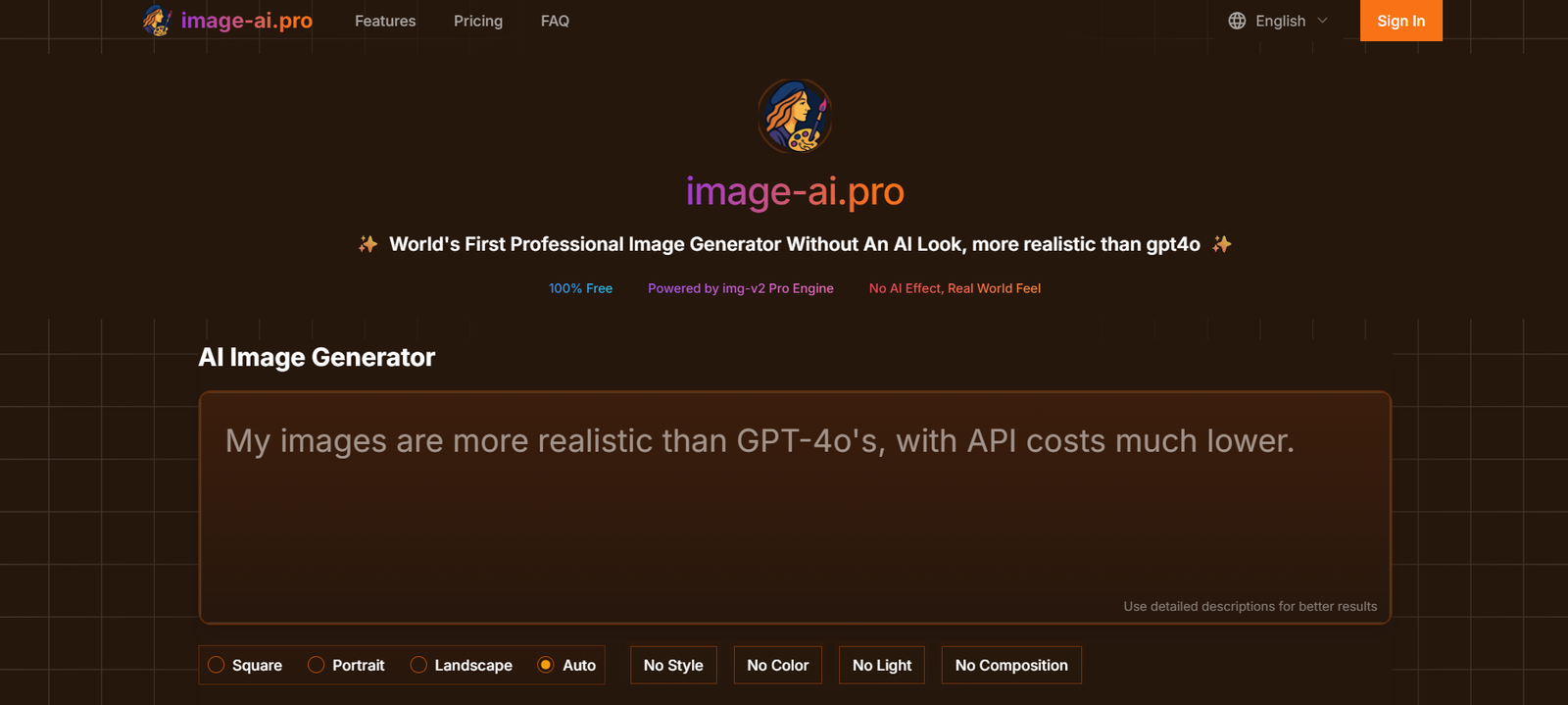
Image AI Pro is a user-friendly AI image generation platform designed to help marketers, designers, bloggers, and content creators generate high-quality visuals using simple text prompts. Built on advanced generative models, Image AI Pro allows anyone to create unique, stylized images without the need for professional design skills or expensive tools.
Whether you’re building visuals for blog posts, social media campaigns, ads, or websites, Image AI Pro gives you the ability to generate eye-catching images in seconds. The tool is designed to be simple, fast, and accessible to users of all experience levels, making it a practical solution for solopreneurs, marketers, and creative professionals alike.
Features
Image AI Pro includes a range of practical features that enhance content creation workflows:
Text-to-Image Generation: Create detailed images from plain text prompts using AI.
Multiple Styles & Templates: Choose from a variety of visual styles such as photorealism, 3D render, illustration, and more.
Fast Image Rendering: Get high-resolution results in seconds, optimized for web or print.
One-Click Downloads: Easily save and use generated images across any platform.
No Design Skills Needed: Built for non-designers to create professional-quality visuals.
Simple, Clean Interface: Minimal learning curve—just type a prompt and generate.
Commercial Usage Rights: Use your generated images in marketing, publishing, and commercial content.
Unlimited Renders (with Pro plans): Generate as many images as needed for campaigns or A/B testing.
These features are tailored to help users speed up visual content creation while maintaining originality and branding consistency.
How It Works
Image AI Pro simplifies the creative process into just a few easy steps:
Enter a Prompt: Users type a descriptive phrase, such as “a futuristic city skyline at sunset.”
Choose a Style: Select from different rendering styles (e.g., cinematic, sketch, cartoon, photorealistic).
Generate the Image: The AI processes the input and generates a unique, high-quality image in seconds.
Preview & Download: Users can refine the prompt, regenerate if needed, and download the final image.
Use Anywhere: Generated visuals can be used in marketing materials, blog articles, presentations, or e-commerce listings.
No technical or artistic expertise is required—Image AI Pro’s interface is designed for accessibility and speed.
Use Cases
Image AI Pro supports a wide variety of use cases for creators and businesses:
Bloggers & Writers: Create header images and article illustrations that match the content theme.
Digital Marketers: Design visuals for Facebook, LinkedIn, and Instagram ads.
Ecommerce Sellers: Generate product mockups or lifestyle scenes without photo shoots.
Agencies: Produce quick visual drafts for client proposals and concept validation.
Presentations: Add unique visuals to slideshows and decks.
Email Campaigns: Design graphics for newsletters that drive engagement.
Print on Demand: Create unique artwork for T-shirts, posters, or merchandise.
Educational Creators: Visualize abstract concepts for courses, infographics, or learning material.
This flexibility makes Image AI Pro a powerful tool across industries and creative workflows.
Pricing
As of the latest information on the Image AI Pro website, the platform offers a tiered pricing structure to suit both casual users and professionals.
Free Plan
Limited number of image generations
Access to basic rendering styles
Watermarked downloads
Ideal for testing the platform
Pro Plan – $12/month
Unlimited image generations
High-resolution downloads
No watermarks
Commercial usage rights
Priority rendering speed
Best for individual creators and marketers
Team or Agency Plan – Coming Soon
Multi-user support
Shared image library
Enhanced customization options
Team management tools
Users can sign up and start generating images without upfront payment, and upgrade as their needs grow. Pricing is transparent and designed for affordability.
Strengths
Image AI Pro offers several clear advantages for digital content creators:
Easy to Use: No learning curve or creative tools required—just type and go.
Fast & Efficient: Produces quality images in seconds, streamlining content workflows.
Affordable: Priced accessibly for individuals and small businesses.
Creative Freedom: Explore multiple visual styles and prompt variations.
Commercial License: Allows safe usage in business materials.
No Account Required for Testing: Try the tool immediately before committing.
Great for Non-Designers: Democratizes access to quality visual creation.
Its greatest strength lies in accessibility—Image AI Pro turns anyone into a visual creator.
Drawbacks
While Image AI Pro is highly effective, there are some limitations to note:
Limited Editing Tools: Generated images cannot be edited or fine-tuned within the platform.
Prompt Sensitivity: Results can vary based on how well prompts are written.
No API or Integration (yet): Currently a standalone platform without third-party app support.
Watermarked Images in Free Plan: Users need to upgrade to remove branding.
Lacks Batch Processing: Users must generate images one at a time.
These are common trade-offs for simplicity and speed, and improvements are likely as the platform evolves.
Comparison with Other Tools
Here’s how Image AI Pro compares with similar image generation platforms:
Image AI Pro vs. Midjourney
Midjourney offers artistic and highly stylized generations but requires Discord and prompt tuning. Image AI Pro is more accessible, faster, and easier to use.
Image AI Pro vs. Canva
Canva offers templates and manual design tools. Image AI Pro focuses on fully AI-generated imagery from prompts, making it more suitable for ideation and content creation.
Image AI Pro vs. DALL·E 2
DALL·E 2 offers similar capabilities but often requires API integration or a technical setup. Image AI Pro delivers a simpler, browser-based experience with commercial-ready outputs.
Image AI Pro vs. Jasper Art
Jasper Art is tied into a broader AI writing ecosystem. Image AI Pro is more lightweight, focused, and affordable for image-only needs.
Customer Reviews and Testimonials
Image AI Pro is gaining attention among marketers and content creators, with early adopters praising its ease of use and quality:
“I use Image AI Pro for every blog post. The time saved on finding visuals is worth every cent.”
— Digital Marketer, SaaS Brand
“It’s super fast. I just type a prompt and instantly get an image that fits my newsletter.”
— Solo Content Creator
“Way easier than Midjourney or Stable Diffusion. Great for quick mockups and visuals.”
— Startup Founder
More reviews and case studies are expected to emerge as the user base grows and the platform evolves.
Conclusion
Image AI Pro is an efficient, easy-to-use AI image generator that makes visual content creation accessible to everyone. Whether you’re a digital marketer, solo creator, or small business owner, it offers a fast and affordable way to generate custom images that suit your brand and message—without needing design skills or stock photo subscriptions.
While it may not yet have the advanced customization of professional design tools, its simplicity, speed, and affordability make it a must-try for anyone looking to elevate their visual content. With new features like team plans and integrations on the horizon, Image AI Pro is well-positioned to become a go-to tool in the creative AI toolkit.