
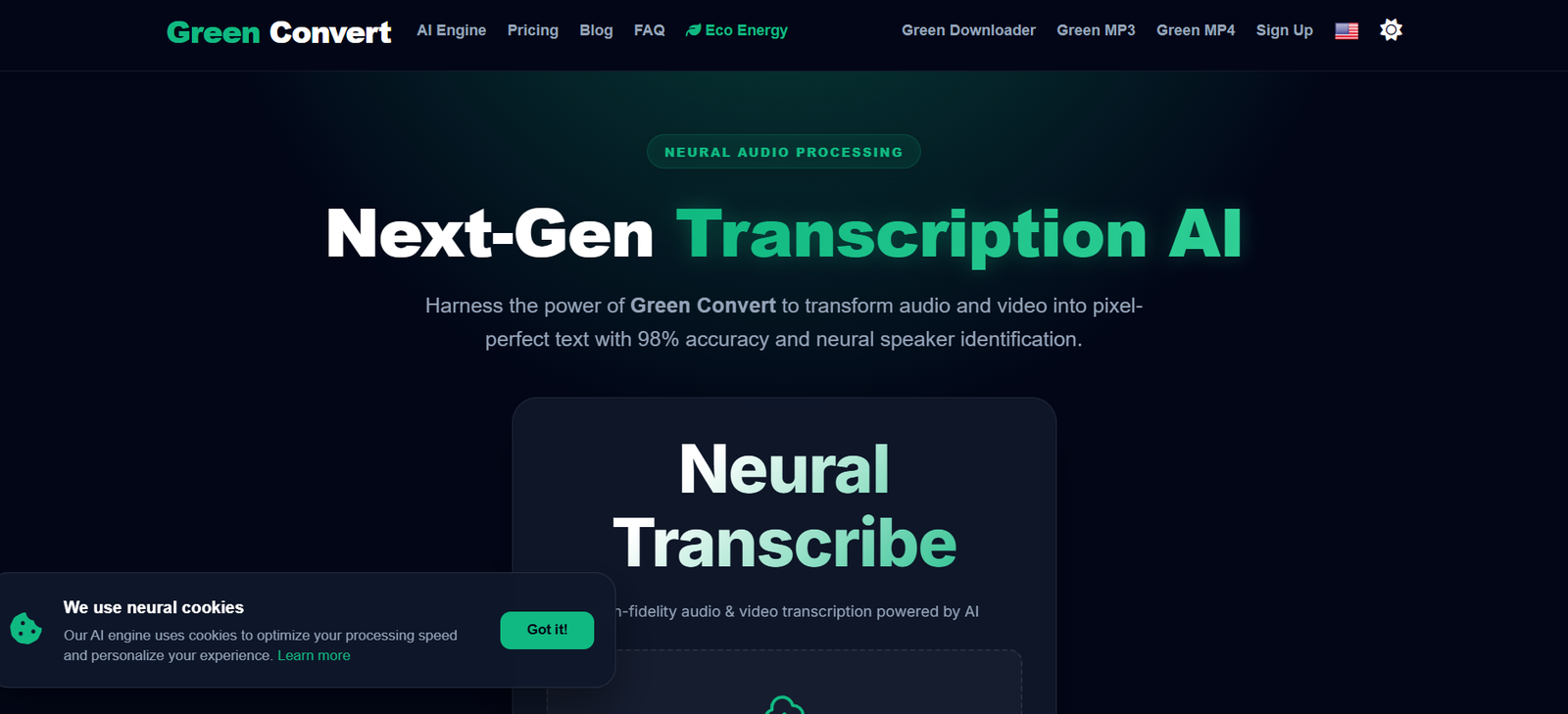
GreenConvert AI is an online AI transcription and media processing platform designed to convert audio and video recordings into editable text. It combines speech recognition with speaker identification, audio enhancement, translation and subtitle generation.
The platform supports more than 98 languages and accepts common media formats such as MP3, M4A, MP4, MOV and WAV. Users can upload recordings and generate transcripts for interviews, meetings, podcasts, lectures, videos and other spoken content.
One of GreenConvert AI’s main areas of focus is sustainable computing. According to the platform, its infrastructure uses techniques such as intelligent power scaling, predictive caching and renewable energy data centers to reduce unnecessary computing resources during media processing.
Along with transcription, GreenConvert provides speaker diarization, audio restoration, translation, subtitle creation, batch processing and several export options. This makes it useful for creators, researchers, students, journalists, businesses and professionals working regularly with recorded content.
Features
AI Audio and Video Transcription
GreenConvert converts recorded speech from audio and video files into written text. The platform states that its transcription engine is designed to recognize speech, specialized vocabulary and different accents.
98+ Languages
The transcription engine supports more than 98 languages and dialects. This makes GreenConvert suitable for multilingual recordings and international content workflows.
Speaker Recognition
GreenConvert includes AI speaker recognition that can separate and label different voices within a recording. This is particularly useful for interviews, meetings, podcasts and discussions involving several participants.
Audio Restoration
The built in Restore Audio functionality is designed to enhance human speech and reduce background noise before or during processing. It may improve transcription results when recordings are less clear.
Translation
Unlimited plan users can translate transcripts into more than 130 languages. This can help creators and businesses adapt spoken content for audiences in different regions.
Subtitle Generation
GreenConvert can create subtitle files from transcribed media. Supported subtitle export options include SRT and VTT, making the platform useful for video creators.
Multiple Export Formats
Users can export completed transcripts into formats such as TXT, PDF and DOCX. Subtitle formats such as SRT and VTT are also supported.
Large File Processing
The Unlimited plan supports individual files of up to 10 hours or 5 GB. This can be useful for long podcasts, interviews, conferences, lectures and recorded meetings.
Bulk Processing
Unlimited members can process multiple recordings and the website states that bulk actions can handle up to 50 files simultaneously. Business users also receive bulk export capabilities.
Media Format Support
GreenConvert works with commonly used formats including MP3, M4A, MP4, MOV and WAV, along with other media formats.
AI Noise Reduction
Its neural audio processing technology is designed to clean background noise and emphasize human speech frequencies, helping prepare recordings for transcription.
Sustainable Computing Approach
GreenConvert says its processing architecture dynamically adjusts computing resources according to the complexity of each task. The company also states that high bitrate media rendering is routed through renewable energy data centers.
API Access
The Business plan includes API access in beta. This can be useful for developers and organizations interested in integrating transcription capabilities into their own applications or workflows.
Team Collaboration
Business subscribers receive team collaboration tools, making the service more suitable for organizations where several people need to work with transcription projects.
How It Works
Step 1: Open GreenConvert
Visit GreenConvert and access its Neural Transcribe interface.
Step 2: Upload a file
Drag and drop an audio or video recording into the transcription interface. Common formats such as MP3, WAV and MP4 are supported.
Step 3: Select the language
Choose the language spoken in the recording.
Step 4: Configure transcription options
Select the available processing options and enable speaker recognition when multiple people are speaking.
Step 5: Start transcription
Submit the file for processing. GreenConvert analyzes the recording and converts the spoken material into written text.
Step 6: Review the transcript
Read the generated text and correct names, technical terminology or other words where necessary.
Step 7: Translate or prepare subtitles
Depending on the plan, users can translate the transcript or create subtitle files for video content.
Step 8: Export the content
Download the finished transcript in an available format such as TXT, PDF, DOCX, SRT or VTT.
Use Cases
Content Creators
Video creators can convert spoken video content into text and create SRT or VTT subtitle files. Transcripts can also serve as source material for articles, captions and other content.
Podcasters
Podcasters can transcribe complete episodes and automatically separate different speakers. This can help when preparing episode transcripts, show notes and searchable archives.
Journalists
Journalists can convert recorded interviews into written transcripts rather than repeatedly listening to recordings and manually typing conversations.
Researchers
Researchers can transcribe recorded interviews, focus groups and discussions. Speaker recognition can make multi participant research recordings easier to review.
Students
Students can turn recorded lectures and educational material into searchable text that can be reviewed during study sessions.
Educators
Teachers and trainers can create transcripts and subtitles from recorded lessons, presentations and webinars.
Businesses
Organizations can transcribe meetings, presentations, interviews and internal discussions. Business subscribers can also use team collaboration and bulk export features.
Video Production Teams
Video professionals can use transcription and subtitle generation together to prepare captions for recorded content.
Developers
Developers and organizations can explore the Business plan’s beta API when they need to incorporate transcription into another application or automated workflow.
Pricing
GreenConvert currently offers three main plans.
Free
The Free plan costs $0 per month.
It includes:
3 transcriptions per day
Up to 30 minutes per file
Support for 98+ languages
Speaker recognition
This plan can be useful for occasional users who want to test the transcription service without purchasing a subscription.
Unlimited
The Unlimited plan is listed at $10 per month when billed annually at $120 per year.
It includes:
Unlimited transcriptions
Up to 10 hours per file
Files up to 5 GB
AI speaker recognition
Priority neural processing
Translation into 130+ languages
The official website states that the Unlimited plan does not impose an overall transcription minutes or credits cap.
Business
The Business plan is listed at $29 per month.
It includes everything available in the Unlimited plan plus:
Bulk exports in formats such as SRT, PDF and DOCX
Beta API access
Team collaboration tools
Users should check the current official pricing before subscribing because pricing, limits and features may change.
Strengths
GreenConvert combines transcription with several supporting media processing features rather than functioning only as a basic speech to text converter.
Support for more than 98 languages makes it useful for multilingual users and international content.
Speaker recognition is available even under the Free plan, which can be valuable for interviews and multi person conversations.
The Unlimited plan offers generous file limits of up to 10 hours or 5 GB per individual file.
Audio restoration and noise reduction may help when users are working with recordings that contain background noise or less than ideal speech quality.
Its subtitle generation and SRT and VTT exports make the platform particularly relevant for video creators.
GreenConvert also differentiates itself through its emphasis on reducing computing resource consumption and using renewable energy infrastructure.
Drawbacks
The Free plan limits users to three transcriptions per day and a maximum of 30 minutes for each file.
Users who need translation, very large file support and priority processing will need the Unlimited plan.
Business oriented capabilities such as team collaboration, bulk exports and API access require the higher priced Business plan.
The API is currently described as being in beta, which may make it less appropriate for organizations requiring a mature production integration.
Like other automated speech recognition systems, transcription quality can depend on recording clarity, background noise, accents, overlapping voices and specialized vocabulary. Important transcripts should therefore be reviewed manually.
The website makes several performance and environmental claims about its technology. Users evaluating these factors for business or compliance purposes may want to conduct their own assessment rather than relying solely on the platform’s descriptions.
Comparison with Other Platforms
GreenConvert operates in the same general category as AI transcription services that turn audio and video recordings into searchable text. Its feature set extends beyond straightforward transcription through speaker identification, audio restoration, translation, subtitles and batch processing.
Compared with basic audio to text converters, GreenConvert provides a broader workflow for users who also need to improve audio, identify different speakers or create subtitles.
Some competing platforms concentrate heavily on automatically joining online meetings and creating meeting notes. GreenConvert appears more focused on processing uploaded audio and video files.
Its sustainability focused infrastructure is another point of differentiation. GreenConvert emphasizes reducing CPU and GPU resource consumption and routing demanding processing through renewable energy data centers.
Users should choose between GreenConvert and other transcription platforms according to their priorities, such as meeting automation, collaborative editing, multilingual transcription, subtitle creation, file size limits, integrations or API availability.
Customer Reviews and Testimonials
GreenConvert displays numerous customer testimonials on its official website.
The published testimonials describe experiences involving transcription accuracy, speaker identification, processing speed, background noise handling, subtitle exports and support for different languages and regional accents.
Several testimonials specifically mention using the platform for lectures, meetings, podcasts, interviews and video production.
These testimonials are displayed directly by GreenConvert and should therefore be viewed as company published customer feedback rather than independent third party reviews.
Conclusion
GreenConvert AI is a comprehensive transcription platform for converting audio and video recordings into editable and reusable text. Its combination of transcription, speaker recognition, audio restoration, translation and subtitle generation makes it useful for several professional and creative workflows.
The Free plan provides a practical starting point for students and occasional users. The Unlimited plan is more suitable for podcasters, researchers, journalists and creators handling larger amounts of recorded content, while the Business plan adds collaboration, bulk exports and beta API access for professional teams.
Its support for more than 98 languages and large media files further increases its usefulness for multilingual and long form content.
Overall, GreenConvert is worth considering for users who need more than basic speech to text conversion and want transcription, speaker identification, translation and subtitle tools within the same platform.


