
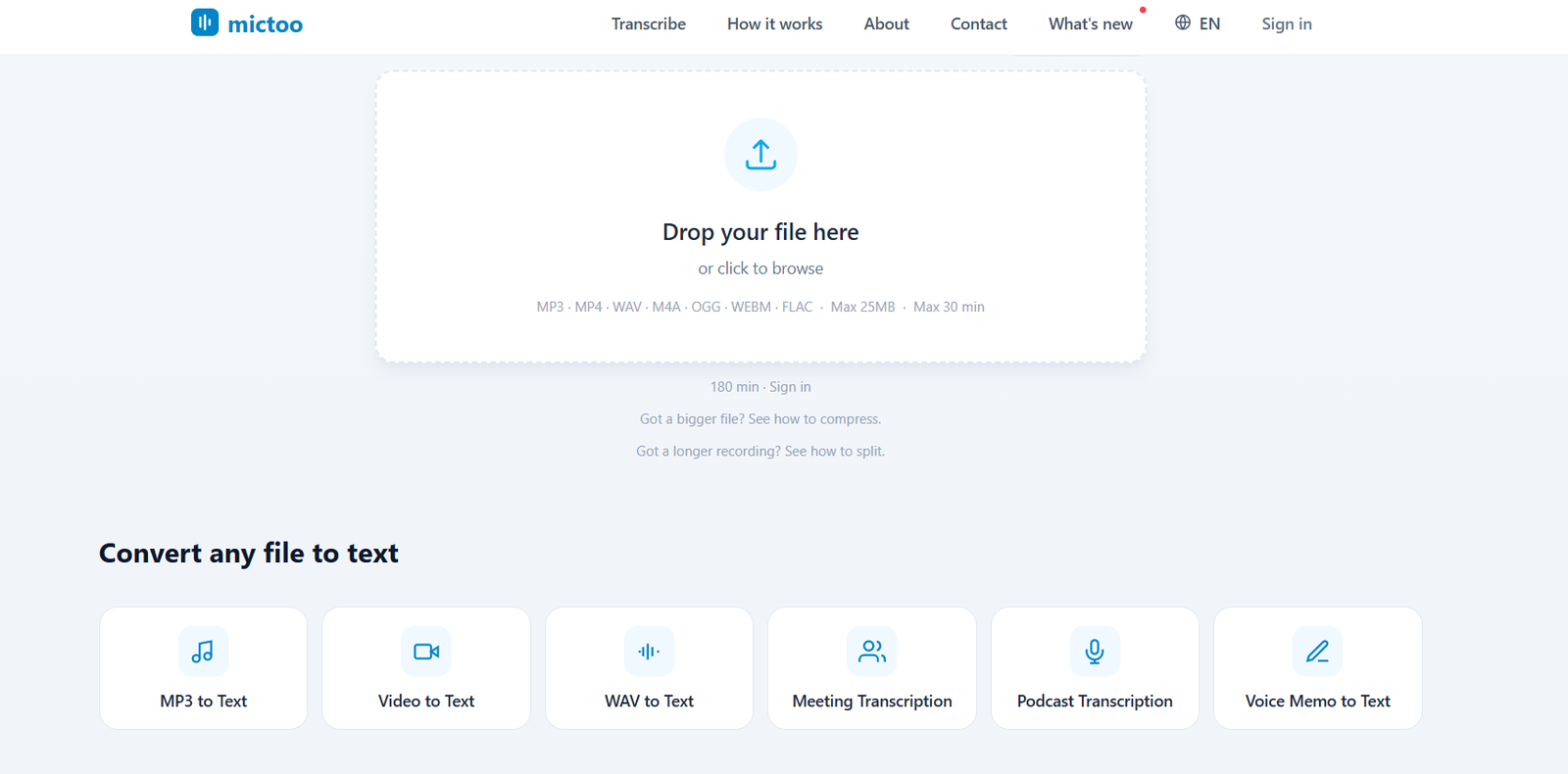
Mictoo is a browser based AI transcription tool designed to convert audio and video recordings into editable text. It focuses on making transcription simple for users who want to upload a recording and receive a transcript without installing software or creating an account for basic use.
The platform uses the Whisper large-v3 speech recognition model for transcription. It supports more than 50 languages and can automatically detect the spoken language or allow users to select it manually.
Mictoo accepts common audio and video formats including MP3, MP4, WAV, M4A, OGG, WEBM, FLAC, AAC, MOV and MPEG. After transcription, users can review and edit the text, create an AI summary, translate the content and export it into commonly used formats.
The platform can be useful for students, podcasters, journalists, researchers, content creators and business teams who need to convert lectures, interviews, podcasts, meetings, voice memos or videos into searchable text.
Features
AI Audio and Video Transcription
Mictoo converts recorded speech from audio and video files into written text using Whisper large-v3. Automatic punctuation helps make generated transcripts easier to read.
50+ Language Support
The platform supports more than 50 languages, including English, Spanish, French, German, Portuguese, Arabic, Chinese, Japanese and several others. Users can allow automatic language detection or manually choose the language.
No Signup for Basic Transcription
Users can transcribe eligible files without creating an account. Anonymous users can upload files up to 25 MB, making the tool convenient for occasional transcription tasks.
Larger Files with Free Account
Creating a free account increases the individual file limit to 60 MB. The platform also states that larger files up to 180 MB can be automatically divided into sections and combined into a single transcript for registered users.
AI Summaries
Mictoo includes AI powered summarization to turn longer transcripts into shorter, easier to review information. This can be particularly useful for lectures, podcasts, webinars and meetings.
Chat With Transcript
Registered users can interact with their transcript through a chat feature. This provides another way to explore information contained within longer recordings.
Translation
Users can translate transcripts into other languages after transcription. This makes Mictoo useful for multilingual content and international users.
Editable Transcripts
Generated transcripts can be edited directly in the browser. Users can correct names, terminology, numbers or other transcription errors before saving the final version.
Timestamped Transcripts
Timestamps make it easier to locate specific moments in the original recording. This can be valuable when reviewing interviews, lectures, meetings or podcasts.
Multiple Export Formats
Transcripts can be downloaded in formats such as TXT, DOCX, PDF and SRT. Additional parts of the platform also support formats such as VTT, giving users options for documents, captions and subtitles.
Multiple File Formats
Mictoo supports audio and video formats including MP3, MP4, WAV, M4A, OGG, WEBM, FLAC, AAC, MOV and MPEG.
Privacy Focus
Mictoo states that uploaded files are processed for transcription and are not permanently stored on its servers. Anonymous transcripts remain in the browser rather than being saved as account history.
How It Works
Step 1: Open Mictoo
Visit the Mictoo website and access its transcription interface.
Step 2: Upload a recording
Drag and drop an audio or video file into the upload area or select a file from your device. The platform supports several common audio and video formats.
Step 3: Choose the language
Allow Mictoo to automatically detect the spoken language or select the appropriate language manually.
Step 4: Start AI transcription
Mictoo processes the recording using Whisper large-v3 and converts the spoken content into text with automatic punctuation.
Step 5: Review and edit
Read through the generated transcript and make any necessary corrections directly in the browser.
Step 6: Use additional AI tools
Depending on the available features and account status, users can generate a summary, translate the transcript or chat with its contents.
Step 7: Export the transcript
Download the completed transcription in an available format such as TXT, DOCX, PDF or SRT.
Use Cases
Students
Students can convert recorded lectures, seminars and study sessions into searchable text. AI summaries can also help them review longer educational recordings more efficiently.
Podcasters
Podcasters can turn episodes into transcripts and use the resulting content as a starting point for show notes, blog posts, captions and other supporting material.
Journalists
Journalists can transcribe recorded interviews and conversations instead of manually replaying the entire recording while typing.
Researchers
Researchers can convert interviews, discussions and other recorded qualitative material into text that is easier to search and analyze.
Content Creators
Video and audio creators can generate transcripts, captions and subtitle files from their recordings. Transcripts can also help when repurposing spoken material into articles or other content.
Businesses and Teams
Teams can convert recorded meetings, presentations, webinars and discussions into written records that can be reviewed or shared internally.
Educators
Teachers and trainers can turn recorded lessons and seminars into written educational resources and study materials.
Voice Memo Users
People who record ideas, notes or reminders on their phones can convert voice memos into editable text for easier organization and reuse.
Pricing
Mictoo currently provides its core transcription service free of charge.
Anonymous users can transcribe files up to 25 MB without creating an account or providing credit card information.
Users who create a free account receive a higher limit of up to 60 MB per file and up to seven free transcriptions per day. The website also indicates support for larger files up to 180 MB through automatic splitting for registered users.
Mictoo states that it is developing a Pro tier intended for users who require features such as longer file support, batch uploads or speaker diarization. Clear final pricing for this future Pro plan is not currently available on the official website.
Therefore, pricing details for the planned paid version are not clearly mentioned on the official website.
Strengths
A major advantage of Mictoo is that users can start basic transcription without creating an account or entering payment details.
Support for more than 50 languages makes it useful for multilingual transcription needs.
Its support for both audio and video files gives users flexibility when working with podcasts, meetings, interviews, lectures and other recorded material.
AI summaries, translation and transcript interaction extend the platform beyond basic speech to text conversion.
The ability to edit transcripts directly in the browser and export them into several formats makes it convenient for different workflows.
Mictoo also places considerable emphasis on privacy and states that anonymous users’ uploaded recordings and transcripts are not permanently stored by the service.
Drawbacks
Anonymous transcription has a 25 MB file limit, which may be restrictive for longer or high quality recordings.
Some larger file capabilities require users to create an account.
AI transcription accuracy can vary depending on recording quality, background noise, accents, overlapping speakers and specialized terminology. Users should therefore review important transcripts before relying on them.
Mictoo is primarily designed around uploading existing recordings. Users looking for a complete live meeting assistant, automated meeting bot or advanced collaborative workspace may need a different type of platform.
The planned Pro offering is still being developed, so users requiring advanced features such as speaker diarization or extensive batch processing should check their current availability.
Comparison with Other Platforms
Mictoo operates in the same general AI transcription category as platforms such as Otter, Notta, TurboScribe, Descript and Fireflies. However, its main emphasis is straightforward browser based transcription of existing audio and video files.
Some competing platforms focus more heavily on live meetings, collaborative workspaces, recording bots, audio editing or broader content production. Mictoo takes a simpler approach where users upload an existing recording and receive an editable transcript.
Its free, no signup option can make it attractive to occasional users who do not want to create another account or purchase a subscription simply to transcribe a small recording.
For users who need sophisticated team collaboration, live meeting capture, advanced editing or enterprise administration, larger transcription platforms may provide a broader feature set. For straightforward file to text conversion, Mictoo offers a relatively simple workflow with useful AI features.
Customer Reviews and Testimonials
Customer reviews and testimonials are not clearly available on the official website.
Conclusion
Mictoo is a useful AI transcription tool for people who want a simple way to turn recorded audio and video into editable text. Its no signup option makes it particularly convenient for occasional transcription tasks.
With support for more than 50 languages, numerous audio and video formats, editable transcripts, timestamps, AI summaries, translation and multiple export options, it can serve a variety of users.
Students can use it for lectures, journalists and researchers for interviews, podcasters for episode transcripts, creators for captions and repurposing, and business teams for recorded meetings and webinars.
Overall, Mictoo is worth considering for users who want accessible browser based AI transcription without immediately committing to a paid subscription or complicated transcription platform.


