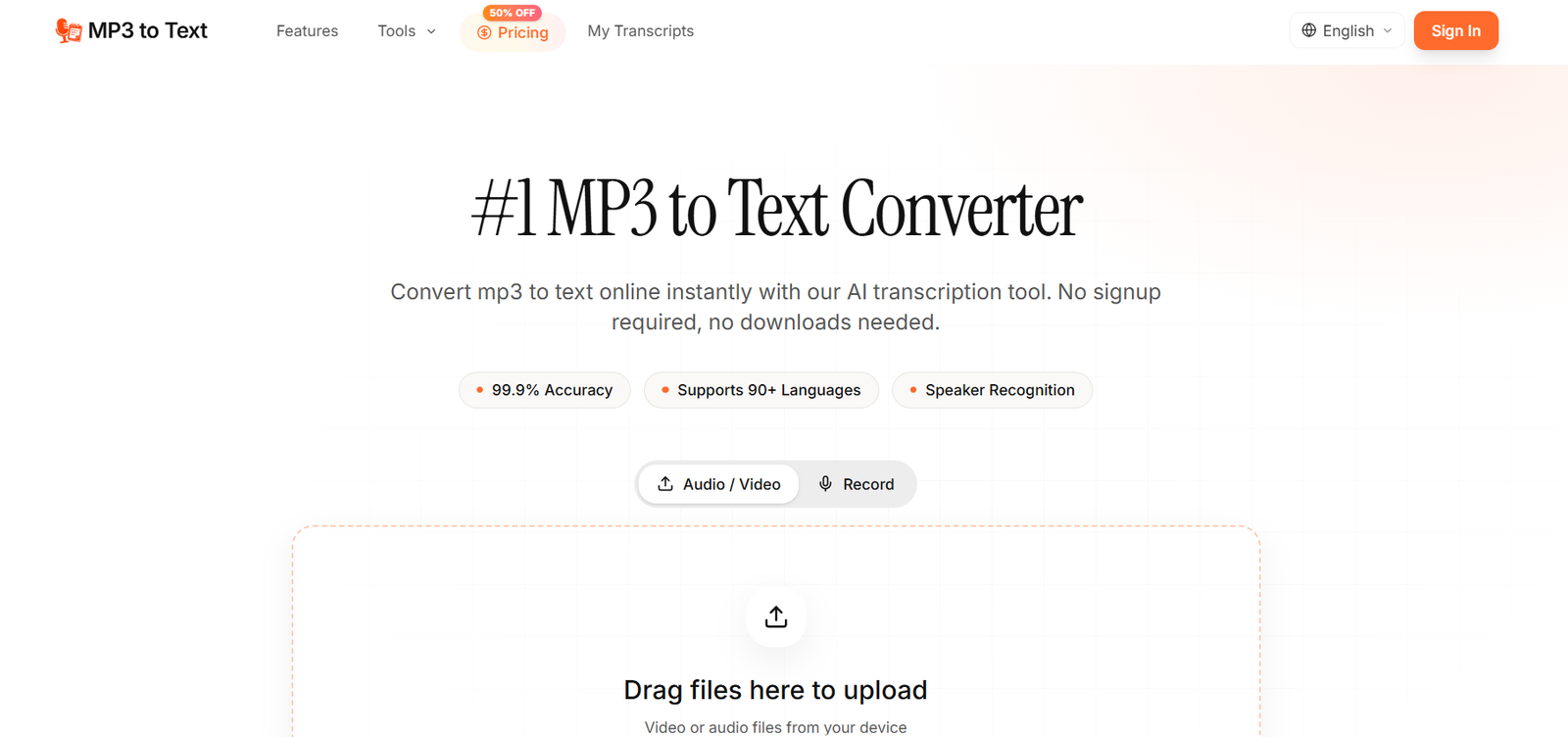
MP3 to Text is an online AI transcription platform designed to convert recorded audio and video into readable, editable text. It can be used directly through a web browser, making it useful for people who want to transcribe recordings without manually typing or installing dedicated transcription software.
Although the platform is named MP3 to Text, it supports a wider range of audio and video formats. Supported formats include MP3, WAV, M4A, FLAC, AAC, OGG, OPUS, WebM, AMR, WMA, MP4, MOV, AVI and MKV.
The platform supports transcription in more than 90 languages and includes features such as speaker identification, timestamps, bulk transcription and AI generated summaries. Users can also export their completed transcripts into several commonly used document and subtitle formats.
MP3 to Text can be useful for podcasters, journalists, researchers, educators, students, content creators and business professionals who regularly work with interviews, lectures, meetings, podcasts, webinars and other recorded material.
Features
AI Powered Transcription
MP3 to Text automatically processes spoken content and converts it into written text. This can significantly reduce the manual work involved in listening to recordings and typing transcripts.
Support for 90+ Languages
The platform supports transcription in more than 90 languages. Major supported languages include English, Spanish, French, German, Portuguese, Chinese, Japanese, Korean and Italian, along with many other languages and regional variations.
Speaker Identification
For recordings containing several people, MP3 to Text can identify and separate different speakers. This feature is particularly helpful when transcribing interviews, meetings, podcasts, panel discussions and research conversations.
Batch Transcription
Users can upload and process multiple recordings rather than handling every file individually. This can make the platform more practical for professionals working with larger collections of recordings.
Large File Support
Paid plans allow individual files of up to 10 hours in duration and up to 5 GB in size. This makes it possible to process lengthy meetings, lectures, interviews and podcast recordings without repeatedly splitting files.
Multiple Audio and Video Formats
The service is not restricted to MP3. It accepts commonly used formats such as WAV, M4A, FLAC, AAC, OGG, OPUS and WebM, along with several video formats.
Multiple Export Options
Completed transcripts can be exported into formats including TXT, DOCX, PDF, CSV, Markdown, SRT and VTT. This provides flexibility for creating documents, reports, subtitles, captions and research material.
Timestamps
Transcripts can include timestamps that help users locate particular sections of the original recording. This is useful when reviewing interviews, meetings or long recordings.
AI Summary
Paid plans include an AI summary feature that can help users obtain a shorter overview of lengthy transcripts rather than reading the complete text.
Browser Based Access
The service works online through a web browser. Users do not need to install desktop software before converting their recordings.
How It Works
Step 1: Upload the recording
Open MP3 to Text and upload an audio or video file from your device. The platform accepts MP3 and several other popular media formats.
Step 2: Select the language
Choose the language spoken in the recording or use automatic language detection where available.
Step 3: Start transcription
Select the transcription option and allow the AI system to process the recording and convert the spoken content into text.
Step 4: Review the transcript
Once processing is complete, review the generated text. Users can correct names, numbers, technical terminology or other words that may require manual adjustment.
Step 5: Use speaker labels and timestamps
For conversations involving multiple participants, speaker identification and timestamps can make the transcript easier to follow and review.
Step 6: Export the result
Export the completed transcript into the preferred format, such as TXT, DOCX, PDF, CSV, Markdown, SRT or VTT, depending on the intended use.
Use Cases
Podcasters and Content Creators
Podcasters can convert recorded episodes into written transcripts that can later be adapted into show notes, articles, summaries, captions or other supporting content.
Video Creators
Creators can generate transcripts and export SRT or VTT subtitle files for videos, making it easier to prepare captions for online video content.
Journalists
Journalists can transcribe recorded interviews, conversations and press events, reducing the amount of time spent manually replaying recordings.
Researchers and Academics
Researchers conducting interviews or qualitative studies can convert long recordings into searchable text. Speaker labels and timestamps can also help when reviewing specific sections of interviews.
Students
Students can convert recorded lectures, seminars and study sessions into written notes. Searchable transcripts can make it easier to revisit specific subjects while studying.
Educators and Trainers
Teachers and trainers can transform recorded lectures, webinars and training sessions into text that can be used for handouts, learning materials or captions.
Businesses and Teams
Business teams can transcribe meetings, client conversations, sales calls and internal discussions so that important information can be reviewed without replaying entire recordings.
Writers
Writers who prefer speaking their ideas can record voice notes and convert them into editable text that can serve as the starting point for articles, reports or other written material.
Pricing
MP3 to Text offers free transcription as well as paid subscription options. The official website states that free users can receive 60 minutes of transcription after signing up and logging in.
At the time reviewed, annual pricing displayed on the official website included:
Basic Annual: $3 per month when billed annually at $36 per year. It includes up to 5 hours of audio or video transcription per month.
Pro Annual: $5 per month when billed annually at $60 per year. It includes up to 10 hours of transcription per month.
Ultimate Annual: $20 per month when billed annually at $240 per year. It includes up to 50 hours of transcription per month.
Paid plans include features such as transcription in 90+ languages, speaker identification, AI summaries, bulk transcription, multiple export formats, unlimited storage and priority email support.
The website also indicates monthly and one time purchasing options. Since pricing and plan limits can change, users should check the official pricing page before purchasing.
Strengths
One of the main strengths of MP3 to Text is its straightforward workflow. Users can upload a recording, allow AI to generate the transcript and then export the result without needing specialized transcription software.
Support for more than 90 languages makes the service useful for multilingual transcription requirements.
Its wide range of supported media formats is another advantage because users are not restricted to MP3 files.
Speaker identification and timestamps are particularly useful for interviews, meetings and podcasts where several people may be speaking.
Multiple export formats also make the generated transcripts suitable for different workflows, from Word documents and research material to subtitles and captions.
Support for individual files of up to 10 hours or 5 GB on paid plans can be valuable for users dealing with long recordings.
Drawbacks
AI generated transcripts may still require manual review, particularly when recordings contain background noise, overlapping voices, uncommon names, technical terminology or unclear speech.
Users handling large amounts of audio will need a paid plan because free transcription capacity is limited.
A recording longer than the supported maximum file duration may need to be divided into smaller sections before processing.
The usefulness of automated speaker identification can also depend on the quality of the recording and how clearly participants speak.
As with any online transcription service, organizations working with confidential or sensitive recordings should review the platform’s privacy policy and terms before uploading such material.
Comparison with Other Platforms
MP3 to Text competes with a broad range of AI transcription services that convert recorded speech into written text. Its approach is relatively straightforward, focusing on quick browser based transcription rather than requiring users to learn a complex editing environment.
Compared with basic MP3 conversion tools, it offers additional capabilities such as support for more than 90 languages, speaker identification, timestamps, bulk processing, AI summaries and multiple export formats.
Some larger transcription platforms may provide broader collaboration, meeting management or enterprise workflow features. MP3 to Text may be more suitable for users whose primary requirement is converting existing audio or video recordings into editable and exportable text.
Its support for both document and subtitle formats also makes it useful for users who want one transcription to serve several purposes.
Customer Reviews and Testimonials
Customer reviews and testimonials are not clearly available on the official website.
Conclusion
MP3 to Text is a practical AI transcription tool for anyone who regularly needs to turn recorded speech into written content. Its simple browser based workflow makes it accessible to both individual users and professionals without requiring dedicated transcription software.
The combination of 90+ supported languages, multiple audio and video formats, speaker identification, timestamps, AI summaries, batch processing and flexible export options makes it suitable for podcasts, interviews, lectures, meetings, research recordings and video content.
Students and occasional users can explore the free transcription allowance, while podcasters, researchers, journalists, educators, creators and professional teams handling larger volumes of recordings may find the paid plans more appropriate.
Overall, MP3 to Text is worth considering for users who want a focused online solution for converting audio and video recordings into searchable, editable and reusable text.