
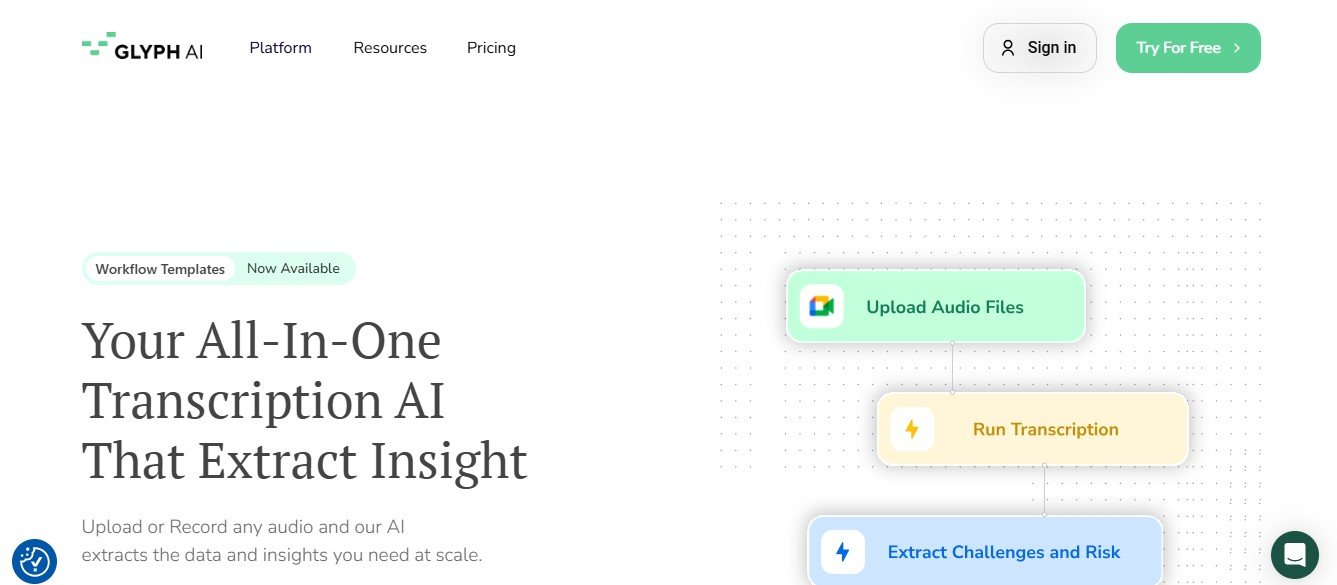
Glyph is an AI-driven writing assistant that empowers users to create polished, engaging, and error-free content. Unlike standard grammar checkers, Glyph focuses on helping creative professionals improve not just the mechanics of their writing but also its tone, style, and impact.
From fiction authors crafting captivating stories to marketers creating persuasive content, Glyph is tailored to serve a wide array of writing needs. The platform offers actionable suggestions for grammar, style, and word choice, along with features to boost creativity and productivity.
Key Features of Glyph
Glyph stands out in the crowded writing tool space thanks to its unique blend of practical and creative features. Here are some of its most notable capabilities:
1. AI-Powered Writing Suggestions
Glyph provides real-time feedback on grammar, spelling, and punctuation while also offering suggestions for improving sentence structure and word choice.
2. Creative Tone Enhancements
The tool analyzes your writing tone and helps you refine it to suit your audience, whether you’re aiming for professional, conversational, or persuasive writing.
3. Storytelling Assistance
Glyph is specifically designed for authors and creative writers, offering tools for outlining stories, building characters, and enhancing narrative flow.
4. Plagiarism Checker
Ensure originality by running your content through Glyph’s built-in plagiarism detection tool, which scans for duplicate content across the web.
5. Writing Templates
Access pre-built templates for a variety of writing formats, including blog posts, social media captions, marketing emails, and short stories.
6. Goal Setting and Tracking
Set word count goals or deadlines for your writing projects and track your progress within the platform.
7. Collaborative Writing
Work with collaborators in real time by sharing your projects directly in Glyph. Team members can leave comments and suggestions for seamless collaboration.
8. Export Options
Export your work in multiple formats, such as Word, PDF, or plain text, to share or publish your content with ease.
How Does Glyph Work?
Glyph’s intuitive design ensures that both novice and experienced writers can benefit from its features. Here’s how it works:
Step 1: Create an Account
Sign up on Glyph’s official platform to access its writing tools.
Step 2: Upload or Start a New Project
Upload an existing piece of content or start a new writing project directly in Glyph’s text editor.
Step 3: AI Suggestions
As you type, Glyph’s AI analyzes your text and offers real-time suggestions for grammar, tone, word choice, and sentence flow.
Step 4: Enhance Creativity
Use Glyph’s storytelling tools or tone enhancement features to make your writing more engaging and impactful.
Step 5: Review and Finalize
Review the final draft using Glyph’s editor, then check for plagiarism and originality before exporting your work.
Step 6: Share or Publish
Once your writing is polished, export it in your preferred format or share it directly with collaborators.
Use Cases for Glyph
Glyph is a versatile writing assistant designed to cater to a wide range of users. Here are some of the most common use cases:
1. Creative Writing
Authors and storytellers can use Glyph to outline plots, refine character dialogue, and polish narratives.
2. Content Marketing
Marketers can leverage Glyph to craft compelling email campaigns, blog posts, and social media content tailored to their target audience.
3. Blogging
Bloggers can create high-quality posts with the help of Glyph’s tone adjustments and SEO-optimized suggestions.
4. Academic Writing
Students and researchers can improve the clarity and professionalism of essays, research papers, and theses with Glyph’s grammar and structure recommendations.
5. Business Communication
Professionals can ensure that their emails, proposals, and reports are concise, error-free, and impactful.
Pricing
Glyph offers flexible pricing plans designed to suit individual writers and teams. While the exact details can be found on the official Glyph Pricing Page, here’s a general outline:
- Free Plan: Includes basic grammar and style suggestions for shorter pieces of content, ideal for new users exploring the platform.
- Pro Plan: A subscription-based plan that unlocks advanced features such as tone adjustments, storytelling tools, and plagiarism checks.
- Team Plan: A custom-priced plan for organizations and writing teams, offering collaborative features and priority support.
Visit the official website for the most accurate pricing and any promotional offers.
Strengths of Glyph
- Creative-Focused Features: Tailored tools for storytellers and content creators set Glyph apart from standard grammar checkers.
- AI-Powered Insights: Real-time grammar and tone suggestions improve the quality of your writing instantly.
- Collaboration Tools: Team members can work together seamlessly within the platform.
- User-Friendly Design: Glyph’s interface is easy to navigate, making it accessible to all levels of writers.
- Versatility: Suitable for creative writing, business communication, and everything in between.
Drawbacks of Glyph
While Glyph offers numerous benefits, there are a few limitations to consider:
- Premium Features Require a Subscription: Some of the best features, such as storytelling tools and plagiarism detection, are only available with paid plans.
- Creative Writing Focus: While excellent for creative projects, users looking for purely technical or academic writing assistance might find other tools more specialized.
- Limited Free Tier: The free version offers limited functionality, which may not be sufficient for advanced writers.
How Does Glyph Compare to Other Writing Tools?
Glyph competes with popular tools like Grammarly, ProWritingAid, and Scrivener. Here’s how it compares:
- Compared to Grammarly: While Grammarly excels in grammar and style suggestions, Glyph offers more creative-focused features, such as storytelling tools and tone adjustments.
- Compared to ProWritingAid: Glyph’s user-friendly design and collaborative features make it more accessible, while ProWritingAid offers deeper technical analysis for academic and formal writing.
- Compared to Scrivener: Scrivener is a better option for organizing large projects like novels, but Glyph’s AI-powered suggestions provide more immediate feedback during the writing process.
Customer Reviews and Testimonials
Here’s what users are saying about Glyph:
- “Glyph has been a game-changer for my writing! The tone suggestions are spot-on, and the storytelling tools help me craft better plots.” – Sophia R., Author
- “As a marketer, I love how Glyph helps me create engaging content for different audiences. It’s saved me so much time!” – James T., Marketing Professional
- “The collaborative tools make it easy for my team to review and edit projects together. Highly recommend Glyph for teams!” – Lisa M., Content Manager
While most reviews highlight the platform’s creative and user-friendly features, some users have mentioned that additional templates for academic writing would be a helpful addition.
Conclusion
Glyph is more than just a writing assistant; it’s a comprehensive tool designed to empower creative professionals. With its AI-powered insights, storytelling features, and collaboration tools, Glyph stands out as a valuable asset for writers, marketers, and content creators.
Whether you’re crafting a novel, publishing a blog, or creating marketing campaigns, Glyph’s intuitive design and advanced functionality make it easy to refine your writing and achieve your goals.
Ready to transform your writing? Visit Glyph today to get started.













