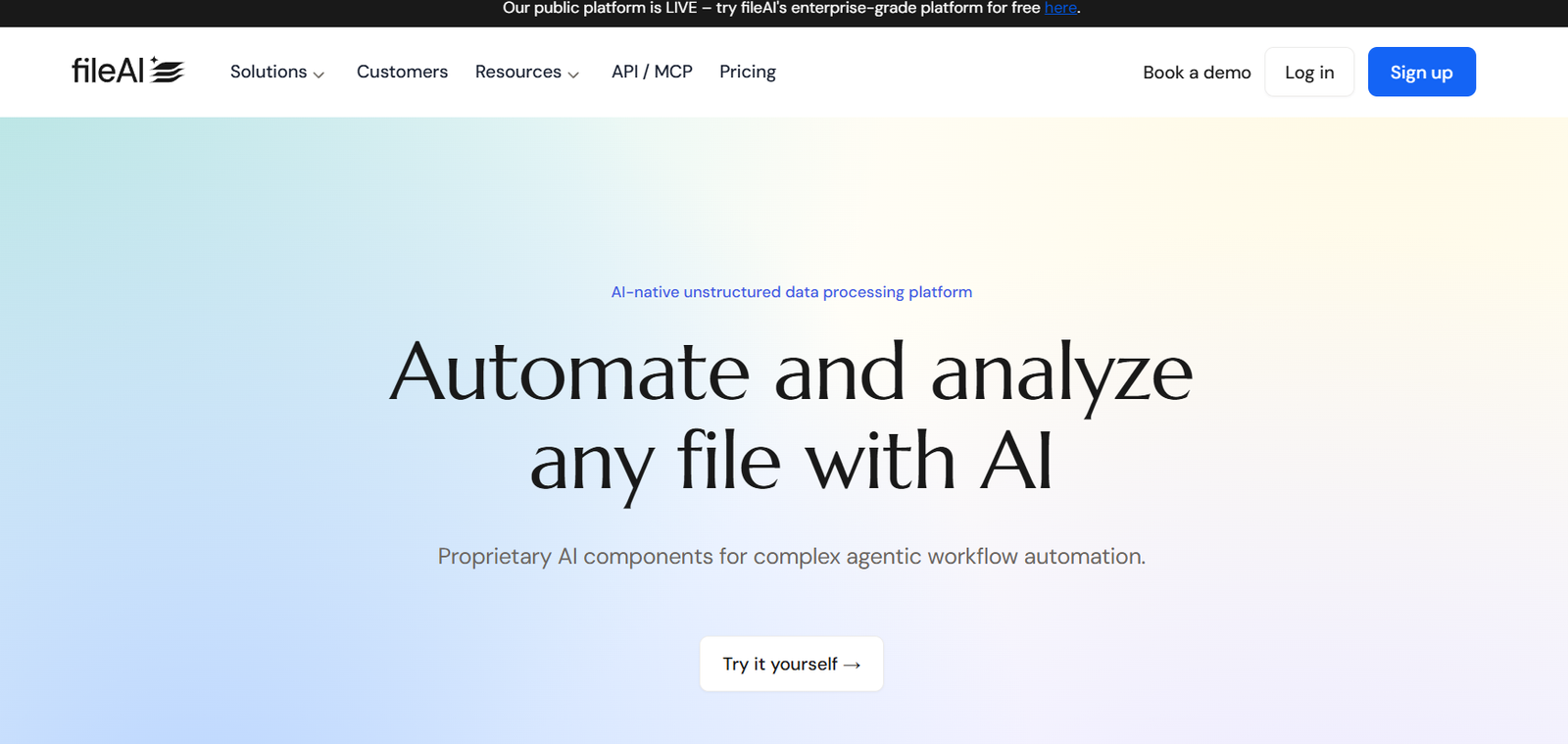
File.ai is an intelligent document assistant powered by artificial intelligence, designed to help individuals and teams manage, understand, and extract insights from complex documents effortlessly. Whether you’re working with PDFs, Word documents, or spreadsheets, File.ai makes it easier to summarize, query, and collaborate on information at scale.
By combining secure file storage with conversational AI, File.ai simplifies the process of dealing with dense, data-heavy files. The tool is ideal for businesses and professionals in legal, financial, academic, and enterprise sectors that rely heavily on document workflows. With a user-friendly interface and enterprise-level data protection, File.ai transforms how teams interact with documents—making search and comprehension as simple as chatting.
Features of File.ai
AI-Powered Document Chat
Users can upload documents and interact with them through a conversational AI interface. Ask questions, get summaries, or request clarifications in natural language.
Multi-File and Multi-User Collaboration
Teams can upload multiple documents and work collaboratively in real-time. The AI understands content across documents and supports context-aware conversations.
Natural Language Search
Find information across files using plain English queries. No need to memorize file structures or specific keywords—the AI locates the relevant section and provides direct answers.
Document Summarization
File.ai can instantly summarize long and complex documents, helping users grasp key insights without reading line by line.
Secure Cloud-Based Storage
Uploaded files are encrypted and securely stored in the cloud. Enterprise-grade security ensures compliance and data privacy.
Multi-Format Support
The platform accepts a variety of file formats including PDF, DOCX, XLSX, and TXT, making it flexible for diverse use cases.
API and Integration
Advanced users can integrate File.ai into internal systems using available APIs. This enables custom document workflows and automation.
Custom Chat Profiles
Organizations can define custom AI behaviors or prompt profiles tailored to specific document types such as legal contracts, reports, or SOPs.
How File.ai Works
Using File.ai is straightforward. Users start by uploading one or more documents through the dashboard. These documents are then processed by the platform’s AI, which indexes the content and prepares it for interaction.
Once processed, users can engage with the AI in a chat-style interface. For example, a user can ask, “What are the main clauses in this contract?” or “Summarize the financial section.” The AI responds with direct answers, pulling information from the uploaded documents.
If working as a team, collaborators can join the same workspace and access shared documents. File.ai retains conversational context, so ongoing discussions with the AI become more intelligent over time. For organizations needing deeper integrations, APIs are available to embed File.ai’s capabilities into other platforms.
Security is built into every step. Files are encrypted at rest and in transit, with access control and authentication to protect sensitive data.
Use Cases of File.ai
Legal Teams
Lawyers and legal assistants can use File.ai to summarize lengthy contracts, identify key clauses, and review regulatory documents efficiently.
Finance and Accounting
Finance teams can query annual reports, audit documents, and financial statements without manually scanning spreadsheets or PDFs.
Human Resources
HR professionals can upload employee handbooks, company policies, or compliance documents and use AI to answer employee queries quickly.
Consulting Firms
Consultants working with large datasets and client documentation can speed up analysis and insight generation using AI-powered queries.
Academic and Research Institutions
Researchers and students can use File.ai to parse academic papers, research notes, or institutional reports to extract data and summaries faster.
Enterprise Documentation
Large businesses can centralize operational documents such as SOPs, training manuals, and meeting notes, and make them easily searchable by staff using AI.
Pricing of File.ai
As of the latest details available on the official File.ai website, the platform offers the following pricing plans:
Free Plan
Includes basic functionality for individual users. Limited uploads and storage. Ideal for testing the platform or personal use.
Pro Plan
Designed for professionals and small teams. Includes multi-file uploads, collaboration tools, document chat, and higher storage limits.
Business Plan
Tailored for medium to large teams. Adds advanced security, workspace sharing, usage analytics, and team permissions.
Enterprise Plan
Custom pricing and features for large organizations. Includes dedicated support, custom AI behavior, single sign-on (SSO), API access, and advanced compliance support.
For full pricing breakdowns and to request custom enterprise plans, users are encouraged to contact File.ai through their official website.
Strengths of File.ai
Ease of Use
The chat-based interface makes it intuitive for users to interact with complex documents using plain English.
Fast Summarization and Search
File.ai dramatically reduces the time needed to scan, summarize, and comprehend lengthy files.
Team Collaboration
Supports real-time team collaboration, allowing shared access to document insights without version confusion.
Strong Security Measures
Encrypted storage and access control make it suitable for handling sensitive data in legal, financial, or healthcare contexts.
Cross-Document Intelligence
The AI can reference multiple documents in a single session, offering deeper contextual understanding than single-file tools.
Drawbacks of File.ai
Limited Offline Capability
Being a cloud-first tool, offline access or local document processing is not currently available.
Free Plan Limitations
The free plan comes with restrictions on storage, number of uploads, and features, which may not suit regular business users.
Dependence on AI Accuracy
While generally effective, the AI may occasionally misinterpret nuanced legal or technical content, requiring human oversight.
No Desktop App
As of now, File.ai is primarily a web-based tool, with no dedicated desktop version.
Comparison with Other Tools
When compared to similar tools like Humata.ai, ChatPDF, and DocGPT, File.ai offers more robust team collaboration features and enterprise-ready security. While ChatPDF and Humata focus on quick, single-document analysis, File.ai enables multi-document understanding and supports broader team workflows.
Compared to Notion AI or Microsoft Copilot, which embed AI into broader productivity tools, File.ai is focused purely on document intelligence and delivers more specialized capabilities in that domain.
Its closest competitor in the enterprise space is Kensho or Docugami, but File.ai is easier to use and offers more flexibility for both individuals and businesses out of the box.
Customer Reviews and Testimonials
While detailed public reviews are limited, early adopters and beta users have highlighted several advantages:
Users praise the simple interface and quick response time when querying documents.
Teams report improved productivity in legal, HR, and finance departments due to less time spent manually reviewing files.
Businesses appreciate the ability to collaborate on shared files with real-time AI responses.
Some users suggest expanding support for more file types and integrations with popular platforms like Slack or Microsoft Teams.
File.ai continues to evolve, and future updates may include additional case studies or detailed customer testimonials.
Conclusion
File.ai is a powerful AI document assistant that’s redefining how professionals interact with files. Its ability to summarize, search, and chat with documents makes it a valuable asset for teams dealing with large volumes of information. The platform stands out for its team-friendly features, strong security, and support for multi-document workflows—all within an intuitive and accessible interface.
Whether you’re in legal, finance, HR, or consulting, File.ai offers an efficient way to turn static documents into dynamic conversations. With scalable pricing and enterprise capabilities, it’s a smart choice for businesses seeking to modernize document management using AI.