
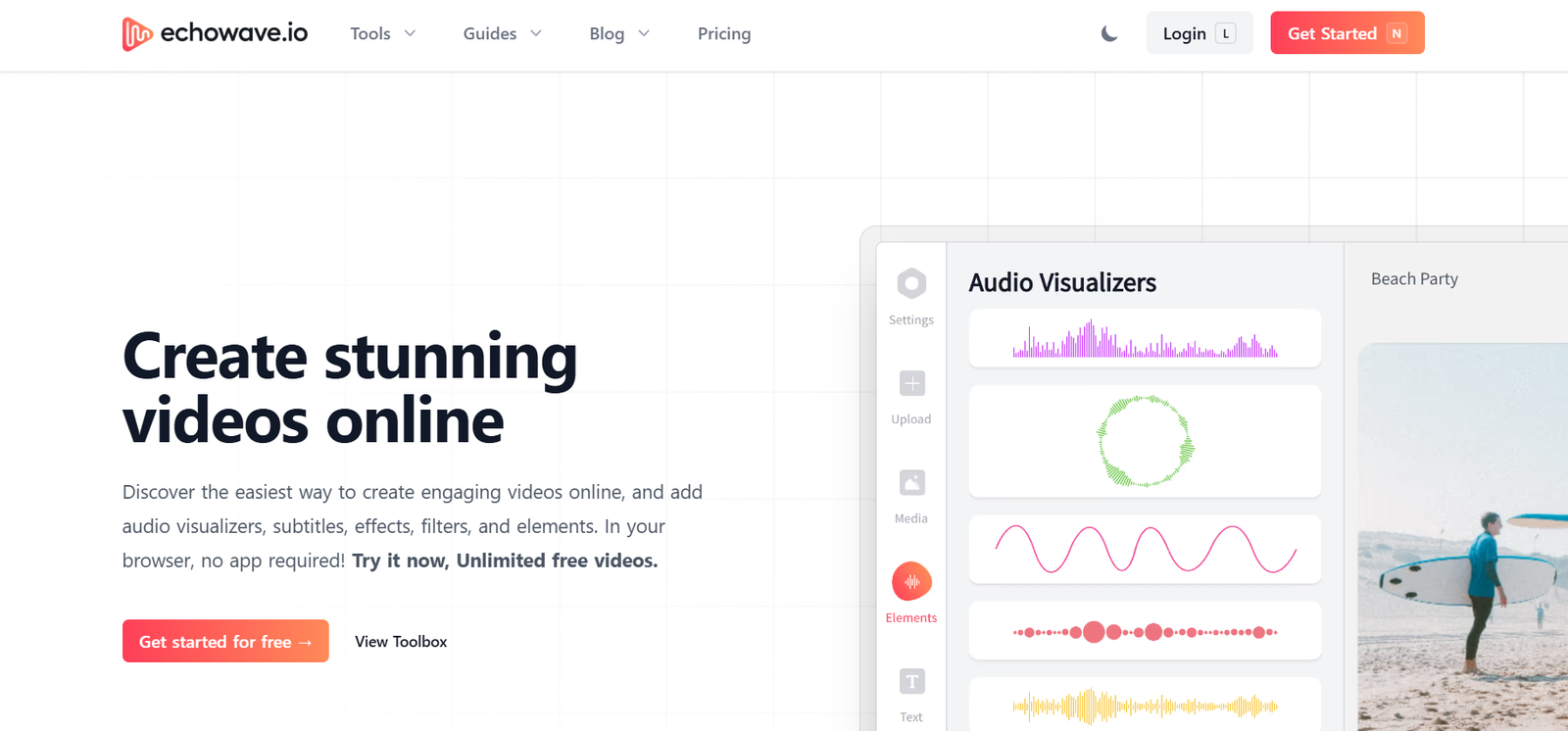
Echowave is an AI-powered podcast editing and repurposing platform designed to help creators produce polished audio content and generate engaging audiograms for social media. Tailored for podcasters, marketers, and content creators, Echowave simplifies the technical aspects of podcast editing by offering an intuitive interface, automated editing tools, and social-ready video formats.
With a strong focus on content repurposing, Echowave enables users to turn long-form podcasts into short, shareable snippets that can be used to drive growth and visibility across platforms like Instagram, TikTok, LinkedIn, and YouTube Shorts.
Features
Echowave includes a comprehensive suite of features to assist in audio editing, content trimming, and visual asset creation.
AI-Powered Podcast Editor: Automatically removes filler words, background noise, and awkward silences to streamline the editing process.
Audiogram Generator: Turn audio snippets into visual content with waveform animations, captions, and branded templates.
Clip Selection Tools: Easily find and extract key moments or highlights from your episodes for social sharing.
Multiple Aspect Ratios: Export content in vertical, square, or horizontal formats optimized for various platforms.
Auto Captions: Generate and burn in accurate captions to improve accessibility and viewer engagement.
Custom Branding: Upload your own logos, fonts, and colors to maintain brand consistency across videos.
Music and Sound Effects: Add royalty-free music tracks or import your own for enhanced audio polish.
Multitrack Editing: Supports editing of multiple audio inputs, ideal for interview-style podcasts.
Cloud-Based Editor: Accessible from any browser without installing software, with secure cloud storage.
Team Collaboration: Invite collaborators to edit or review content with role-based access.
How It Works
To get started with Echowave, users sign up at echowave.io and upload their podcast audio file or video. Once uploaded, the AI automatically analyzes the file and provides a cleaned-up version by removing noise, silences, and filler content like “uhs” and “ums.”
Users can then open the podcast in Echowave’s online editor to trim content, insert intro/outro tracks, and create visual audiograms. The audiogram tool enables creators to highlight specific clips, overlay captions, choose from multiple templates, and export the content in formats suitable for various social media platforms.
Finished projects can be downloaded or shared directly via social channels, helping users maximize the visibility of their podcast content.
Use Cases
Independent Podcasters: Edit episodes quickly and produce audiograms to promote new episodes on social media.
Agencies: Repurpose client audio content into social-friendly clips with branded visual elements.
Marketing Teams: Create bite-sized, branded content from internal podcasts or webinars.
Content Creators: Use short-form clips from long podcast sessions to drive traffic and engagement on TikTok or Instagram.
Educational Institutions: Edit recorded lectures or interviews into clean, digestible audio or video summaries.
Nonprofits and Advocacy Groups: Share audio stories with professional branding and wide platform compatibility.
Remote Teams: Collaborate on podcast production and promotion without needing complex editing software.
Pricing
As of the latest data from echowave.io, Echowave offers the following pricing structure:
Free Plan:
Limited exports per month
Access to core editing and audiogram tools
Watermarked outputs
Starter Plan – $19/month:
10 audiogram exports
5 hours of audio editing
Basic branding options
Access to all aspect ratios
Pro Plan – $49/month:
25+ audiogram exports
20+ hours of audio editing
Full branding customization
Priority export speed
Team collaboration features
Custom or Enterprise Plans:
Unlimited projects
Advanced integrations
Dedicated support and white-labeling
Tailored for agencies or media companies
Users can start with a free trial and upgrade based on editing needs and export volume.
Strengths
All-in-One Solution: Combines editing, audiogram creation, and branding into a single tool.
User-Friendly Interface: Accessible to beginners and professionals alike, with no need for technical skills.
Time-Saving AI Tools: Automates tedious tasks like noise removal, filler deletion, and silence trimming.
Optimized for Social Media: Provides templates and export options tailored for various platforms and formats.
Browser-Based Workflow: No installation needed, with easy access from any device.
Team Collaboration: Enables podcast teams to work together on editing and distribution.
Affordable Plans: Offers competitive pricing for individual creators and businesses.
Drawbacks
Export Limits on Free Plan: Free users may be restricted by watermarks and limited project exports.
Basic Editing Only: Not a replacement for full DAWs (digital audio workstations) like Audacity or Adobe Audition for complex production.
Internet Dependence: Requires a stable internet connection since all editing happens in the cloud.
Voice Customization Limitations: Limited control over AI-processed audio compared to manual editing.
Learning Curve for Templates: While simple, users may need time to explore all audiogram features and customization options.
Comparison with Other Tools
Compared to Descript:
Descript offers audio and video editing with transcription. Echowave focuses more on audiogram creation and social content repurposing.
Compared to Headliner:
Both tools offer audiogram generation. Echowave’s AI podcast editor and brand customization features provide more editing flexibility.
Compared to Riverside or SquadCast:
Those platforms specialize in podcast recording. Echowave is a post-production tool designed for editing and distribution.
Compared to Canva Video:
Canva offers visual design tools. Echowave is purpose-built for podcast audio with specialized audio editing and waveform animation features.
Compared to Adobe Premiere Pro:
Adobe offers advanced video editing but has a steep learning curve. Echowave is easier for podcasters and marketers with no production background.
Customer Reviews and Testimonials
Early users of Echowave have praised the tool for its simplicity, speed, and usefulness in social content production.
A podcast host shared:
“Echowave cut my editing time in half and gave me great audiograms to share on LinkedIn and TikTok.”
A digital agency manager noted:
“We manage several podcast clients, and Echowave lets us quickly turn full episodes into shareable promos that drive engagement.”
A content marketer said:
“The AI editing is surprisingly clean. I was able to focus on messaging while the tool handled the technical cleanup.”
These testimonials highlight the platform’s utility across different roles—from solo creators to marketing teams.
Conclusion
Echowave is a powerful yet user-friendly podcast editing and audiogram tool that helps creators elevate their content through automation and smart repurposing. With AI-powered audio cleanup, intuitive editing tools, and social-ready export formats, Echowave enables podcasters to reach wider audiences without the usual technical barriers.
Whether you’re launching a new podcast, managing clients, or looking to boost your brand’s content strategy, Echowave delivers a fast, efficient way to transform audio into engaging, platform-optimized visual content.


