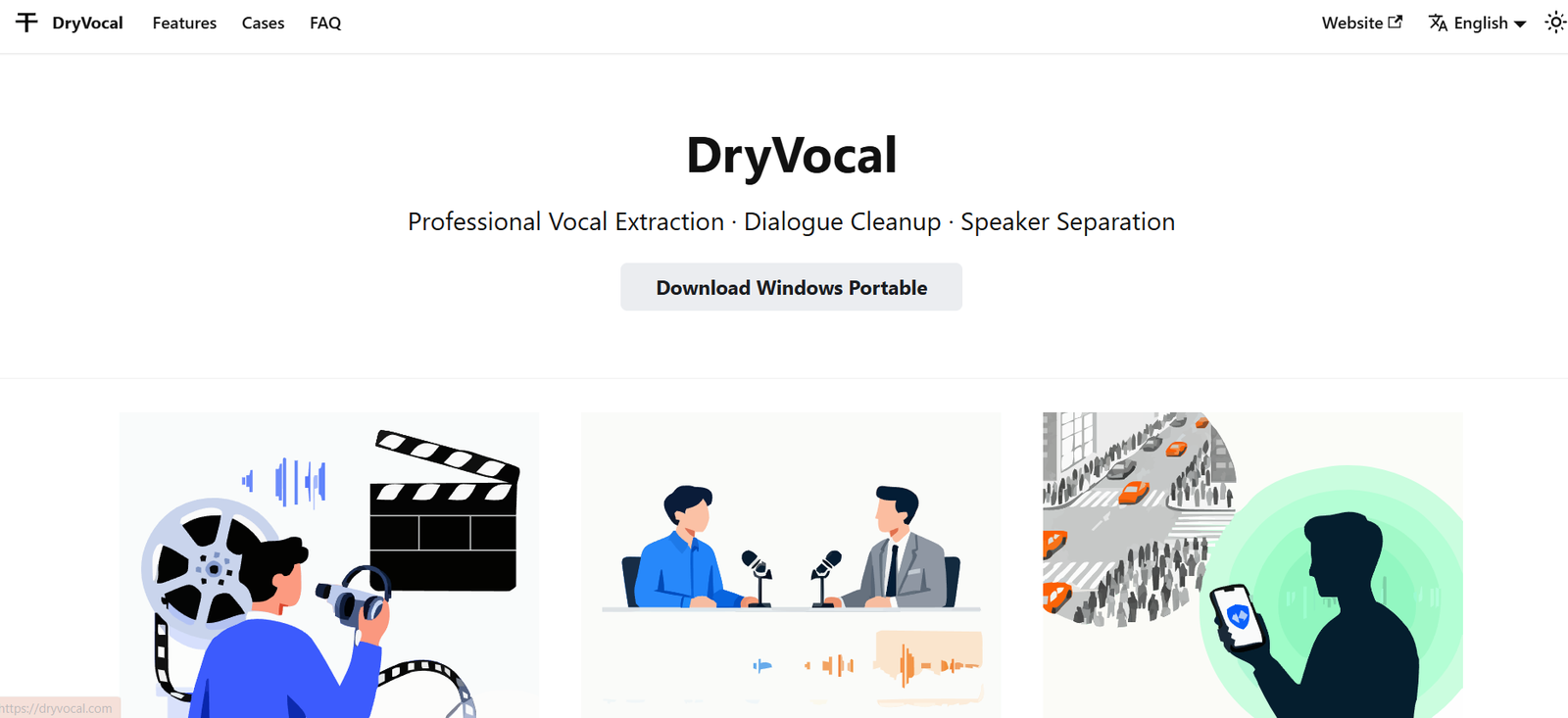
Dryvocal.com is an AI-powered vocal remover and stem separation tool that allows users to isolate or remove vocals and instruments from any audio track. Designed with simplicity and quality in mind, it enables musicians, DJs, producers, and audio engineers to extract clean vocals or instrumentals from songs without requiring complex software or studio-level equipment.
Built on advanced AI audio processing technology, Dryvocal.com delivers high-fidelity results within seconds. Users simply upload an audio file, and the platform processes it to separate vocals from background music or break it down into multiple stems such as bass, drums, and piano.
Whether you’re preparing tracks for karaoke, remixing, or educational purposes, Dryvocal.com offers a fast and efficient way to manipulate audio for creative or professional needs.
Features
Dryvocal.com includes several powerful features designed for musicians, producers, and casual users alike.
AI Vocal Remover – Easily remove vocals from any song to create instrumentals or karaoke tracks.
Vocal Isolation – Extract vocals from background music to create acapella versions.
Stem Separation – Split audio into individual components like drums, bass, piano, and more.
High-Quality Output – Uses cutting-edge AI models to preserve sound quality during separation.
Multiple Format Support – Upload and download files in formats such as MP3, WAV, FLAC, and more.
Fast Processing – Most audio files are processed within minutes, even at high quality.
Download Options – After processing, users can preview and download isolated stems or full tracks.
No Installation Required – Fully web-based platform accessible from any device.
How It Works
Using Dryvocal.com is a straightforward and efficient process.
Visit the website and upload an audio file by dragging and dropping or selecting it from your device.
Choose the type of processing you want: vocal removal, vocal isolation, or full stem separation.
The AI processes the file, which typically takes a few minutes depending on file size and complexity.
Once complete, users can preview the output and download the individual stems or modified track.
No technical skills or software installation is required. Everything runs directly in the browser.
Use Cases
Dryvocal.com serves a broad range of users across different creative and technical fields.
Music Producers – Extract vocals or instrumentals for remixes and sampling.
DJs – Create custom mixes and mashups by isolating key components of a track.
Karaoke Enthusiasts – Remove vocals to make karaoke-ready instrumental versions of favorite songs.
Singers and Performers – Practice with acapella or instrumental versions for live performance preparation.
Educators – Demonstrate song structures, instruments, or vocal techniques in music education.
Content Creators – Create background music or sound design elements for videos and podcasts.
Audio Engineers – Pre-process audio before detailed mixing and mastering in a DAW.
Pricing
Dryvocal.com uses a credit-based pricing model. Users pay per file or buy credits in bulk for more flexibility.
Free Trial – A limited free version is available with basic vocal removal capabilities and preview features.
Standard Pricing – Users can purchase credits to unlock full downloads of processed audio files.
Bulk Credit Packages – Larger credit bundles offer discounted rates, ideal for professionals who process multiple files.
There are no subscriptions, and users only pay for what they use. Current pricing details are available directly on the official Dryvocal.com pricing page.
Strengths
Dryvocal.com offers several strengths that make it a competitive option in the vocal remover market.
Fast and Accurate – AI technology delivers high-quality stem separation within minutes.
User-Friendly – Simple interface requires no technical skills or audio editing knowledge.
Web-Based – No need for software installation or system compatibility checks.
Flexible Usage – Ideal for a variety of users, from casual karaoke singers to professional producers.
Multi-Stem Support – Users can isolate not just vocals but also drums, bass, and more.
Affordable – Pay-as-you-go pricing makes it accessible to a wide range of users.
Cross-Platform Access – Works on desktop and mobile browsers without issue.
Drawbacks
Despite its utility, Dryvocal.com does have a few limitations.
Internet Required – As a web-based tool, it requires a stable internet connection for uploading and downloading.
File Size Limits – Large or complex files may take longer to process or may have size restrictions on the free tier.
No Real-Time Editing – Users can’t adjust stems in real-time or make advanced edits post-separation.
Limited Free Features – Full access to high-quality downloads requires purchasing credits.
No DAW Integration – Doesn’t integrate directly with digital audio workstations; users must import files manually after download.
Comparison with Other Tools
Dryvocal.com competes with several similar audio processing tools, including LALAL.AI, PhonicMind, and Moises.ai.
LALAL.AI – Known for high-quality stem separation using Phoenix and Cassiopeia AI engines. Offers more stem options but at a higher price point.
PhonicMind – Offers four-stem separation (vocals, drums, bass, others) with slightly more control over output.
Moises.ai – Offers real-time collaboration features, mobile app support, and music practice tools, making it suitable for musicians and educators.
What differentiates Dryvocal.com is its simplicity, no-login-required access, and pay-as-you-go pricing. It is especially attractive to casual users and creators who need fast, on-demand stem separation without subscriptions or complex interfaces.
Customer Reviews and Testimonials
Dryvocal.com has received positive feedback from users across music forums, social platforms, and creator communities.
Many users highlight the speed and accuracy of the vocal removal, with minimal loss in audio quality.
Producers appreciate the stem separation feature for remixing and sampling.
Karaoke enthusiasts report that the tool works well with most commercial tracks, producing clean instrumentals.
First-time users commend the platform for being easy to navigate and requiring no registration.
Some reviews mention a desire for batch processing or integration with DAWs, which may be future development areas.
Overall, the platform is praised for delivering professional-grade results with minimal effort.
Conclusion
Dryvocal.com is a powerful, easy-to-use vocal remover and audio splitter built for creators at all levels. Whether you’re a DJ working on your next set, a student practicing vocals, or a content creator in need of clean audio tracks, this AI tool simplifies the audio separation process and delivers professional-quality results in just a few clicks.
With flexible pricing, a user-friendly interface, and support for multiple audio formats, Dryvocal.com stands out as a reliable solution for quick, accurate vocal isolation and music stem extraction. For anyone working with music or audio, it’s a tool well worth trying.