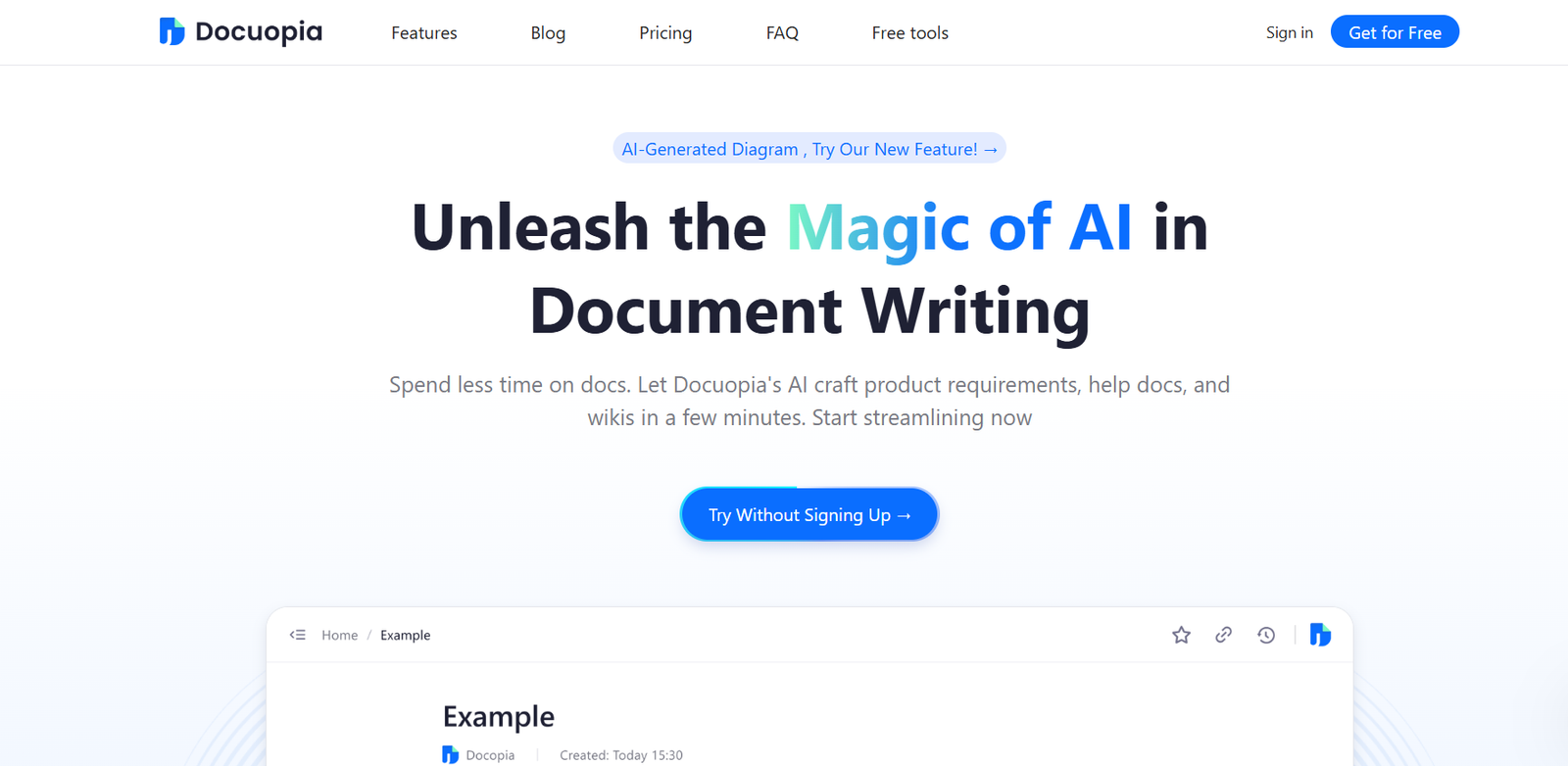
Docuopia is an AI-powered document generation platform that enables users to create professional, structured documents quickly and easily. From legal contracts and business letters to reports and formal proposals, Docuopia simplifies the document creation process by using prebuilt templates and AI text generation to eliminate repetitive tasks.
Designed for entrepreneurs, professionals, and small businesses, Docuopia combines AI assistance with customizable templates to help users save time, reduce errors, and ensure formatting consistency. Whether you’re preparing a business proposal or drafting a standard operating procedure (SOP), Docuopia provides a smarter, faster way to produce high-quality documents.
Features
Docuopia offers a robust set of features for streamlined document generation:
AI Document Generation: Generate entire documents with the help of AI based on your prompts or selected templates.
Professional Templates: Choose from a library of structured templates including contracts, letters, resumes, and reports.
Custom Document Builder: Edit, modify, or create your own templates to fit specific business needs.
Easy Text Input: Input basic details or keywords, and Docuopia generates the appropriate content.
Download in Multiple Formats: Export documents as PDF or DOCX for easy sharing and printing.
Secure Cloud Storage: Save and manage your documents in the cloud for easy access and version control.
User Dashboard: Keep track of your document history and edits in a personalized workspace.
No Design Skills Needed: Everything is pre-formatted to look professional and polished.
Real-Time Editing: Edit and refine AI-generated content before downloading.
Language Flexibility: Support for writing in multiple languages (pending full rollout).
These features make Docuopia an ideal solution for both individuals and teams needing efficient, polished documentation.
How It Works
Docuopia is built for ease-of-use and minimal learning curve:
Choose a Template: Start by selecting from a list of predefined templates or document types.
Enter Your Details: Fill out the basic fields or enter a prompt to describe your needs.
Generate the Document: The AI produces a complete, formatted document based on the inputs.
Customize and Edit: Use the editor to tweak content, change sections, or add personalized language.
Download or Save: Export the document or save it to your account for future use or collaboration.
This workflow is fast, intuitive, and designed to eliminate manual formatting and content drafting.
Use Cases
Docuopia can support a wide range of personal and professional scenarios:
Entrepreneurs & Startups: Draft pitch decks, partnership agreements, business plans, and NDAs.
Small Business Owners: Generate contracts, employee handbooks, invoices, and SOPs.
Freelancers: Create proposals, service agreements, and client communication templates.
Legal Professionals: Automate first-draft contracts, lease agreements, or MOUs (subject to review).
Educators & Students: Write reports, essays, and academic documents with professional structure.
HR Managers: Build onboarding documents, job descriptions, and offer letters.
Consultants: Draft client proposals, project documentation, and reports.
Remote Teams: Use shared templates to maintain consistency across documents and communications.
The flexibility of the platform makes it useful across industries and professions.
Pricing
As of the latest information from the Docuopia website, pricing plans are structured to accommodate individuals, professionals, and teams.
Free Plan
Limited AI generations
Access to basic templates
Watermarked documents
No credit card required
Pro Plan – $10/month (estimated)
Unlimited document creation
Premium templates and customization
No watermark on exports
Priority access to new features
Ideal for freelancers and small teams
Business Plan – Coming Soon
Team collaboration tools
Template sharing and permissions
Advanced version control
Admin dashboard and analytics
Designed for small to medium enterprises
Pricing may vary depending on usage volume and access to additional features. Users can try the free version before committing to a subscription.
Strengths
Docuopia provides several benefits for productivity-focused users:
Speed and Efficiency: Generates polished documents in minutes, saving hours of manual work.
Template Variety: Covers a broad range of professional use cases.
User-Friendly Interface: Clean dashboard and easy-to-use editing tools.
Affordable Pricing: Lower cost compared to hiring content professionals or using full-scale enterprise tools.
Time-Saving AI Assistance: Reduces the burden of repetitive writing and formatting.
No Design or Formatting Required: Ensures consistency and professionalism without extra effort.
Its combination of templates and AI generation makes it a practical tool for modern business needs.
Drawbacks
While powerful, Docuopia does have some limitations:
Limited Custom Branding: May not yet support deep branding customization (e.g., logos, corporate fonts).
Editing Tools Are Basic: Lacks advanced formatting or design tools found in platforms like Microsoft Word.
AI Output Requires Review: As with any AI-generated content, users should review for accuracy, tone, and context.
Team Features Not Yet Live: Collaboration tools are still under development.
No Native Mobile App: Best used on desktop or browser-based platforms.
These drawbacks are minor for most users and may be resolved as the platform matures.
Comparison with Other Tools
Here’s how Docuopia compares to other document-generation platforms:
Docuopia vs. ChatGPT
ChatGPT can generate content, but it lacks formatting, templates, and structured output. Docuopia specializes in ready-to-download, professional documents.
Docuopia vs. Canva Docs
Canva offers design-heavy documents. Docuopia focuses more on professional business and legal formats.
Docuopia vs. PandaDoc
PandaDoc is a sales-focused e-signature and document tracking platform. Docuopia is a simpler, content-focused generation tool.
Docuopia vs. Google Docs
Google Docs is a blank slate. Docuopia accelerates the process with templates and AI, reducing writing time.
Customer Reviews and Testimonials
While Docuopia does not yet publish official testimonials on its website, early users in startup and freelancer communities report:
“I created an NDA for my freelance client in under 3 minutes. Super useful!”
— Independent Designer
“Docuopia saved me when I needed to submit a professional proposal overnight.”
— Startup Founder
“I use it weekly to generate reports and SOPs. It’s my new go-to for documents.”
— Business Consultant
As adoption increases, more user feedback and case studies are expected.
Conclusion
Docuopia is an efficient, AI-powered platform for creating professional documents quickly and with minimal effort. Ideal for freelancers, entrepreneurs, educators, and small businesses, it replaces time-consuming formatting and manual drafting with intelligent templates and content suggestions.
With its growing template library, intuitive interface, and time-saving AI, Docuopia offers a smart solution for anyone who needs clean, structured documents—fast. As team features and integrations roll out, it’s well-positioned to become a go-to productivity tool for modern document creation.