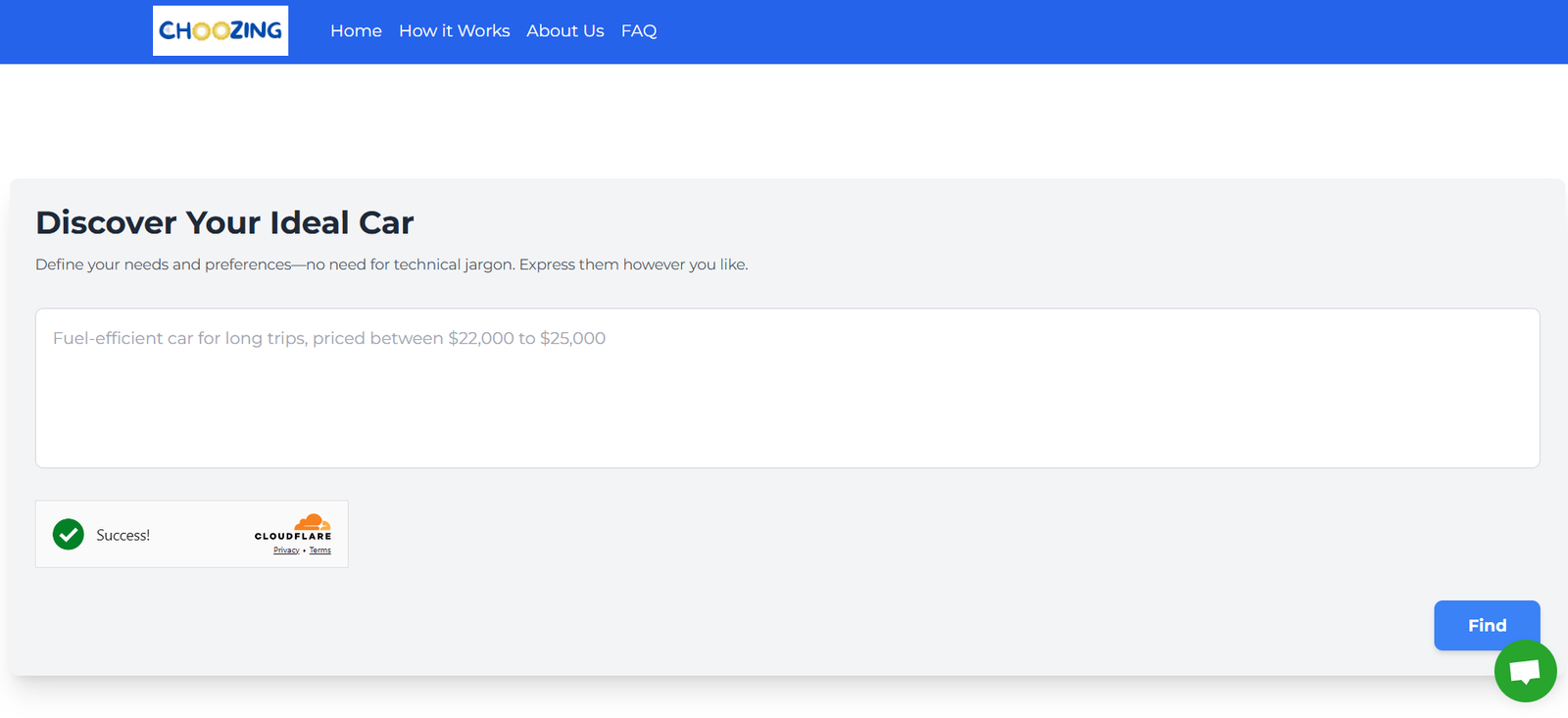
Choozing is an AI-powered feedback and decision-making platform designed to help teams and product managers validate ideas, prioritize features, and gather targeted input from users, teams, or stakeholders. Built with simplicity and collaboration in mind, Choozing allows users to create interactive decision boards where participants can vote, comment, and provide input—enhanced by AI that synthesizes and analyzes feedback.
Whether you’re a founder deciding on your next product feature, a marketer testing messaging, or a team lead evaluating strategic directions, Choozing helps ensure decisions are backed by collective insights and not just assumptions.
Features
Choozing offers a robust set of features tailored to decision-making, feedback gathering, and stakeholder alignment:
Interactive Decision Boards: Easily set up boards with multiple options for voting and feedback.
AI Summary & Analysis: Automatically analyzes user input and surfaces patterns or top insights.
Customizable Voting Mechanisms: Let users upvote, downvote, rate, or choose between alternatives.
Real-Time Collaboration: Invite teams, users, or external stakeholders to participate live or asynchronously.
Feedback Tagging: Categorize or group responses for better organization and review.
Comment Threads: Allow contextual discussions on each option or idea.
Anonymous Input Support: Gather honest opinions with privacy in mind.
Link Sharing: Share boards via public or private links—no login required for participants.
AI-Powered Summaries: Condense long threads of qualitative feedback into key takeaways.
Dashboard Overview: Monitor activity, votes, and feedback across boards.
These tools are designed to replace long email chains and unstructured brainstorming with actionable input that drives better decisions.
How It Works
Choozing is built to make feedback-driven decisions fast and frictionless:
Create a Board: Start by asking a question or posing a decision—e.g., “Which feature should we build next?”
Add Options: List the possible answers, ideas, or directions you want feedback on.
Share the Board: Invite participants by link—team members, users, clients, or the general public.
Collect Input: Participants vote, comment, and contribute ideas directly on the board.
AI Summarizes Feedback: Choozing’s built-in AI scans the responses and provides a summary of trends, sentiments, and suggestions.
Make Better Decisions: Use data-backed insights to prioritize, plan, and communicate outcomes with clarity.
Choozing removes guesswork from collaboration, streamlining both internal decision-making and user-driven validation.
Use Cases
Choozing can support a wide variety of teams and scenarios:
Product Management: Prioritize features, validate roadmaps, and gather feedback from users or stakeholders.
Startups: Make lean, validated product decisions without overbuilding.
Marketing Teams: Test messaging, campaign concepts, or creative options with internal teams or target audiences.
HR & Operations: Collect team input on policies, perks, or process improvements.
Agencies & Consultants: Collaborate with clients on strategy or creative direction decisions.
Educators & Workshops: Facilitate group discussions or decision-based learning exercises.
Community Managers: Engage members with feedback loops and crowd-sourced choices.
Event Planners: Let attendees vote on agendas, topics, or speakers.
Whether used internally or externally, Choozing drives engagement while capturing valuable qualitative and quantitative input.
Pricing
As of the latest information on the Choozing website, the platform is currently free to use, particularly during its early access and beta phase.
Current Offering
✅ Free Access
Unlimited boards
AI summaries
No login required for participants
Basic collaboration features
Unlimited voting and commenting
Future Pricing (Expected)
While pricing details are not currently public, the platform hints at future premium tiers, likely including:
Team workspaces with access controls
Advanced analytics and export options
Custom branding for boards
API or integration support
Priority support and SLAs for enterprise use
Users can join the waitlist or sign up for updates to be notified when premium features launch.
Strengths
Choozing stands out for its usability and collaborative power:
Extremely Easy to Use: Create and share decision boards in under a minute.
AI Insight Summaries: Cuts through noise to surface what matters most.
No Sign-Up Needed for Participants: Maximizes response rates and inclusivity.
Supports Structured + Freeform Feedback: Combines voting with open comments.
Perfect for Remote Teams: Encourages async collaboration across time zones.
Visually Clear UI: Clean design that’s inviting and intuitive.
Privacy Options: Control who can view or contribute to boards.
Free & Accessible: No cost barrier for individuals or small teams.
These strengths make it a valuable tool for anyone who makes frequent group decisions or wants better feedback.
Drawbacks
While Choozing is highly functional, there are a few current limitations:
Limited Integrations (for now): Does not yet connect to tools like Slack, Notion, or Jira.
No User Profiles: Users can’t track or revisit their past contributions unless logged in.
Early Access Phase: Some features may be in development or subject to change.
No Mobile App: Currently optimized for desktop browsers, with no standalone mobile version.
Analytics Depth: Reporting is simple; more advanced dashboards may be needed for large orgs.
These are typical of a product in its beta or early-stage lifecycle, and expected improvements are likely in upcoming releases.
Comparison with Other Tools
Here’s how Choozing compares with other feedback and decision-making platforms:
Choozing vs. Typeform
Typeform excels in surveys, but Choozing focuses on collaborative decision-making and AI summaries.
Choozing vs. Loomio
Loomio is used for formal group consensus. Choozing is faster, more visual, and better for lightweight feedback and prioritization.
Choozing vs. Trello or Miro
Trello and Miro require more setup for decision flows. Choozing is pre-structured and optimized for one-click participation.
Choozing vs. Google Forms
Forms are linear and static; Choozing encourages discussion, voting, and AI-assisted insights—all in real time.
Customer Reviews and Testimonials
Choozing is still in its early growth stage, but early users have shared enthusiastic feedback:
“We used Choozing to prioritize features with our beta testers. It helped us cut noise and focus.”
— Product Lead, SaaS Startup
“Our team was split on a marketing direction—Choozing made the decision process smooth and data-driven.”
— Growth Marketer
“It’s the simplest way I’ve seen to gather team input without a bunch of meetings.”
— Remote Team Manager
More testimonials and case studies are expected as the platform grows and gains traction with remote-first and product-led organizations.
Conclusion
Choozing is a lightweight, AI-powered decision-making platform that helps teams move faster and smarter by collecting structured feedback, surfacing top insights, and facilitating data-backed decisions. With zero-friction sharing, collaborative input, and intelligent analysis, it’s ideal for product managers, startup founders, marketers, and distributed teams.
If you want to replace guesswork with group wisdom—and make better decisions faster—Choozing is a modern tool worth adding to your workflow.