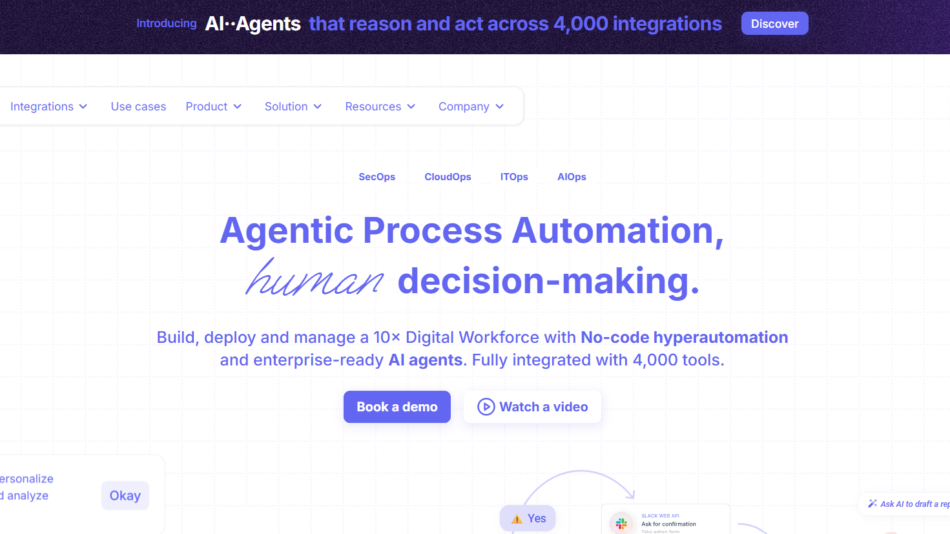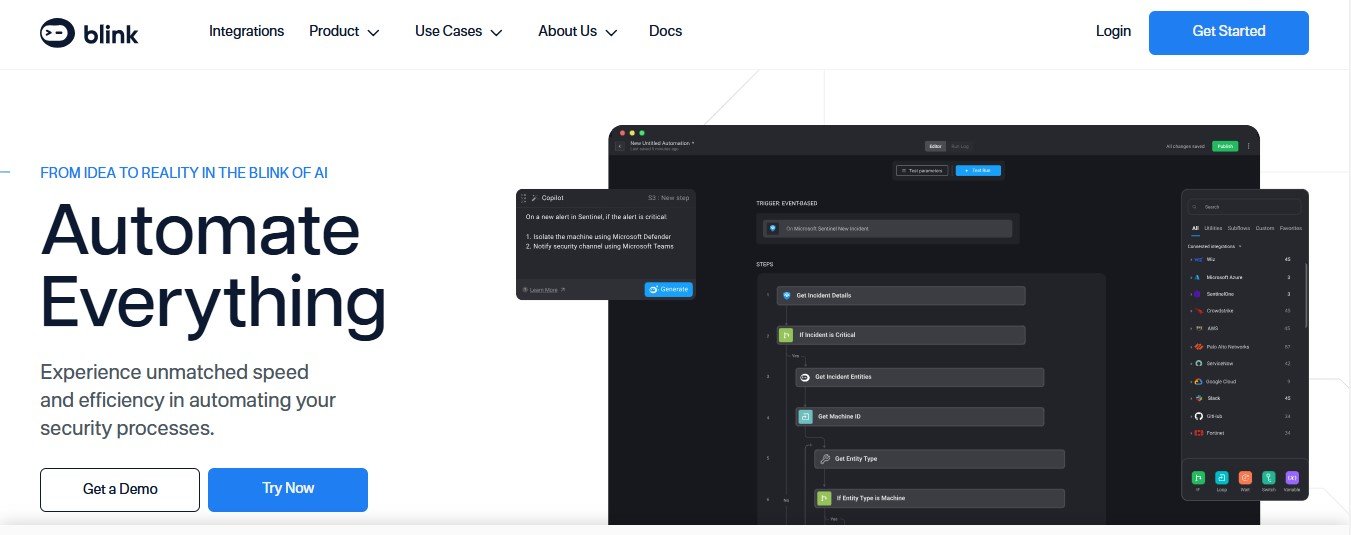
BlinkOps is a no-code automation platform designed to simplify the management of workflows and integrations across various applications. It enables teams to automate complex processes with a few clicks by leveraging pre-built connectors, intuitive drag-and-drop functionality, and built-in collaboration tools.
BlinkOps is tailored for IT, DevOps, security teams, and other departments looking to eliminate repetitive tasks and enhance productivity. With its vast library of integrations and focus on accessibility, BlinkOps helps businesses automate workflows across SaaS platforms, cloud services, and internal tools—all without writing a single line of code.
Features of BlinkOps
1. No-Code Workflow Automation
Easily create and automate workflows using BlinkOps’ drag-and-drop editor, without the need for programming skills.
2. Vast Integrations Library
BlinkOps integrates seamlessly with hundreds of tools, including Slack, Jira, AWS, GitHub, Google Workspace, Salesforce, Zoom, and more.
3. IT and Cloud Automation
Automate IT operations, cloud resource management, and infrastructure provisioning directly from BlinkOps.
4. Customizable Playbooks
Use pre-built playbooks or create custom workflows for automating repetitive tasks, incident management, or employee onboarding.
5. Real-Time Monitoring and Notifications
Track workflow execution in real time, receive notifications on platforms like Slack or Teams, and resolve issues promptly.
6. Collaboration Tools
Invite team members to collaborate on workflow creation and management for increased transparency and efficiency.
7. Conditional Logic
Use conditional logic to create complex workflows, ensuring automations adapt to dynamic business requirements.
8. Data Privacy and Security
BlinkOps adheres to industry security standards and offers robust role-based access controls to ensure sensitive data is protected.
9. Custom Scripting (For Advanced Users)
While BlinkOps is no-code, it also supports custom scripting for advanced users who want to enhance workflows further.
How Does BlinkOps Work?
BlinkOps is designed to simplify automation and make it accessible to all users. Here’s how it works:
- Sign Up and Log In
- Create an account and access the BlinkOps dashboard.
- Connect Your Tools
- Link BlinkOps to your existing tools, such as Slack, AWS, Google Workspace, or Jira, using pre-built connectors.
- Choose or Create a Workflow
- Select a pre-built playbook or create a custom workflow using the drag-and-drop editor.
- Configure Workflow Triggers and Actions
- Define triggers (e.g., when a new ticket is created) and actions (e.g., send a Slack notification or update a database).
- Test and Deploy
- Run tests to ensure the workflow behaves as expected, then deploy it for use across your organization.
- Monitor and Optimize
- Use BlinkOps’ real-time monitoring tools to track workflow execution and make improvements as needed.
Use Cases of BlinkOps
1. IT Operations Automation
- Automate routine IT tasks like server provisioning, incident management, and system monitoring.
2. Cloud Resource Management
- Manage AWS, Azure, or Google Cloud resources more effectively by automating provisioning and scaling workflows.
3. DevOps Automation
- Streamline CI/CD pipelines, automate GitHub workflows, and manage code deployments seamlessly.
4. Employee Onboarding
- Automate onboarding workflows by connecting HR tools, IT systems, and collaboration platforms.
5. Customer Support
- Reduce ticket resolution times by automating ticket assignments, notifications, and follow-ups.
6. Security Incident Response
- Quickly detect and respond to security incidents using automated alerts and pre-configured response playbooks.
Pricing
BlinkOps offers flexible pricing plans designed to suit businesses of all sizes. As of January 2025, here’s an overview of their pricing:
- Free Plan:
- Ideal for small teams or personal projects.
- Includes basic automation and limited integrations.
- Pro Plan: $19/month per user
- Includes unlimited workflows, access to all integrations, and real-time monitoring.
- Enterprise Plan: Custom pricing
- Tailored for larger organizations with advanced needs, such as custom integrations, premium support, and advanced security.
Visit the BlinkOps Pricing Page for the most up-to-date information.
Strengths of BlinkOps
- Ease of Use: The drag-and-drop interface and no-code playbooks make it accessible for users of all technical skill levels.
- Extensive Integrations: Supports a wide range of tools, from cloud services to SaaS applications.
- Customizable Playbooks: Pre-built workflows save time, while custom workflows offer flexibility.
- Real-Time Monitoring: Track workflow performance and receive instant notifications for better control.
- Collaboration-Friendly: Enables teamwork and transparency in automation creation.
Drawbacks of BlinkOps
- Limited Offline Functionality: Requires a stable internet connection to manage workflows and integrations.
- Learning Curve for Advanced Features: While basic workflows are easy to set up, advanced automation with conditional logic may require training.
- Pricing for Small Teams: The Pro plan’s monthly cost could be prohibitive for small organizations with limited budgets.
Comparison with Other Tools
Here’s how BlinkOps compares to other automation platforms like Zapier, Make (formerly Integromat), and Workato:
- Zapier: Zapier is great for simple task automations across apps but lacks BlinkOps’ IT and cloud automation capabilities.
- Make (Integromat): Make offers advanced automation and visualization but is less user-friendly for beginners compared to BlinkOps.
- Workato: Workato excels in enterprise-grade automation but is more expensive than BlinkOps, making BlinkOps a better option for small to mid-sized teams.
Summary: BlinkOps stands out for its IT and cloud automation capabilities, collaboration features, and user-friendly interface, making it ideal for technical and non-technical teams alike.
Customer Reviews and Testimonials
Users of BlinkOps have shared positive feedback about its ease of use and ability to simplify complex workflows:
- Mike T., IT Manager: “BlinkOps has transformed how we handle IT operations. Tasks that used to take hours now run automatically in minutes.”
- Sarah J., Product Manager: “The no-code functionality is a game-changer. I was able to set up workflows without involving our dev team.”
- Tom K., DevOps Engineer: “BlinkOps has been an essential tool for streamlining our CI/CD processes. The integrations are seamless and save us so much time.”
While most users are impressed with the platform, some have mentioned that learning advanced features like conditional logic takes practice.
Conclusion
BlinkOps is a robust no-code automation platform that empowers teams to streamline workflows, connect tools, and improve efficiency across their organizations. With features like customizable playbooks, real-time monitoring, and extensive integrations, BlinkOps caters to IT, DevOps, security teams, and beyond.
While small teams may find the Pro plan’s pricing steep and advanced features may require a learning curve, BlinkOps’ ease of use and flexibility make it a worthy investment for automating everyday workflows.
Ready to simplify your operations? Visit the official BlinkOps website to learn more or start a free trial today!