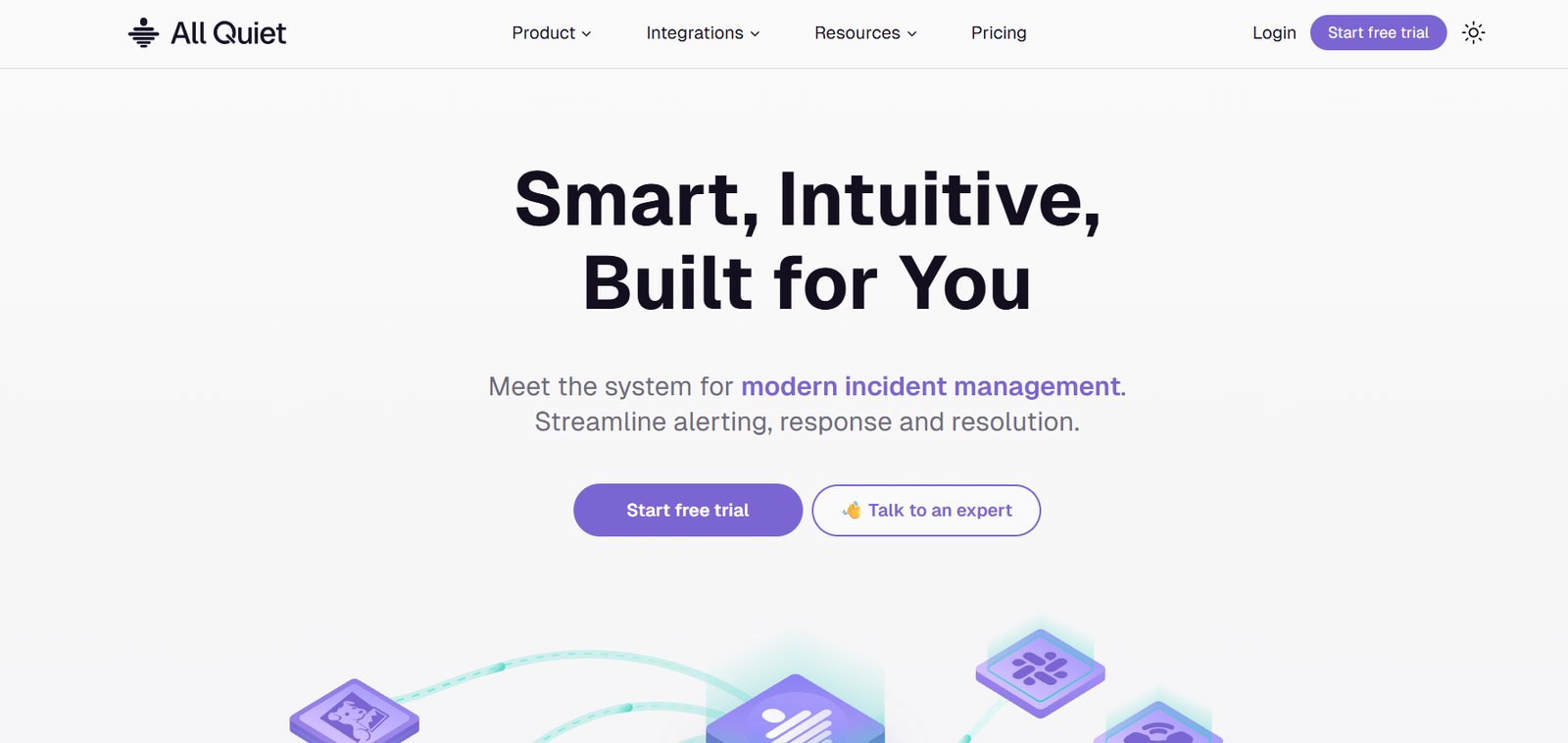
AllQuiet.app is an AI-powered incident management platform that helps DevOps, SRE, and engineering teams monitor, manage, and respond to operational alerts faster and with less noise. With smart routing, flexible on-call scheduling, and AI-driven deduplication, AllQuiet makes it easier to ensure uptime and maintain service reliability without alert fatigue.
Unlike traditional incident tools that bombard users with notifications, AllQuiet uses machine learning and intelligent alert grouping to deliver only actionable information. Its goal is to make on-call management simpler, reduce downtime, and streamline the escalation process—ensuring the right person is notified at the right time with the right context.
Features
AllQuiet.app offers a robust suite of features tailored for modern engineering and DevOps teams:
Smart Alert Routing: Automatically routes incidents to the correct on-call person based on schedules and severity.
On-Call Scheduling: Create dynamic, rotating on-call calendars with time zone and team-based flexibility.
Alert Deduplication: Uses AI to identify and suppress redundant alerts, reducing notification noise.
Incident Escalation Policies: Define custom escalation chains for critical incidents that need rapid response.
Slack & Teams Integration: Manage alerts and incidents directly from your messaging tools.
Multi-Channel Notifications: Alerts sent via SMS, email, voice call, and chat—ensuring teams never miss a critical update.
Incident Timeline & Audit Logs: Full visibility into the lifecycle of every alert for postmortems and accountability.
Status Pages: Create internal or external incident status pages to improve communication.
Simple API & Webhooks: Easily integrate AllQuiet with existing monitoring tools like Prometheus, Grafana, and Datadog.
How It Works
AllQuiet.app simplifies incident management through a straightforward and scalable process:
Connect Monitoring Tools
Integrate AllQuiet with your existing systems (e.g., CloudWatch, Grafana, Datadog) using built-in connectors or APIs.Set Up Teams & On-Call Schedules
Create teams, define rotations, and assign escalation paths for different types of alerts.Configure Alert Rules
Choose how alerts are filtered, grouped, and routed—tailoring noise reduction to your environment.Receive and Respond to Alerts
Alerts are sent to the right team member through their preferred channel. Acknowledge or escalate directly from the message.Analyze and Improve
Use incident timelines, postmortems, and analytics to optimize future response times and team performance.
Use Cases
AllQuiet.app is designed for any team that needs efficient, reliable incident response:
DevOps and SRE Teams: Ensure system uptime with smart alert routing and on-call automation.
Engineering Managers: Gain visibility into incident response metrics and improve team accountability.
Startups and SaaS Companies: Manage uptime and customer trust without hiring a full NOC team.
IT and Infrastructure Teams: Monitor complex systems with clarity and reduce false positives.
Remote Teams: Ensure global, time-zone-aware alert coverage with easy-to-manage on-call schedules.
Pricing
As of May 2025, AllQuiet.app offers flexible pricing to support teams of all sizes:
Free Plan
Up to 5 team members
Basic on-call scheduling
Slack/Teams integration
100 alert events/month
Limited escalation rules
Team Plan – $29/month
Unlimited users
10,000 alert events/month
Full API access
Custom escalation policies
Multi-channel notifications
Business Plan – $99/month
100,000 alert events/month
Unlimited integrations
AI-powered alert deduplication
External status pages
Premium support
Enterprise Plan – Custom Pricing
Advanced compliance and audit features
SSO/SAML support
Dedicated onboarding
SLA-backed support and custom SLAs
A 14-day free trial is available on all paid plans, with no credit card required.
Strengths
AllQuiet.app brings significant advantages to incident management:
Noise Reduction: AI-powered alert deduplication ensures engineers aren’t overwhelmed.
Developer-Focused Design: Simple setup and great documentation tailored for modern engineering teams.
Flexible On-Call Scheduling: Time-zone-aware, rotating schedules with custom overrides.
Rapid Integration: Works seamlessly with popular observability tools and messaging platforms.
Team Accountability: Escalation paths and timelines make handoffs and responses transparent.
Cost-Effective: Offers enterprise-level features at accessible pricing for startups and growing teams.
Drawbacks
While powerful, AllQuiet.app may have some limitations depending on your team’s needs:
Newer to Market: As a newer entrant, it may lack some advanced features of older platforms like PagerDuty.
Limited Reporting Features: More basic analytics compared to enterprise incident management suites.
No Native Mobile App (as of now): Relies on SMS and chat tools for mobile notifications.
Customization Depth: Some teams may require deeper customization than is currently available via UI.
Comparison with Other Tools
Here’s how AllQuiet.app compares to other popular incident management platforms:
Versus PagerDuty: PagerDuty is feature-rich but expensive. AllQuiet is simpler, more affordable, and better suited for small to mid-sized teams.
Versus Opsgenie (Atlassian): Opsgenie integrates tightly with Jira and other Atlassian tools. AllQuiet focuses more on ease-of-use and intelligent noise control.
Versus Better Uptime: Better Uptime focuses on uptime monitoring with basic alerts. AllQuiet offers a full incident lifecycle with escalation, deduplication, and audit features.
Versus Incident.io: Both offer Slack-native workflows. AllQuiet offers greater alert control and multi-channel escalation outside Slack as well.
For teams seeking a modern, AI-supported alternative to legacy incident tools, AllQuiet.app delivers the right balance of functionality and simplicity.
Customer Reviews and Testimonials
Early users of AllQuiet.app consistently highlight its speed, simplicity, and effectiveness:
“We cut our on-call alert noise by 70% in the first week. Our team sleeps better now.” – Lead SRE, SaaS Startup
“It took 10 minutes to get our entire stack integrated and alerts flowing.” – DevOps Manager
“AllQuiet is a lifesaver for small teams who can’t afford PagerDuty but need serious uptime management.” – CTO, Tech Startup
“Slack and email alerts are instant, and we love the status pages.” – Head of Engineering, Fintech Company
Conclusion
AllQuiet.app is a smart, modern incident management platform built for teams that want less noise, faster response times, and more reliable service delivery. With AI-powered alert handling, flexible scheduling, and deep integrations, AllQuiet provides a complete solution to operational alerting—without the complexity or cost of legacy tools.