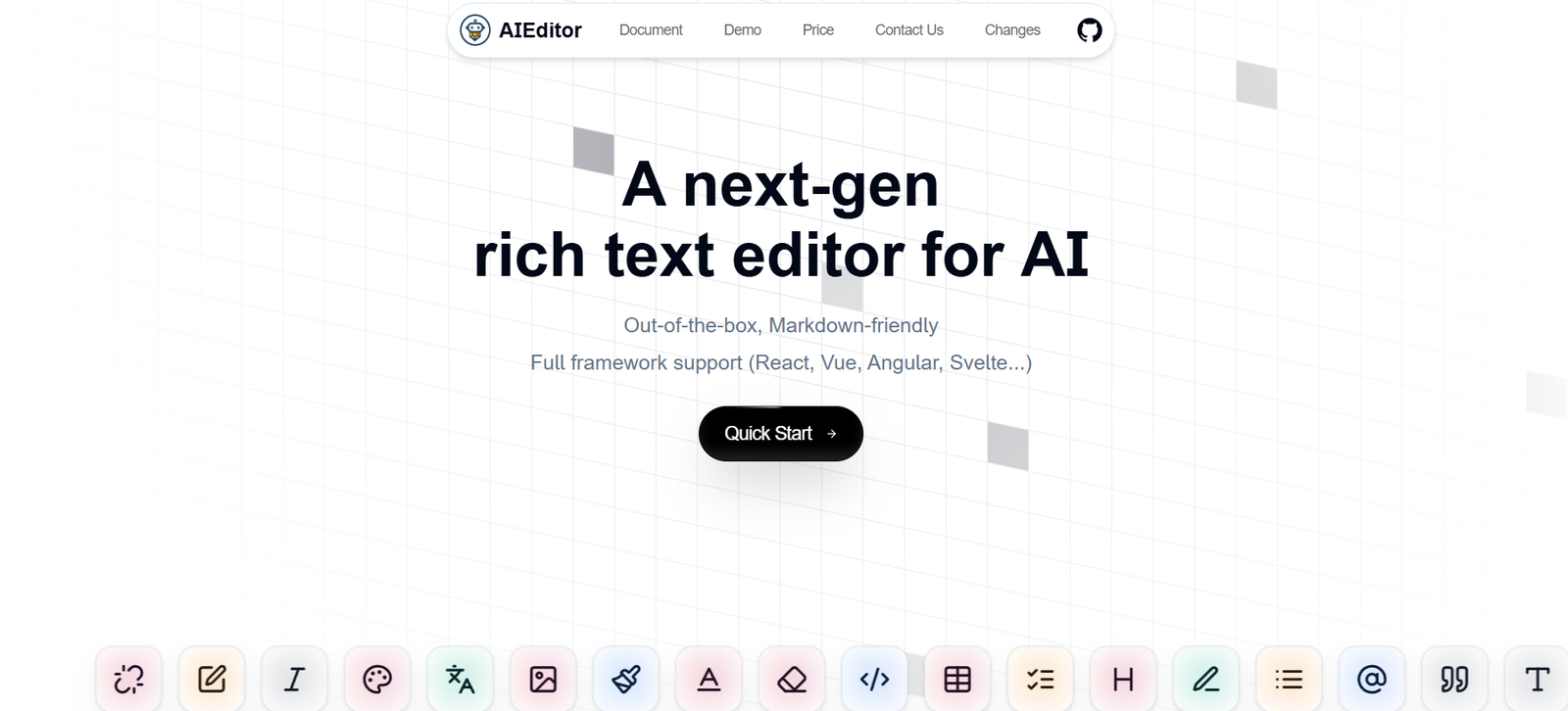
AIEditor.dev is an AI-powered code editor that helps developers write, edit, refactor, and understand code faster using natural language instructions. It integrates AI directly into a lightweight browser-based IDE, enabling users to perform tasks like generating functions, explaining code, converting between languages, and improving code quality—all through simple prompts.
Whether you’re debugging legacy code, experimenting with a new language, or building a feature from scratch, AIEditor.dev streamlines the coding process by merging the speed of AI with the flexibility of manual editing.
Features
AIEditor.dev includes a robust set of features tailored for developers looking for productivity, clarity, and clean code:
AI Code Generation: Use natural language prompts to generate new functions, components, or scripts.
Code Refactoring: Improve structure, performance, or readability by asking the AI to refactor your code.
Multi-Language Support: Supports popular languages including Python, JavaScript, TypeScript, Go, Rust, and more.
Explain Code: Highlight any code block and request an AI-generated explanation.
Convert Code: Instantly translate code from one language to another (e.g., Python to JavaScript).
Inline Editing: Edit code directly while leveraging AI assistance in the same window.
Context-Aware Suggestions: AI understands surrounding code for more accurate and relevant completions.
No Installation Required: Fully browser-based with no setup or downloads needed.
Fast Response Times: Instant AI feedback for real-time development and learning.
Privacy-Focused: Your code stays in your browser session unless explicitly saved or exported.
These features combine the efficiency of AI with the control of a traditional editor, ideal for solo developers and learners alike.
How It Works
AIEditor.dev is designed for quick and intuitive interaction:
Visit the Website: Go to https://aieditor.dev.
Choose a Programming Language: Start coding in your preferred language.
Write or Paste Code: Begin from scratch or import code to analyze or improve.
Use the AI Assistant: Highlight a section and give a command like “Optimize this function” or “Explain this code.”
Refine or Continue Editing: Modify the AI’s output, add new logic, or switch languages.
Save or Export: Copy your code or export it for use in your local dev environment.
The platform’s minimal interface makes it easy to focus purely on code and AI interaction.
Use Cases
AIEditor.dev is ideal for a range of developer workflows:
Rapid Prototyping: Quickly draft functions or scripts using prompt-based generation.
Learning & Onboarding: Understand unfamiliar codebases or languages via explanations.
Code Reviews & Cleanup: Refactor messy or inefficient code snippets before committing.
Language Conversion: Translate code across programming languages for cross-platform development.
Documentation Support: Use AI to generate comments and explanations for improved readability.
Debugging Assistance: Ask the AI to identify errors or suggest improvements.
Experimentation: Test logic ideas or syntax in new languages without a full IDE setup.
Whether you’re a student, freelance developer, or part of a startup, AIEditor.dev improves both speed and understanding.
Pricing
As of the latest update from https://aieditor.dev, AIEditor.dev is completely free to use, with no sign-up required.
Free Access Includes:
Unlimited AI prompt usage
Full support for code generation, refactoring, and explanation
Multi-language capabilities
Browser-based editing with no downloads
No login or user data collection
There is currently no premium version, but future updates may introduce additional features or paid tiers.
Strengths
AIEditor.dev offers several key advantages for developers:
Instant Productivity: Accelerates common coding tasks with natural language input.
No Barriers to Entry: Use instantly with no registration, installation, or setup.
Multi-Language Support: Great for polyglot programmers or learners exploring new languages.
Educational Value: Helps explain and document code for students and junior developers.
Lightweight and Fast: Minimalist UI ensures quick loading and real-time results.
Privacy-First Approach: No login or code storage unless initiated by the user.
These benefits make AIEditor.dev a handy utility for anyone working with code, from professionals to hobbyists.
Drawbacks
While highly functional, AIEditor.dev has a few limitations:
Limited Project Management: No multi-file support or file system access for complex projects.
Not a Full IDE: Lacks features like version control, debugging, or build tools found in environments like VS Code.
No Collaboration Features: Currently designed for single-user use only.
Limited Persistent Storage: Code must be manually copied or downloaded—no autosave or cloud sync.
Basic Customization: Users can’t yet define prompt behavior, themes, or extensions.
These trade-offs are expected for a lightweight tool focused on instant AI-enhanced coding.
Comparison with Other Tools
Here’s how AIEditor.dev compares with similar AI code assistants:
AIEditor.dev vs. GitHub Copilot
Copilot integrates into VS Code and supports live completions. AIEditor.dev is browser-based and prompt-focused, better for one-off tasks and rapid exploration.
AIEditor.dev vs. Replit Ghostwriter
Replit includes a full online IDE. AIEditor.dev is faster to load and better for quick refactors, explanations, and prototyping.
AIEditor.dev vs. Codeium
Codeium offers in-editor suggestions similar to Copilot. AIEditor.dev is more minimalistic, relying on explicit prompts for transformations.
AIEditor.dev vs. ChatGPT
While ChatGPT can handle code prompts, AIEditor.dev is tailored for structured code editing with inline output and syntax highlighting.
Customer Reviews and Testimonials
While AIEditor.dev does not currently feature testimonials on the homepage, user feedback from forums and developers online is positive:
“Incredible for quick code generation—perfect when I’m stuck on syntax.”
— Full-Stack Developer
“I used it to refactor and translate a Python script to Go. Saved me hours.”
— Backend Engineer
“Great for understanding old codebases. The ‘Explain this’ feature is gold.”
— Junior Developer
Developers appreciate its speed, simplicity, and how it demystifies complex code.
Conclusion
AIEditor.dev is a fast, free, and intuitive AI code editor designed for modern developers. With natural language support for writing, editing, refactoring, and explaining code, it bridges the gap between productivity and understanding—all within a lightweight, browser-based interface.
Whether you’re writing a new function, revisiting legacy code, or learning a new language, AIEditor.dev offers a clean, AI-enhanced environment that accelerates coding and deepens insight.